
Invite a player to apply
Send one of your team's open positions to a player or staff member listed in Find a player; they get a notice and an email that open its Apply.
For team owners and admins · 5 steps
What you need first
- You are the owner or an admin of a team of the player's game.
- Your team has an open position for that game — see Post an open position.
- The player is listed in Find a player. You can invite only listed players — and staff: a coach, manager, analyst or content creator listed under Staff, to a position for one of the roles they chose. For a ringer need, the player must also have turned on Available as a ringer — see Find a ringer.
Steps
Step 1: Find the player
In the menu, press Find a player and find the player — see Find a player.
You should see: the player's card or row in the list.
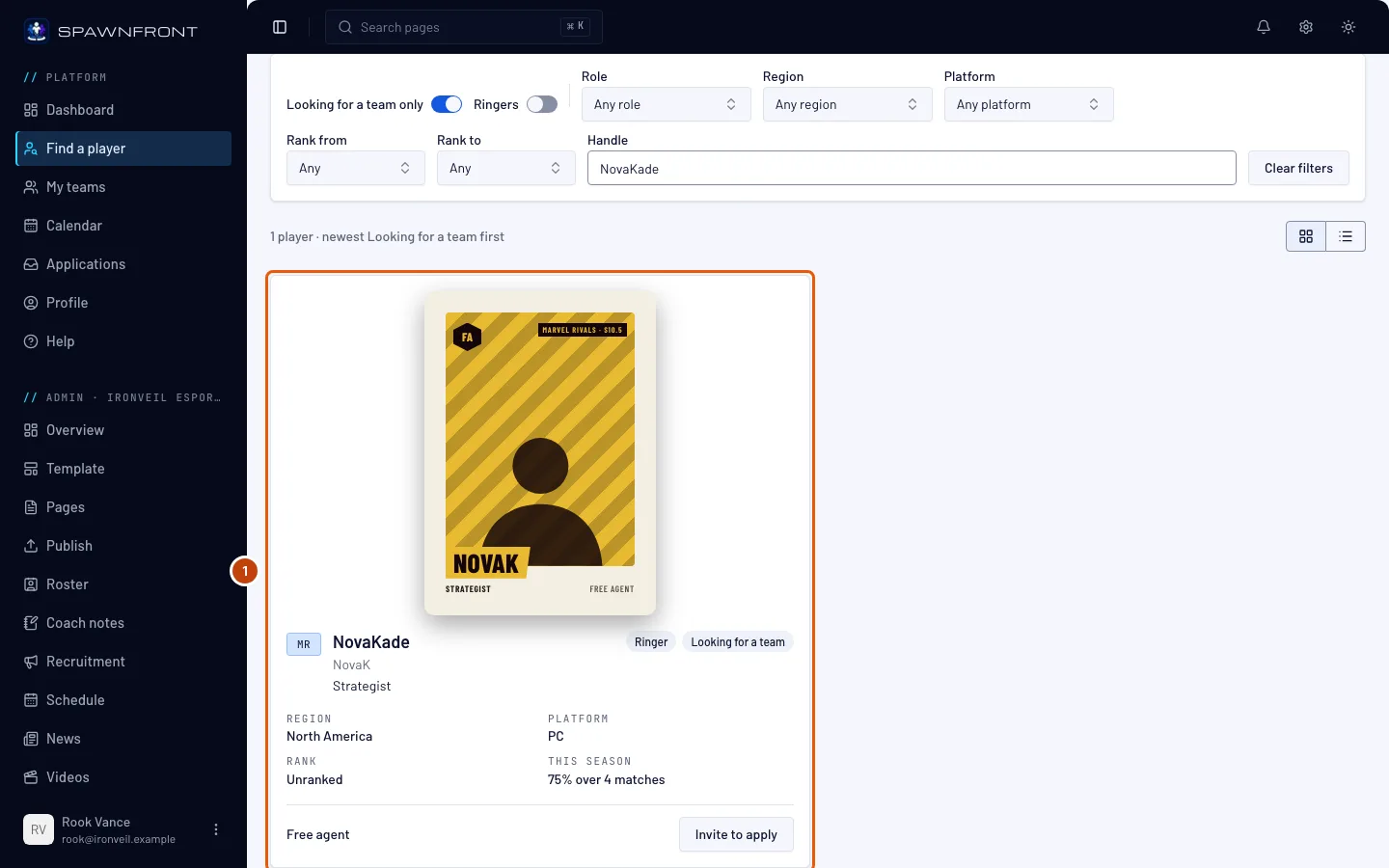
Step 2: Press Invite to apply
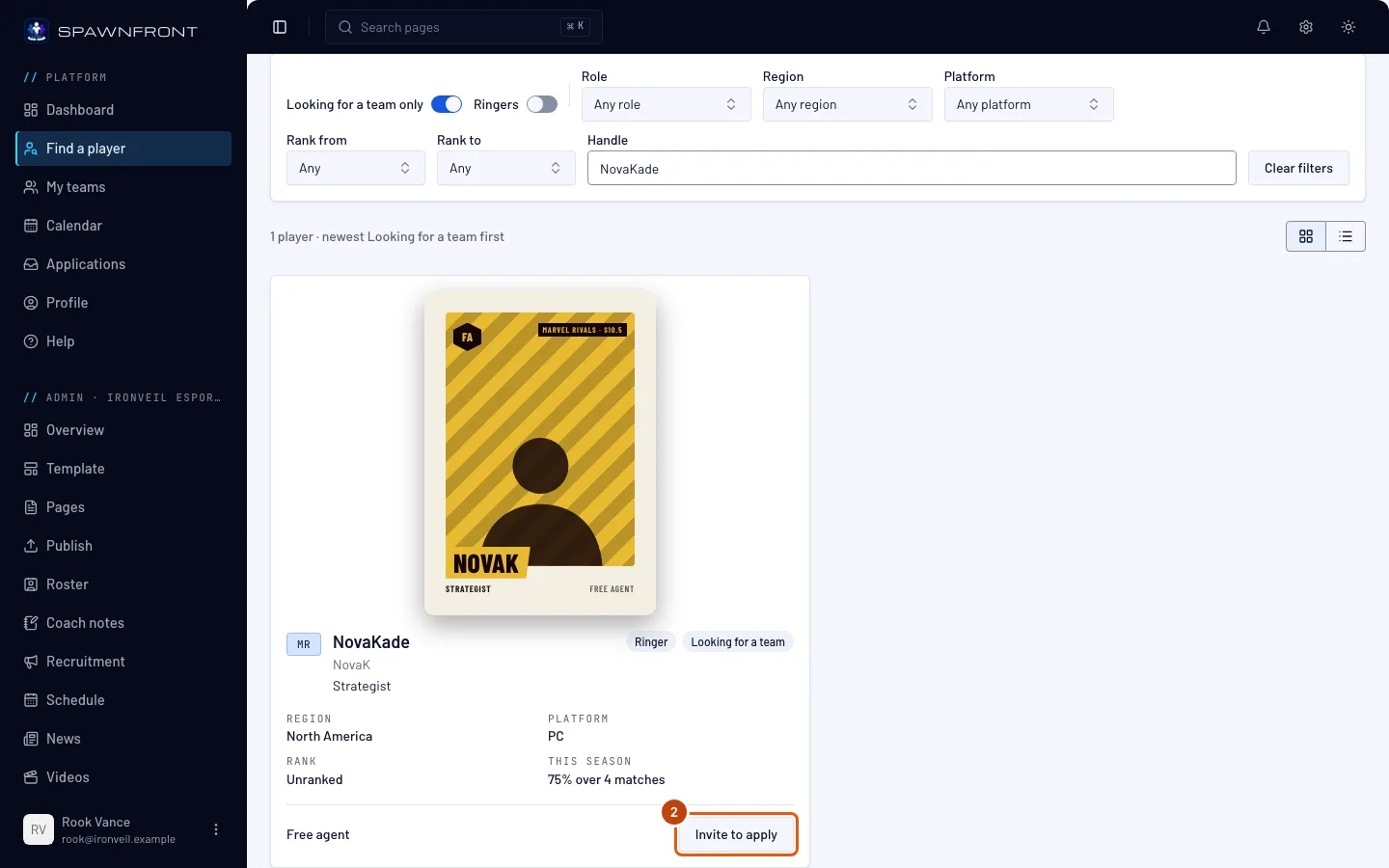
On the player's card or row, press Invite to apply. On a free agent's own page it is at the top right.
You should see: a box, Invite … to apply, saying the player gets a notice and an email that open the position's Apply.
Step 3: Choose the team
Only if you run more than one team of that game: choose the team in Team. With one team, the box has no Team box — go on to the next step.
You should see: the open positions of the team you chose.
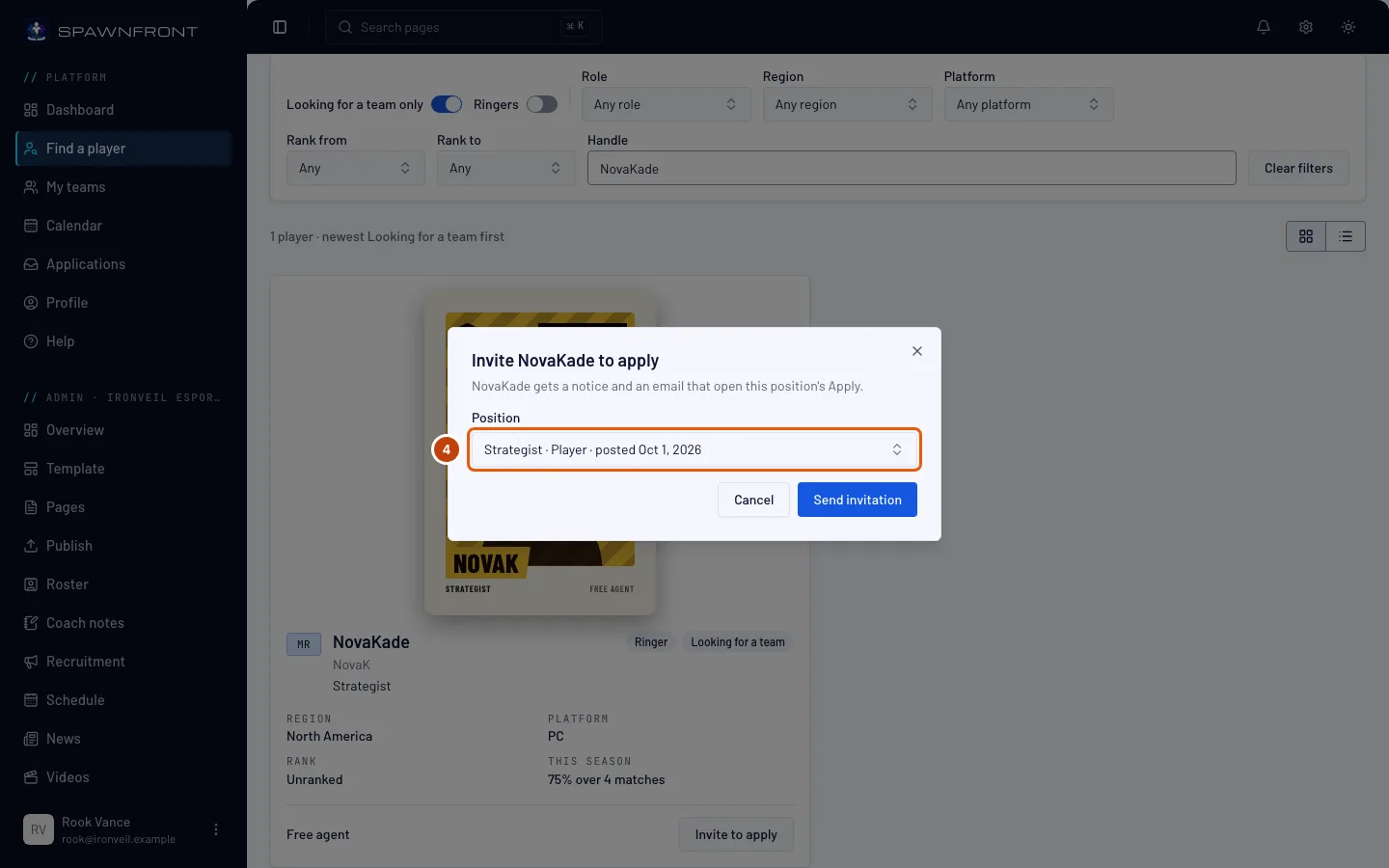
Step 4: Choose the open position
Choose the position in Position. Each reads its role and the day it was posted.
Inviting from a staff listing, only your positions for a role they chose show — a Coach, Manager, Analyst or Content position. If the box says "This team has no open position for …'s roles", post one in Recruitment first.
If the box says "This team has no open position for …", press Recruitment in that line and post one first.
Step 5: Send the invitation
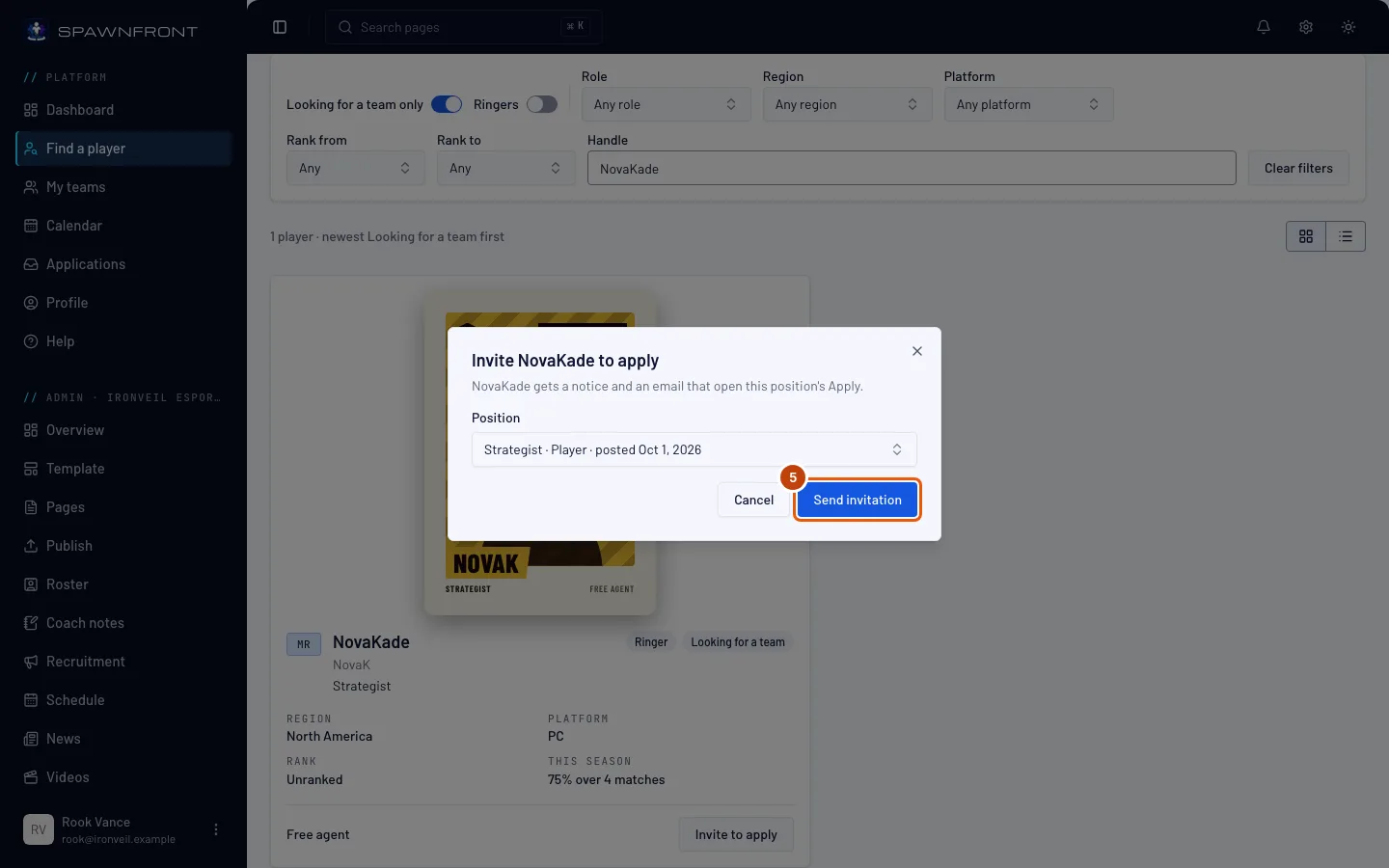
Press Send invitation.
One invitation per position and player. A team with a site can send ten invitations a day; a free team, three a week.
You should see: "Invitation sent", and the box closes.
How to know it worked
- "Invitation sent" showed, and the box closed.
What the player gets. A notice in their bell — "… invited you to apply for … — open it to apply" — and an email, both opening the position's Apply box, and a row under Invitations on their Applications page. The invitation carries no message, and it names your team, not you. When they apply, the application arrives in Recruitment like any other — see Review applications.
If the player stops being listed, the invitation goes quiet: no notice or email reaches them from it.
Something doesn't look right?
It says "You already invited this player to this position"
Each player can be invited to each position once. Choose another position, or wait for their application.
It says "You have sent enough invitations today — try again tomorrow"
Your team has sent its ten invitations for today. Try again tomorrow.
It says "Free teams send 3 invitations to apply a week. Get a site to send up to 10 a day."
A free team sends three invitations to apply in seven days. Wait until the oldest is a week old, or get a site to send up to ten a day.
It says "This player is not available"
The player is no longer listed in Find a player, or closed their account.
It says "This player is already on your team"
They are a member of your team already; there is nothing to invite them to.
There's no Invite to apply button
You are not the owner or an admin of a team of that player's game. A member can't invite.
Related articles
Still stuck? Contact support or email support@spawnfront.com — tell us the page you're on and the step number.