
Vaultkeeper
Duelist · NA · PC
RankCelestial III
Win rate57.8%
Most-played heroes
- Hela
- Psylocke
- Magneto
Example card
Lobby open · Find a team · Find a player · Build a team · 7 games
Find a team or build one. Run the roster, schedule scrims and publish your site, in seven games.
Free. No card needed.
Recruiting, roster, scrims, your own site. Every team spawns here.

Games
Each game keeps its own roles, ranks and regions. Your profile holds a player identity for every game you play, on PC, Xbox, PlayStation or Switch where the game allows.
Pick a game in the lobby to see what a player and an opening look like there.
The post-match screen, or the match's page from your history: your result and K/D/A.
Vaultkeeper
Duelist · NA · PC
Example card
Ironveil Esports is looking for a Strategist
Who it's for
Most people start as a player. Some found a team. A few run an organization or host a cup. The same account covers every one of them.
Make one profile with an identity for each game. Browse teams by role, rank and region, and apply with your profile. Once a team verifies your UID, or your BattleTag and career link — or you connect Battle.net — your stats go along too.
Learn more about Spawnfront for playersFound a team free. Post open positions and one-session ringer needs with a rank range, review applicants and their stats, and keep the week on one calendar.
Learn more about Spawnfront for team captainsField several teams, in one game or many, under one name. One site with a page for every team, on one subscription.
Learn more about Spawnfront for organizationsRun your own cup on your team's site. Enrolment, a bracket, confirmed scores and a public page every entrant can link to, listed in the tournament directory.
Learn more about hosted tournamentsPlatform
Your profile feeds your applications. Your roster feeds your scrims and cups. Your results feed your site and the ladder. The bottom two layers are free for every account.
Layer 1Free
Your profile carries a photo, your socials and Twitch, and a player identity per game. That profile goes with every application. Once a team verifies your Marvel Rivals UID, or your Overwatch BattleTag and career link (or you connect Battle.net), your card fills in on its own.
Layer 2Free
Every account can found one team free. Post what you need, review who applies, book scrims, and keep practice and matches on one calendar.
Layer 3Site subscription
Run your own cup, with enrolment, a bracket and a public page. Every reconciled scrim and cup result moves you on the ladder.
Layer 4Site subscription
Your site goes live on yourteam.spawnfront.com with nine pages and your roster's stats. Subscribed teams are listed in the team browser, where players look.
How you spawn in
Free for anyone 13 and up. Add a photo, link your socials and Twitch. No card needed.
Handle, role, rank, region and platform for each game you play. That is the profile your applications carry.
OptionalInstall Spawnfront Companion to record your League of Legends, Counter-Strike 2 and Rocket League matches, and to send a scoreboard in every game with Ctrl+Shift+S.
Filter teams by game, role, region, rank, language and platform, then apply in one step. Or start a team of your own, free.
For players
Browse teams by game, role, region, rank, language and platform. Open a team's page to see its roster, stats, schedule and open positions.
Free. No card needed.
Example filters
Game All gamesRole Open positionsRegion NA, EURank Diamond+Language EnglishPlatform PCCorvid Nine
Valorant · NA
Open: Controller · Diamond 3 – Immortal 1
Ironveil Esports
Marvel Rivals · NA
Open: Strategist · Grandmaster I – Celestial III
Nightglass
Overwatch · EU
Open: Support · Master 3 – Champion
Hollow Pine
League of Legends · EUW
Open: Jungle · Emerald I – Master
Static Harbor
Counter-Strike 2 · EU
Open: AWPer · Premier 15,000 – 20,000
Spawnfront Companion Optional
Spawnfront Companion is our own desktop app for Windows. It records your League of Legends, Counter-Strike 2 and Rocket League matches by itself, and in every game sends a scoreboard you capture with Ctrl+Shift+S. You don't need it to sign up or to apply.
Marvel Rivals and Overwatch stats don't need it: once your team verifies it — or, in Overwatch, once you connect Battle.net — they're read from the UID on your profile, or from the public career profile you link beside your BattleTag — once a day on a team with a site, once a week otherwise.
League of Legends and Counter-Strike 2 stats come from the matches the app records. Deadlock's are read from deadlock-api.com once you confirm your account with Steam. Valorant's come from the rank you enter, labeled self-reported, and the scoreboards you send. Rocket League's come from the matches the app records on PC — Standard, Doubles and Duel, the last 90 days — beside the rank you enter, labeled self-reported, or the ranks a screenshot of your Player Profile checked.
Stat coverage varies by game.
| Result | Map | K / D / A | Reported |
|---|---|---|---|
| Win | Mirage | 24 / 16 / 5 | 10 min ago |
| Win | Inferno | 19 / 17 / 8 | 34 min ago |
| Loss | Nuke | 13 / 18 / 4 | 52 min ago |
| Win | Mirage | 21 / 14 / 6 | 1 h ago |
Once your team verifies your Marvel Rivals UID, or your Overwatch BattleTag and career link (or you connect Battle.net), rank, win rate and most-played picks fill your card and ride along on every application you send. In every game, add your own matches from a screenshot — ranked, scrims or others, each labeled — marked self-reported, and your card shows your confirmed scrims with your team beside them.
Marvel Rivals scrims and cups fill in their games from your verified players' public match histories, and every other game's scrims but Rocket League's from the scoreboard screenshot or the ScrimTime Workshop log both teams confirm — so the score on your schedule is the score that was played.
Elsewhere, players type their stats in by hand. Here a UID or Overwatch career your team verified, or a BattleTag Battle.net proved, fills each card on its own.
For team captains
Found a team free. Post what you need, review who applies, and keep the week on one calendar your players already have open.
OhNoItsPip
Strategist · NA · PC · applied 2 days ago
"Main Strategist, flex to Vanguard. Free weeknights after 18:00 ET."
One team per account, free. No site needed to recruit.
Free. No card needed.
Team site
Subscribe when you want to be found. A subscription adds a hosted site, a listing in the team browser, your own cups and a place on the ladder.
Ironveil Esports
Open: Strategist
Corvid Nine
Open: Controller
Recruit
Subscribed teams are listed in the team browser. Applications arrive with the player's profile and stats.
Compete
Post the windows you can play. When a team wants the same slot, the agreed scrim lands on both schedules. Scrims are free on every team; a site adds your own cups and a place on the ladder.
Publish
Nine pages on yourteam.spawnfront.com. Edit as forms, preview, and publish in one step.
Compete
Run your own cup on your site, with enrolment, a bracket and a public page every entrant can link to. A published cup is listed in the tournament directory. Entering another team's cup is free. Every reconciled scrim and cup result moves the ladder.
Hosted tournaments: reported and confirmed scores.
| # | Team | W–L |
|---|---|---|
| 1 | Ironveil Esports | 14–3 |
| 2 | Lowtide | 12–5 |
| 3 | Paper Comet | 10–6 |
| 4 | Kestrel Run | 9–8 |
The ladder: a standing across teams.
Start free. Subscribe from inside your team when you want the site.
Templates
Pick a template, fill in the forms, and publish. Your roster's stats, your news and your matches stay current without touching code.
Connect your Fourthwall shop and pick the products. Fourthwall handles checkout, shipping and payouts.
Team and upSubscribed teams appear in the team browser, so the players looking for a team find yours.
Team and upConnect a domain you own with a guided walkthrough, or buy one through Spawnfront, renewed while you subscribe. On yearly Team Pro, your first .com is free for its first year.
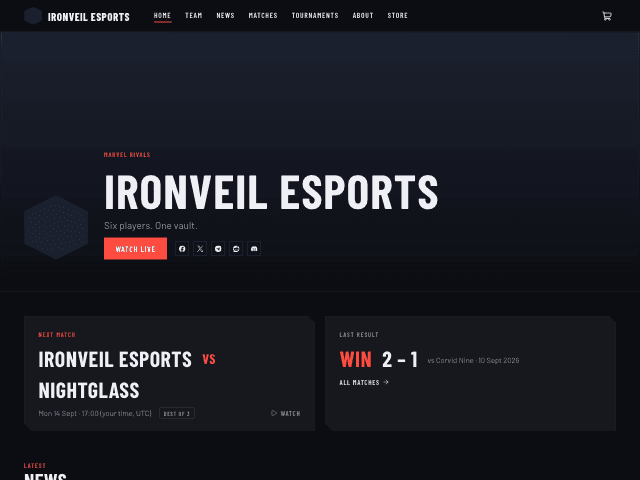
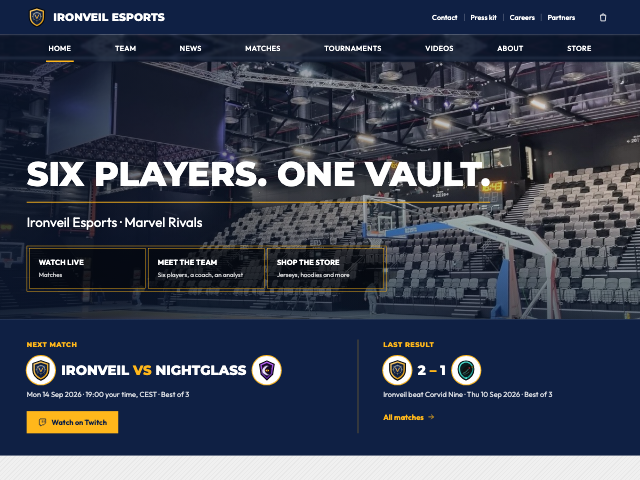
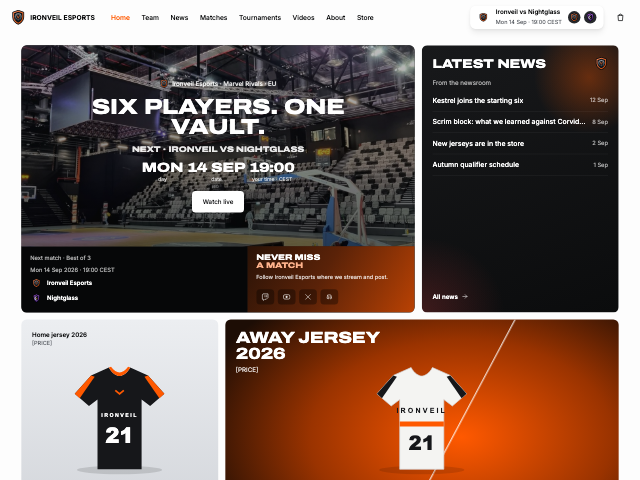
Team Pro and OrganizationBroadcast: dark, condensed sports type, red accent. Neon Grid: dark violet grid, magenta, wide type. Crosshair: black, framed panels, bracket labels. Faceoff: blue-black and ice cyan, crests facing off. Clutch: light, white rounded cards, wide uppercase headings, the next match up top. Varsity: campus colors, navy bands and one gold, team highlights on the roster page. Redline: one red on near-black, red-tinted photos, matches as photo rows. In every one, headings, captions, cards, links and buttons can each take their own color, every section of a page can take its own color scheme, the store can go light while the rest stays dark, and every word stays easy to read.
Every plan with a site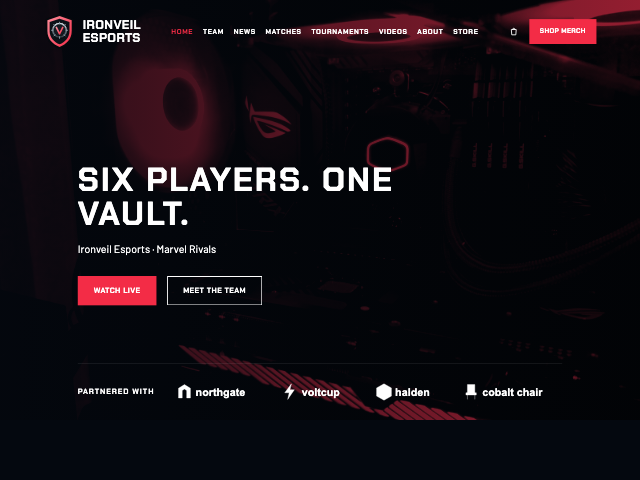
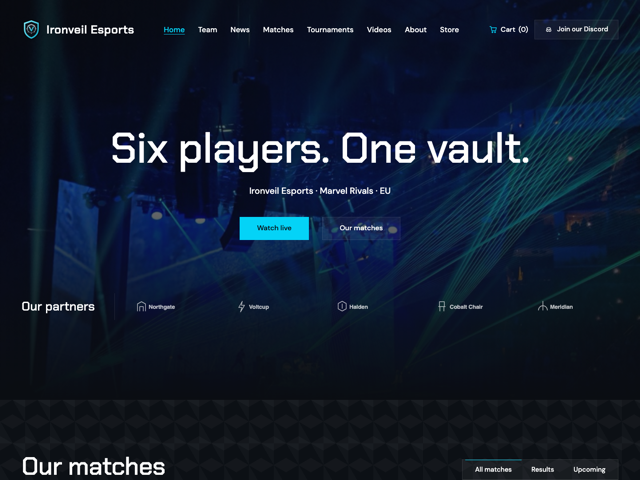
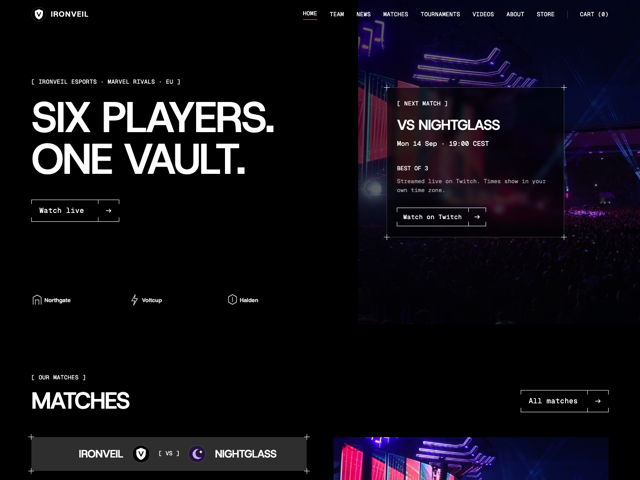
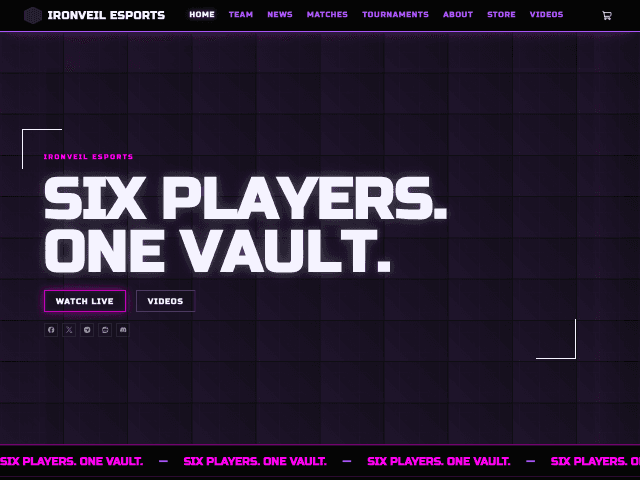
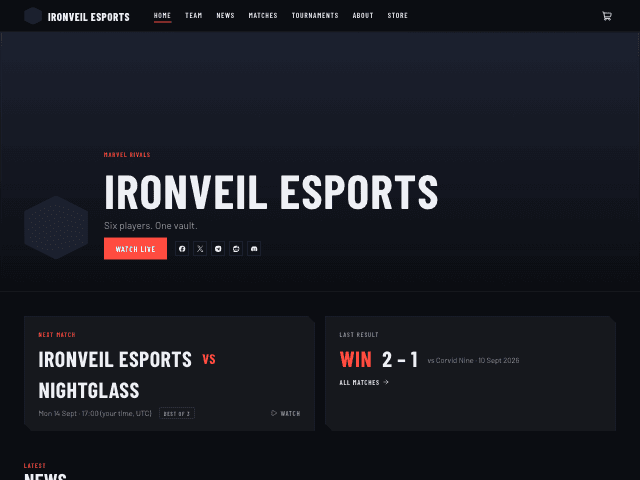
Every published team site, newest first. Open one to see its roster, matches, news and store.
AI assistants
Connect Claude, ChatGPT or another AI app that supports MCP connectors to your account. Ask in your own words, and it does the work on Spawnfront as you — never more than you can do yourself.
Post an open position on Ironveil Esports: Strategist, Diamond II or higher, NA, PC.
Posted on Ironveil Esports: Strategist · Diamond II+ · NA · PC. It shows on your team page now.
Accept OhNoItsPip's application too.
Accepting a player stays on Spawnfront. Here is the application, so you can decide there.
No API key and no extra cost. It works on every plan: free features on a free team, site features with a subscription.
Free. No card needed.
Organizations
Field teams in one game or several under one name: 4 teams included, then $8 a month for each extra. Your organization gets one site with a page for every team, on one subscription. Already have a team here? Upgrade it — you keep everything.
One site · one subscription · your domain
A page for every team, under the organization's name.
It covers every team, whatever game it plays.
Connect a domain you own or buy one through Spawnfront.
Its own roster, positions, applications and calendar.
In numbers
Games: Marvel Rivals, Overwatch, League of Legends, Valorant, Counter-Strike 2, Deadlock, Rocket League.
Between stat reads of a verified UID or Overwatch career, on a team with a site.
Pages on every team site, from Home to Store.
To make an account and found a team.
Platforms: PC, Xbox, PlayStation and Nintendo Switch.
For players and teams
Make your profile, add your games, and apply. Or found your team and post your first open position.
For organizations
Bring your teams together under one name, one site and one subscription.
Pricing
Accounts and teams are free. A team subscribes from inside the team, when it wants a hosted site.
$0
No card needed
Launch pricing coming soon
Billed monthly or yearly
Launch pricing coming soon
Billed monthly or yearly
Launch pricing coming soon
Billed monthly or yearly
Every paid plan adds the listing in the team browser, hosting tournaments (entering one is free), the ladder ranking, coach notes on your players, higher scrim limits, scrim stats per player by month and map, being listed first in open scrims and the finder, and your news and matches posted to your Discord, with no Spawnfront footer on the bot's posts. Subscriptions start from inside your team, never from signup, and Team or Team Pro can start with a 14-day free trial.
Give a team months of Spawnfront. They get a code, they type it in, their website is live. Great for birthdays, captains and tournament prizes.
FAQ
Yes. Your account, profile, game identities, the team browser, applications, entering other teams' tournaments and one team with its roster, open positions, applications, calendar and scrims (the finder, open scrims and results) cost nothing. A team pays only when it wants a hosted site, which also brings the listing in the team browser, the ladder ranking and hosting your own tournaments. There is no card at signup, and a team's first site on Team or Team Pro can start with a 14-day free trial.
Marvel Rivals, Overwatch, League of Legends, Valorant, Counter-Strike 2, Deadlock and Rocket League. Each game has its own roles, ranks and regions on your profile and on team pages.
Your game identity, with your role, rank, region and platform, is something you fill in yourself. Marvel Rivals and Overwatch stats need no app: once your team verifies it — or, in Overwatch, once you connect Battle.net — your stats are read from the UID on your profile, or the public career profile you link beside your BattleTag — once a day on a team with a site, once a week otherwise. League of Legends and Counter-Strike 2 stats come from the matches the companion app records; Deadlock stats are read from deadlock-api.com once you confirm your account with Steam; in Valorant and Rocket League teams see the rank you enter, labeled self-reported — in Rocket League, or the ranks a screenshot of your Player Profile checked. In every game you can add your own matches — ranked, scrims or others — from a screenshot of the game's post-match screen; your card shows them as From screenshots, labeled self-reported and never added into a source's numbers. Spawnfront Companion, our desktop app, records your League of Legends, Counter-Strike 2 and Rocket League matches by itself, and in every game sends a scoreboard you capture with Ctrl+Shift+S.
No. Signup doesn't ask for it, and you can apply to any team with the profile you fill in yourself. Companion records League of Legends, Counter-Strike 2 and Rocket League; in Marvel Rivals, Overwatch, Valorant and Deadlock it only sends a scoreboard you capture and choose to send.
No. A free team keeps two open positions at a time, sends three invitations to apply a week, and reviews applications with the applicant's profile and stats. A subscription adds a listing in the team browser and up to ten open positions, so players who are browsing find you.
Your profile holds an identity for every game you play, and you can apply to teams in any of them. Each account founds one free team. An organization runs several teams under one site and one subscription — 4 teams in any games, then $8 a month for each extra — and a team you already have can be upgraded to one.
Fourthwall. You connect your Fourthwall shop and pick the products to show. Fourthwall runs checkout, shipping and payouts, and card details never reach Spawnfront.
Yes. Sign in with Discord, or link it to the account you have. A team adds the Spawnfront bot to its own server for free: players answer each practice with I'm in, Late or Can't make it, a substitute covers with one button, roles follow the roster and open positions are posted. Any team can post open scrims to the Spawnfront hub, where every team in the game can respond, and its open positions and ringer needs too, in channels by region; players and staff can post their own listings there. Find a scrim or send its result with /scrim. With a site plan the bot also posts your news, upcoming matches and a starting-now alert, and its posts in your server drop the Spawnfront footer.
13 or older. Signup asks for your birth date first.
Yes. Buy one to twenty codes for months of Team or Team Pro on the Gifts page, no account needed. You pay once and it never renews. We email each code to you, or to the person on a day you pick. A code works once, on one team; unused codes can be refunded within 14 days.
Yes, straight from your browser, with no app store. Sign in and choose Install app in your account menu, or on iPhone and iPad tap Share and then Add to Home Screen. It opens on your dashboard in its own window, and you can turn on push notifications on each device from your profile, so a teammate's "can't make it" or a new application reaches you even when Spawnfront is closed.
Yes. Connect Claude, ChatGPT or another AI app that supports MCP connectors, approve it on Spawnfront and choose what it can reach. It can do only what you can do: fill in your profile, post open positions, draft news, find scrims and enter tournaments. Publishing, deleting, payments and accepting players stay on Spawnfront. A team is reached only after its owner or an admin turns on Allow AI assistants. There is no API key and no extra cost, and you can disconnect it any time from Profile › AI assistants. How to connect.
Yes, when the team turns on Let visitors sponsor the site. Anyone can press Become a sponsor on the team's Sponsors page and buy the team 1, 3, 6 or 12 months of its plan, paid once, with no account. The months go straight to the team, and a business can ask to be listed as a sponsor.
Spawnfront speaks 30 languages: English, Arabic, Bulgarian, Czech, Danish, German, Greek, Latin American Spanish, European Spanish, Finnish, French, Hungarian, Indonesian, Italian, Japanese, Korean, Norwegian Bokmål, Dutch, Polish, Brazilian Portuguese, European Portuguese, Romanian, Russian, Swedish, Thai, Turkish, Ukrainian, Vietnamese, Simplified Chinese and Traditional Chinese. It starts in your browser's language; change it under Display language in Profile › Account, from Language in your account menu or at the foot of the log-in page, and a team chooses its site's language in Settings. The translations are new: if a word reads wrong, press Report a translation problem under the language list and we fix it. How to change your language.

Ready check · 7 games
Seven games. Free to start.
Free. No card needed.
Teams, players and organizations shown as examples are fictional. Game names belong to their publishers.

