
Play on the ladder
Read your team's rank and rating, find other teams on the ladder, choose whether to share your standing and check the results behind it.
For team owners and admins · 6 steps
What you need first
- Being ranked on the ladder needs a site. Scrims are free for every team, and a free team's counted results already give it a rating, but only a team with a site is ranked and listed in the table. A free team's Ladder page is a preview: see the troubleshooting below. A team whose subscription has lapsed leaves the ladder until it renews; its rating and results are kept.
- You are the team's owner or an admin.
- There is nothing to join: every team gets a rating from its first counted result. Only scrimmages whose result Spawnfront read from the game itself, and matches in tournaments hosted on Spawnfront, count. A result you type in by hand never moves your rating.
Steps
Step 1: Open Ladder
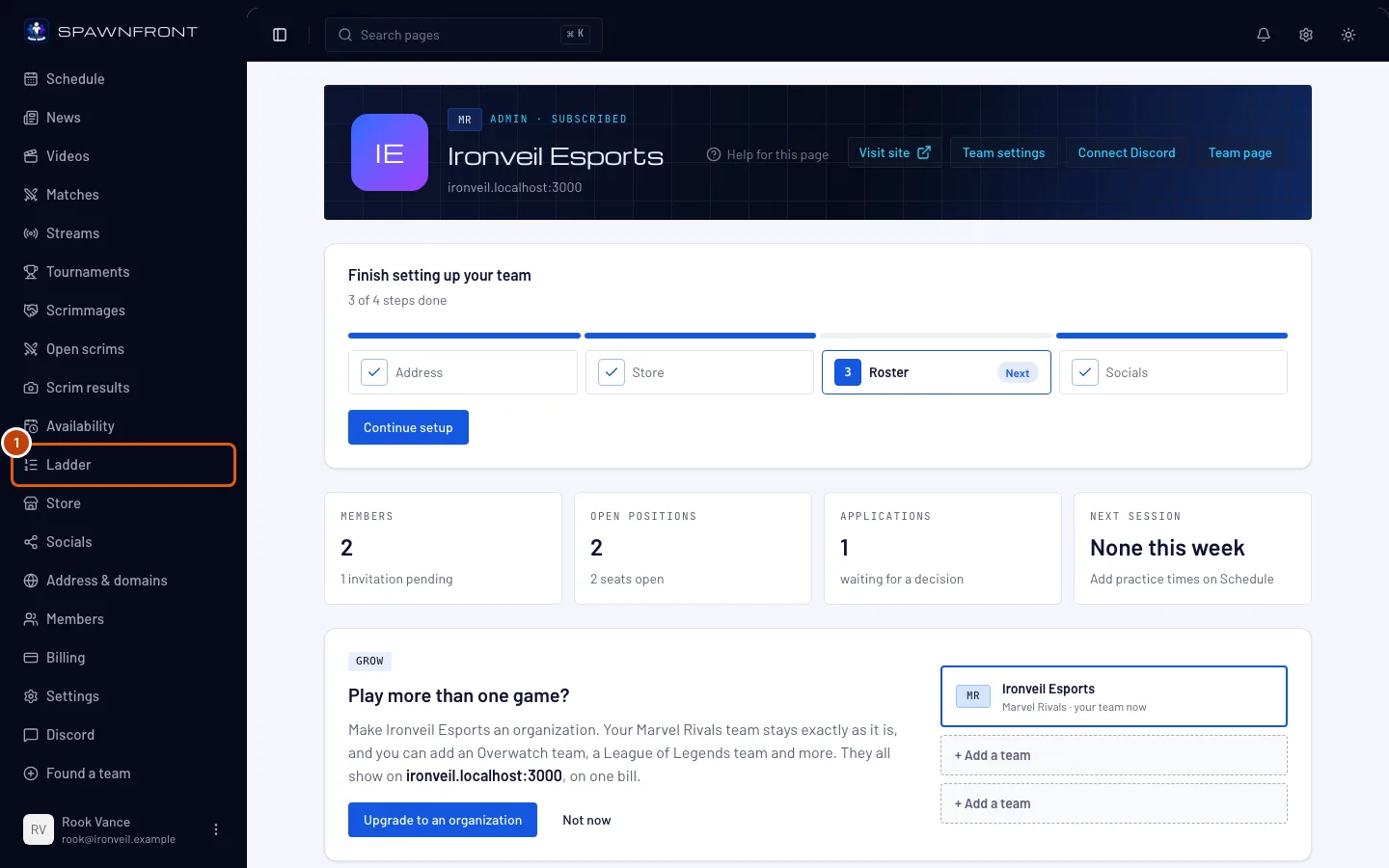
In your team's admin, press Ladder in the sidebar.
You should see: a page titled Ladder, with Our standing at the top and the table of rated teams below it.
Step 2: Read your standing
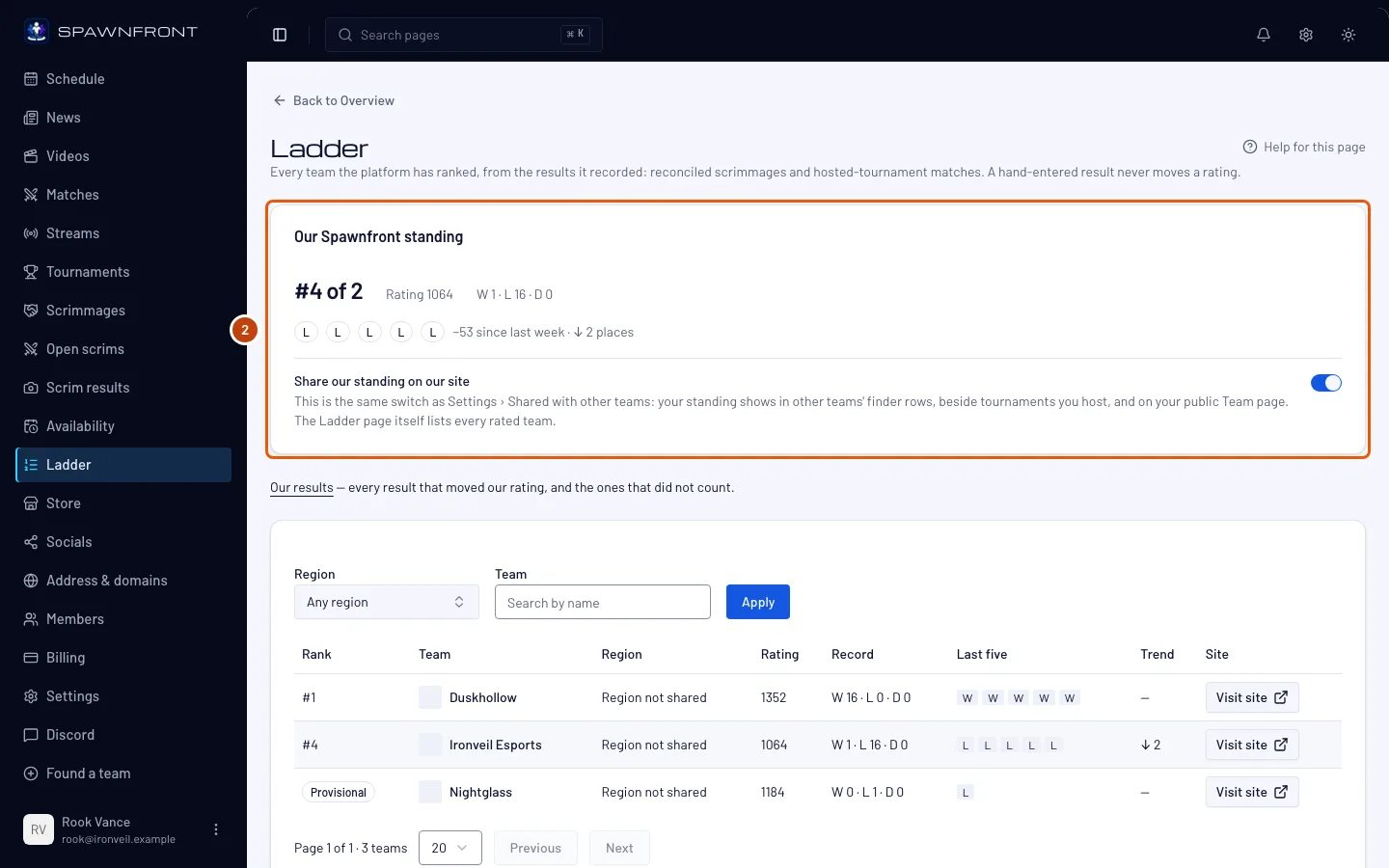
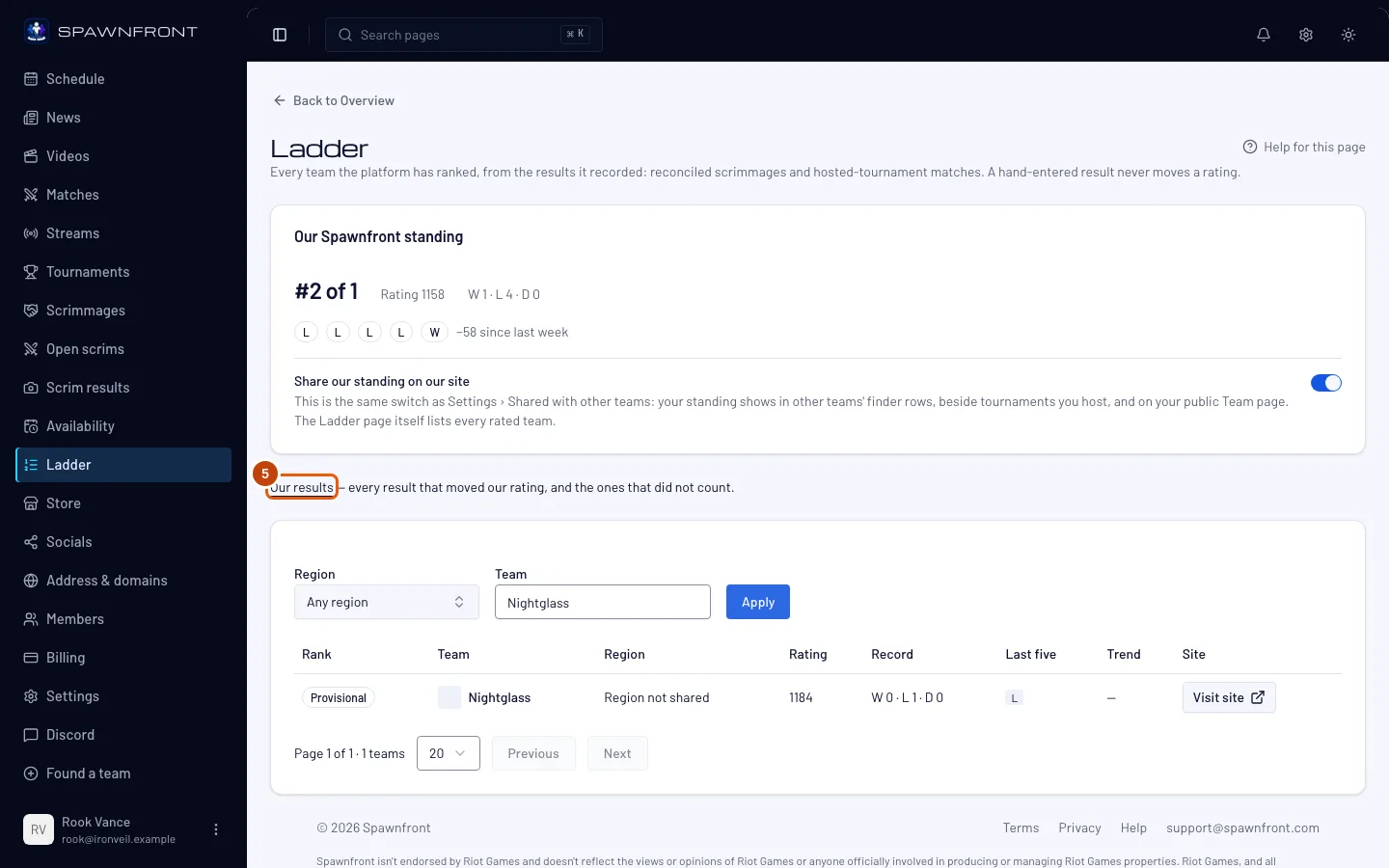
Look at the Our standing card: your rank, your rating, your record and a mark for each of your last five results.
Your team shows Provisional until it has five counted results, then gets a rank. Every team starts at a rating of 1200, and the ladder updates every ten minutes.
You should see: your rank or Provisional, and the rating beside it. The line under the marks shows the change since last week once the first weekly reading is taken.
Step 3: Find a team on the ladder
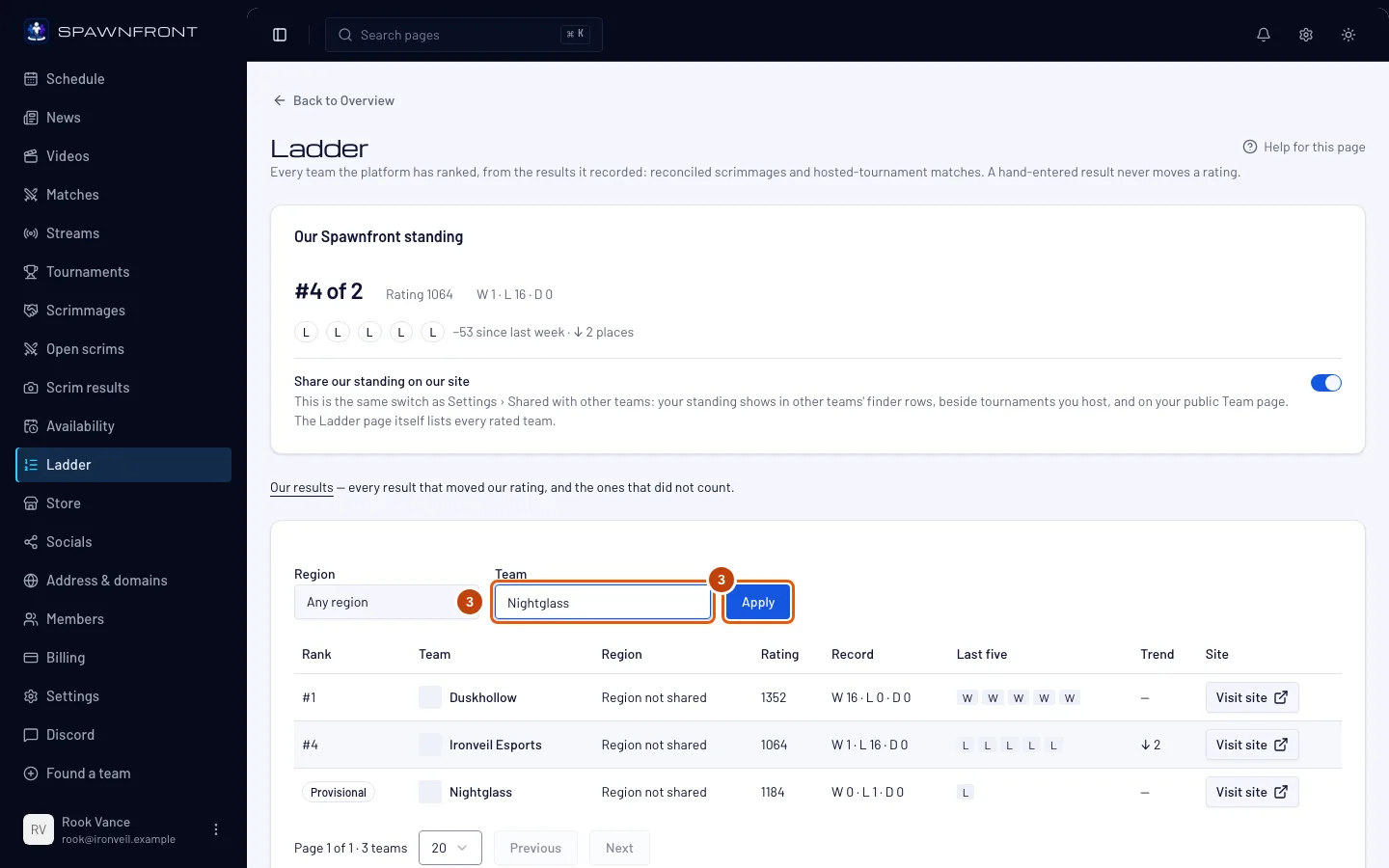
Type a team's name in Team, or choose a Region, then press Apply.
You should see: the table narrowed to the teams that match, each with its rank, rating, record and trend. A team that is part of an organization shows as Organization · Team — for example Blades · Team 2. Typing an organization's name finds each of its teams.
Step 4: Choose whether to share your standing
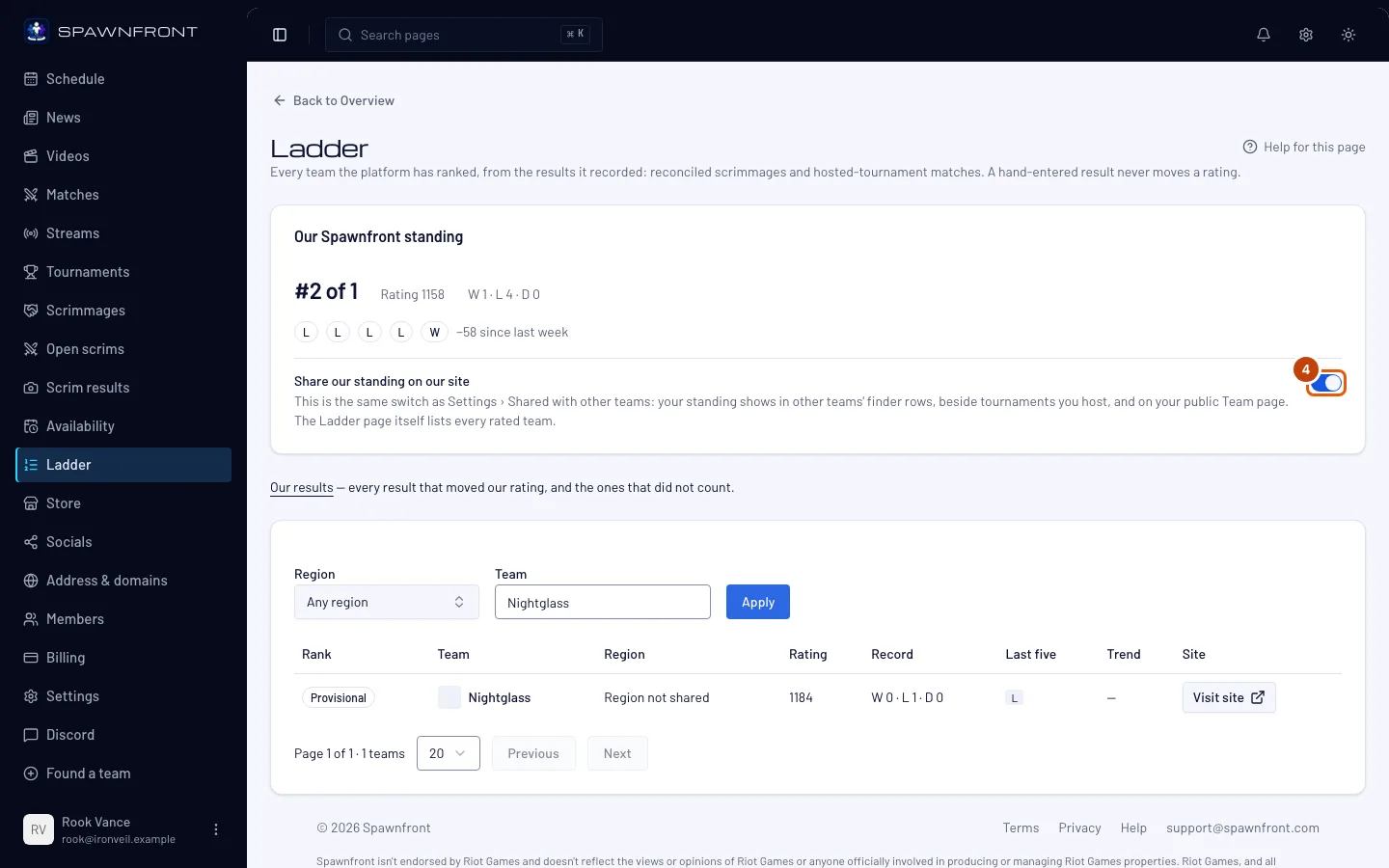
Turn Share our standing on our site on or off in the Our standing card.
This hides your rank from other teams' finder, from beside the tournaments you host, and from your public Team page — not from the Ladder page, which lists every rated team. It is the same switch as in Settings under Shared with other teams.
You should see: "Sharing settings saved".
Step 5: Open Our results
Press Our results, under the Our standing card.
You should see: a page titled Our results, newest first.
Step 6: Read your results
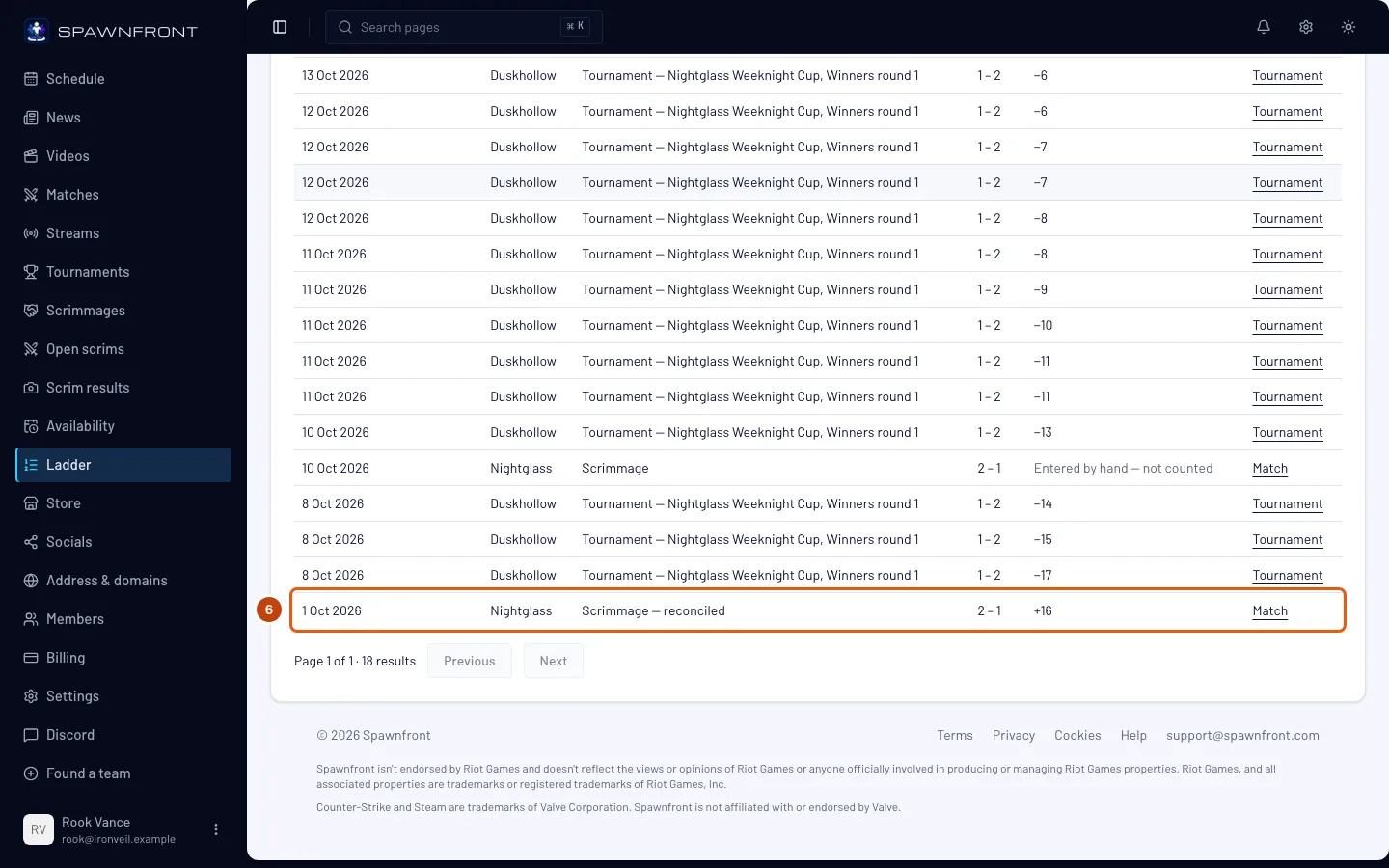
Read each row: the date, the opponent, the kind, the score and how much the result moved your rating. Press Match or Tournament at the end of a row to open it.
You should see: counted scrimmages as Scrimmage — reconciled, with the rating change. A scrimmage entered by hand reads Entered by hand — not counted.
How to know it worked
- Our standing shows your rank, or Provisional with your rating and record.
- Our results lists every counted result, with its rating change.
- Your public Team page shows your standing only while Share our standing on our site is on.
Something doesn't look right?
Our result says 'Entered by hand — not counted'
Only results Spawnfront reads from the game itself count. A score typed in on the Matches page is kept there, but it never moves your rating.
We played but our rating didn't move
The ladder updates every ten minutes. If the scrimmage still isn't in Our results after that, its result hasn't been read from the game — check it on your Matches page.
Our team has no site — what does Ladder show?
A preview of the top 20 teams on your game's ladder, and a greyed You'd be here row where your shared rank would put you. Your team can still play scrims, and its counted results still build its rating; it is ranked and listed once it has a site. Press Start 14-day trial or See plans — see Get a site for your team.
The page says 'Renew to be listed'
Your team's subscription has lapsed. Your rating and results are kept and come back when you renew — see Manage billing.
Related articles
Still stuck? Contact support or email support@spawnfront.com — tell us the page you're on and the step number.