
Manage your billing
See your plan and renewal date, change or cancel on Polar, use sponsored months, and what happens when a subscription ends.
For team owners and admins · 6 steps
What you need first
- Your team has a site subscription. A free team has no Billing page — see Get a site for your team.
- You are the team's owner or an admin.
- To change or cancel the subscription you must be its payer — the person who paid for it. Payment runs on Polar; your card details never reach Spawnfront.
Steps
Step 1: Open Billing
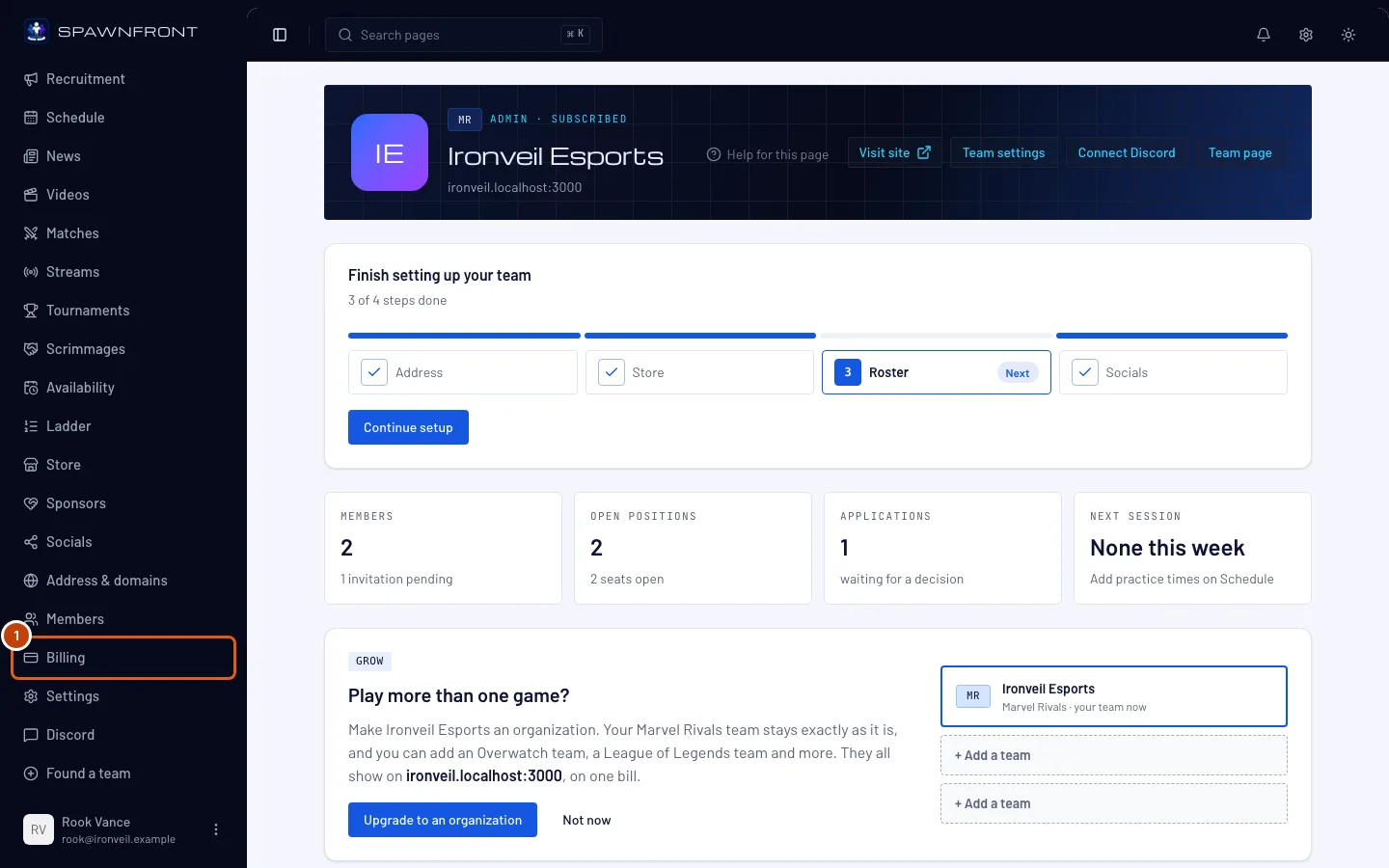
In the menu on the left, under Admin, press Billing.
You should see: a page titled Billing, with a Subscription card.
Step 2: Check your plan and renewal date
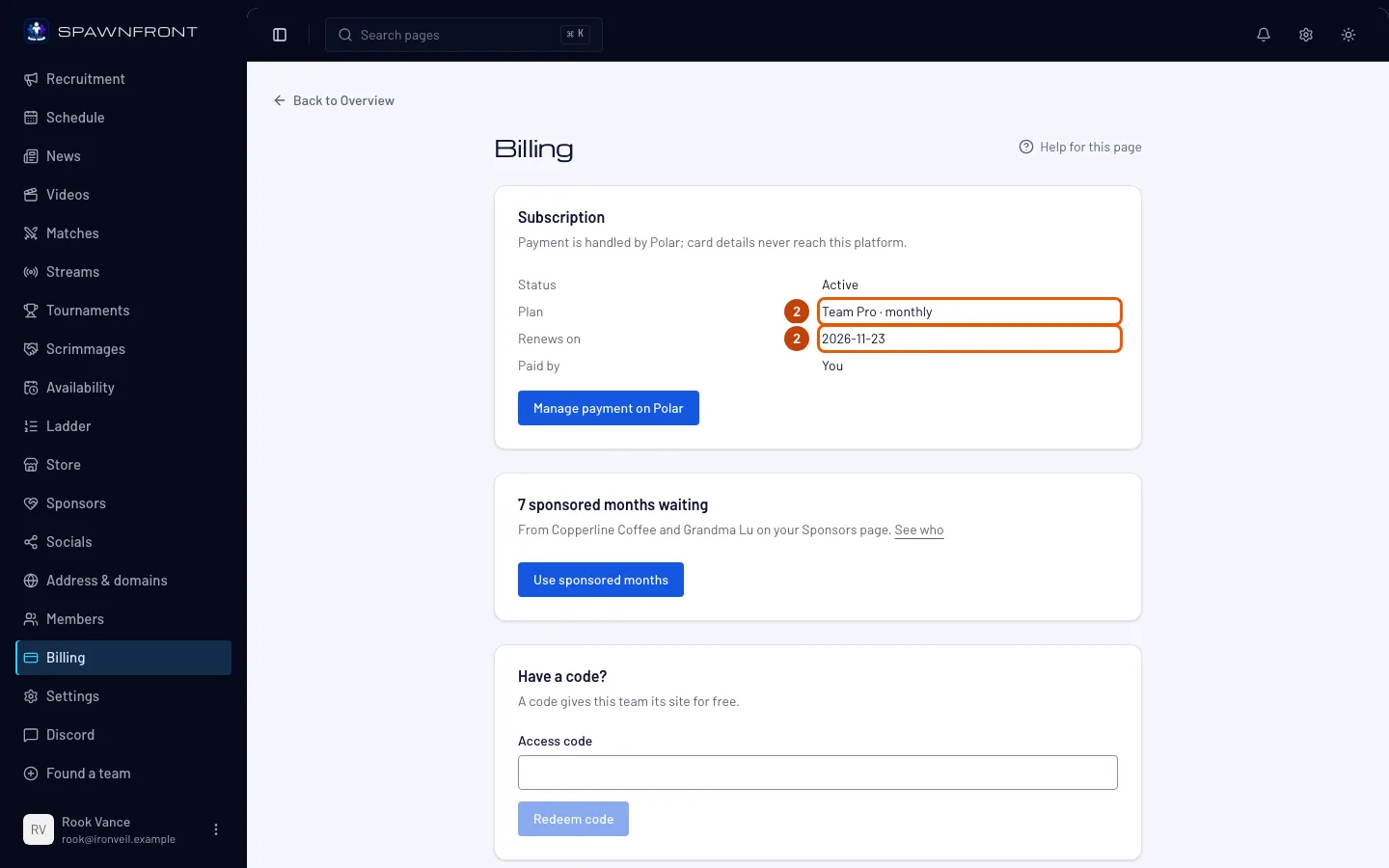
Read the Subscription card: Status, Plan (Team or Team Pro, monthly or yearly), Renews on and Paid by.
You should see: Status reading Active while your subscription is paid. Grace period and Read-only mean it has ended — see Troubleshooting below.
Step 3: Open your subscription on Polar
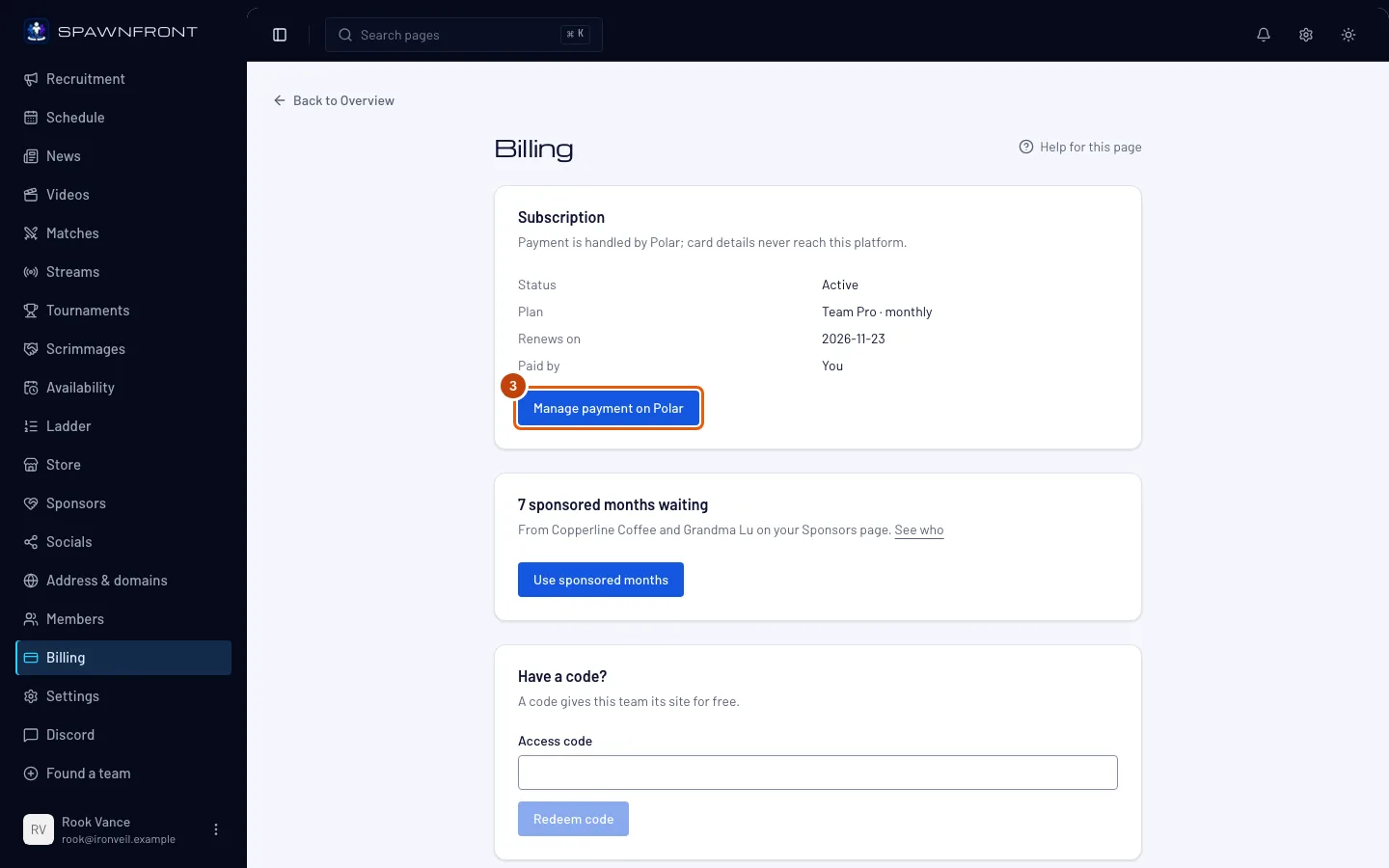
Press Manage payment on Polar.
Only the payer sees this button. Polar's page lists every subscription you pay for, not just this team's.
You should see: Polar's page for your subscriptions. The rest of this happens there.
Step 4: Change your plan
On Polar, switch your subscription to the other plan or interval. This happens on Polar's site, not in Spawnfront.
Moving from Team Pro to Team stops your own domain from working. Your Spawnfront address keeps working, and the domain works again if you move back to Team Pro.
You should see: back on Billing, the new plan under Plan once Polar tells Spawnfront about the change.
Step 5: Cancel your subscription
On Polar, cancel your subscription.
Your site doesn't go offline the day you cancel. It stays up while the paid time runs, then for 7 more days; after that your team becomes read-only and your site goes offline. Nothing you made is deleted.
You should see: back on Billing, Ends on in place of Renews on once the subscription is set to end.
Step 6: Use sponsored months
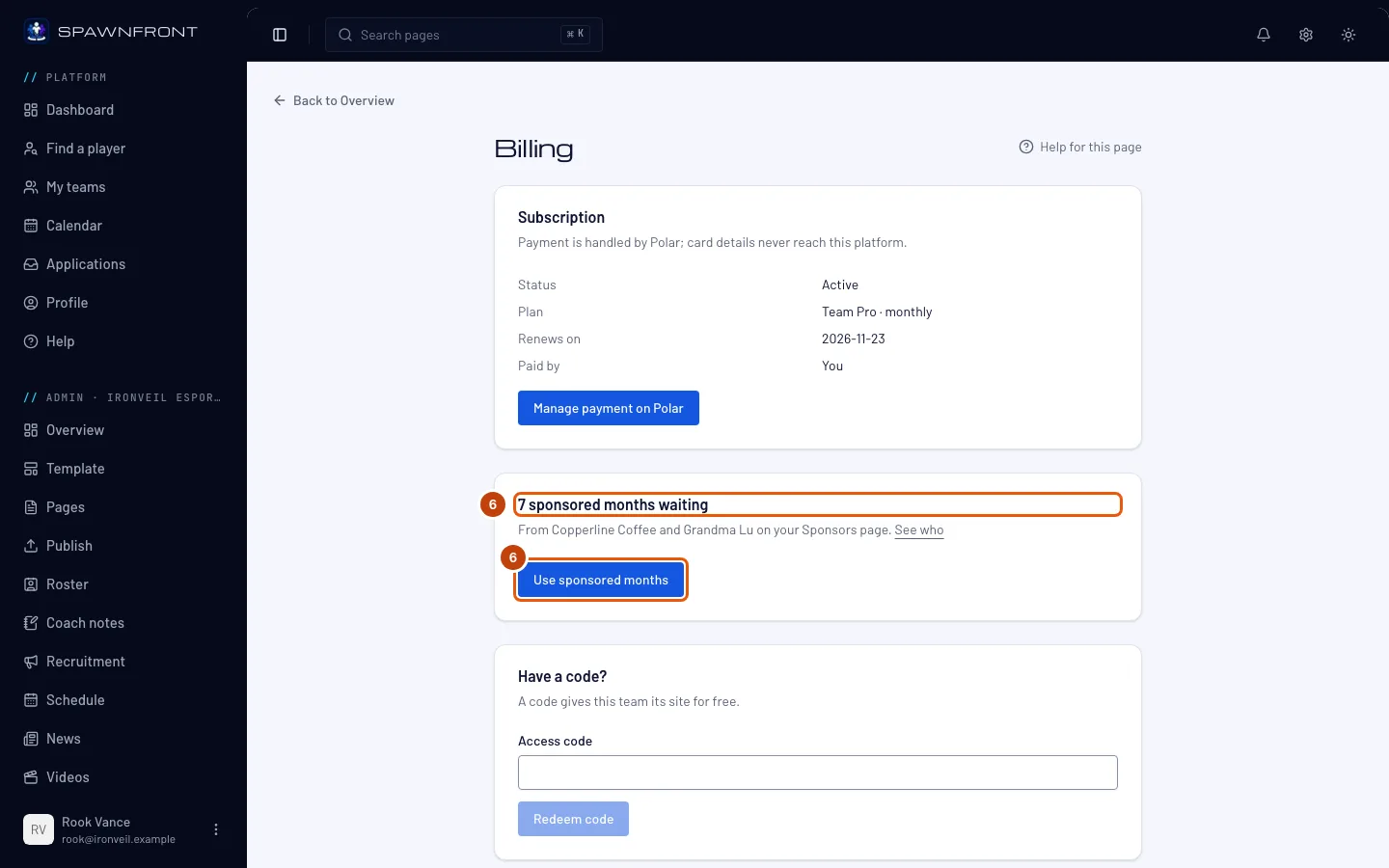
Only when visitors sponsored your site: while your team pays by card, Billing shows N sponsored months waiting and who they came from — press See who to open your Sponsors page. Press Use sponsored months, read the box Use sponsored months?, then press Use sponsored months in it.
Using them stops your card payments at the end of what you've paid for. The sponsored months start that day, so there is no gap and nothing is charged twice. You can start paying by card again whenever you like. Owners and admins can both do this, and sponsored months you haven't used never run out.
You should see: Sponsored months on. and the date your site is now covered until.
How to know it worked
- Plan shows the plan you chose.
- Renews on shows your next payment date, or Ends on if you cancelled.
Something doesn't look right?
I don't see Manage payment on Polar
Only the payer sees it; Paid by names who that is. To pay for the team yourself while the subscription is Active, press Take over payment on the same page (once it has ended, use Resume your subscription instead): it starts a subscription in your name, and the current one is cancelled at the end of its period once yours is active.
It says "Your subscription has ended"
Your subscription stopped, and your team is in its 7-day grace period. Your site stays online until the date the message names, and you can still edit. Press Go to billing, then Resume subscription under Resume your subscription: it opens Get a site, where you choose a plan, check the total on the Checkout page and pay on Polar.
It says "This team is read-only"
The grace period is over (or a payment was refunded): your site is offline and changes are turned off until payment resumes. Everything you made is kept. On Billing, press Resume subscription under Resume your subscription, choose a plan on Get a site, check the total on the Checkout page and pay — paying again puts your site back online and reopens editing.
It says "A gift from Spawnfront"
Your team has its plan from a code, not a payment. You pay: Nothing and Card on file: None needed mean exactly that: nothing renews or charges, and there is no subscription on Polar to manage. A code that lasts longer goes under Have another code?. To pay for a plan instead, choose one on Get a site — the Checkout page says your free plan ends only when the payment goes through. See Use a code.
It says "Sponsored by a visitor"
Someone bought your team months of its plan from your Sponsors page. When your team doesn't pay by card — a free plan or a code — sponsored months are added on their own, after the time you already have, and the card says Sponsored by a visitor and Free with your plan until the day they end. Nothing renews or charges. Who sponsored you, and their note, are on Sponsors under Sponsorships received.
I have a code but my team already pays
Type it under Have a code? and press Redeem code. The box Use your code instead of paying? says what happens: your payment stops so you are not charged again, the time you already paid for is kept, and your site stays as it is. Press Use my code, or Keep paying to change nothing.
Where is my referral code?
Only founding teams have one. It is on Billing, under Share your referral code; press Copy to copy it. A team that pays monthly with your code gets 50% off its first month. When that team's first payment goes through, your team earns a free month: Spawnfront refunds your next payment, or, on a yearly plan, a twelfth of the year you already paid. You can earn up to 12 free months a year. The card counts the months earned and given so far. Teams with the same owner or the same payer as yours don't earn one.
My card payment failed
Polar tries the payment again, and your team stays Active meanwhile. Press Manage payment on Polar and update your card.
Related articles
Still stuck? Contact support or email support@spawnfront.com — tell us the page you're on and the step number.