
Log in, or reset your password
Log in with your email and password, or get a link by email to choose a new password.
For everyone · 6 steps
What you need first
- A Spawnfront account. No account yet? Create one first — it's free.
- To reset your password: the email address you signed up with, open now.
Steps
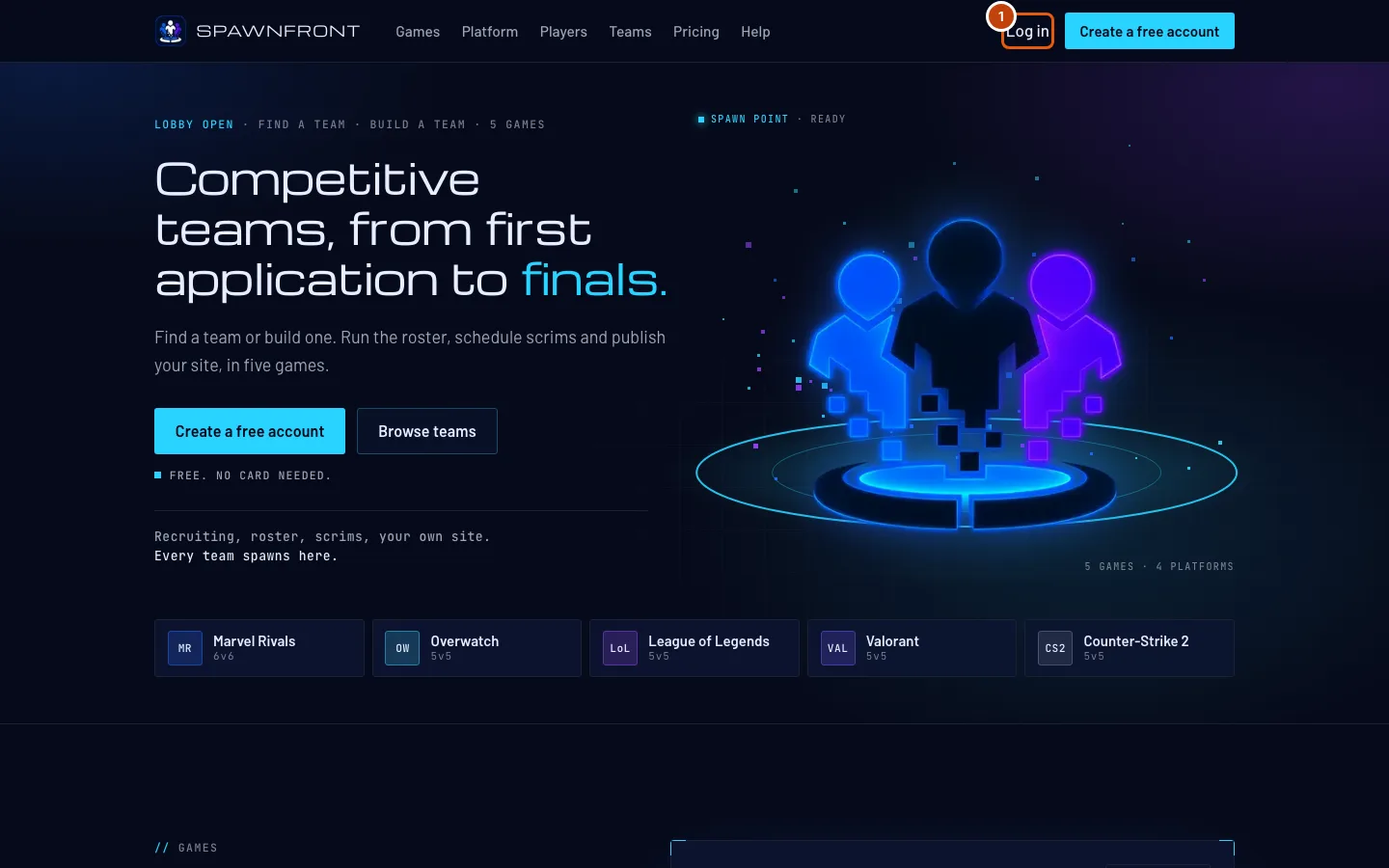
Step 1: Open Log in
Go to spawnfront.com and press Log in at the top of the page.
You should see: Log in to Spawnfront.
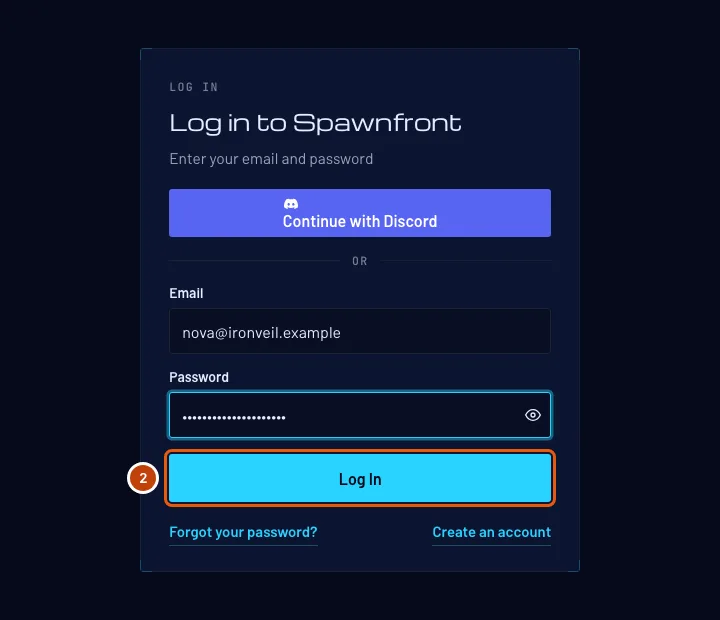
Step 2: Enter your email and password
Type your email in Email and your password in Password, then press Log In.
You should see: your Dashboard. If it says Invalid credentials and you don't remember your password, go on to step 3.
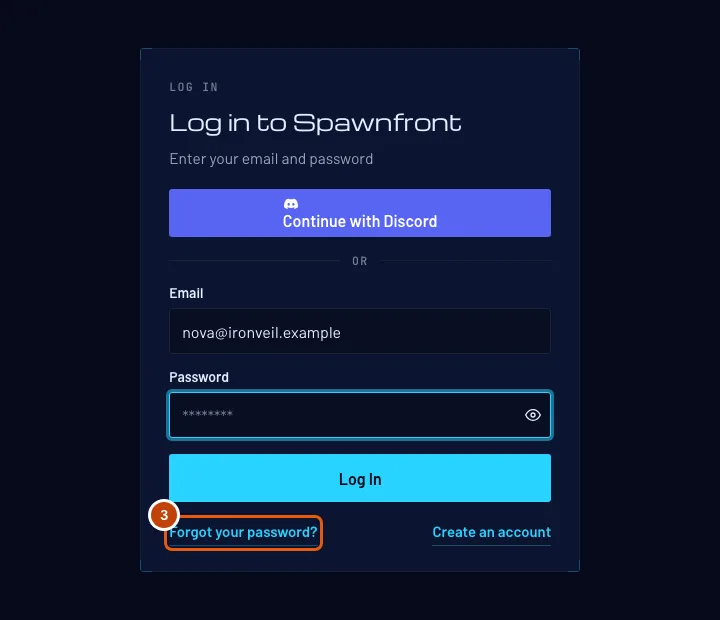
Step 3: Open Forgot your password?
Under the login form, press Forgot your password?
You should see: Reset your password.
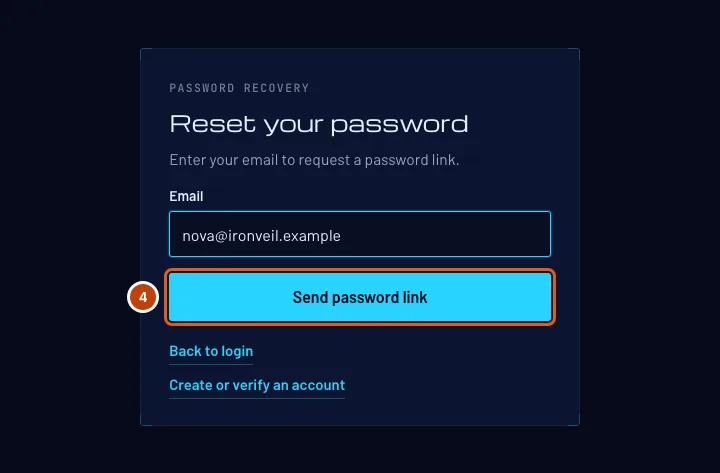
Step 4: Request a password link
Type the email you signed up with in Email, then press Send password link.
You should see: "If this address can continue, you’ll receive an email with the next step." We say the same thing for every address, so nobody can use this page to find out who has an account.
Step 5: Open the link in the email
Open the email from Spawnfront and press its link.
The link works for two hours, and only the newest one works. If you asked twice, use the latest email.
You should see: Choose a password.
Step 6: Choose a new password
Type a new password in New password and again in Confirm password, then press Save password. It must meet every rule in the list under the box, and it can't be one you used recently.
Saving logs you out everywhere else — on another computer or phone, you log in again with the new password.
You should see: "Your password is saved. Log in to continue." Press Log in and use the new password.
How to know it worked
- You are on your Dashboard.
- After a reset, your old password no longer works.
Something doesn't look right?
It says "Invalid credentials"
The email or the password doesn't match. Check the email for a typo — passwords are case-sensitive, so check Caps Lock too. Still stuck? Reset it (steps 3 to 6).
It says "Invalid credentials", and I got an email saying my account is suspended
Your password is right, but Spawnfront's staff suspended your account, so you can't log in until the suspension ends. The email says why and until when. See Your account was suspended.
It says "Password link unavailable"
The link has expired (after two hours), was already used, or a newer one was sent. Press Request a new password link and use the newest email.
The password email never arrived
Wait a minute, then check your spam or junk folder. The email only goes to the address you signed up with — try that one.
The password page says "Please wait a moment and try again"
Spawnfront is busy or you tried many times in a short while. Wait a minute, then press the button again.
I want to change my password while I'm logged in
Open Profile. In the Sign-in methods card, press Change password on the password row, enter your current password and a new one, and press Change password in the box. Every browser signed in to your account is signed out, this one too, and your linked Companion PCs and AI apps are disconnected. Then log in with the new password.
I think someone else is signed in to my account
Open Profile and press Sign out everywhere at the bottom of the Sign-in methods card, then Sign out everywhere in the box. Every browser is signed out, this one too, and your linked Companion PCs and AI apps are disconnected. Log in again, and change your password if someone else may know it.
Related articles
Still stuck? Contact support or email support@spawnfront.com — tell us the page you're on and the step number.