
Find a tournament
Browse the tournaments teams host on Spawnfront: pick your game, narrow the list by status, region and entry, and open a tournament's page.
For everyone · 6 steps
What you need first
- Nothing to sign in to. The list of tournaments is open to anyone, on spawnfront.com.
- Every tournament here is hosted by a team on Spawnfront, on that team's own site. Entering is free — your team doesn't need a site; see Enter a hosted tournament.
Steps
Step 1: Open Tournaments
On spawnfront.com, press Tournaments in the menu at the top. On a phone the menu links are hidden — go to spawnfront.com/tournaments instead.
You should see: a page titled Find your next cup, with how many tournaments are listed above it — for example Tournaments · 12 listed.

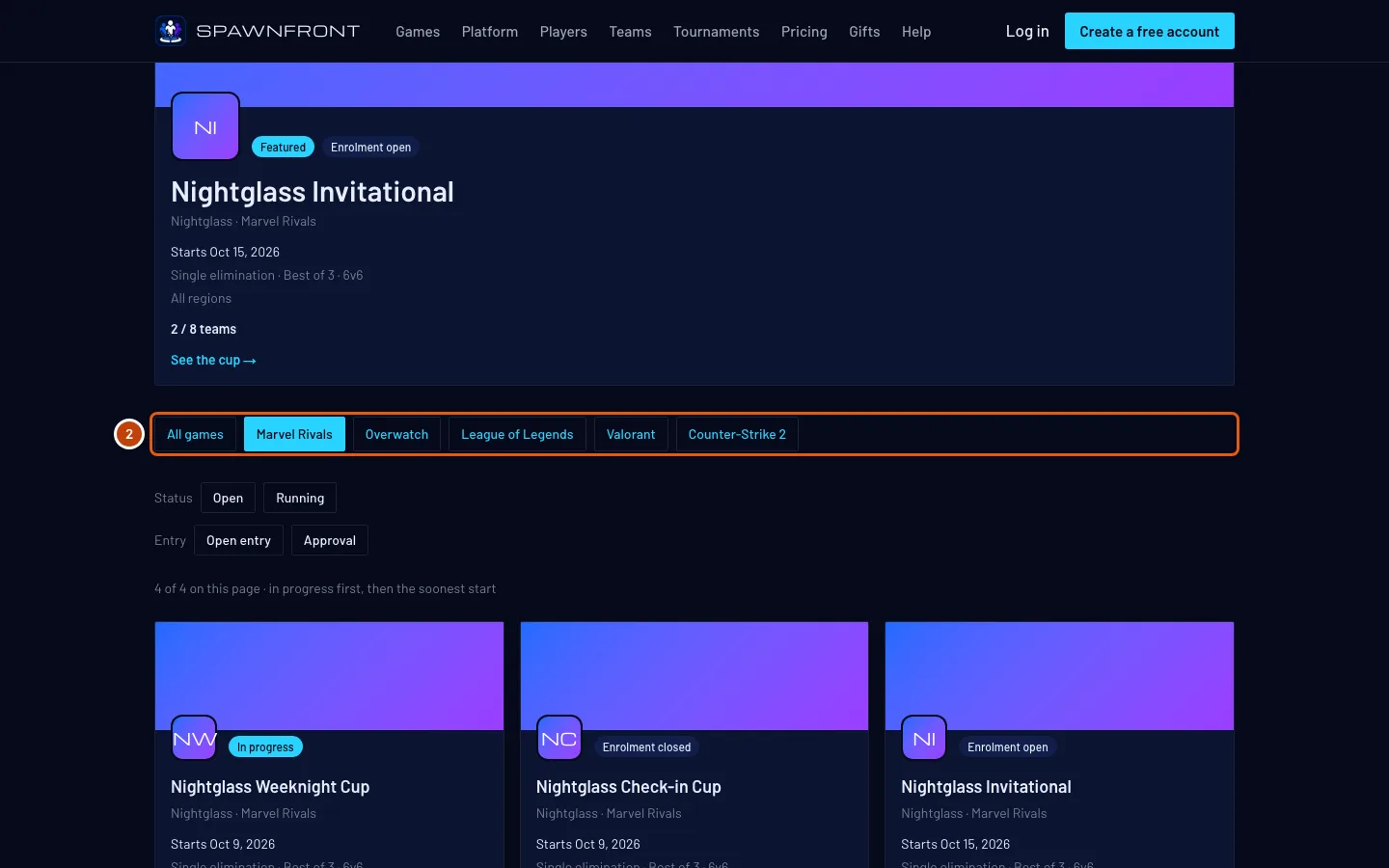
Step 2: Pick a game
In the row of games, press your game — for example Marvel Rivals. All games shows every game again.
You should see: the title change to your game's, like Marvel Rivals tournaments, and only that game's tournaments in the list.
Step 3: Look at the featured cup
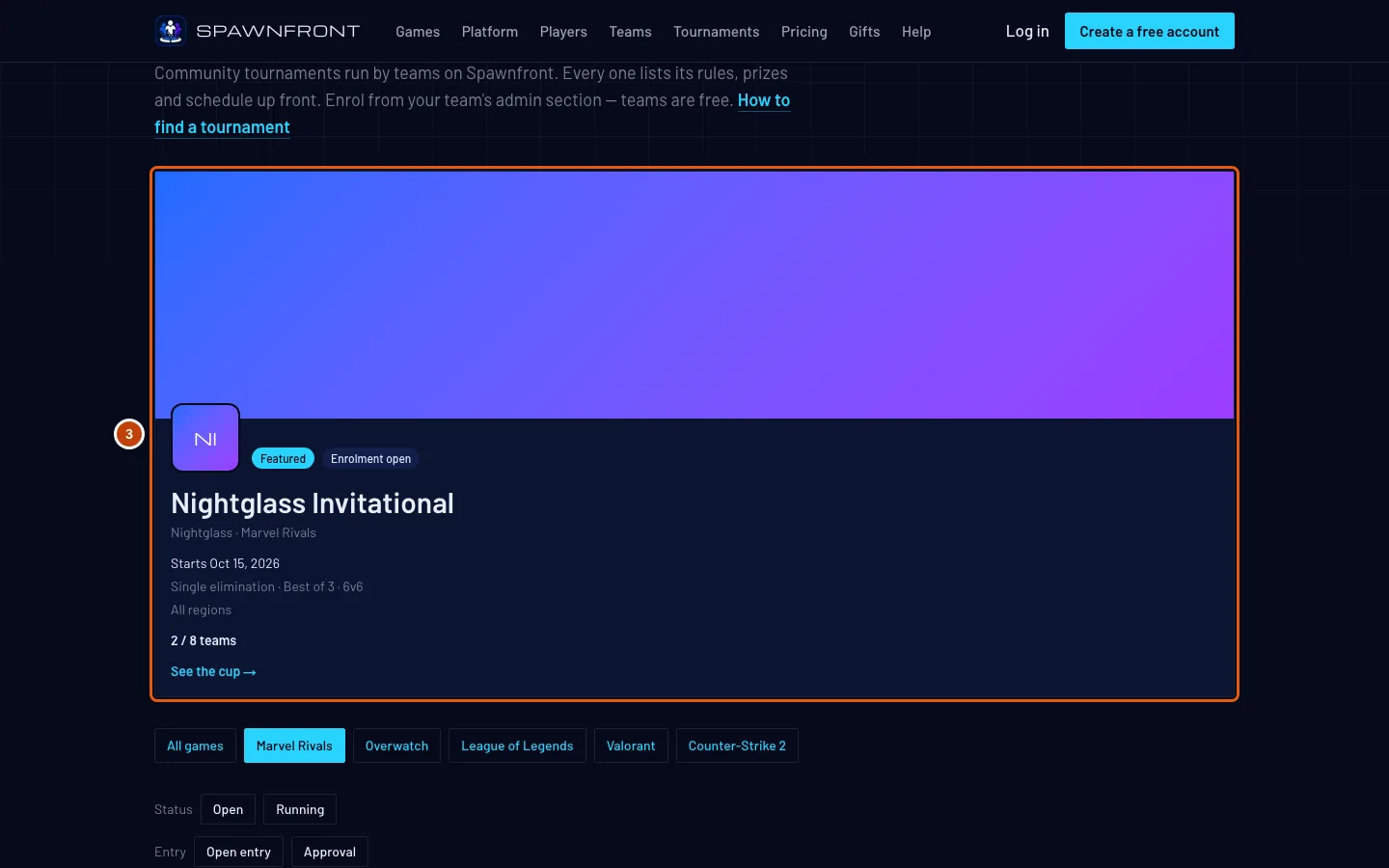
Above the row of games, the larger card marked Featured is the open tournament starting in the next two weeks with the most teams entered.
You should see: the featured cup on the first page, or no featured card when no open tournament starts within two weeks.
Step 4: Narrow the list with the chips
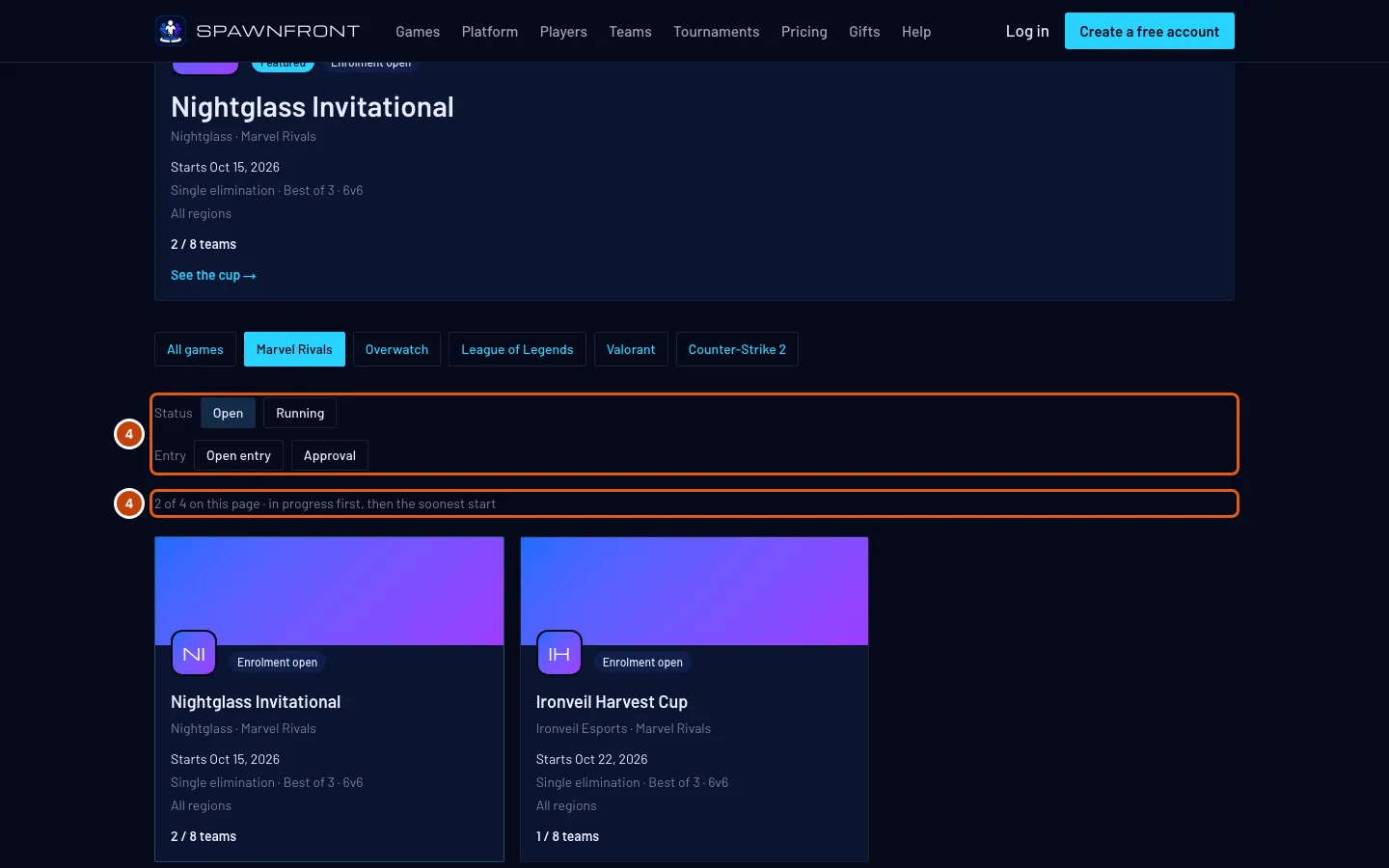
Under the row of games, press a chip:
- Status: Open for tournaments still taking teams, Running for ones being played now.
- Region: the regions this page's tournaments are played in. A tournament open to every region shows under each one.
- Entry: Open entry (first come until full) or Approval (the host accepts each request).
Press a chip again to clear it.
The chips sort through the page you're on, not the whole list. Twenty tournaments show per page; press Next under the list for more, and press the chips again there.
You should see: the line under the chips count what's left, like 3 of 12 on this page.
Step 5: Read a card
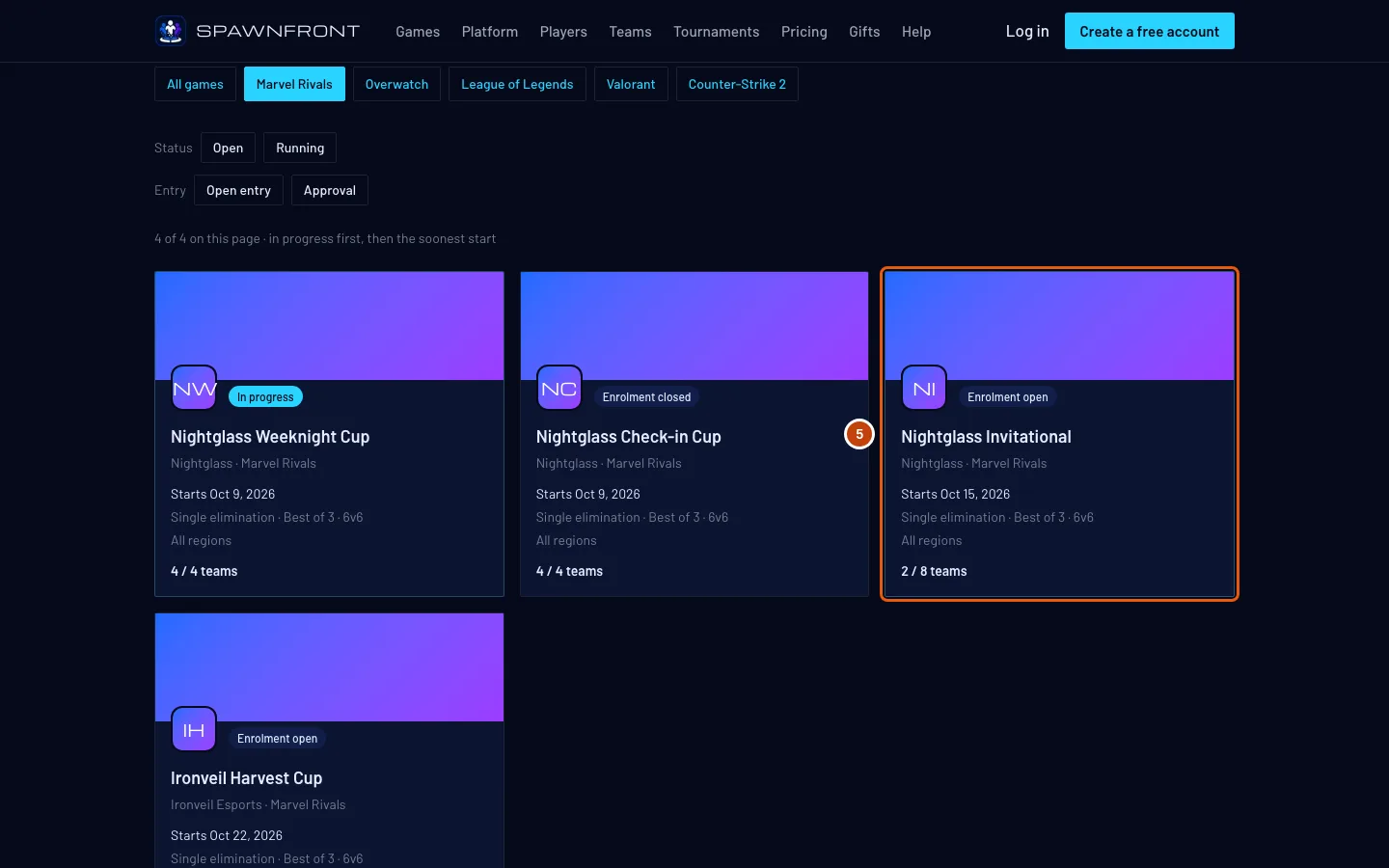
Each card shows one tournament:
- Where it stands: Enrolment open, Enrolment closed or In progress. Tournaments in progress come first, then the soonest start.
- Its name, then the host team and the game.
- Starts and the day it starts.
- The format: for example Single elimination · Best of 3 · 6v6 — the bracket, the matches and the team size.
- Where it's played: the regions or server the host allows, or All regions.
- The teams so far, like 2 / 8 teams, and the prize pool when the host has confirmed one.
You should see: these facts on every card.
Step 6: Open a tournament's page
Press the card.
You should see: the tournament's own page, on the host team's site — its rules, prizes, schedule, teams and bracket. See Follow a tournament for what's on it.
You can't enter from this list. A team's owner or admin enters from the team's admin on Spawnfront.

How to know it worked
- The list shows your game's tournaments, in progress first, then the soonest start.
- Pressing a card opens the tournament's page on its host's site.
Something doesn't look right?
My tournament isn't in the list
A tournament is listed only when all of these are true:
- Your site is published with it. Opening enrolment isn't enough: press Publish in your team's admin. See Publish your site.
- It is Enrolment open, Enrolment closed or In progress. A draft, a complete or a cancelled tournament isn't listed.
- Your team's site subscription is active. A site whose subscription has run out drops off the list until it's renewed.
- Your site is online. A site Spawnfront has taken offline isn't listed.
A tournament you just published can take a minute to appear.
The list is empty for my game
The page says No tournaments are open right now. when no team hosting a tournament in that game has it listed. Press All games to see the others, or host your own: see Host a tournament.
The page says No tournament on this page matches those filters
The chips you pressed hide every tournament on this page. Press a pressed chip again to clear it, or press Next to look on the next page.
How do I enter a tournament I found here?
Not from this list. A team's owner or admin enters from the team's admin on Spawnfront: Tournaments, then Find a tournament to enter. See Enter a hosted tournament.
Related articles
Still stuck? Contact support or email support@spawnfront.com — tell us the page you're on and the step number.