
Find a team
Browse the teams on Spawnfront, show only the ones recruiting, filter by role, region and rank, and open one.
For players · 5 steps
What you need first
- You are logged in. An account is free.
Steps
Step 1: Open Find a team
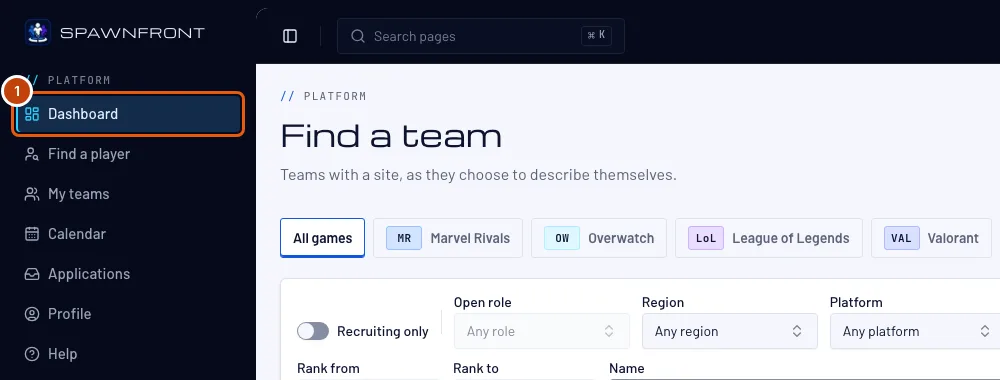
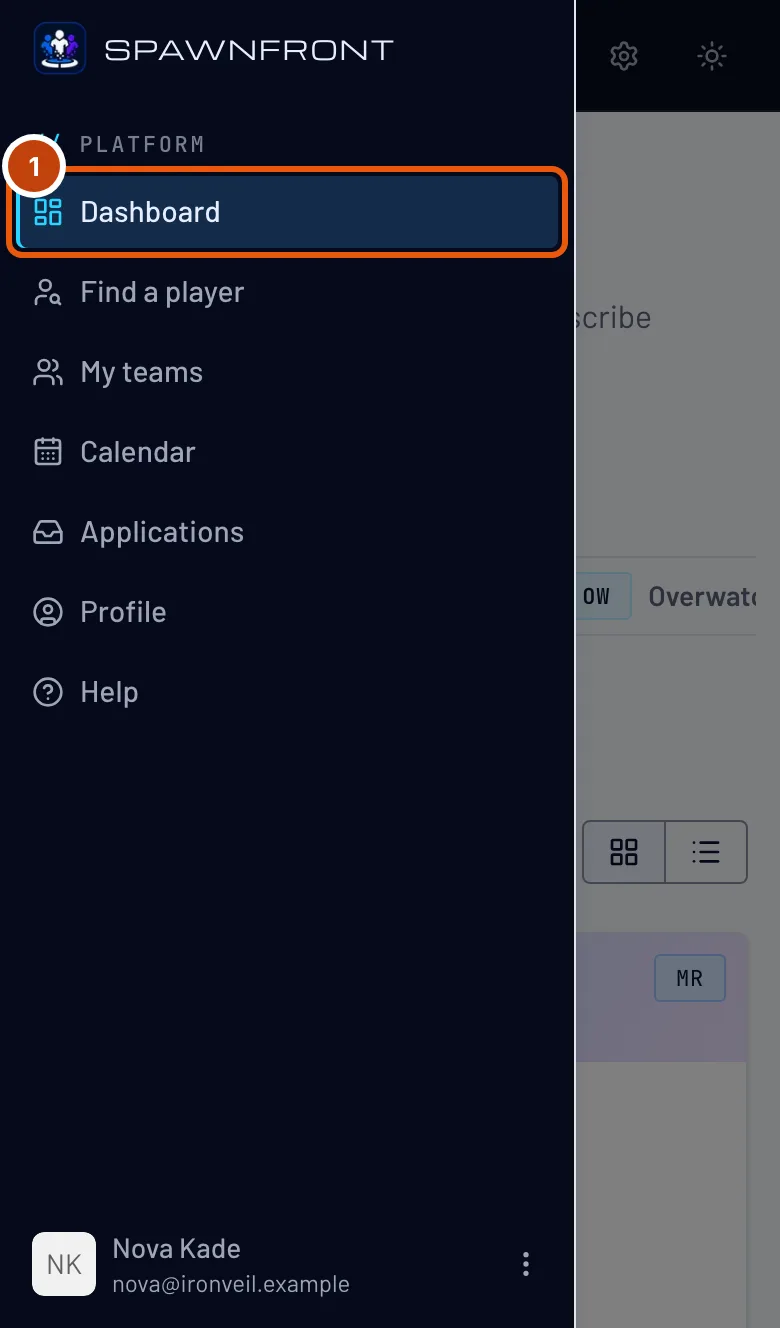
In the menu, press Dashboard. On a phone, open the menu with the button at the top left first. Logging in opens it too.
You should see: Find a team, with filters and a list of teams.
Step 2: Show only teams that are recruiting
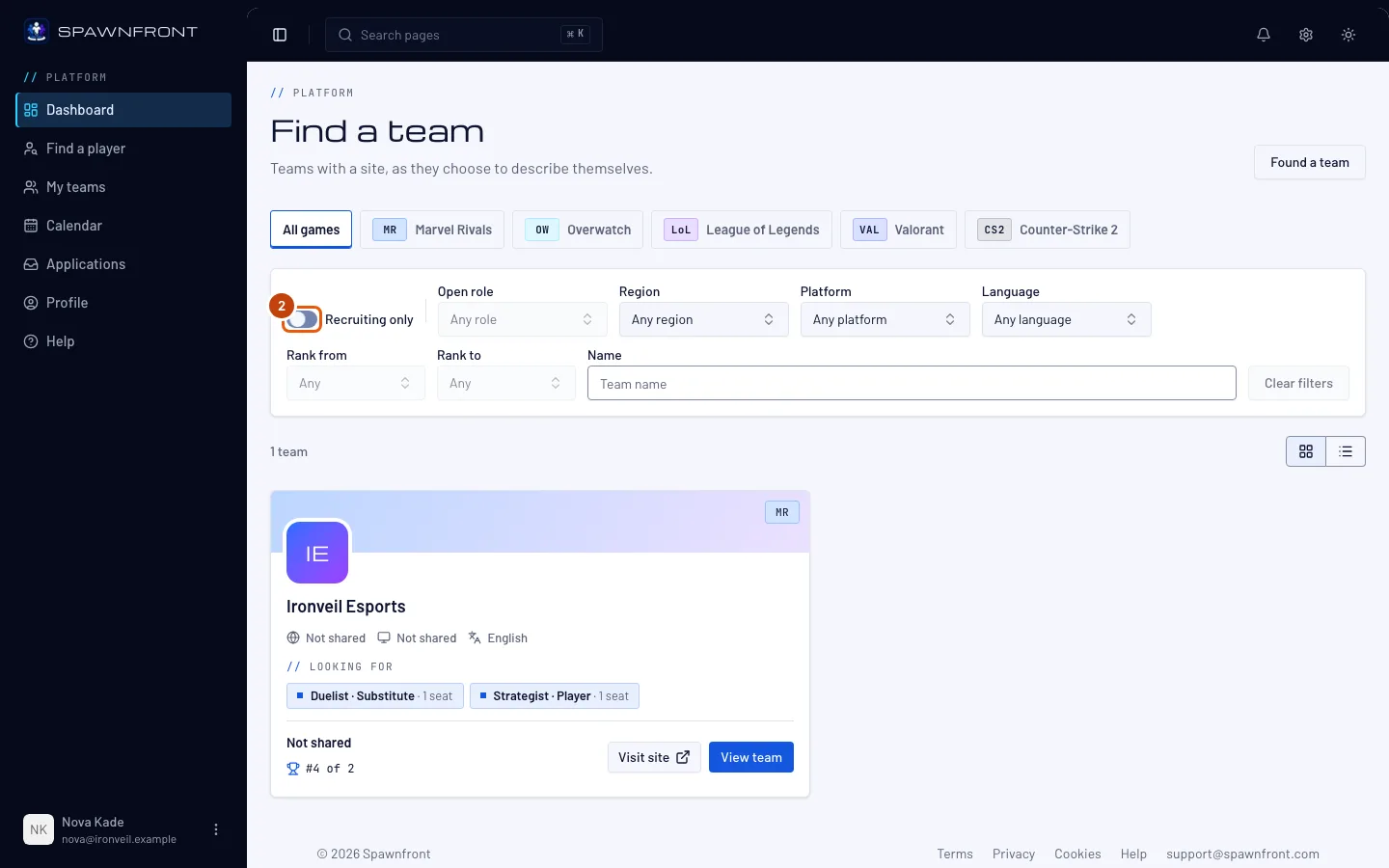
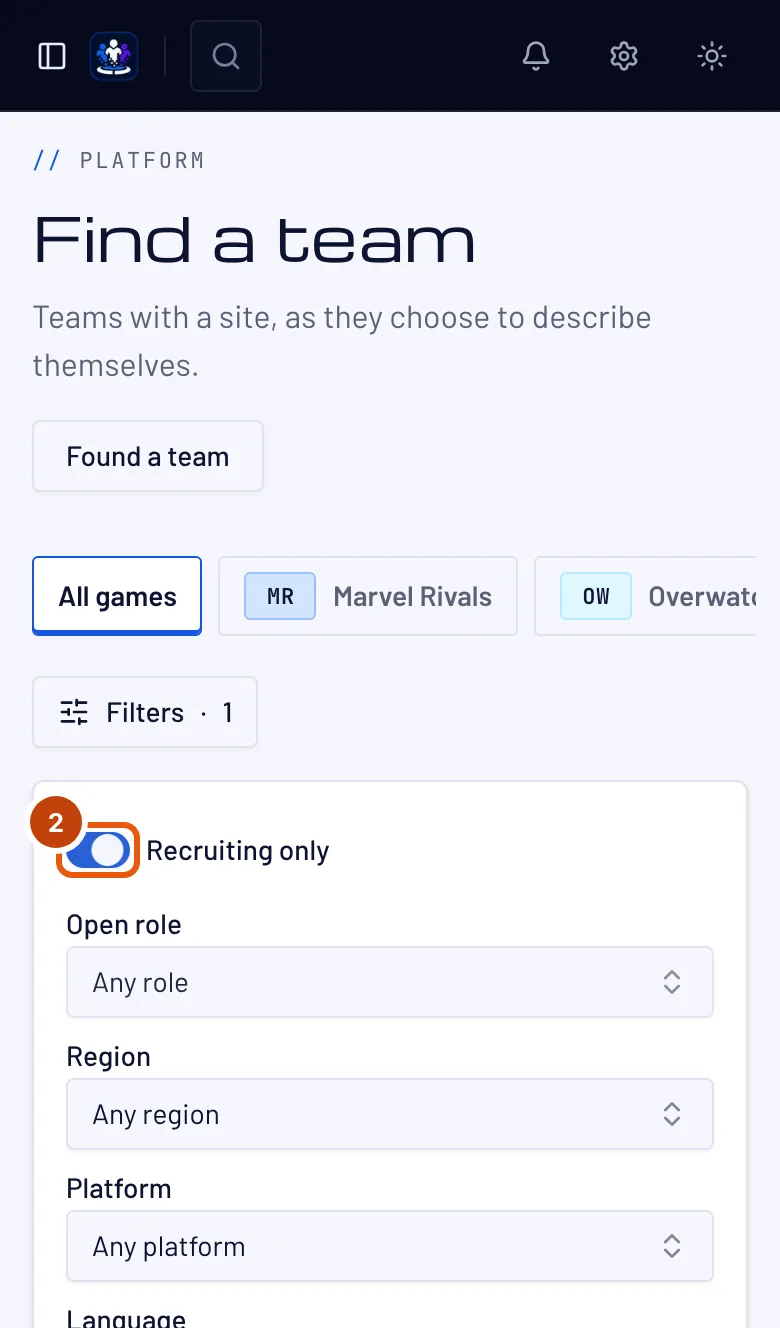
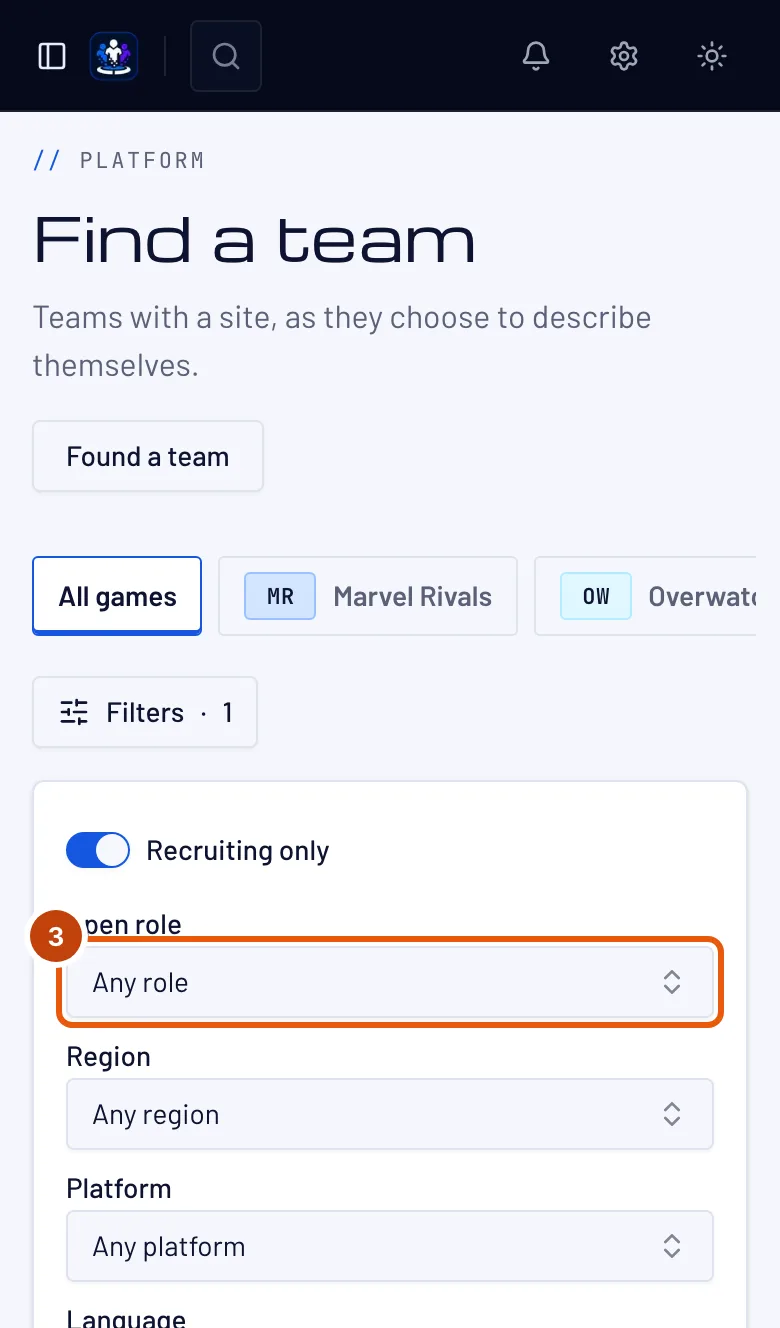
Pick a game at the top, or keep All games. Then turn on Recruiting only. On a phone, press Filters first.
You should see: only teams with an open position, each card listing its positions.
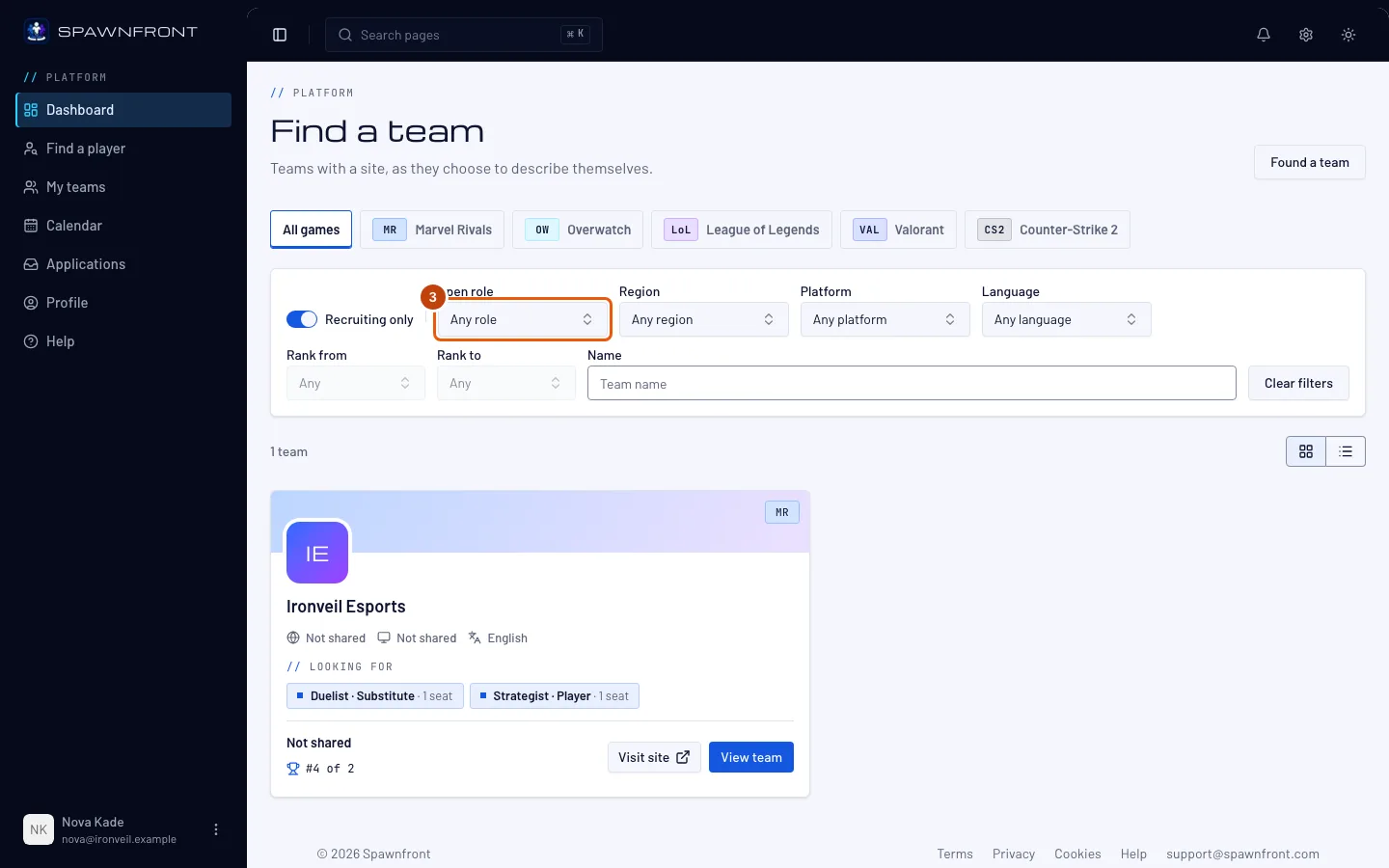
Step 3: Narrow the list
Choose an Open role, and if you like a Region, Platform, Language or a rank range with Rank from and Rank to. For League of Legends, choose a Champion — for Valorant, an Agent — to see teams with an open position that wants it. Type part of a team's name in Name to find one team. Clear filters starts over. To scan many teams at once, switch from Cards to List above the teams.
You should see: the list and its count change as you choose.
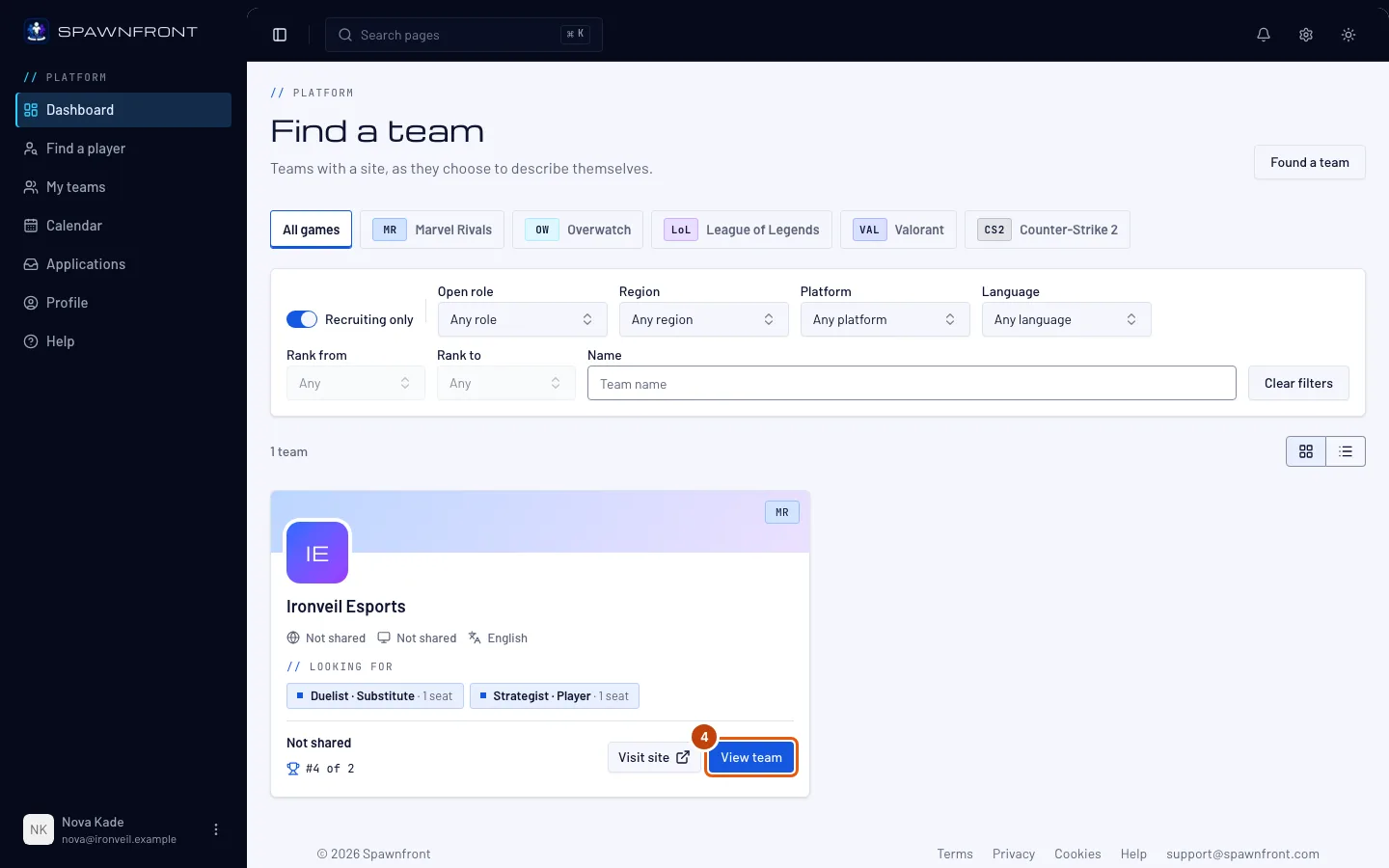
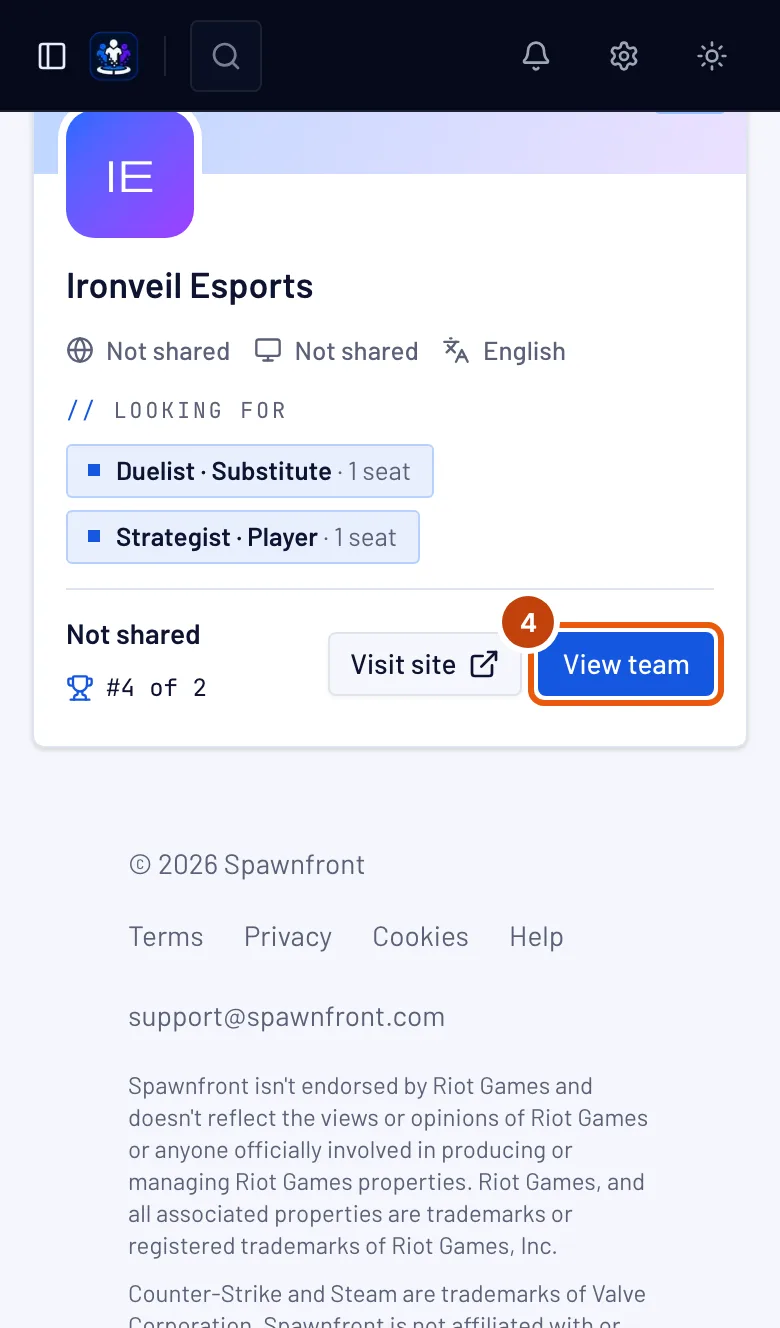
Step 4: Open a team
On a team's card, press View team. A team whose site is live also has Visit site beside it, which opens the team's website in a new tab.
You should see: the team's page, with its name at the top.
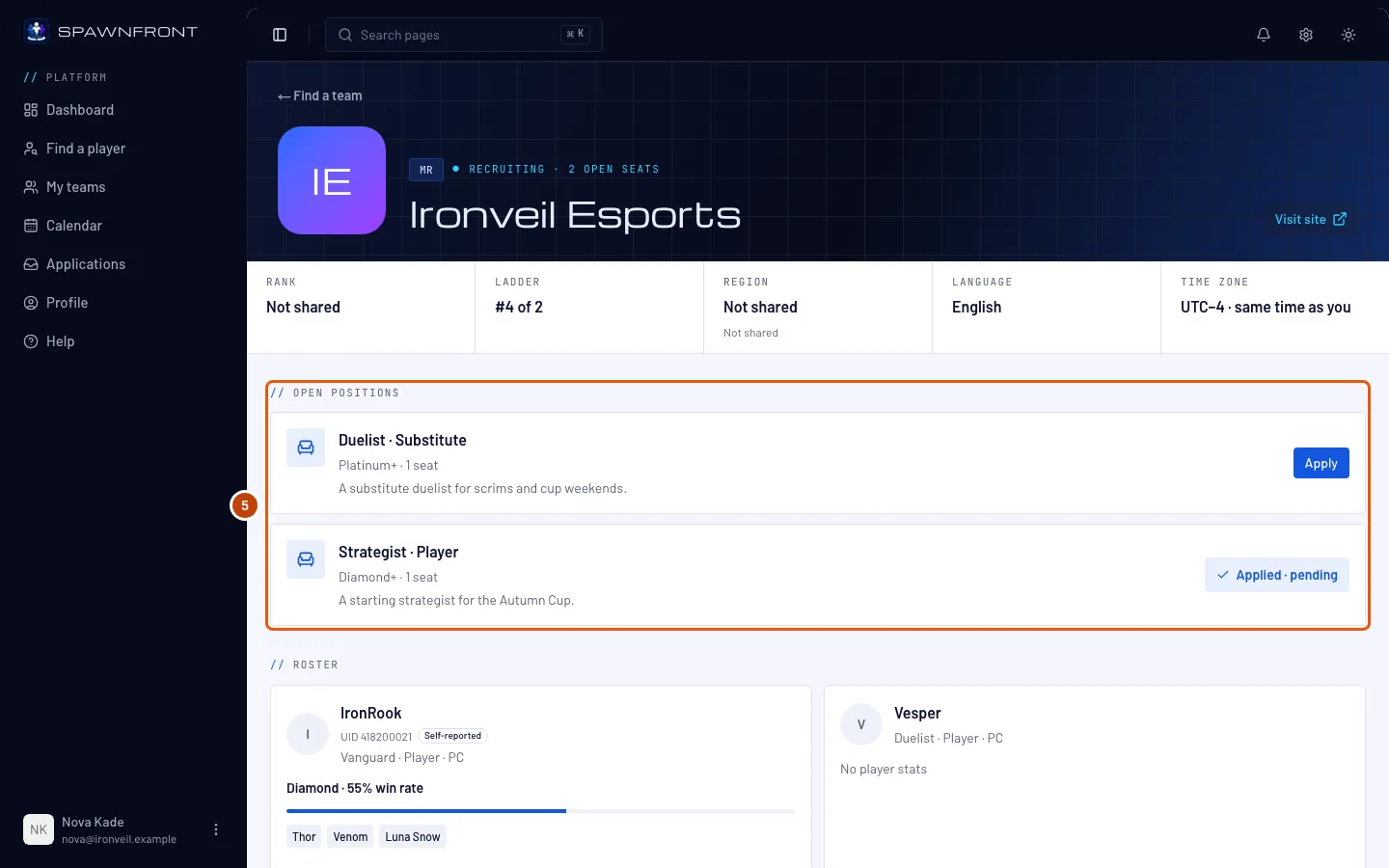
Step 5: Read the team page
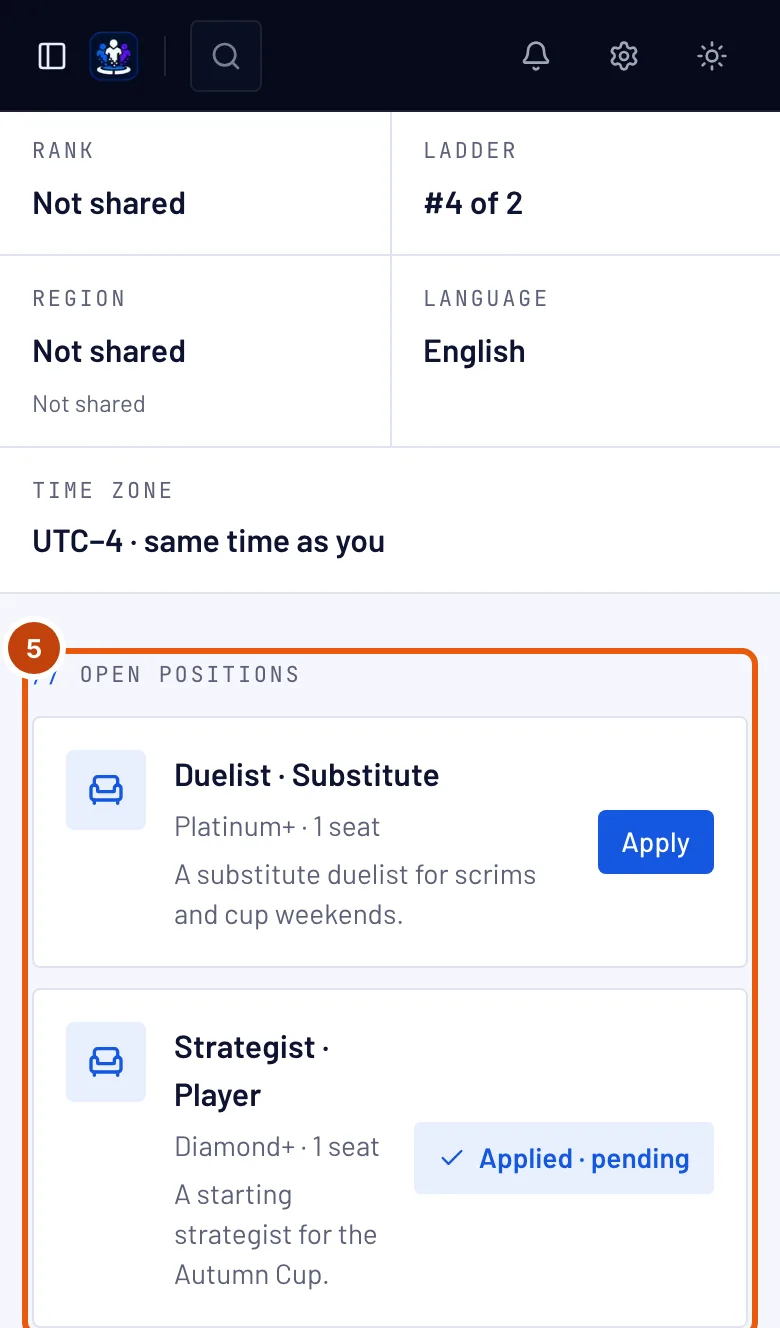
The team page shows the team's game, region, platform, language, time zone and rank, a Visit site button when the team has a site, its Open positions, its Roster and its Schedule: a calendar of the next week, with Month for further ahead — practice in blue, scrims in violet, tournaments in amber, every time in your own time zone.
You should see: under Open positions, each position's role, its rank range, and an Apply button.
How to know it worked
- The team page shows Open positions with an Apply button — see Apply to a team.
Something doesn't look right?
The list is empty
Your filters match no team. Press Clear filters, or turn off Recruiting only to see teams that are not recruiting right now.
A team I know isn't in the list
The list shows teams that have a site on Spawnfront. A team without one doesn't appear here.
The team page says "Not recruiting right now"
The team has no open position at the moment. Check back later.
Related articles
Still stuck? Contact support or email support@spawnfront.com — tell us the page you're on and the step number.