
Email preferences
News and offers from Spawnfront: turning them on or off in Profile, and unsubscribing from an email in one click.
For everyone · 5 steps
What you need first
- You are logged in to turn News and offers on or off in Profile. Unsubscribing from an email works without logging in.
Steps
Step 1: Open Profile
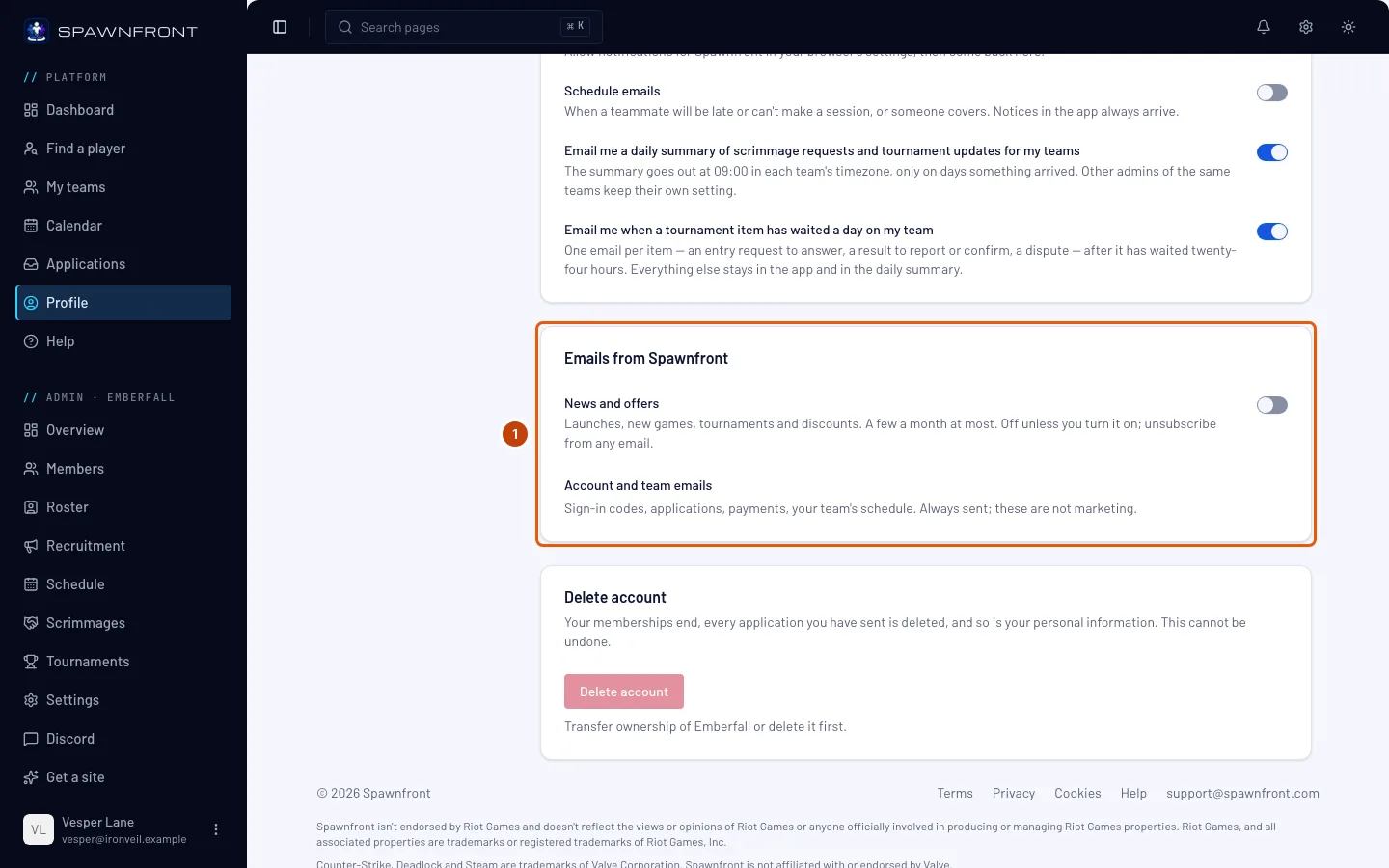
In the menu, press Profile. In the Account section, find the Emails from Spawnfront card.
News and offers are off unless you turn them on — at sign-up the box is unticked, and nothing is sent until you choose it.
Step 2: Turn on News and offers
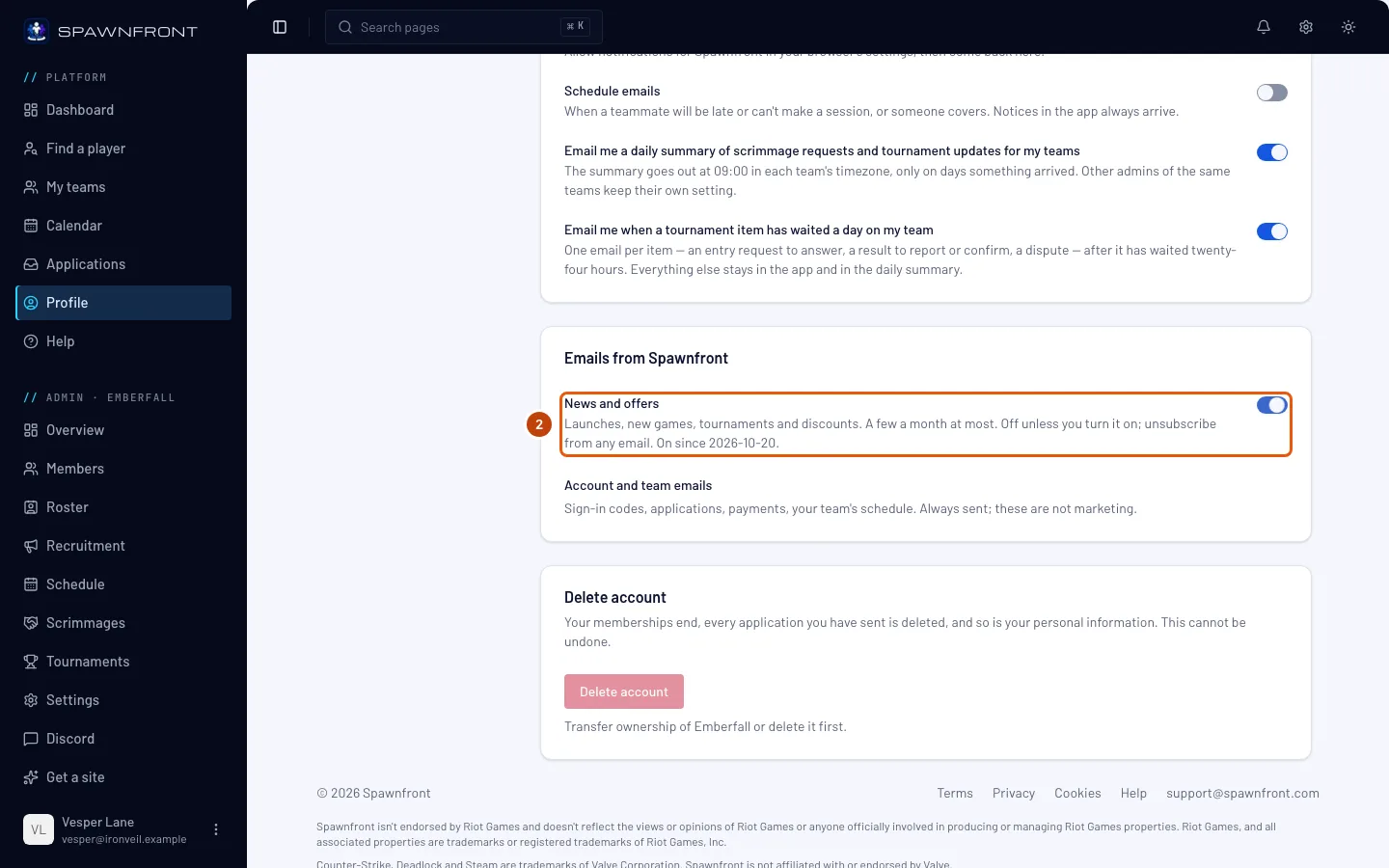
Turn on News and offers: launches, new games, tournaments and discounts, a few a month at most. The switch saves as soon as you press it.
You should see: "Email setting saved", and "On since" with the day you turned it on.
Step 3: Turn it off
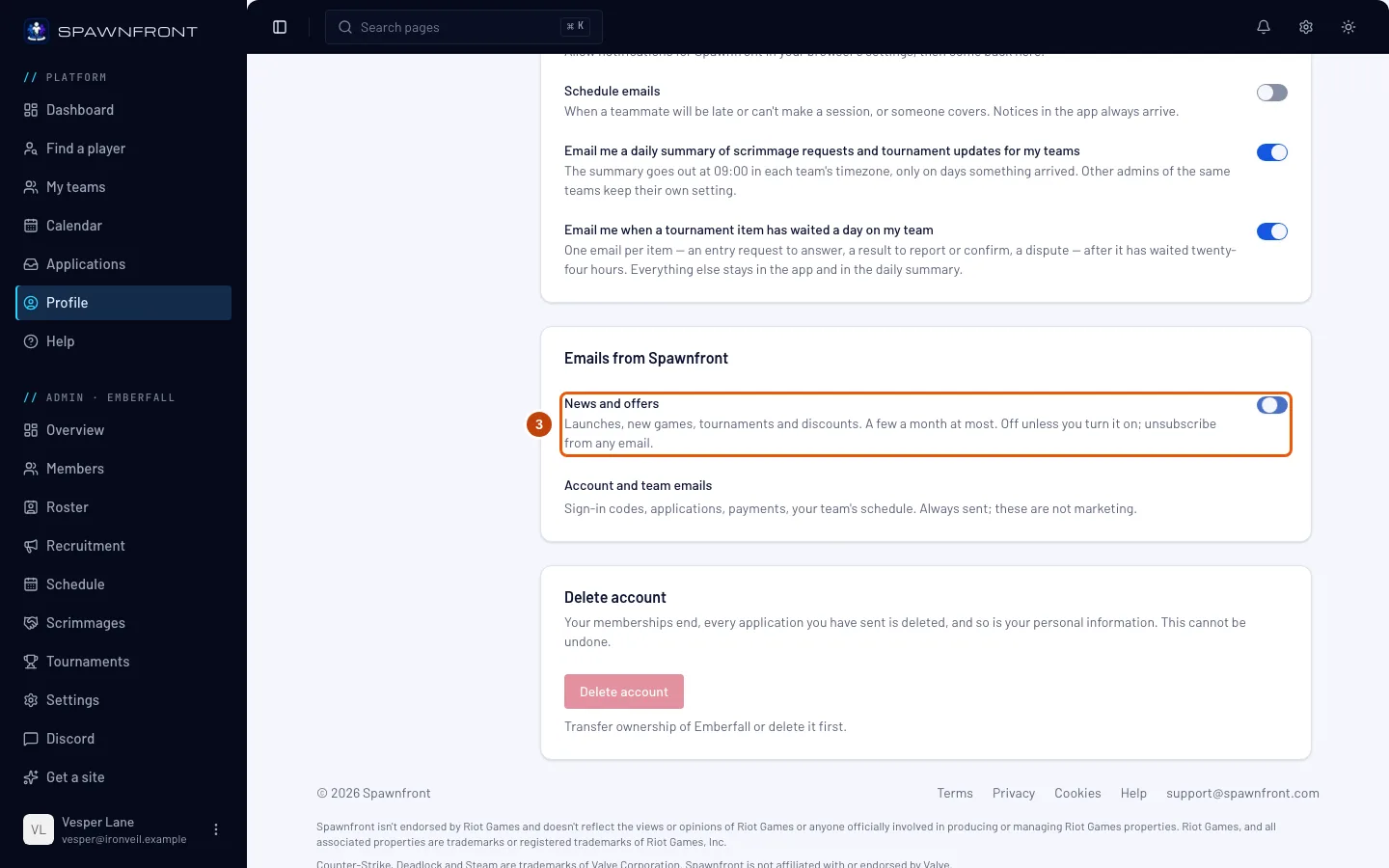
Turn News and offers off again whenever you like.
You should see: "Email setting saved", and no On since date.
Step 4: Open the unsubscribe link
At the bottom of a News and offers email, press Unsubscribe in one click. No need to log in.
Your mail app may also show its own Unsubscribe button at the top of the email; it unsubscribes you straight away, without this page.
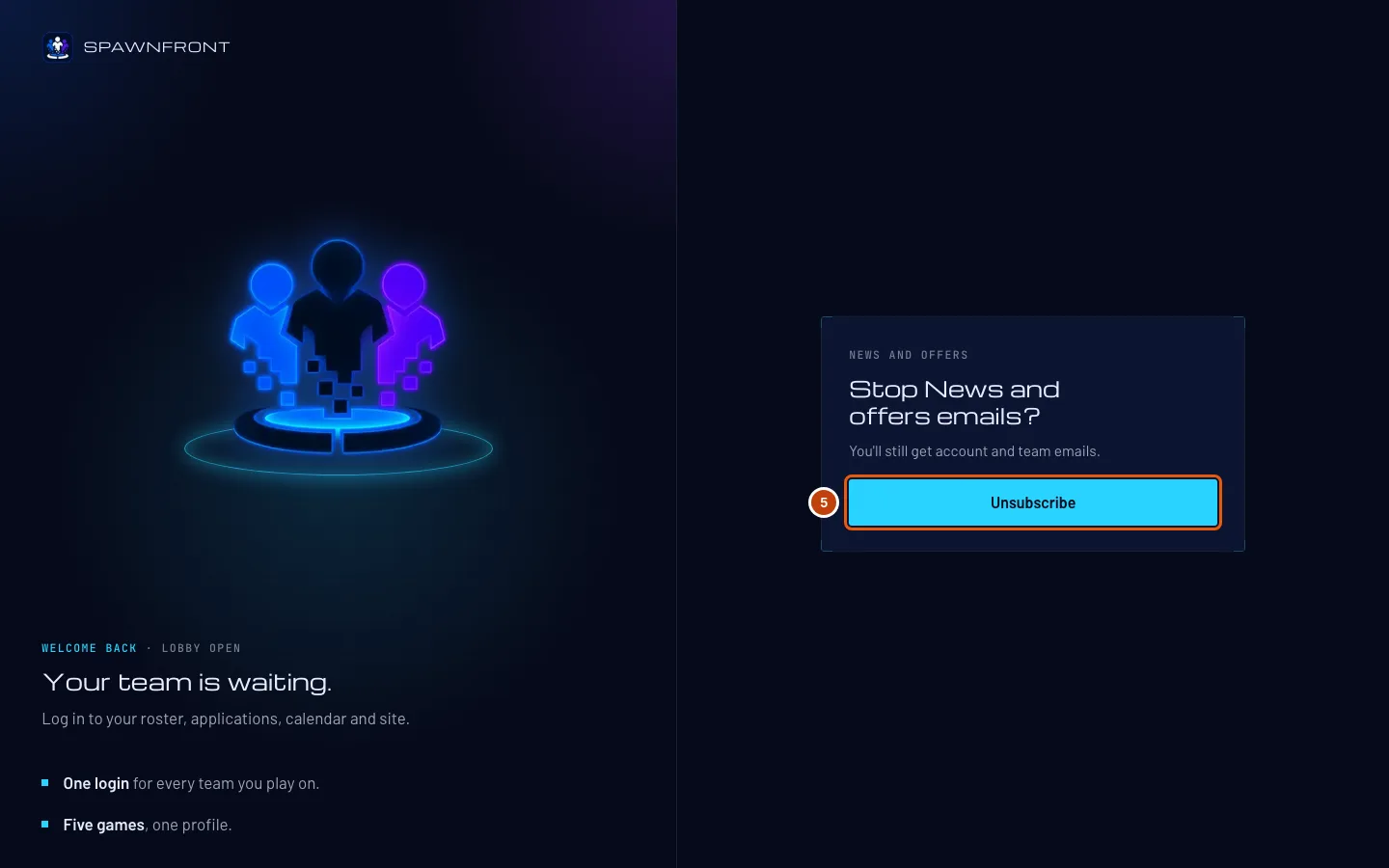
You should see: Stop News and offers emails?
Step 5: Press Unsubscribe
Press Unsubscribe.
You should see: You're unsubscribed. Turn News and offers back on any time in Profile.
How to know it worked
- With News and offers off, the switch shows no On since date.
Account and team emails are always sent. Sign-in codes, applications, payments and your team's schedule are not marketing, so News and offers never changes them. To stop the late, out and cover emails, turn off Schedule emails on the Notifications card — see Your notifications.
Something doesn't look right?
I unsubscribed but got one more email
An email that was already on its way when you unsubscribed may still arrive. Nothing new is sent after that: each email checks your choice again just before it goes out.
The unsubscribe link says it doesn't work
The link was cut short or changed on its way. Press Open Profile and turn off News and offers there instead.
Related articles
Still stuck? Contact support or email support@spawnfront.com — tell us the page you're on and the step number.