
Accept an invitation to a team
Open the invitation email, log in with the invited address and accept to join the team.
For team members · 5 steps
What you need first
- A team's owner or admin invited your email address. Only a team with a subscription can send invitations.
- The invitation lasts seven days.
- You need a Spawnfront account with the same email address the invitation went to. No account yet? You create one on the way — it's free.
Steps
Step 1: Open the invitation email
Find the email You're invited to join a team and press Review invitation.
You should see: Join and the team's name, on Spawnfront.
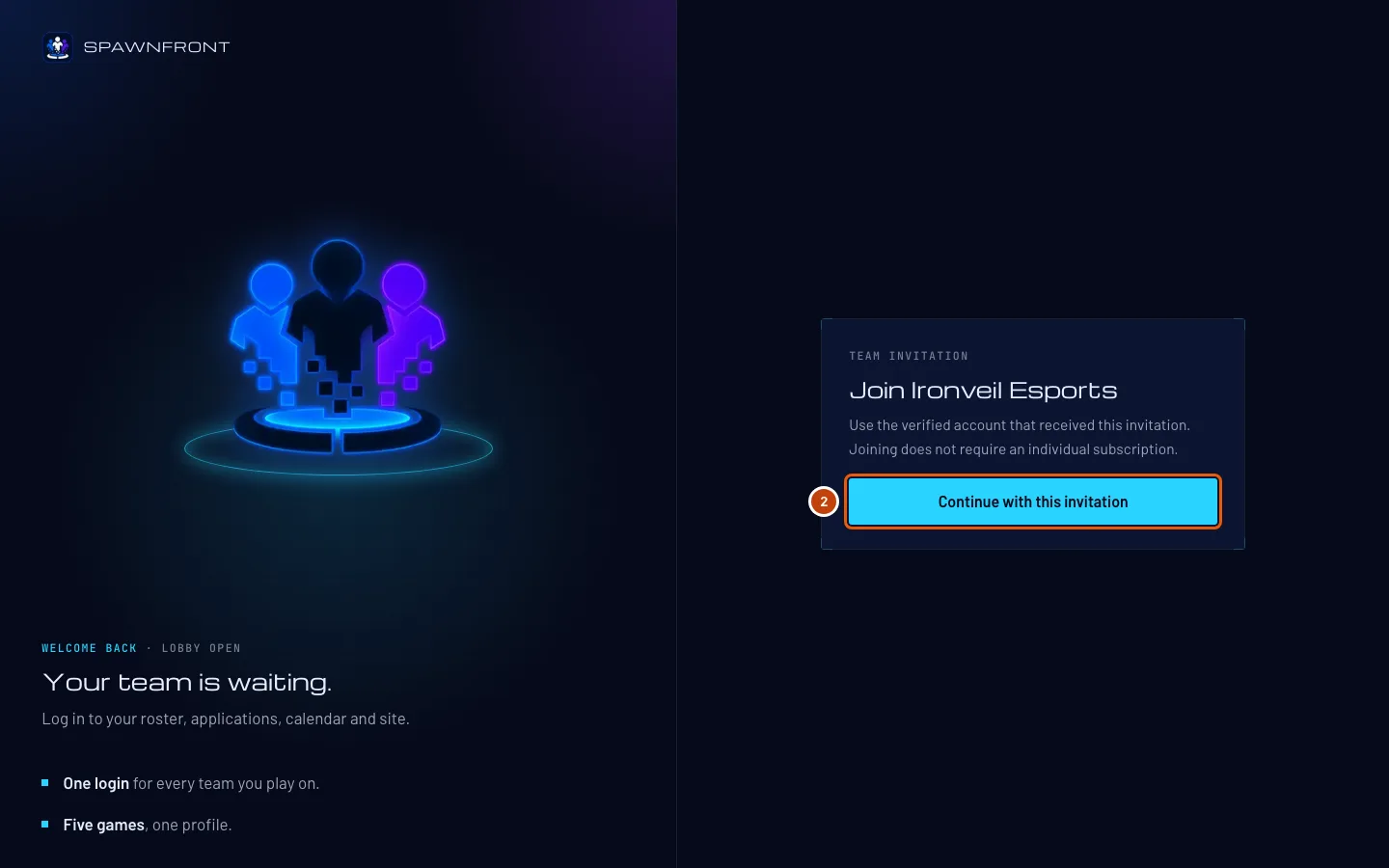
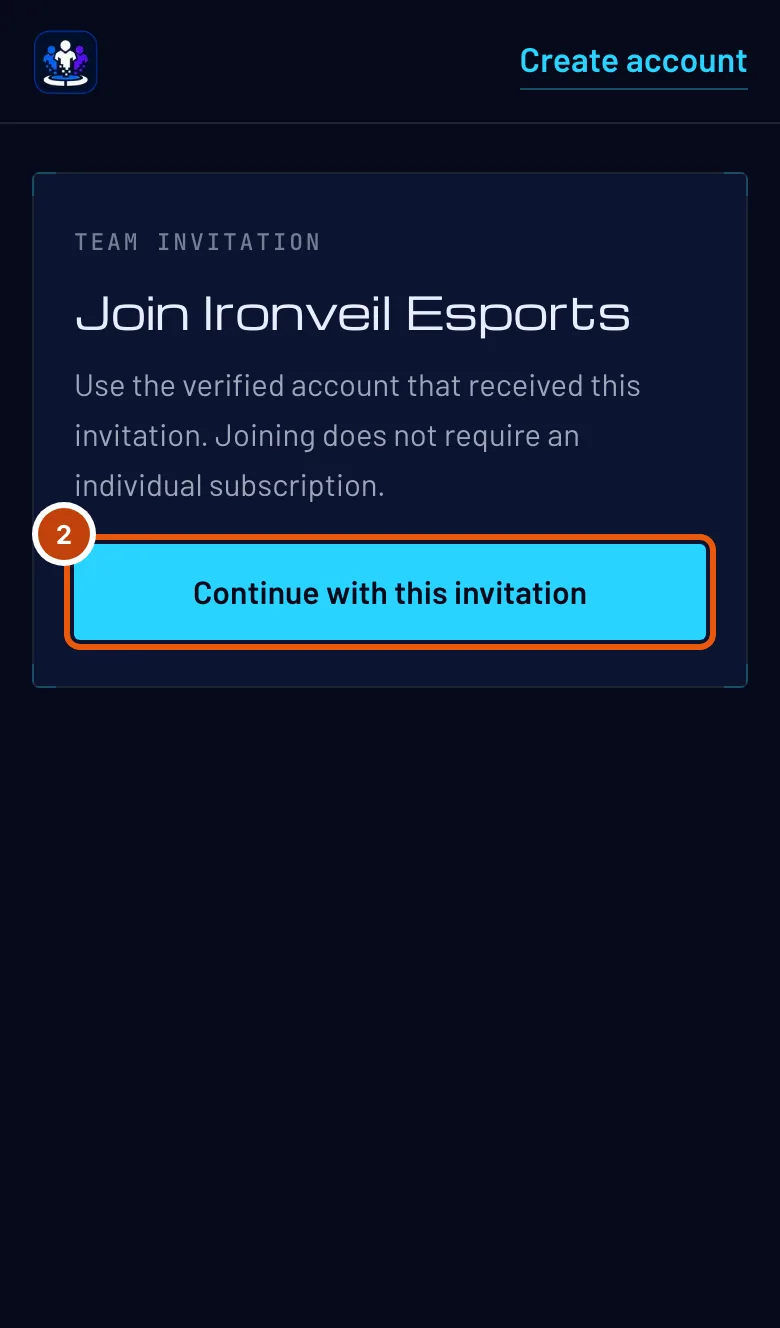
Step 2: Continue with the invitation
If you aren't logged in, press Continue with this invitation. Already logged in with the invited address? Skip to step 4.
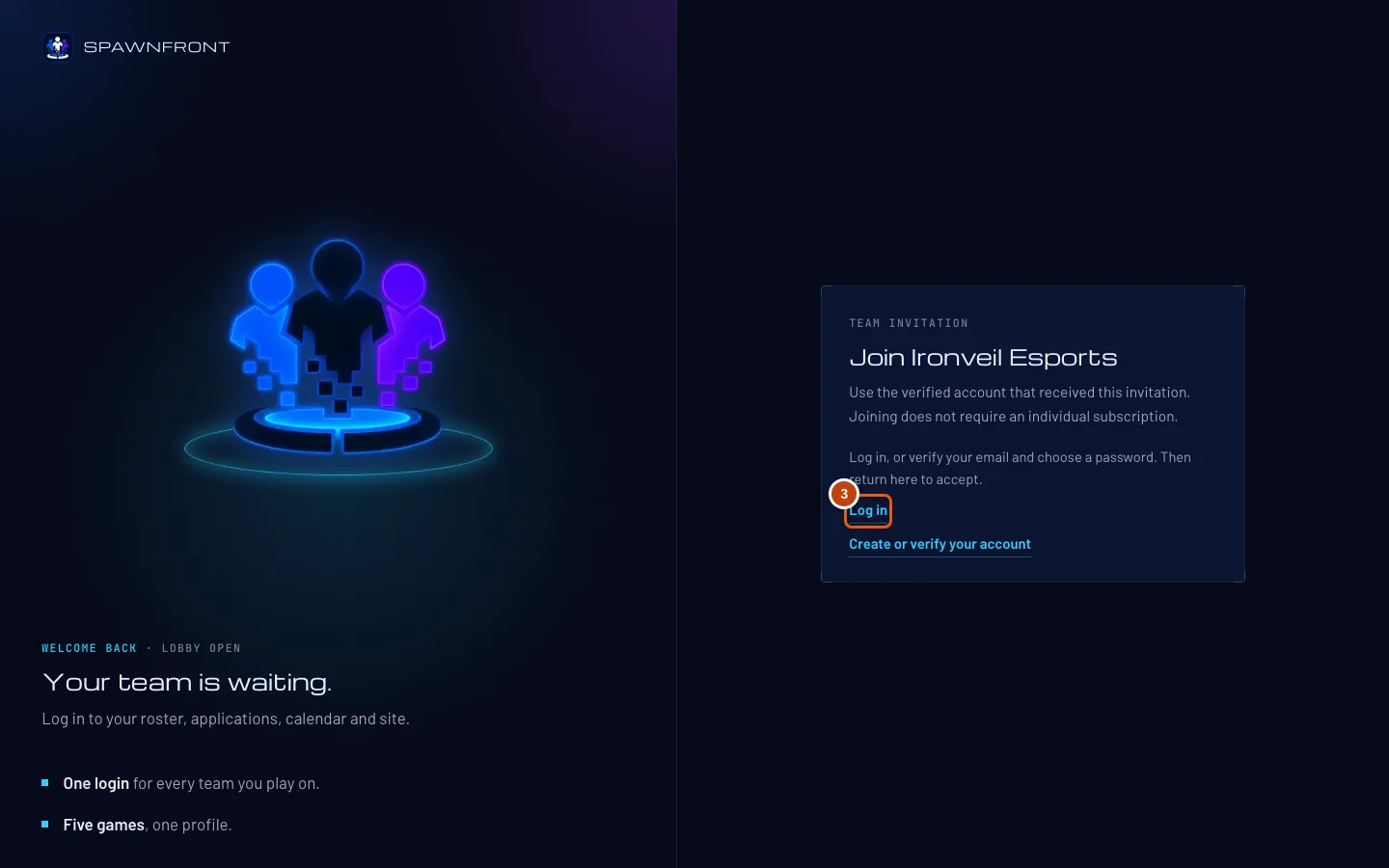
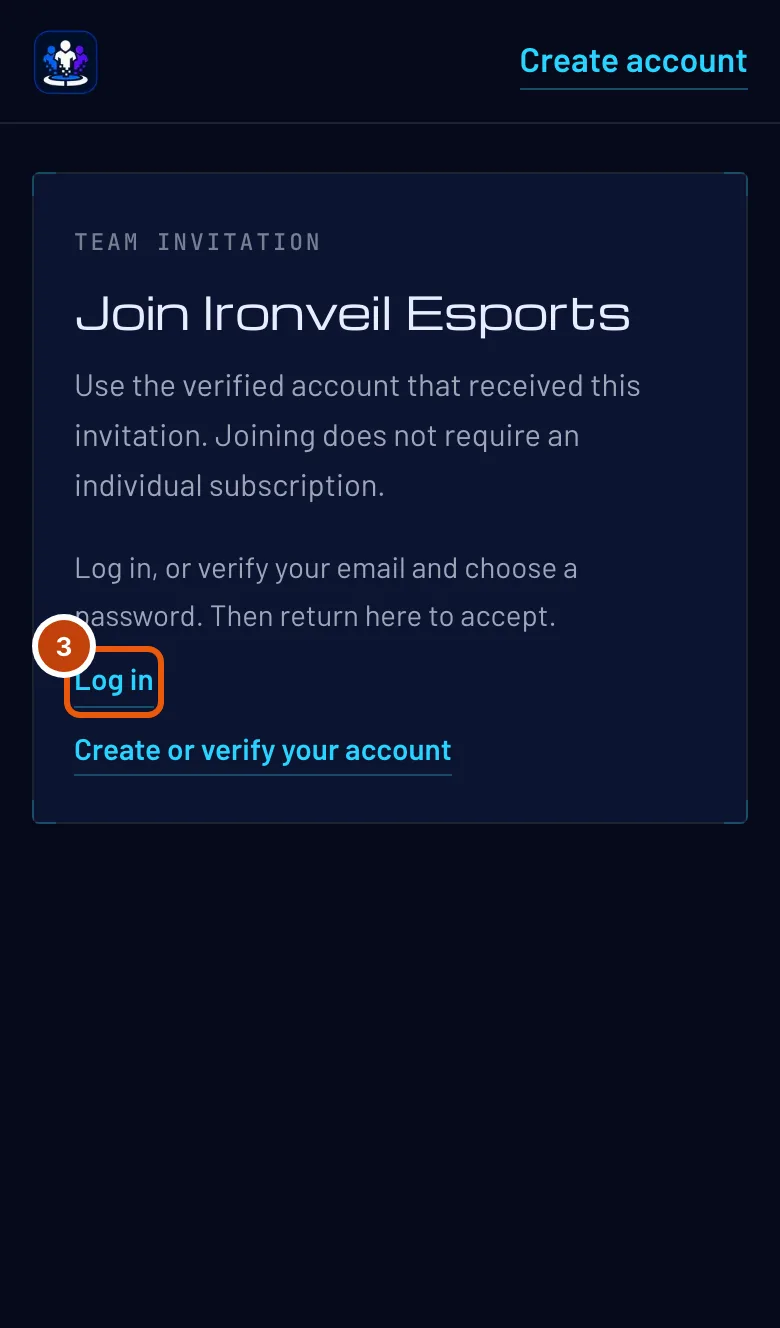
You should see: "Log in, or verify your email and choose a password. Then return here to accept."
Step 3: Log in with the invited address
Press Log in and log in with the email address the invitation was sent to. No account for that address yet? Press Create or verify your account, sign up with that exact address, then open Review invitation in the email again.
It must be the invited address. The team invited an email, so an account with any other address can't accept.
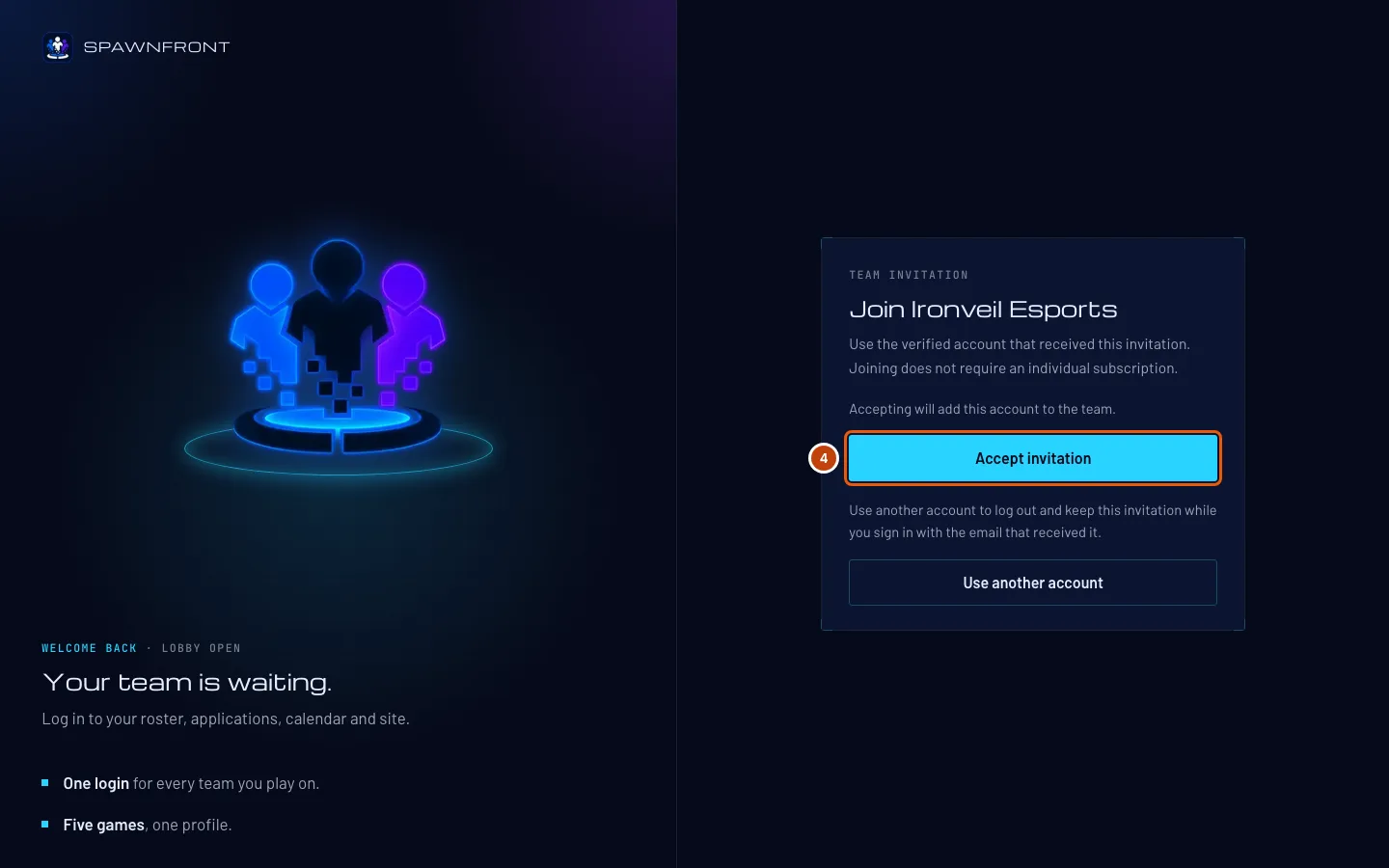
You should see: the invitation again, now with an Accept invitation button.
Step 4: Accept the invitation
Press Accept invitation.
Joining is free — you don't need a subscription of your own. You join with the role the team chose for you: member or admin.
You should see: your dashboard, Find a team.

Step 5: Find the team in My teams
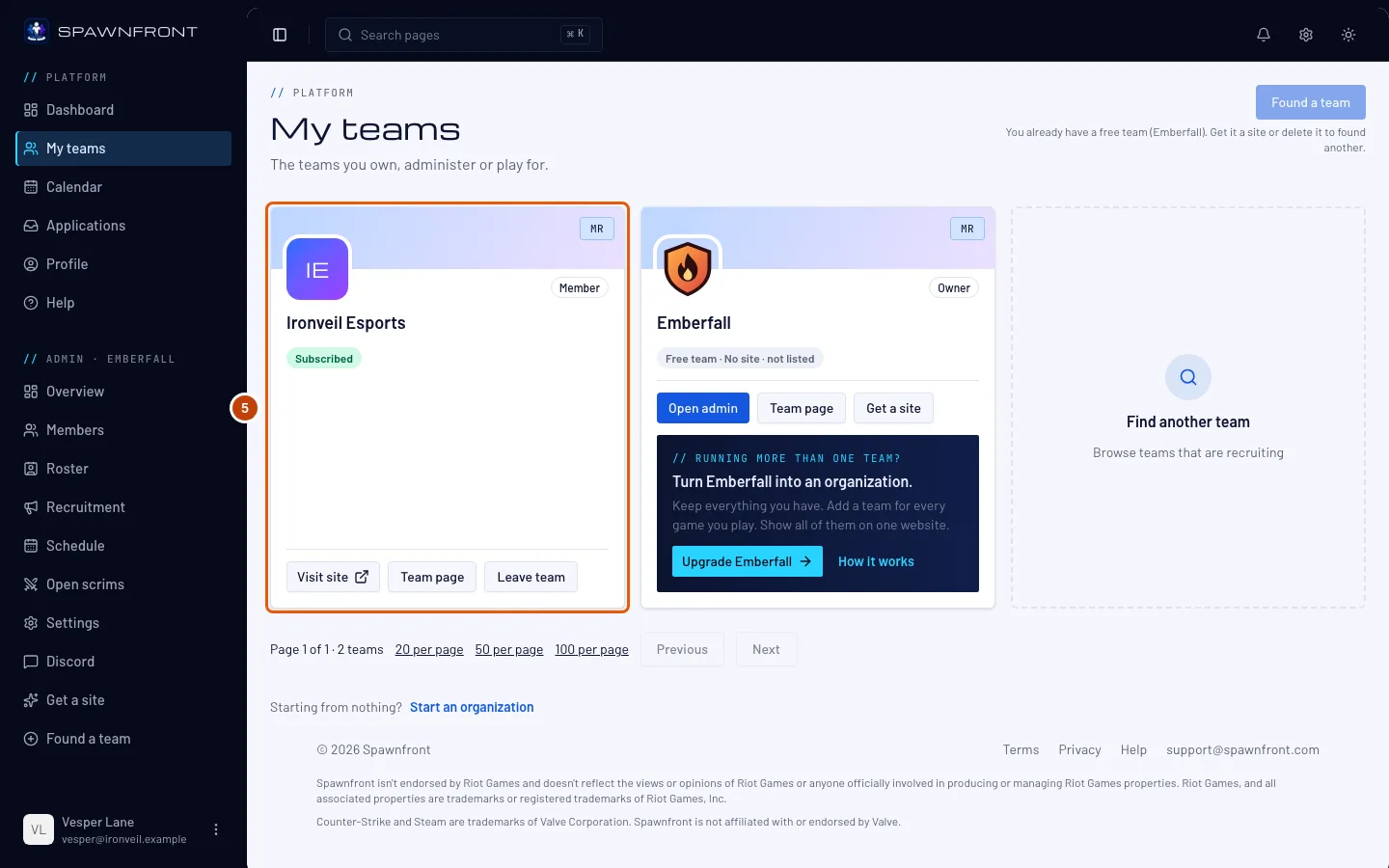
In the menu, press My teams.
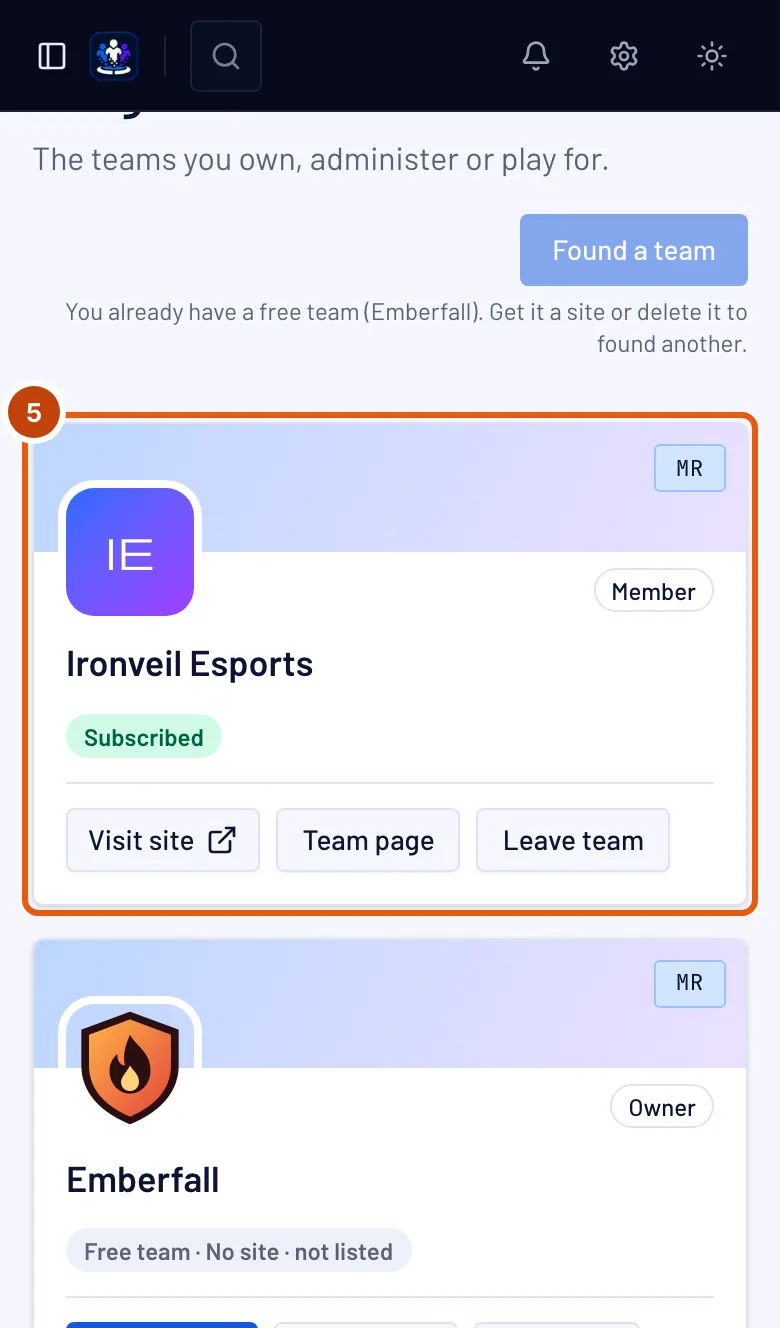
You should see: the team's card with your role, Team page, and Visit site once the team's site is live — it opens the site in a new tab. Only an admin gets Open admin, the team's admin section.
How to know it worked
- The team is on My teams with your role.
- If the team invited you from its roster, your roster entry is now yours to fill in — see Your member card. Every link you set to Use on all my teams on your profile is already on it, and your profile photo shows on it unless the team set its own — see Use your links on all your teams.
Something doesn't look right?
It says "Invitation unavailable"
The link no longer works: the invitation expired after seven days, the team revoked it, it was already accepted, or the team sent it again — a new email replaces the old link. Ask the team to press Resend invitation, then use the newest email.
It says "Unable to accept"
Most often you're logged in with a different email address. Press Use another account, then log in with the invited address; the invitation is kept while you switch. It also appears when you're already on the team, or when the team's subscription has ended.
I never got the email
Check your spam folder for You're invited to join a team. If it isn't there, ask the team to check the address they typed and press Resend invitation.
Related articles
Still stuck? Contact support or email support@spawnfront.com — tell us the page you're on and the step number.