
Leave a team
Leave a team you play for from My teams; your roster entry stays with the team, without your photos.
For players · 3 steps
What you need first
- You are a member or admin of the team. An owner can't leave — transfer ownership first.
Steps
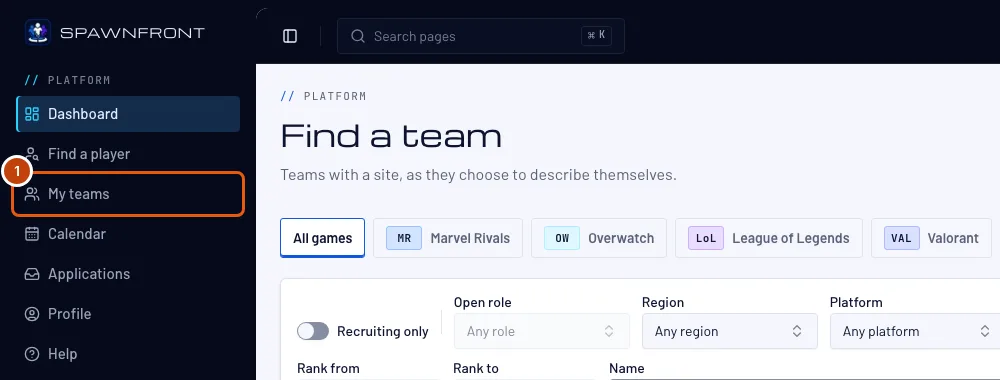
Step 1: Open My teams
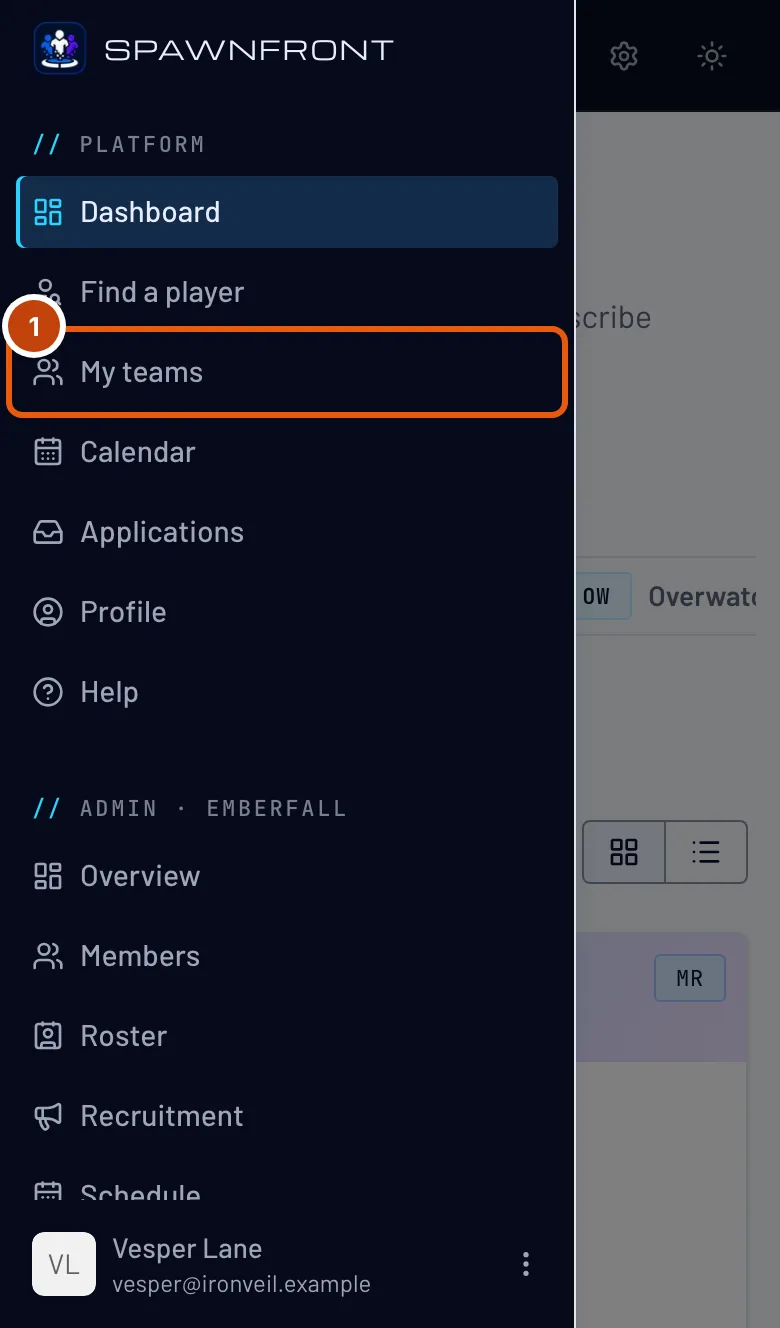
In the menu, press My teams. On a phone, open the menu with the button at the top left first.
You should see: My teams, one card per team you own, administer or play for.
Step 2: Press Leave team
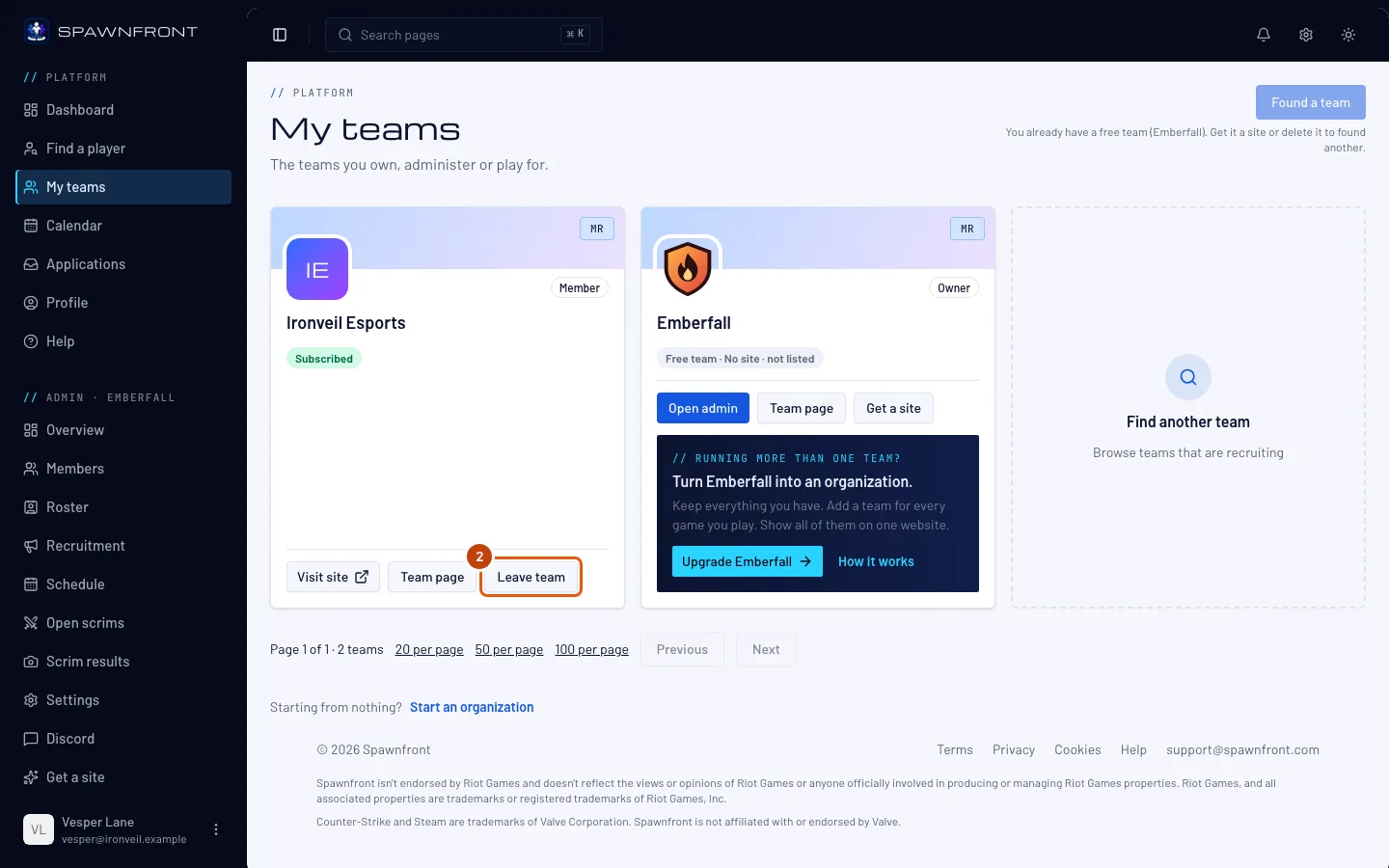
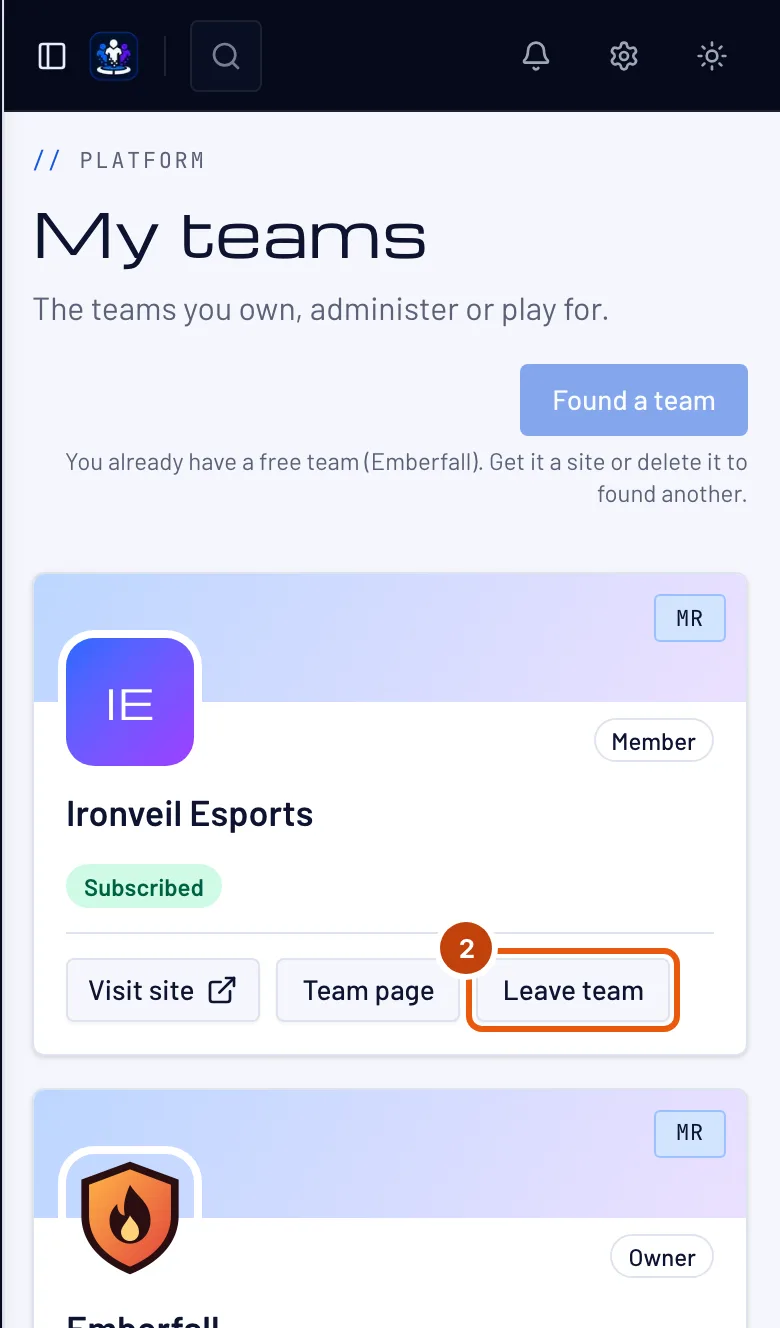
On the team's card, press Leave team.
You should see: a box asking Leave the team.
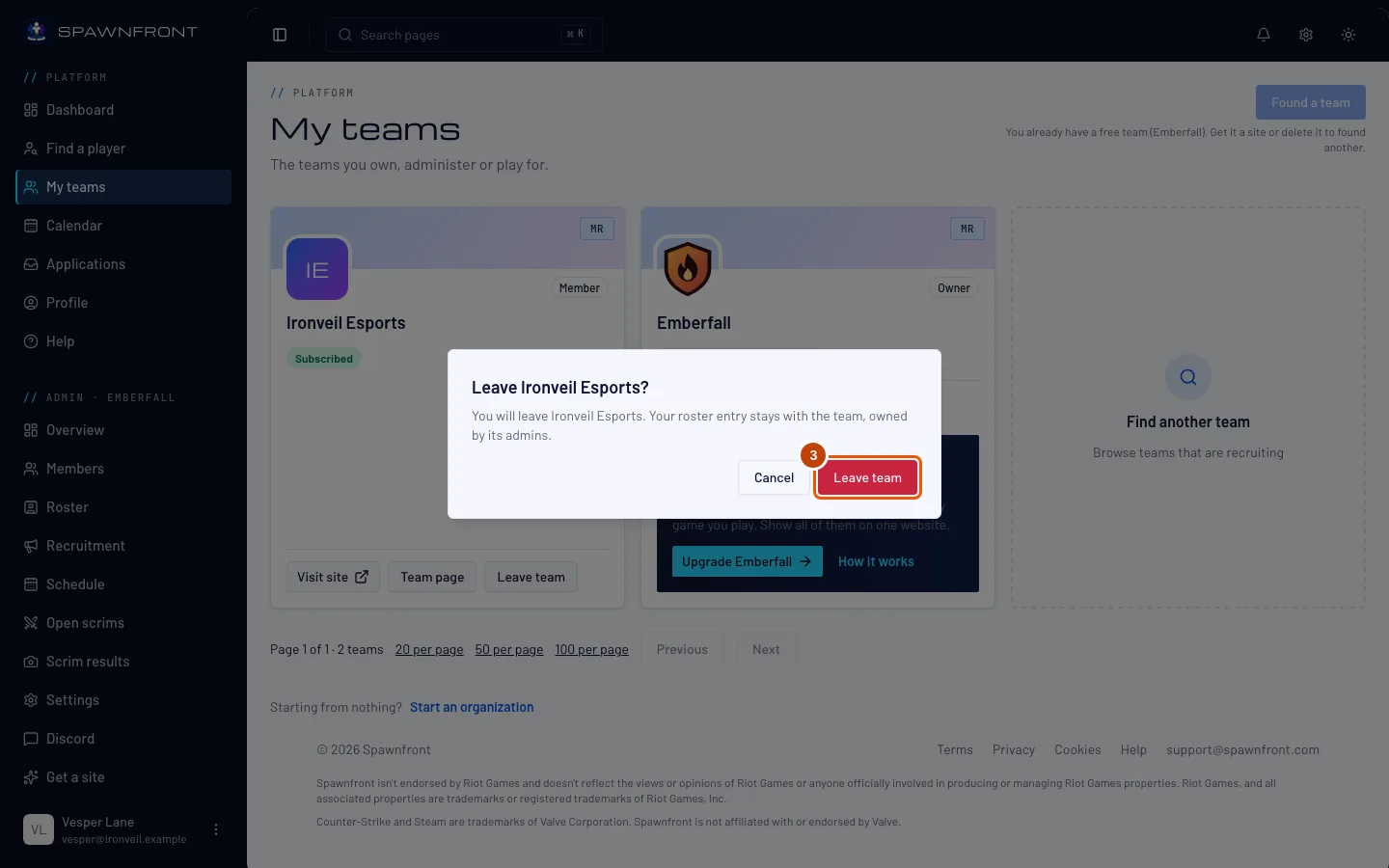
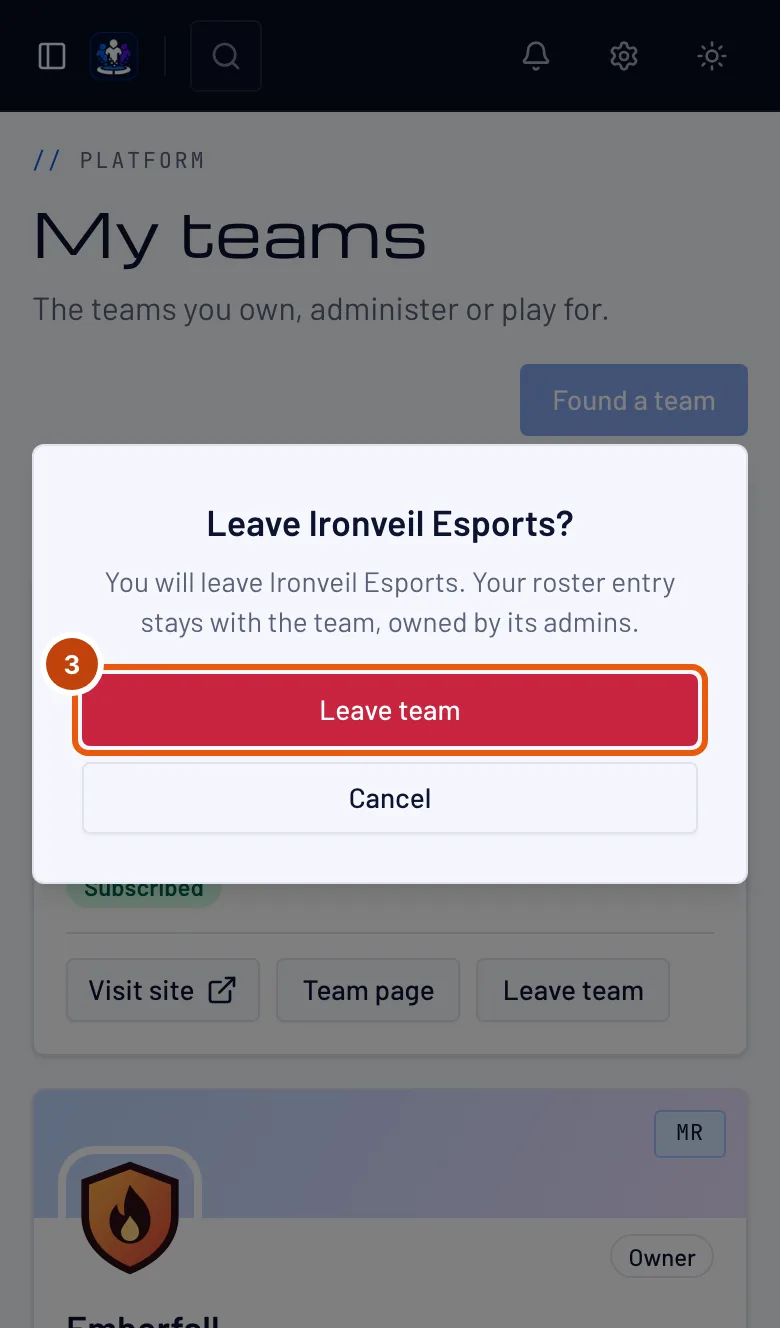
Step 3: Confirm
Press Leave team in the box, or Cancel to stay.
Your roster entry stays with the team, and its admins manage it from now on. Your photos come off it — your profile photo and your photo for that team — and your links stay on it as they last were, even the ones you set with Use on all my teams; changing your profile no longer changes them.
You should see: "You have left" the team, and its card is gone from My teams.
How to know it worked
- The team's card is gone from My teams.
- You can apply to another team for the same game.
Something doesn't look right?
My old team still shows my links
Leaving keeps your roster entry on the team with the links it last had, and the team's admins can change or clear them. Ask them to remove a link you no longer want there.
There is no Leave team button on my team
You own the team, and an owner can't leave. Hand it to another member from its Members page, or delete it if it's a free team.
Related articles
Still stuck? Contact support or email support@spawnfront.com — tell us the page you're on and the step number.