
Use a gift someone sent you
Open the gift link, sign up or log in, choose a team (or make one) and use the gift — no card needed.
For team owners and admins · 5 steps
Someone sent you a link to a gift — months of a Spawnfront plan, or one that never ends. The link opens a page that says what you got. Using it takes a free account and a team, and you can make the team on the spot.
What you need first
- The link someone sent you. It looks like spawnfront.com/gift/SPWN-….
- Nothing else: no card, no payment. A gift is free to use.
Steps
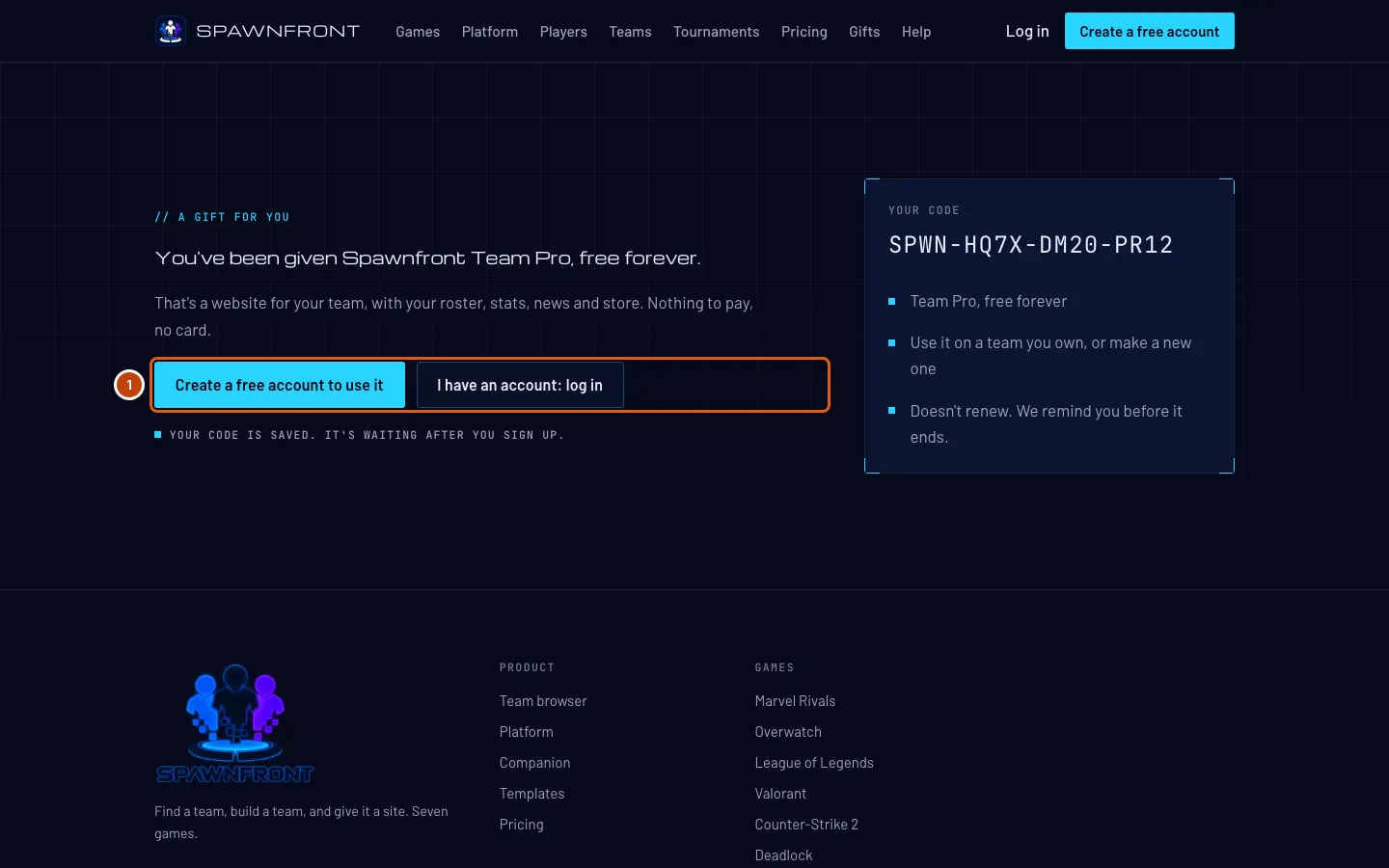
Step 1: Open the link
Open the link you were sent.
You should see: You've been given Spawnfront and what the gift is — for example Team Pro, free for 12 months — with your code beside it.
Step 2: Create your account or log in
Press Create a free account to use it, or I have an account: log in. New here? Create your account walks through signing up. Your code is remembered while you sign up, for up to a week.
You should see: after logging in, Find a team.
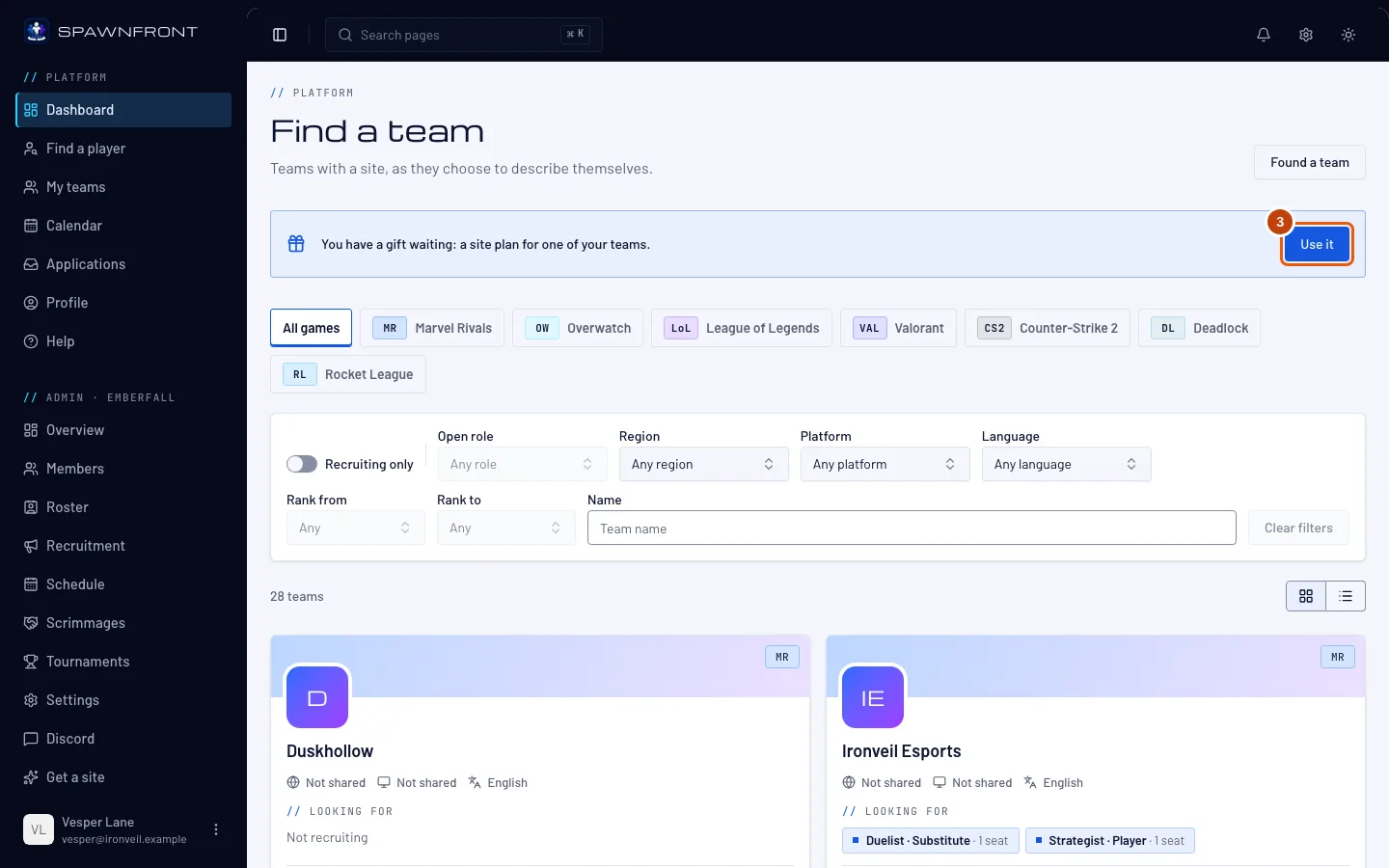
Step 3: Open your gift
Under Find a team, press Use it beside You have a gift waiting. Logged in from the link's own button, you go straight to the next screen.
You should see: Use a gift, with your code filled in and what it gives under it.
Step 4: Choose the team
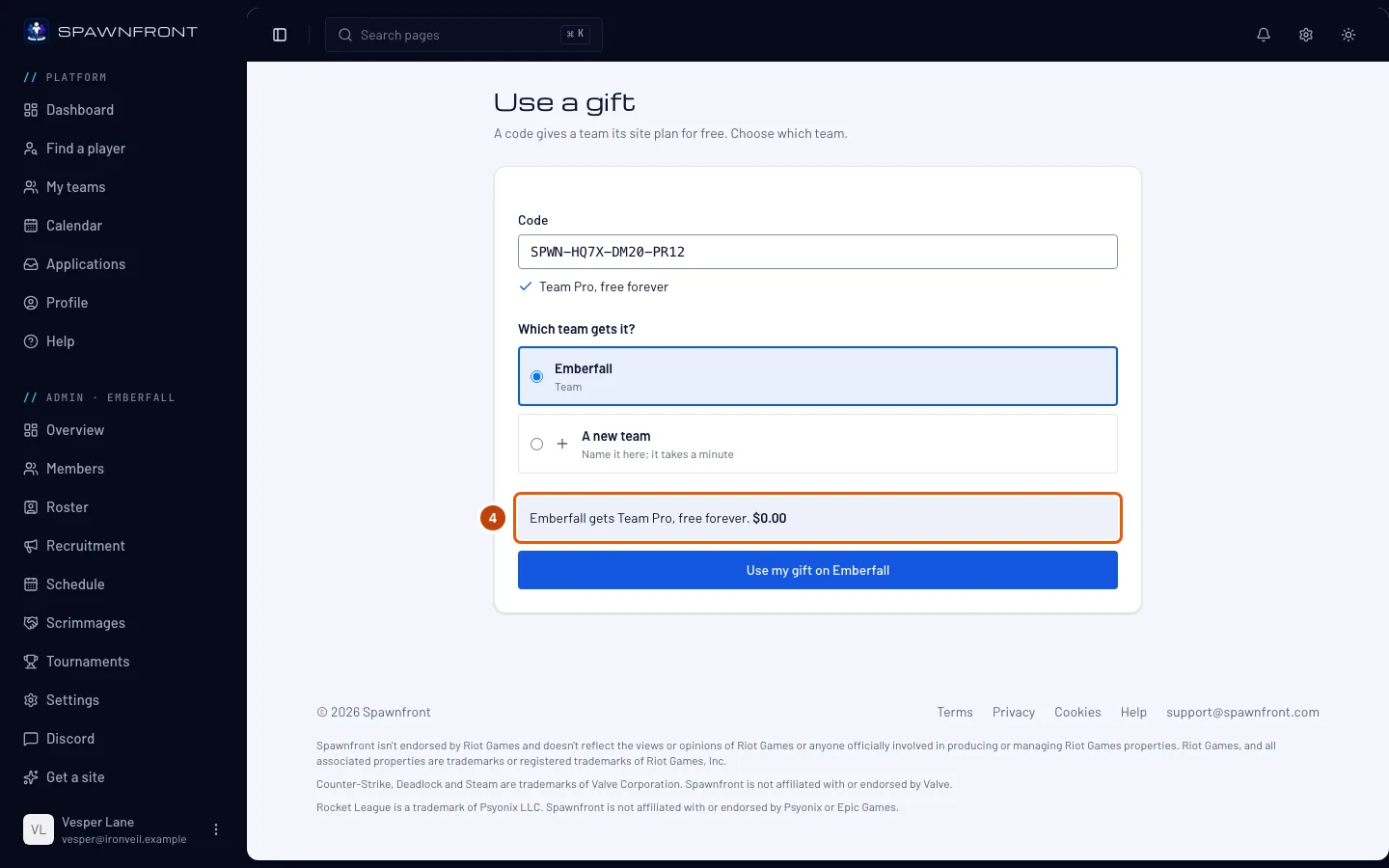
Under Which team gets it?, choose one of your teams, or A new team to make one here. Only teams you own or run are listed.
You should see: the team's name and what it gets, at $0.00. With A new team, the form to make it appears; the gift goes on the team as soon as you make it.
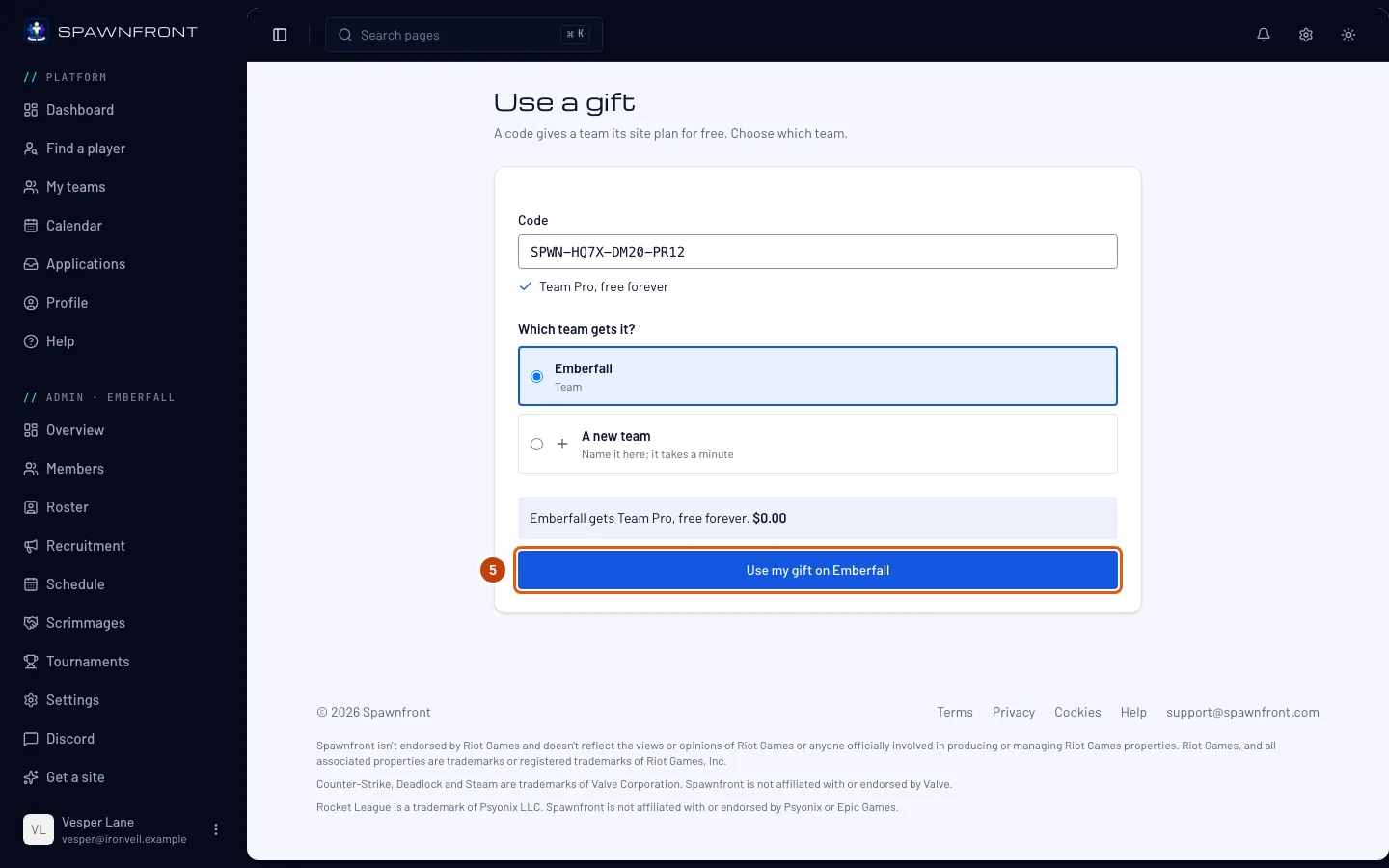
Step 5: Use your gift
Press Use my gift on your team's name.
You should see: your team's name with the plan and how long it lasts, and Build my website — see Set up your site with the wizard.
How to know it worked
- You have a gift waiting is gone from Find a team.
- Your team's Billing page shows A gift from Spawnfront and You pay: Nothing.
Something doesn't look right?
The page says the gift can't be used
The gift may have been used already, or the link was cut off when it was copied. Ask whoever sent it for the whole link, or for the code itself — you can type a code on the Checkout page instead, see Use a code.
I don't see You have a gift waiting
The page only remembers a link you opened in this browser, for a week. Open the link again in the browser you log in with, or press Use a gift from the link's own log in button.
It says my free access is saved to my account
The gift is meant for a team's owner, and you chose a team you run without owning it. The free access now waits on your own account: open Get a site on a team you own and press Use it for this team under Use your free access — or found a team of your own.
Related articles
Still stuck? Contact support or email support@spawnfront.com — tell us the page you're on and the step number.