
See your order history
Find the orders you placed at teams' stores with your account's email, from Profile.
For anyone buying from a team · 4 steps
What you need first
- You are logged in to Spawnfront. An account is free.
- You bought from a team's or an organization's store with the same email as your account. Orders are matched by the email you gave at checkout.
Steps
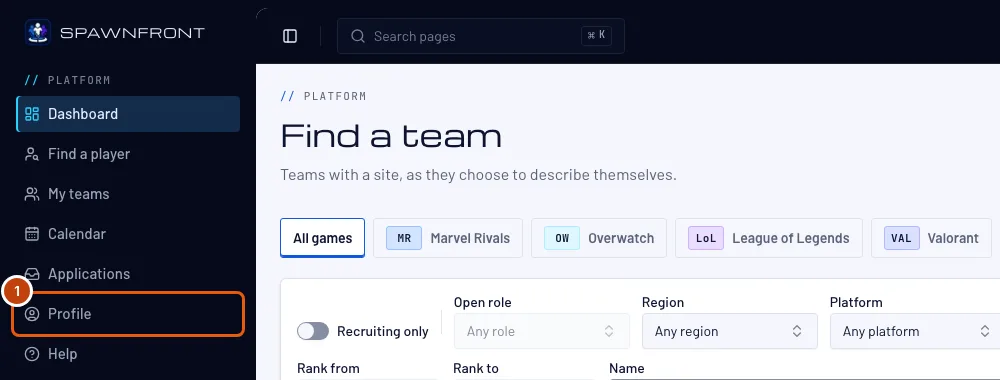
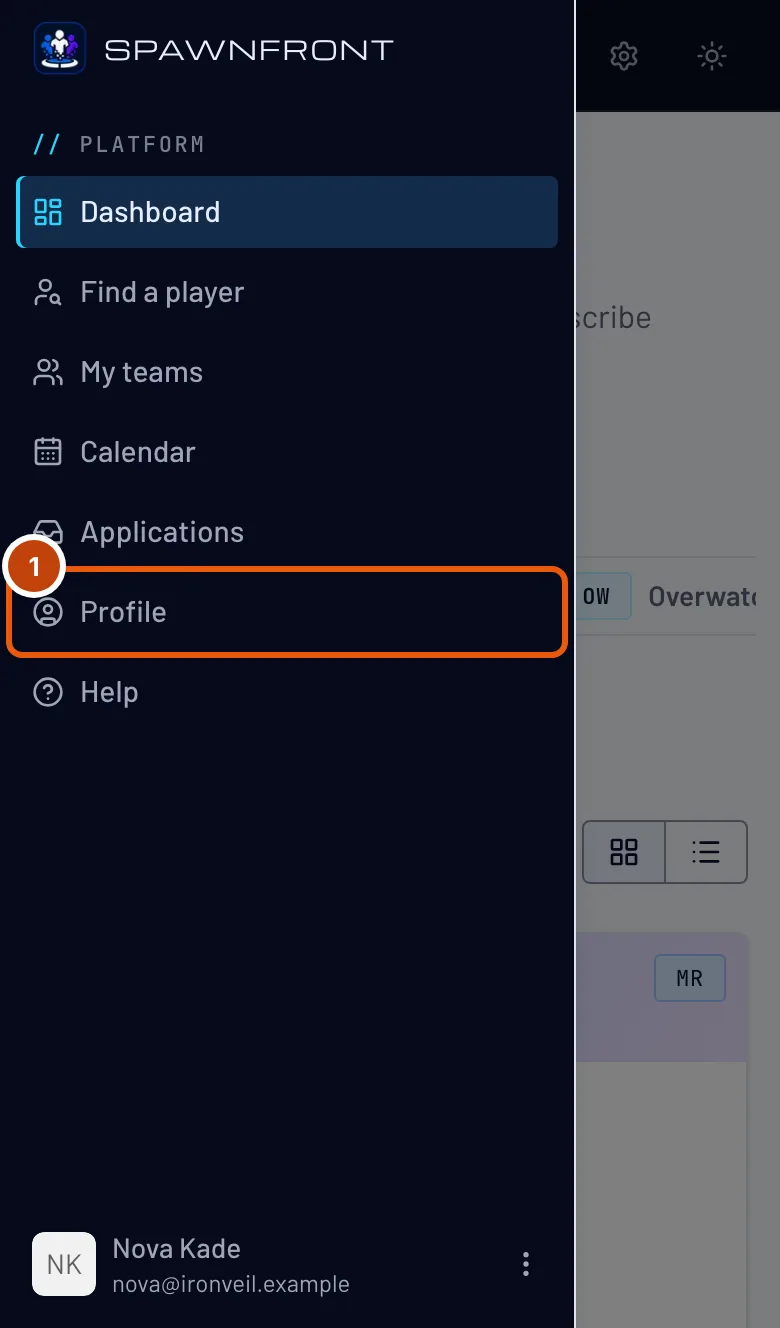
Step 1: Open your profile
In the menu, press Profile. On a phone, open the menu with the button at the top left first.
You should see: Profile, open on its Account section.
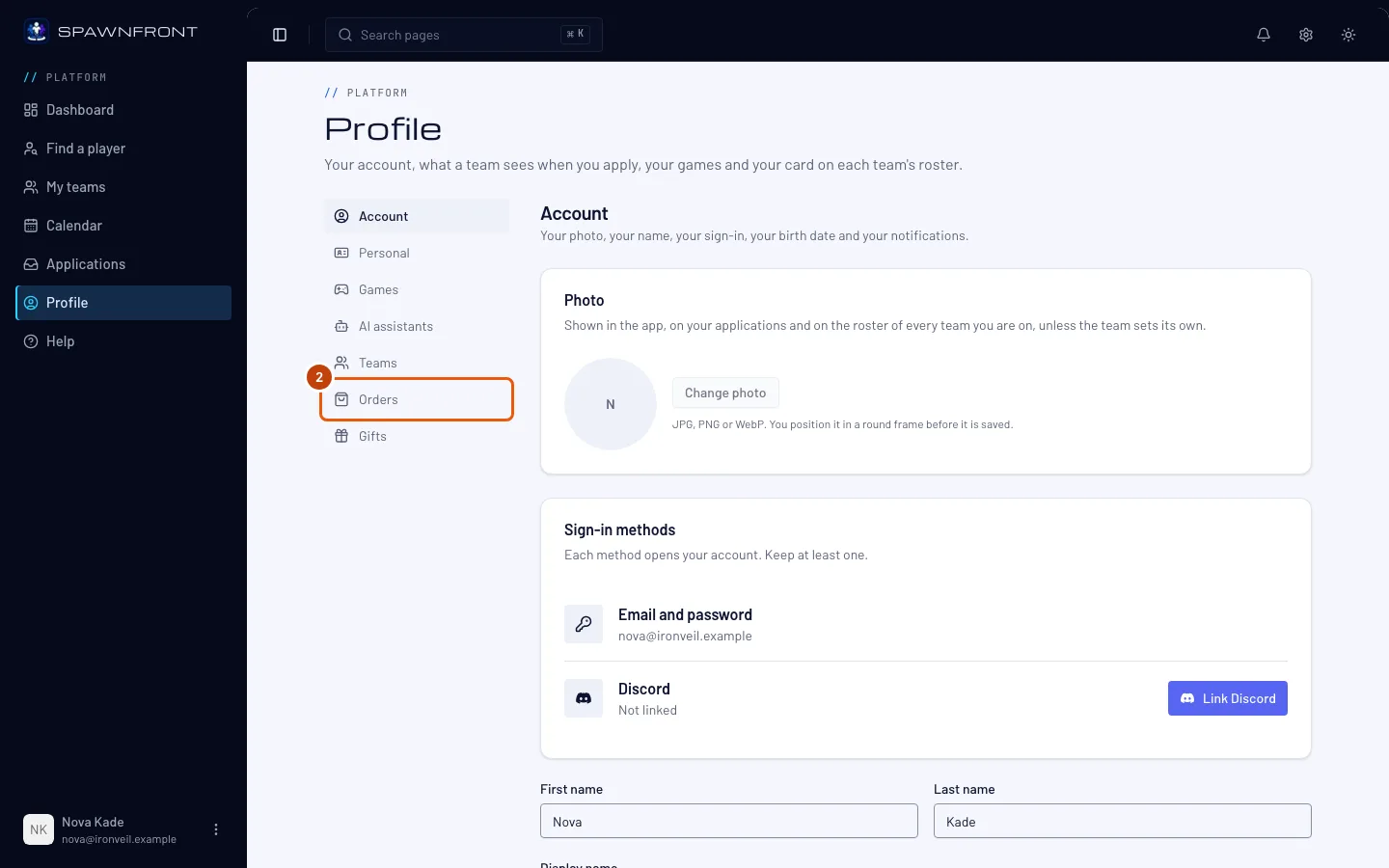
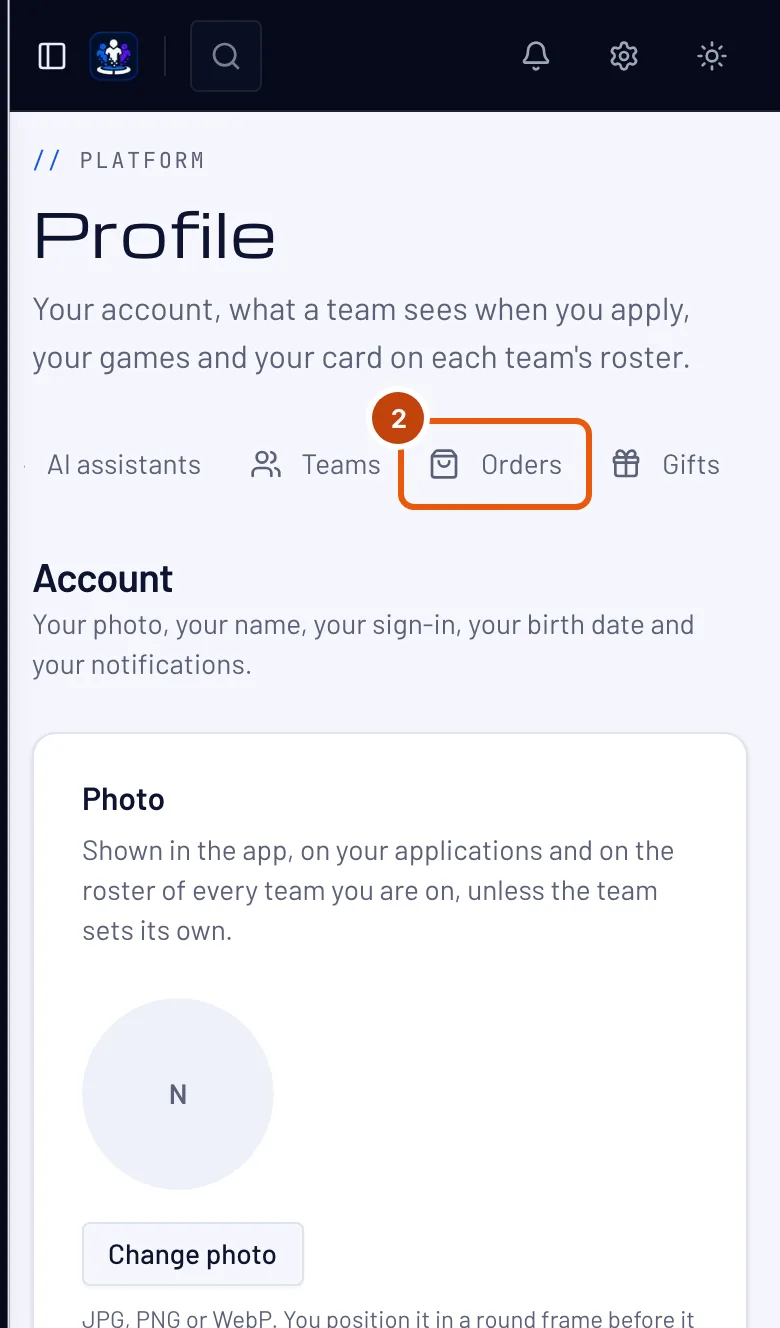
Step 2: Open Orders
Press Orders in the section list.
You should see: a page titled Orders, with "Orders placed with your email at any team's store."
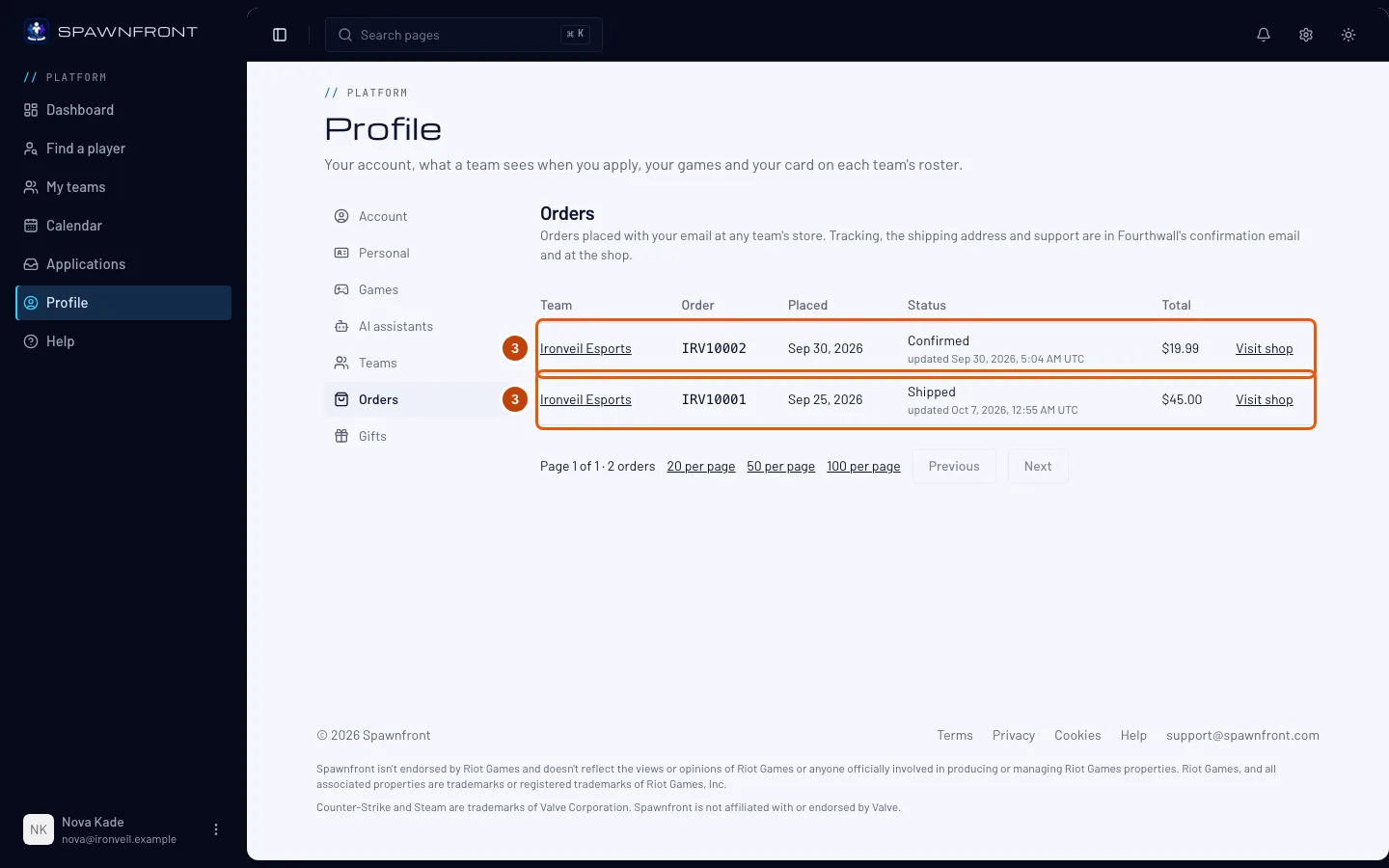
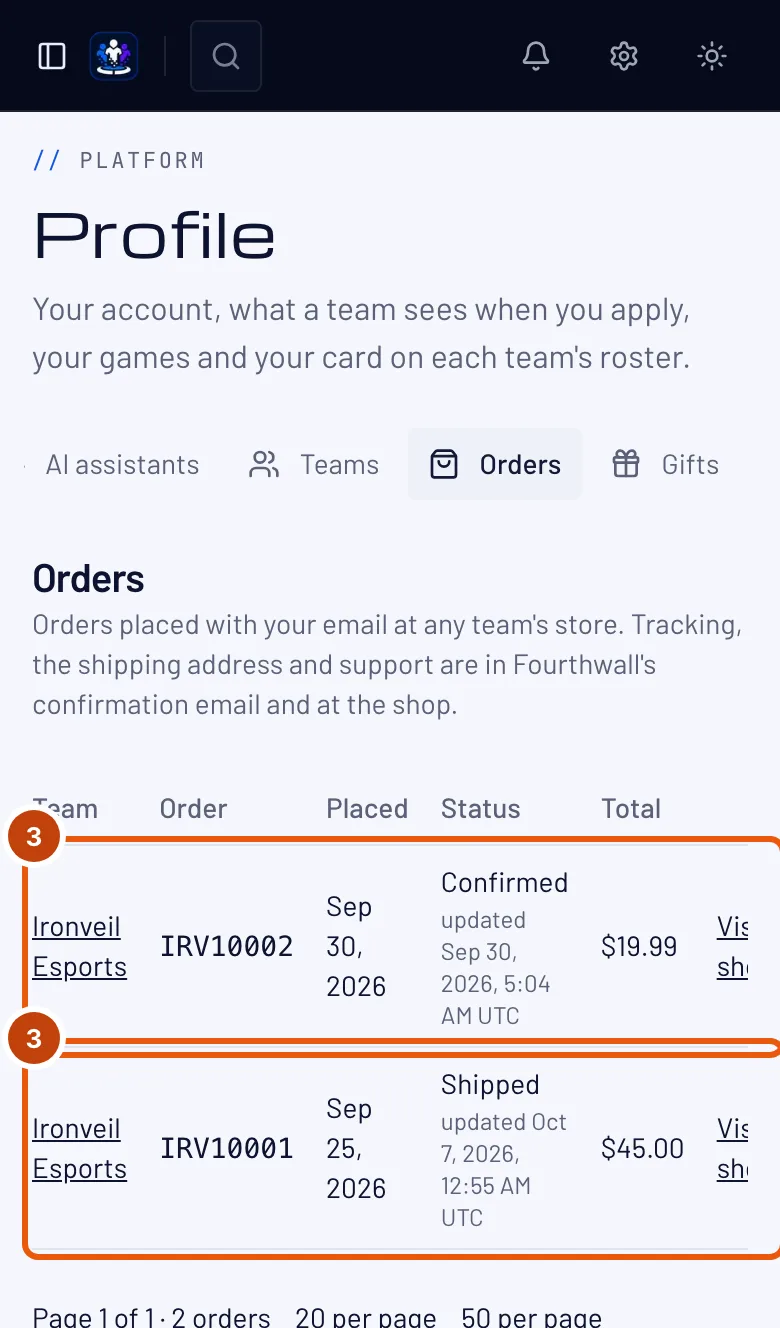
Step 3: Read your orders
Each row is one order, newest first: the Team that sold it, the Order number, the day it was Placed, its Status and its Total. Under the status, "updated" says when Fourthwall last changed it.
Only orders placed with your account's email show here. An order bought with another email doesn't — it is in that email's inbox.
You should see: your orders from every team's and organization's store, in one list — a team or organization that has since closed is left out; Fourthwall's confirmation email still has those. When the team's site is published, its name opens the site.
Step 4: Visit the shop for tracking and support
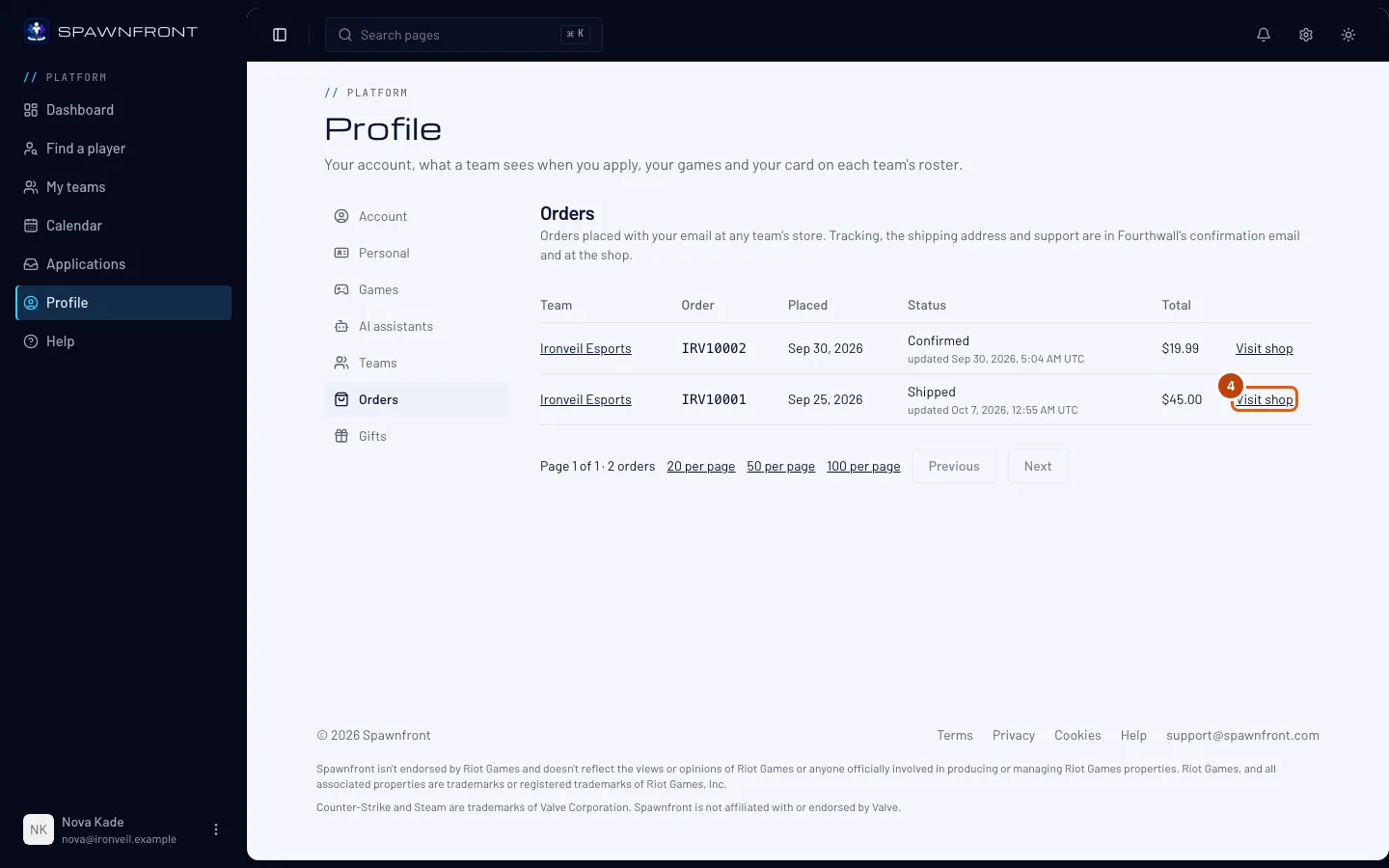
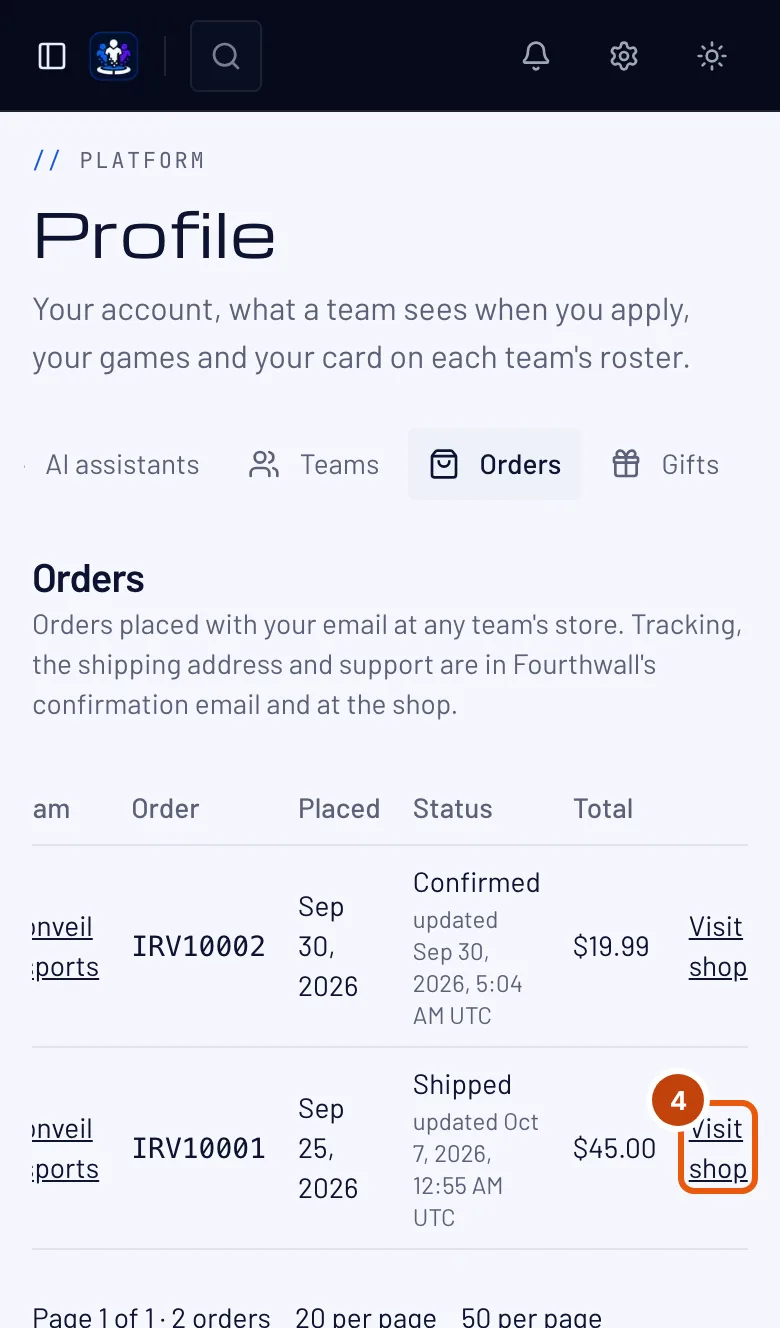
In an order's row, press Visit shop.
Spawnfront keeps only the order's number, status, total and dates. Tracking, your shipping address and support are in Fourthwall's confirmation email and at the shop. Visit shop opens the team's shop on Fourthwall in a new tab — find the order itself from the link in your confirmation email.
You should see: the team's shop on Fourthwall.
How to know it worked
- Orders lists each order you placed with your account's email, with its team, number, status and total.
- For anything else about an order, see Where checkout happens.
Something doesn't look right?
It says "No orders yet"
No order carries your account's email. The page names the email it looks for — if you bought with a different one, those orders don't show here. Fourthwall's confirmation email is the record of every order.
A new order isn't listed yet
An order shows here once Fourthwall tells Spawnfront about it, which depends on how the team set up its shop. Until then, Fourthwall's confirmation email has it.
An order has no Visit shop link
The team's shop is no longer connected to Spawnfront. The order stays listed; use the link in Fourthwall's confirmation email to reach the shop.
Related articles
Still stuck? Contact support or email support@spawnfront.com — tell us the page you're on and the step number.