
Report a site or player
Tell Spawnfront about a team site, a team or a player that breaks the rules — from the site's footer or the Report button — and get a notice when staff have reviewed it.
For everyone · 5 steps
What you need first
- You are logged in. No account, or logged out? Press Report this site anyway — you are asked to log in first, then you come back to the form. A new account comes back to the form too, once its email is verified; if it doesn't, open the site's Report this site link again.
- You know what you want to report: a team's site, a team, or a player — someone pretending to be another team or player, hateful words, someone else's work, a scam, spam.
- To report a problem with your own account, or something that isn't working, use Contact support instead.
Steps
Step 1: Press Report this site or Report
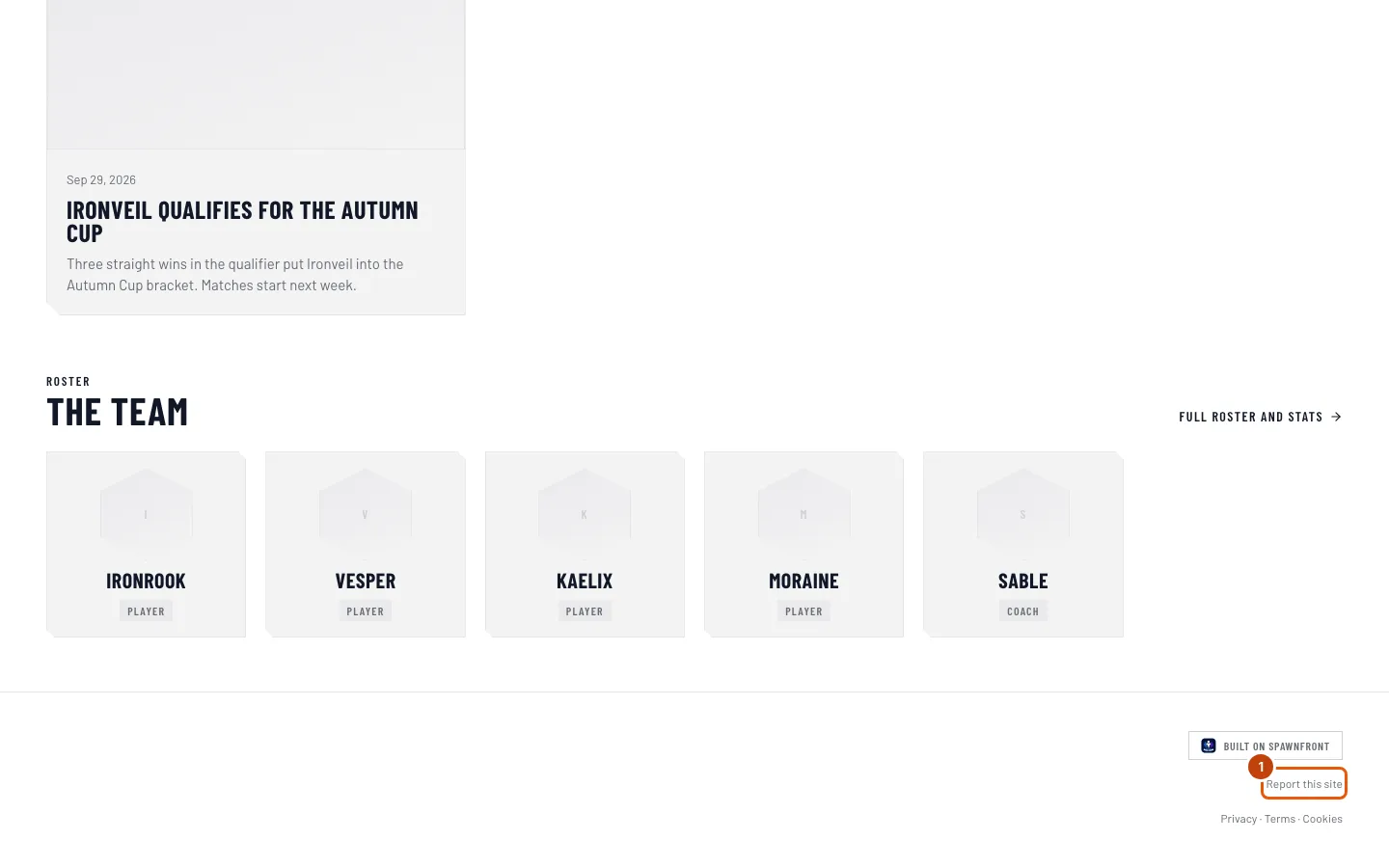
On a team's site, scroll to the bottom of any page and press Report this site, under Built on Spawnfront.
In Spawnfront, press Report instead: at the top of a team's page, on a player's card, or on a player's page in Find a player.
You should see: Report this site, Report this team or Report this player, with what you are reporting under it — such as "Team site · Ironveil Esports".
Step 2: Choose why you are reporting it
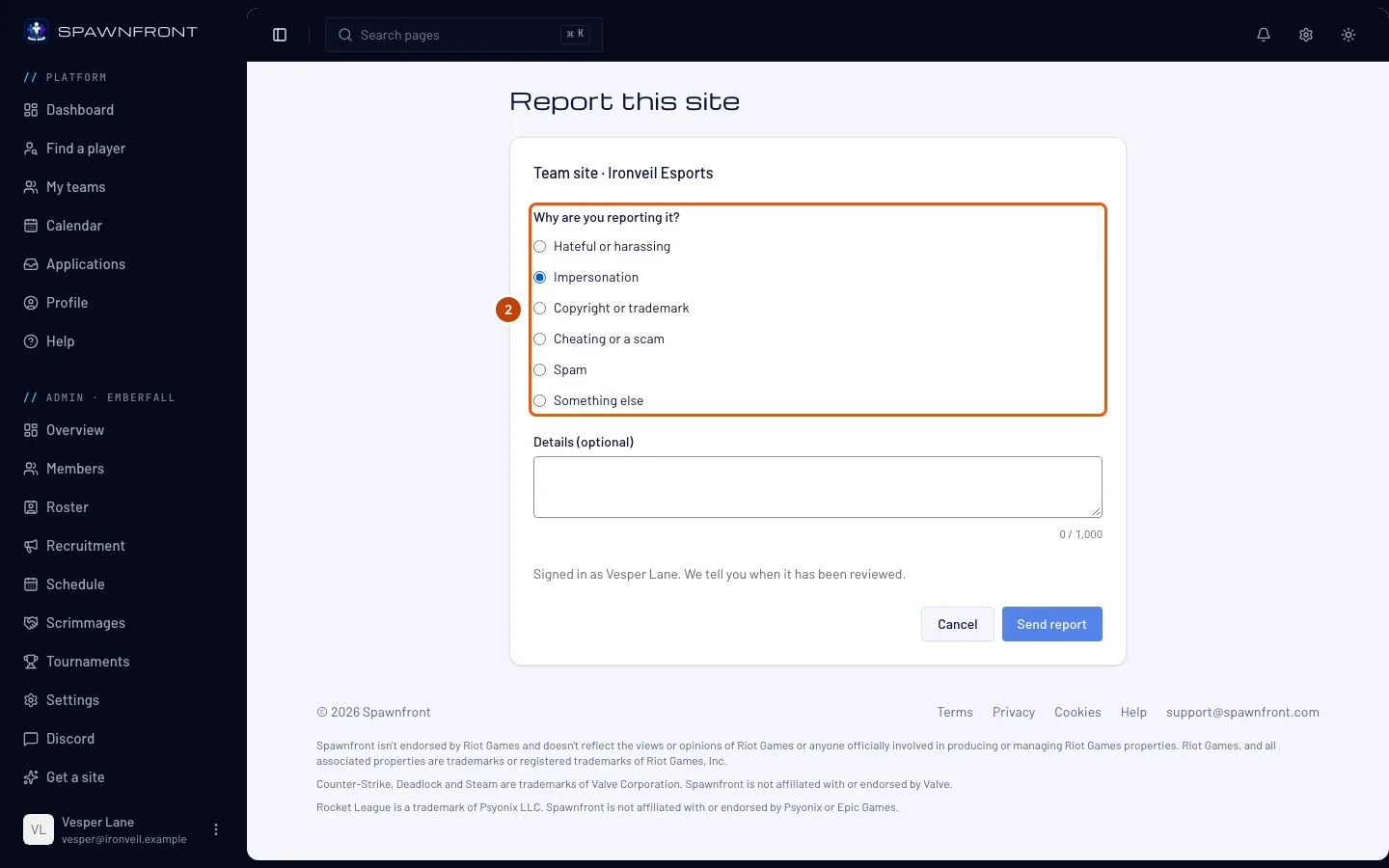
Under Why are you reporting it?, choose one: Hateful or harassing, Impersonation, Copyright or trademark, Cheating or a scam, Spam or Something else.
You should see: the reason you chose selected. Send report stays grey until you choose one.
Step 3: Add details, if they help
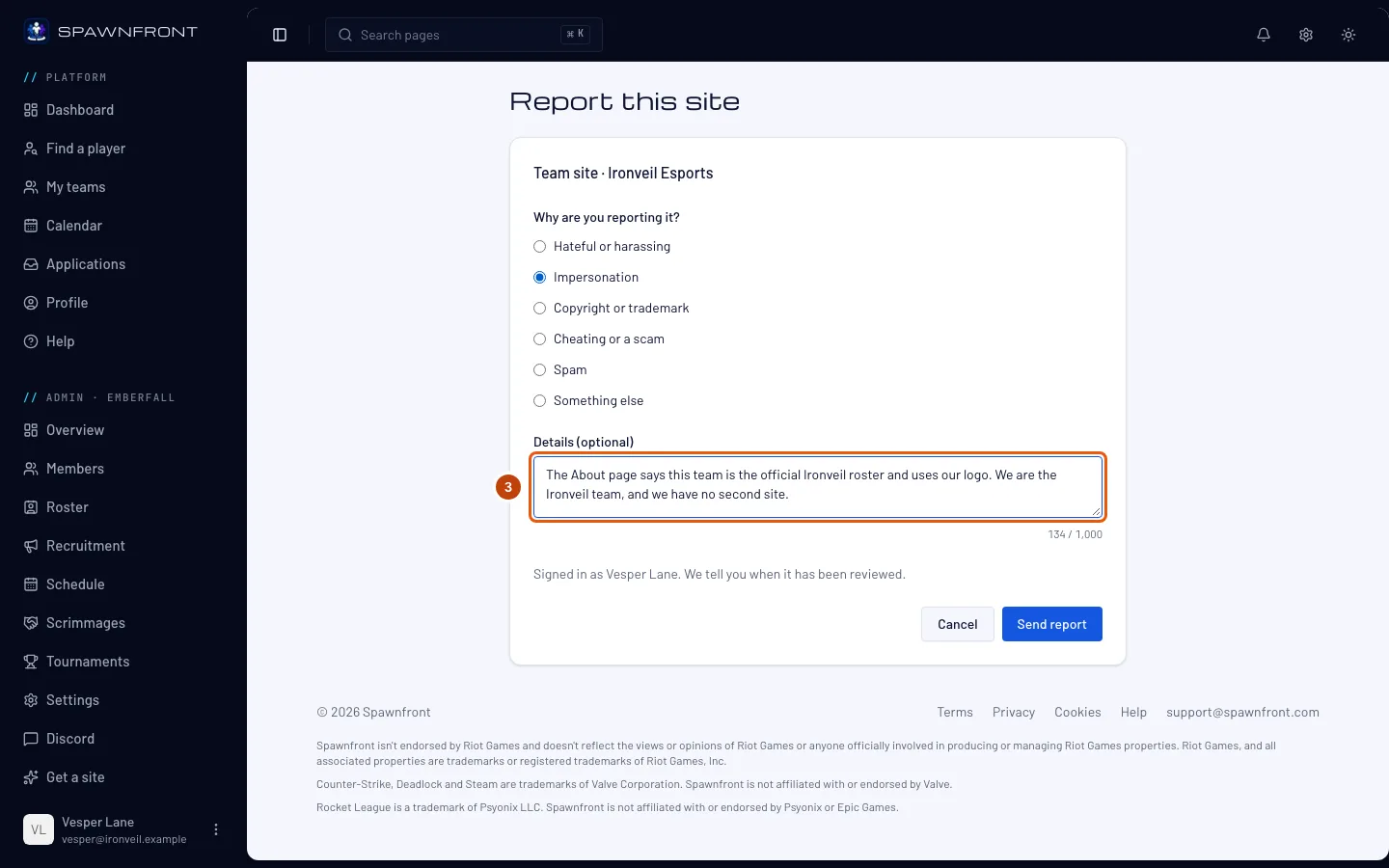
This step is optional. In Details (optional), say what is wrong and where — the page, the player, the words. Up to 1,000 characters.
You should see: the count under the box, such as "143 / 1,000".
Step 4: Press Send report
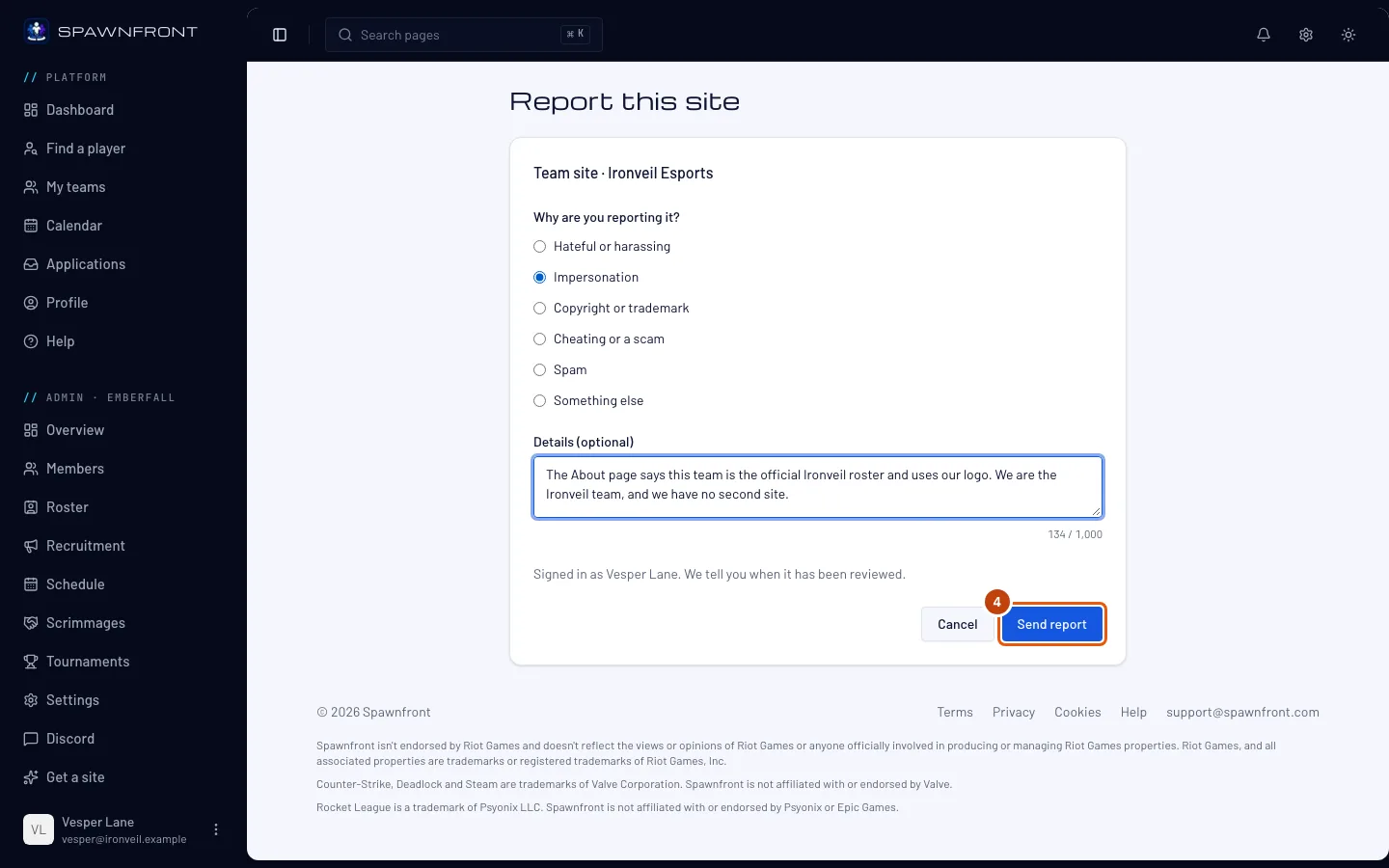
Press Send report.
You should see: Report sent, and "Thanks. We'll tell you in your notifications when it has been reviewed.", with Back to return to what you reported.
Step 5: Wait for the notice
Spawnfront's staff look at every report. When they have reviewed yours, the bell shows "Your report was reviewed. Thanks for telling us." See Your notifications.
The team or player is never told who reported them, and you are not told what staff did.
How to know it worked
- The page says Report sent.
- Later, your bell shows "Your report was reviewed. Thanks for telling us." Pressing it opens this article.
Something doesn't look right?
It says I already reported this
"You already reported this." means a report of yours on the same site, team or player is still open, so staff already have it. You don't need to send another — you'll get the notice when it has been reviewed. Once it has, you can report it again.
It says I've sent ten reports today
"You've sent ten reports today. Try again tomorrow." You can send ten reports a day. Send the rest tomorrow; for something urgent, use Contact support.
It says it couldn't find what I'm reporting
"We couldn't find what you're reporting." means it is no longer there — the site was taken down or isn't published any more, the team is gone, or the player left the roster or their listing. There is nothing left to report. If you opened the link from a site's preview, open Report this site from the published site instead.
It says I can't report myself
"You can't report yourself." You opened Report on your own player card or your own player page. To report a problem with your own account, press Contact support on that page.
Send report stays grey
Choose a reason under Why are you reporting it? — one is needed. Details are optional.
I want to know what happened to my report
Staff don't share what they did about a report, and the team or player is never told who reported them. The notice tells you that it was reviewed. If the problem is still there, report it again.
Related articles
Still stuck? Contact support or email support@spawnfront.com — tell us the page you're on and the step number.