
Manage your members
Make members admins, remove them, or hand the team to a new owner.
For team owners and admins · 4 steps
What you need first
- You are the team's owner. An admin can only remove members — not other admins — and can't change roles or transfer ownership.
- People join through an accepted application — see Review applications. A team with a site can also invite people by email — see Invite members by email.
Steps
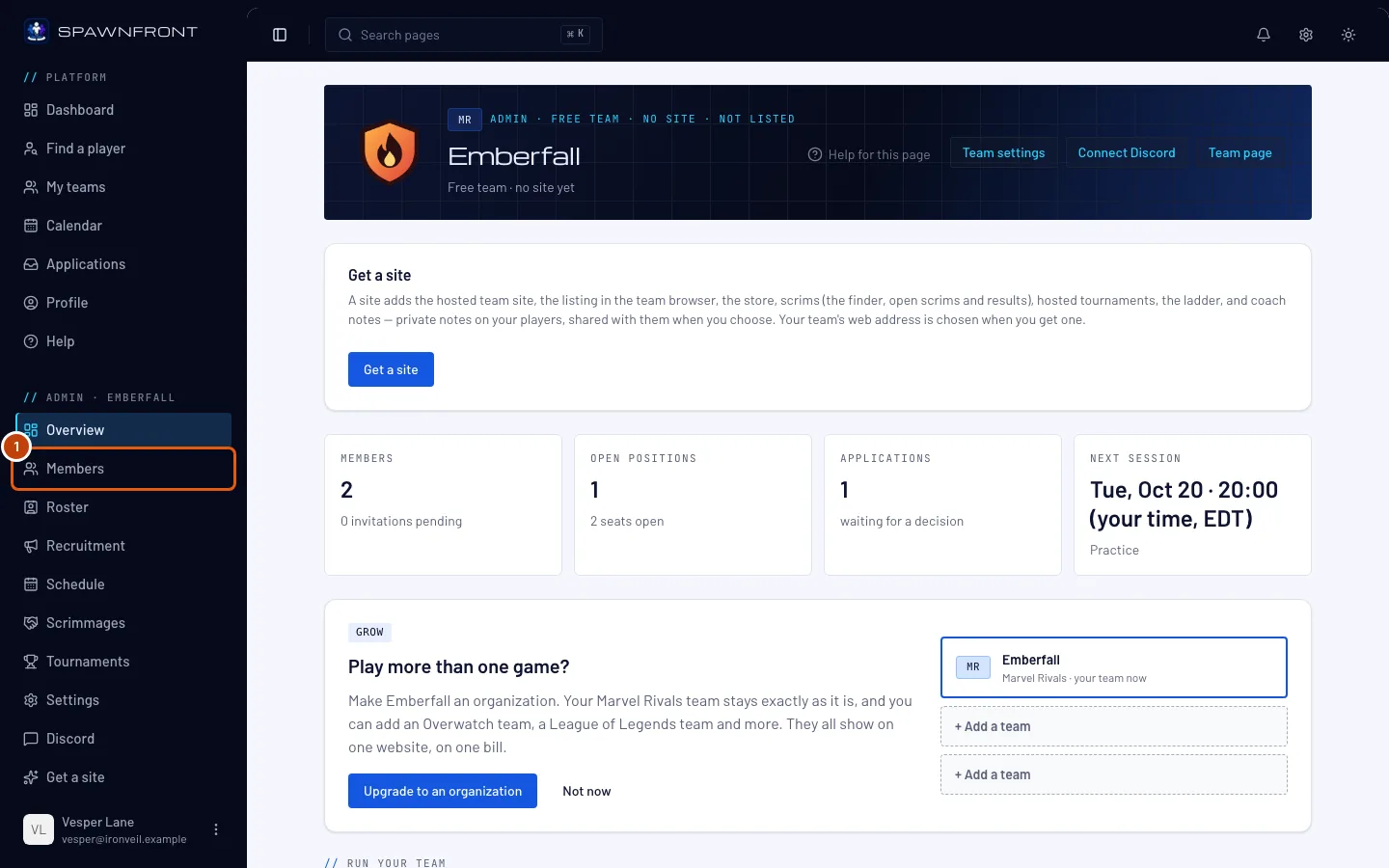
Step 1: Open Members
In the menu on the left, under Admin, press Members.
You should see: your team's members, each with their role.
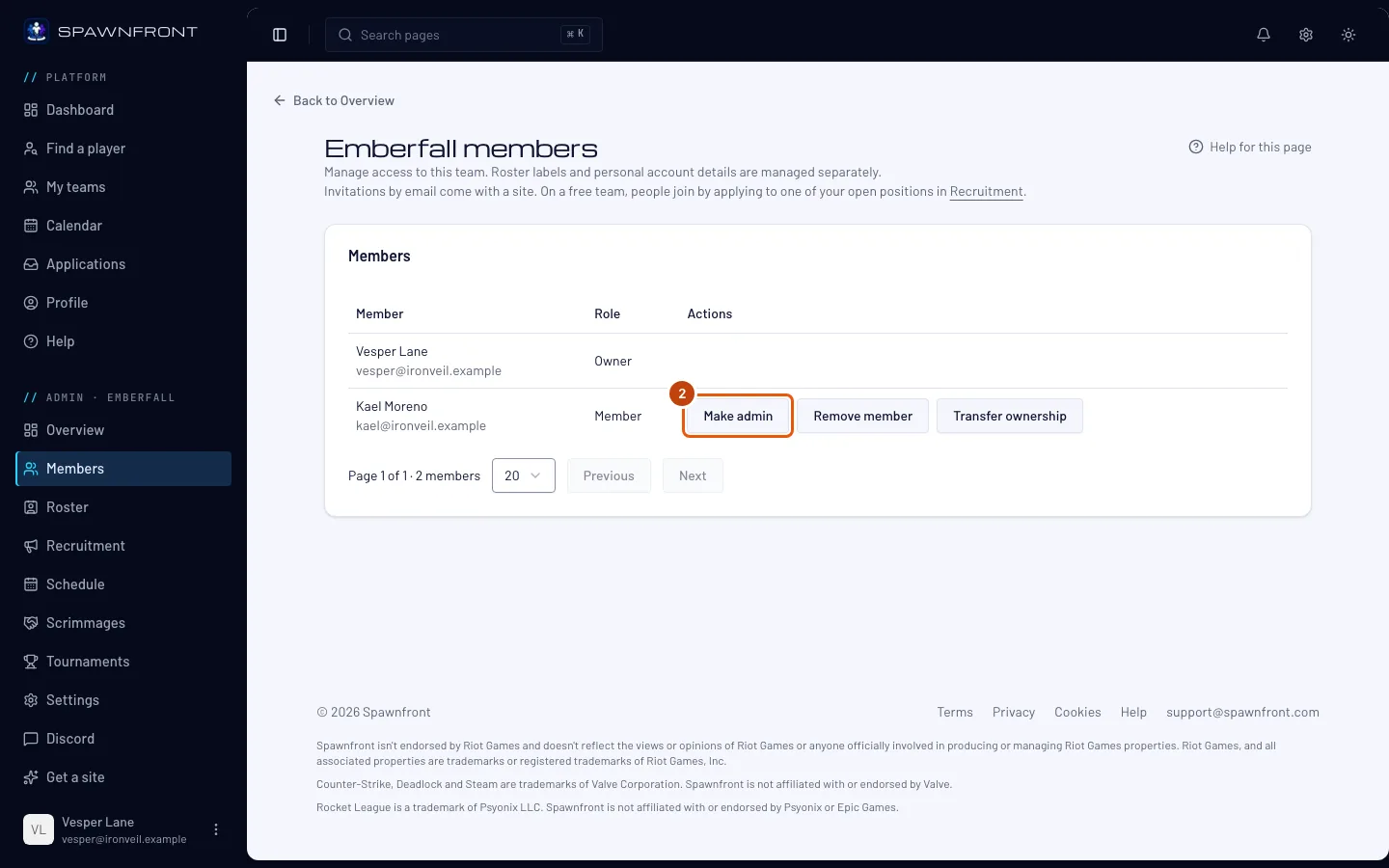
Step 2: Make someone an admin
As the owner, on a member's row, press Make admin. On an admin's row the same button reads Make member.
It changes at once — there is no confirmation. An admin can manage the team; a member can't open its admin.
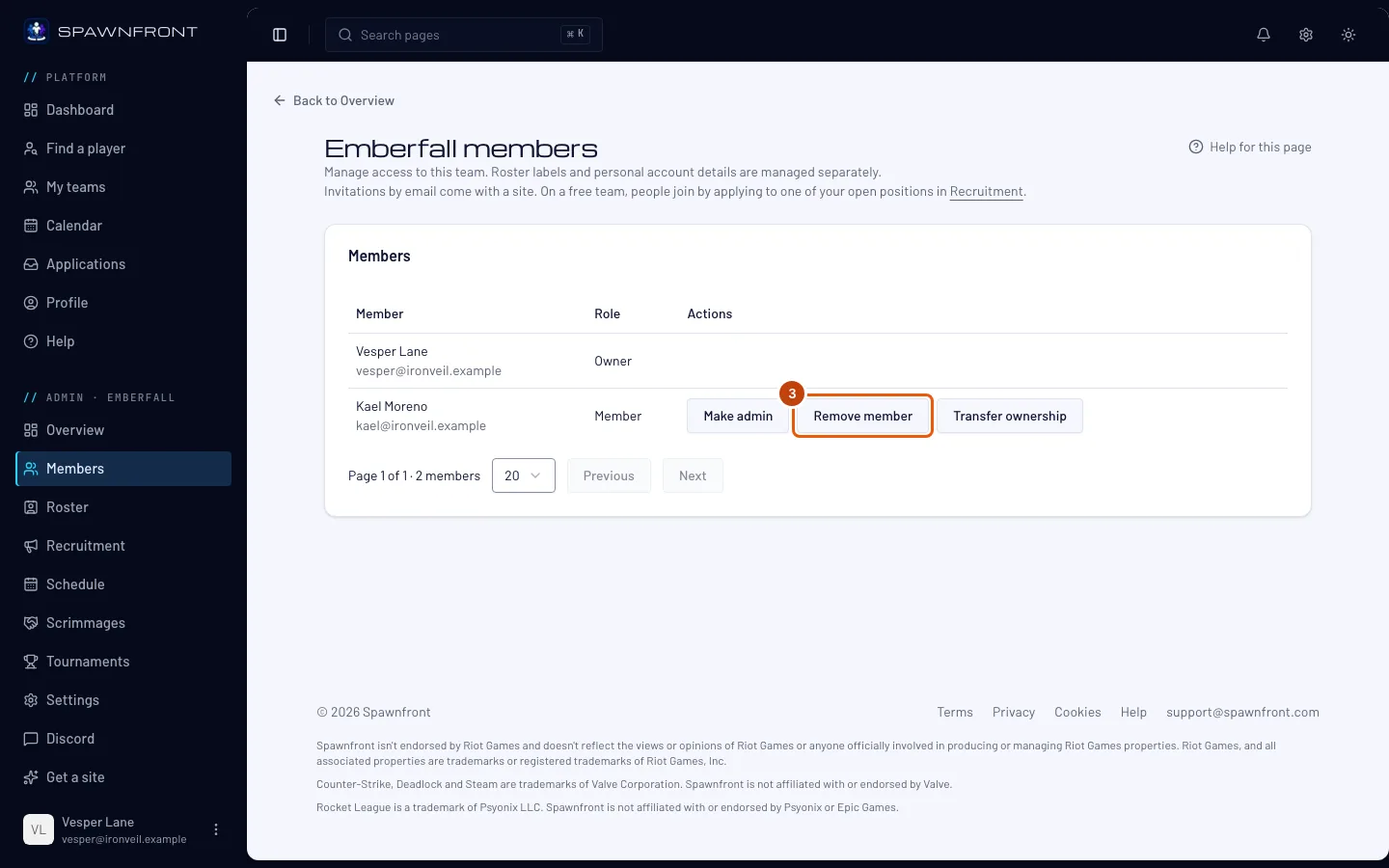
Step 3: Remove a member
On their row, press Remove member.
It removes them at once — there is no confirmation. Their roster entry stays; remove it on the Roster page if you want it gone.
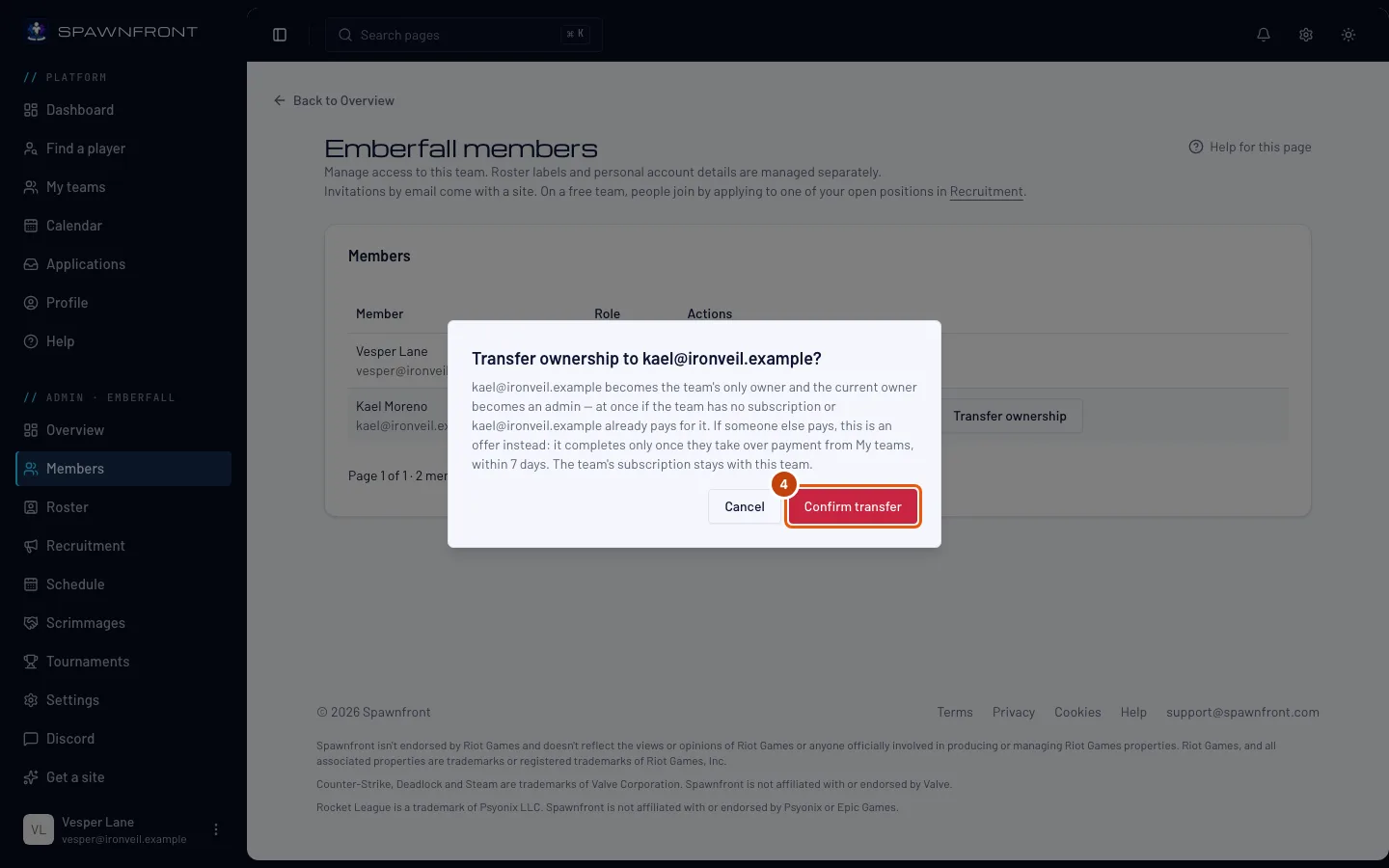
Step 4: Transfer ownership
On the new owner's row, press Transfer ownership, then Confirm transfer in the box that opens.
On a free team it happens at once: they become the owner and you become an admin. On a team whose active subscription someone else pays for, the new owner must take over the subscription first: you see "Ownership transfer pending", they finish it from their My teams within seven days, and nothing changes until they do.
How to know it worked
- The Role column shows each member's new role.
Something doesn't look right?
I don't see Make admin or Transfer ownership
Only the owner changes roles and transfers ownership. An admin sees Remove member on members' rows and nothing on other admins' rows.
It says "Ownership transfer pending"
Your team's subscription is paid by someone other than the new owner, so they take it over first. They'll find the offer on their My teams page; it expires after seven days.
Our owner left and can't transfer the team
Write to support@spawnfront.com from the email address on your account. Say which team it is, which member should become the owner, and show that the team agrees — for example, messages from the other admins. With that proof, Spawnfront support can make another member the owner. If the old owner pays for the team's subscription, the new owner takes over the subscription first.
I can't invite someone by email
Invitations by email come with a site, so a free team's Members page has no invitation form. On a free team, people join by applying to one of your open positions — see Post an open position. With a site, see Invite members by email.
Related articles
Still stuck? Contact support or email support@spawnfront.com — tell us the page you're on and the step number.