
Cover for a teammate
As a substitute, take a teammate's place from the bell or the Calendar when they can't make a session.
For team members · 5 steps
What you need first
- You're a substitute on the team: your entry on the team's roster has the role Substitute and is linked to your account. An admin sets both on Roster — see Manage your roster.
- A teammate has said they can't make a session that hasn't started yet.
Steps
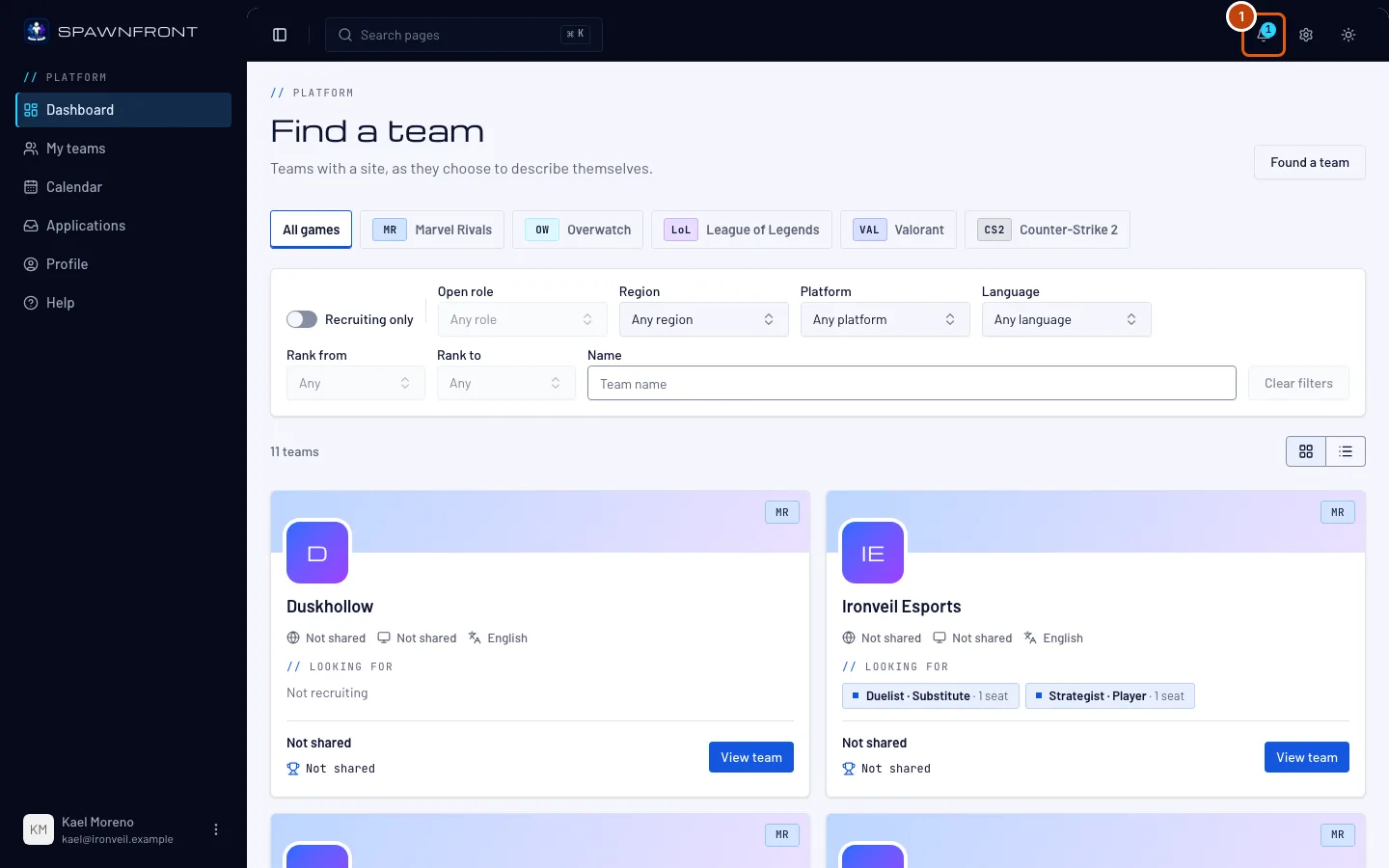
Step 1: Open the bell
Press the bell at the top right. The number on it counts the notices you haven't read.
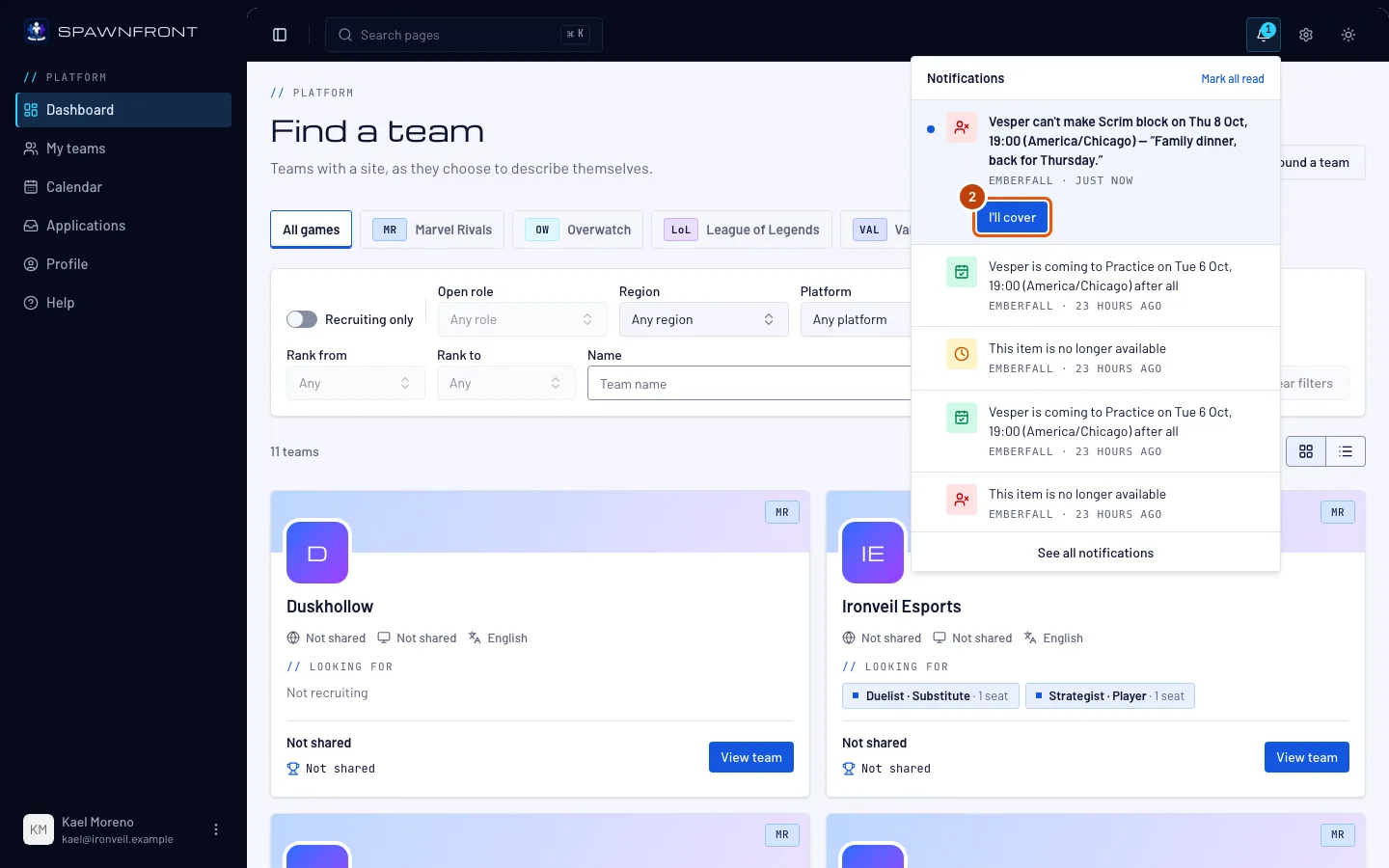
You should see: a notice such as "Vesper can't make Practice on Tue 6 Oct, 19:00 (America/Chicago)", with their note if they left one, and I'll cover under it.
Step 2: Press I'll cover
Press I'll cover under the notice.
First come, first served. If another substitute pressed it first, you're told who is covering instead.
You should see: "Covered by" and your name under the notice. The teammate who is out and your admins are told.
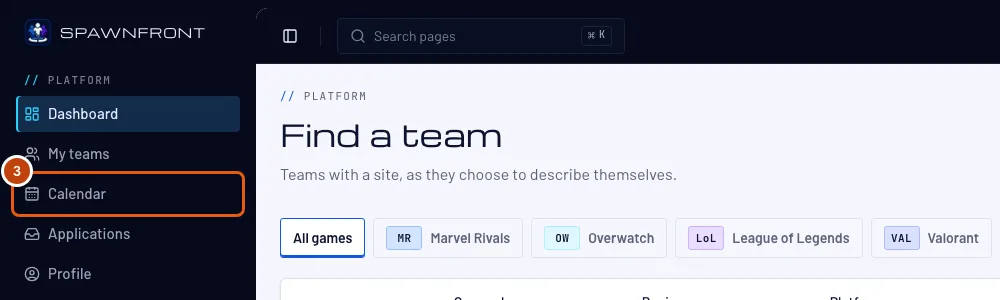
Step 3: Open Calendar
In the menu on the left, press Calendar.
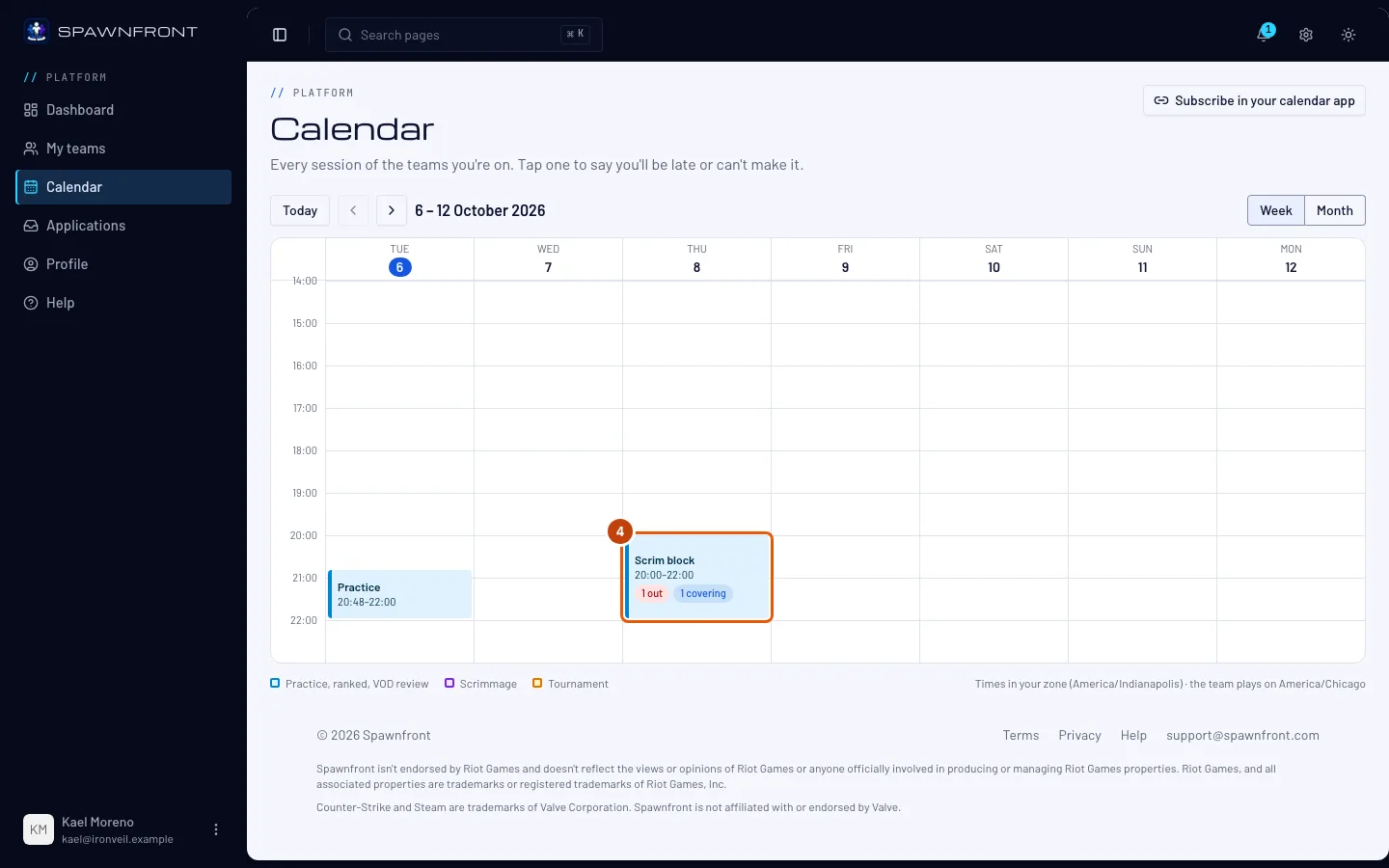
You should see: the session's block with "1 out" and "1 covering".
Step 4: Open the session
Press the session's block.
You should see: "You're covering for Vesper" with the day, and in the lineup your row reads Covering for your teammate.
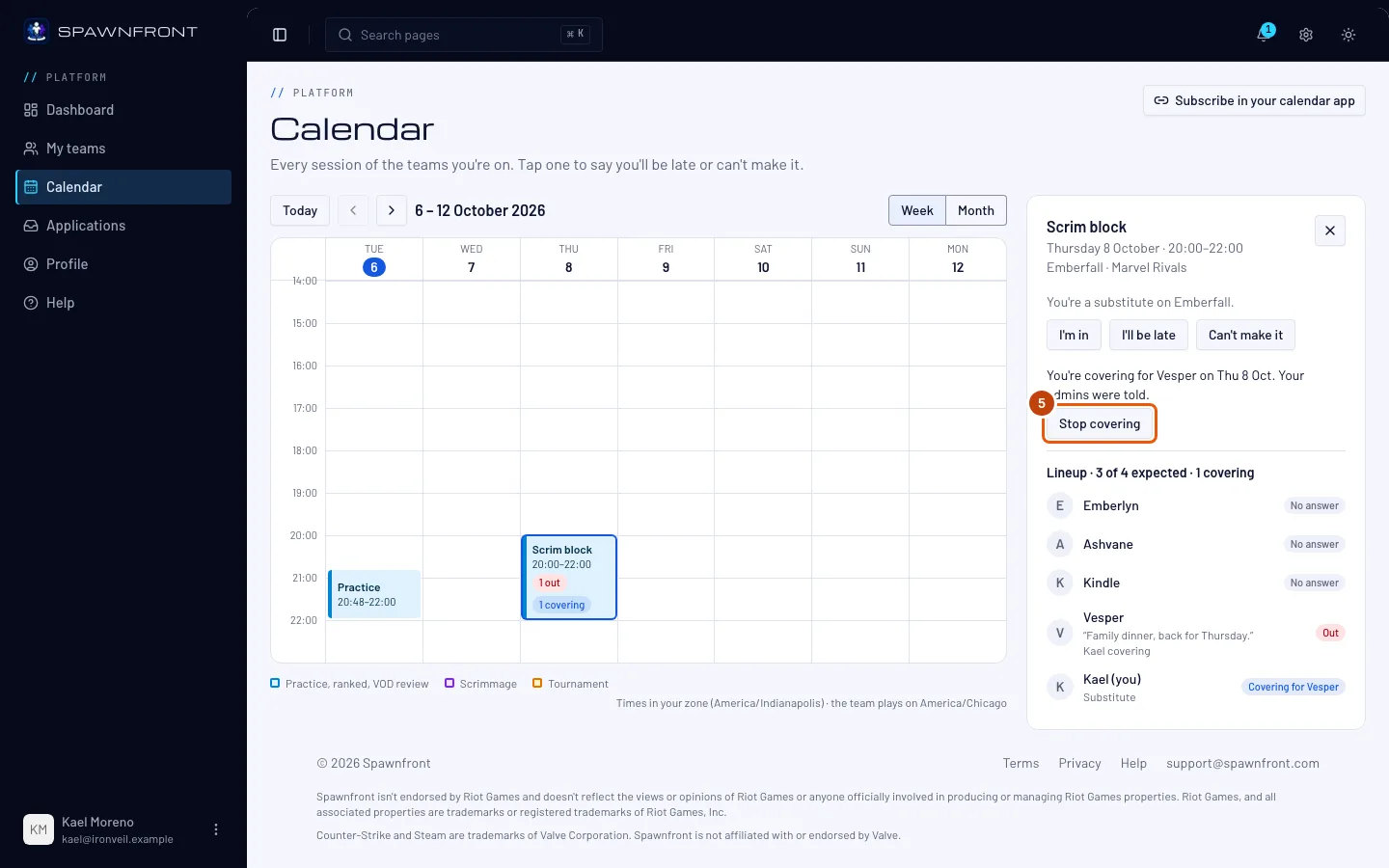
Step 5: Stop covering if you can't
Can't make it after all? Press Stop covering before the session starts.
You should see: the line is gone, and I'll cover is back beside your teammate in the lineup. Your teammate and your admins are told, so another substitute can cover.
How to know it worked
- In the session's lineup, your row reads Covering for your teammate.
You can also cover straight from the session: open it on Calendar, and press I'll cover beside your teammate's Out in the lineup. Notices also come by email, within about five minutes; the email has no button — cover in the app.
Something doesn't look right?
I don't see I'll cover
Your roster entry must be Substitute and linked to your account — ask an admin to check your row on Roster ("Linked to" your email). The button also disappears once someone covers, once the session starts, and if your teammate changes their mind.
It says someone "is already covering"
Another substitute pressed I'll cover first. Only one substitute covers each teammate who is out.
My teammate is coming after all
When they press Undo, or change to I'll be late, your cover ends and you're told. Nothing for you to do.
I can't make a session myself
Use Can't make it on the session like any player. As a substitute, only your admins are told — not the other substitutes. See Say you'll be late or can't make it.
Related articles
Still stuck? Contact support or email support@spawnfront.com — tell us the page you're on and the step number.