
Choose your site's address
Pick or change your site's Spawnfront address, like ironveil.spawnfront.com.
For team owners and admins · 3 steps
What you need first
- Your team has a site subscription. A free team has no site address yet — it picks one while setting up its site after subscribing.
- You are the team's owner or an admin.
Steps
Step 1: Open Address & domains
In the menu on the left, under Admin, press Address & domains.
You should see: a page titled Address & domains. Under Your site lives at is the address your site has now, like
https://ironveil.spawnfront.com.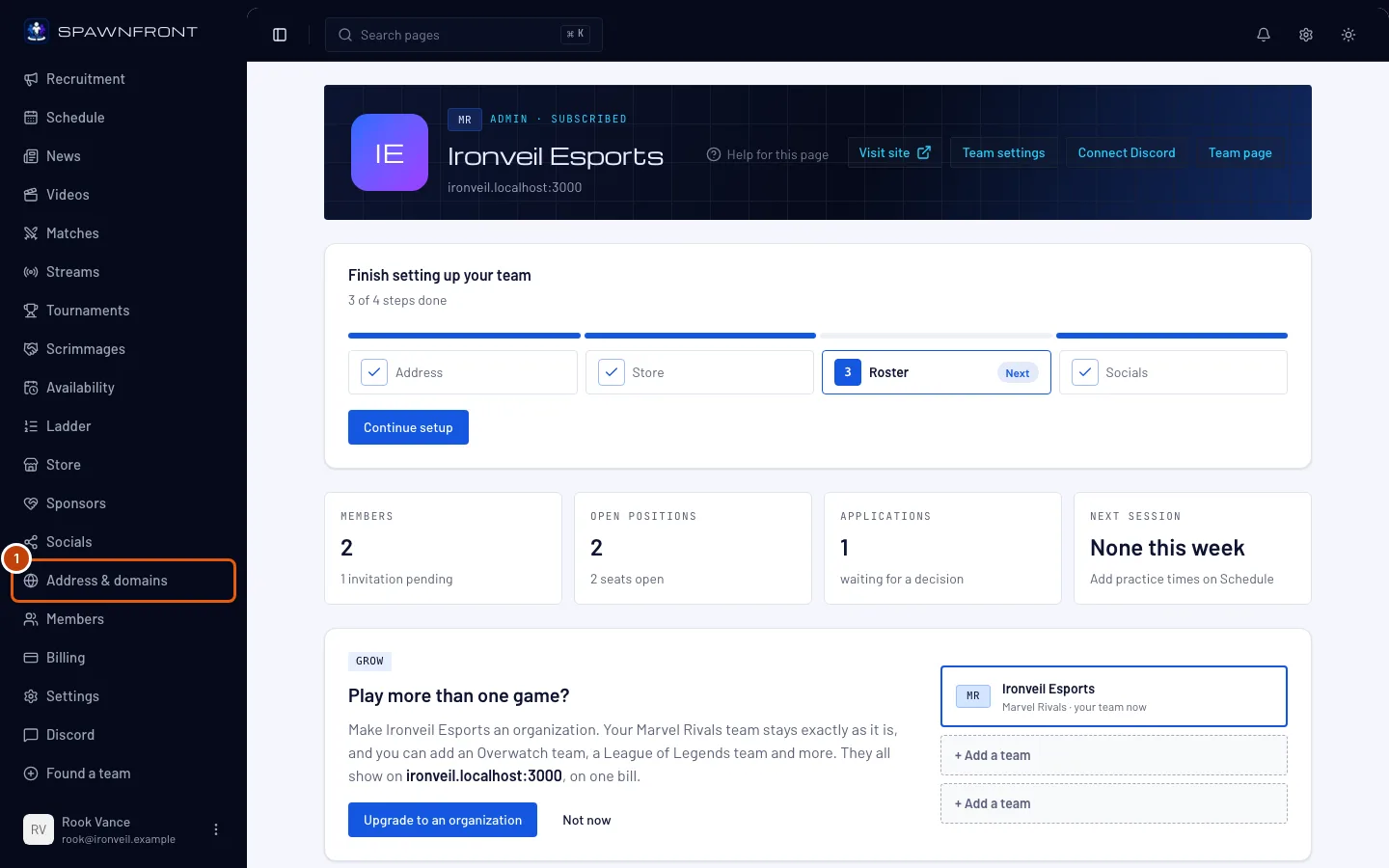
Step 2: Type the new address
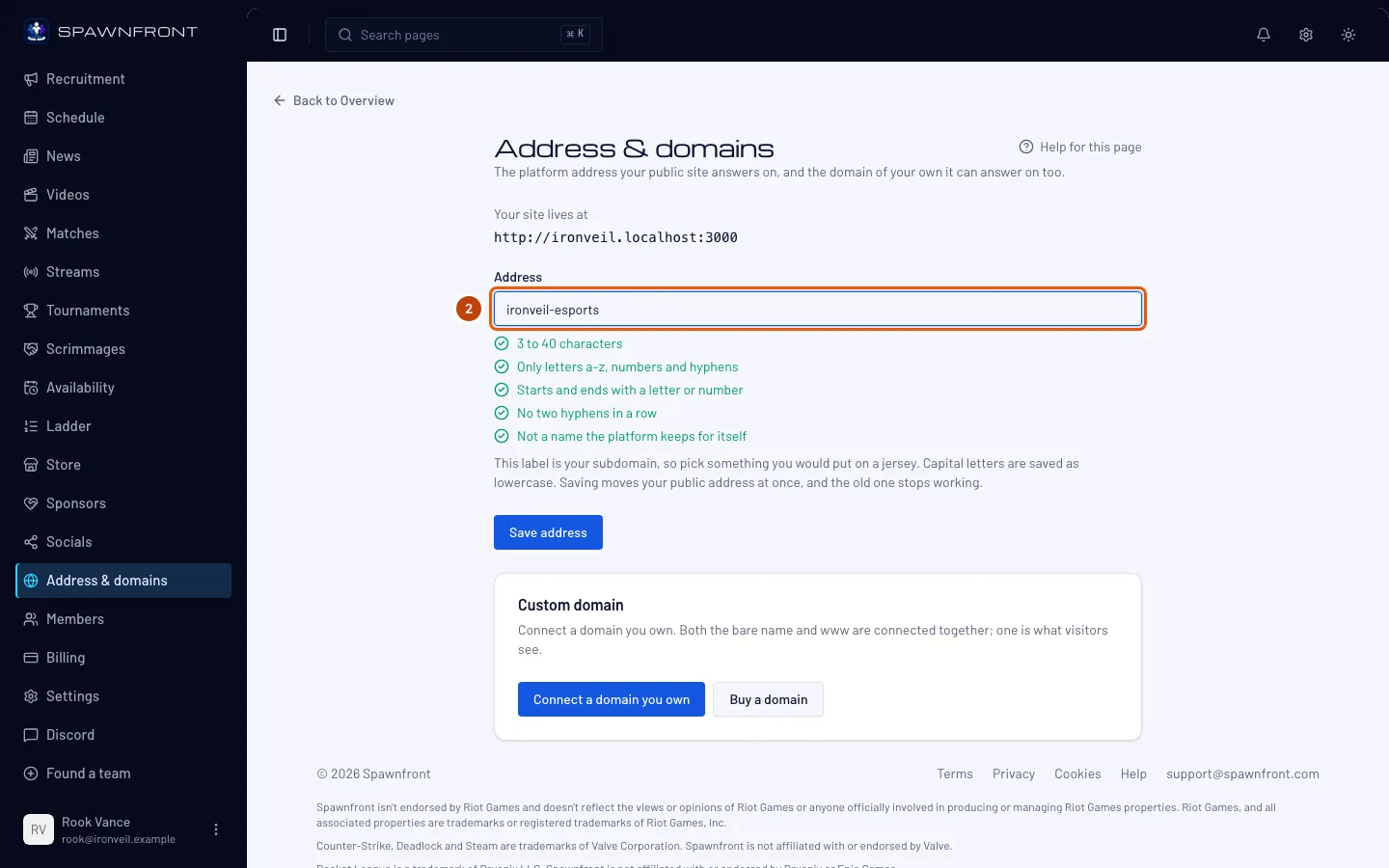
In the Address field, replace the current address with the one you want. Type only the first part —
ironveil, notironveil.spawnfront.com.The rules: 3 to 40 characters; lowercase letters, numbers and single hyphens only (no spaces, no two hyphens in a row, no hyphen at the start or end). Capital letters are saved as lowercase. A few words belong to Spawnfront and can't be used:
www,staff,admin,api,mail,app,cdn,static,assets,status,support,help,blog,docs,ns1,ns2,smtp,imap,ftpandpage, and the names of game publishers and the platforms games are played on, likeriot,valorantandsteam. The list under the field checks each rule as you type: a check when your address meets it, a cross when it doesn't.You should see: your new address in the field, and a check beside every rule under it.
Step 3: Save the address
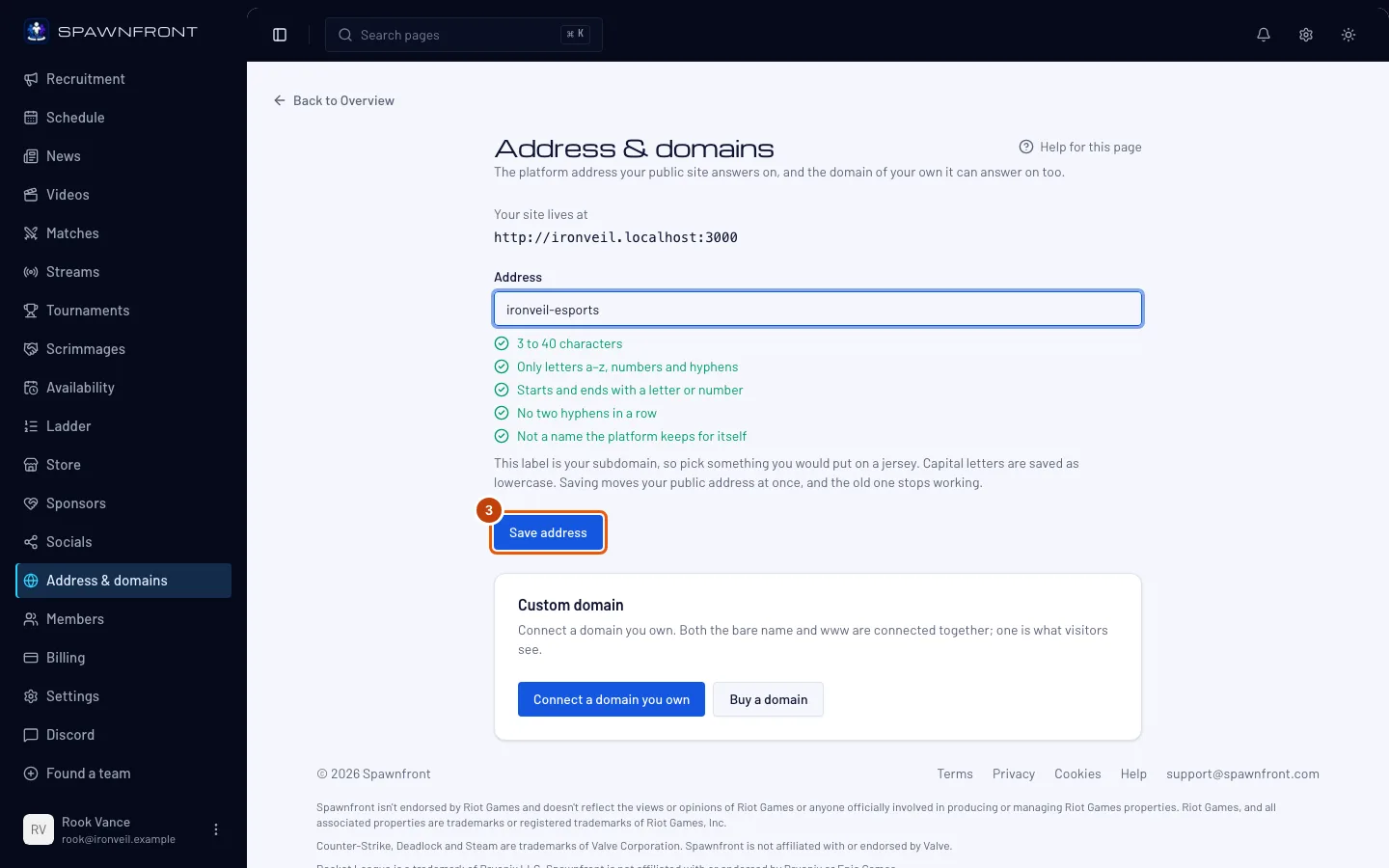
Press Save address.
Your site moves at once, and the old address stops working — it doesn't redirect to the new one. Anyone who opens an old link gets a "page not found". Update the links you've shared. Once you let an address go, another team can take it.
You should see: "Address saved", and Your site lives at shows the new address.
How to know it worked
- Your site lives at shows the new address.
- Opening the new address in your browser shows your site.
Something doesn't look right?
It says "That address is already taken."
Another team uses that address. Try a variation — add your region or esports, like ironveil-esports.
It says "That address is reserved"
The address is one of the words Spawnfront keeps for itself (step 2 lists them). Choose another.
My old links don't work any more
That's expected: changing the address doesn't leave a redirect behind. Share the new address, or save the old one again (step 3) if no other team has taken it since. If you connected a domain of your own, it keeps working either way.
I want my own domain instead
Your team's address on Spawnfront always works. On the Team Pro plan you can add a domain of your own beside it — see Connect a domain you own or Buy a domain through Spawnfront.
Related articles
Still stuck? Contact support or email support@spawnfront.com — tell us the page you're on and the step number.