
Buy a domain through Spawnfront
On Team Pro, search for a domain, pay on Polar, and get it connected to your site for you.
For team owners and admins · 7 steps
What you need first
- Your team is on the Team Pro plan. On the Team plan, the Custom domain card says Custom domains are part of Team Pro. with an Upgrade button instead.
- You are the team's owner or an admin. Whoever pays is the one who gets the renewal emails.
- Your team has no domain yet — none connected, none bought. A team has one domain.
- A card to pay with. You pay on Polar, the payment service Spawnfront uses — the price shown is what you pay.
Steps
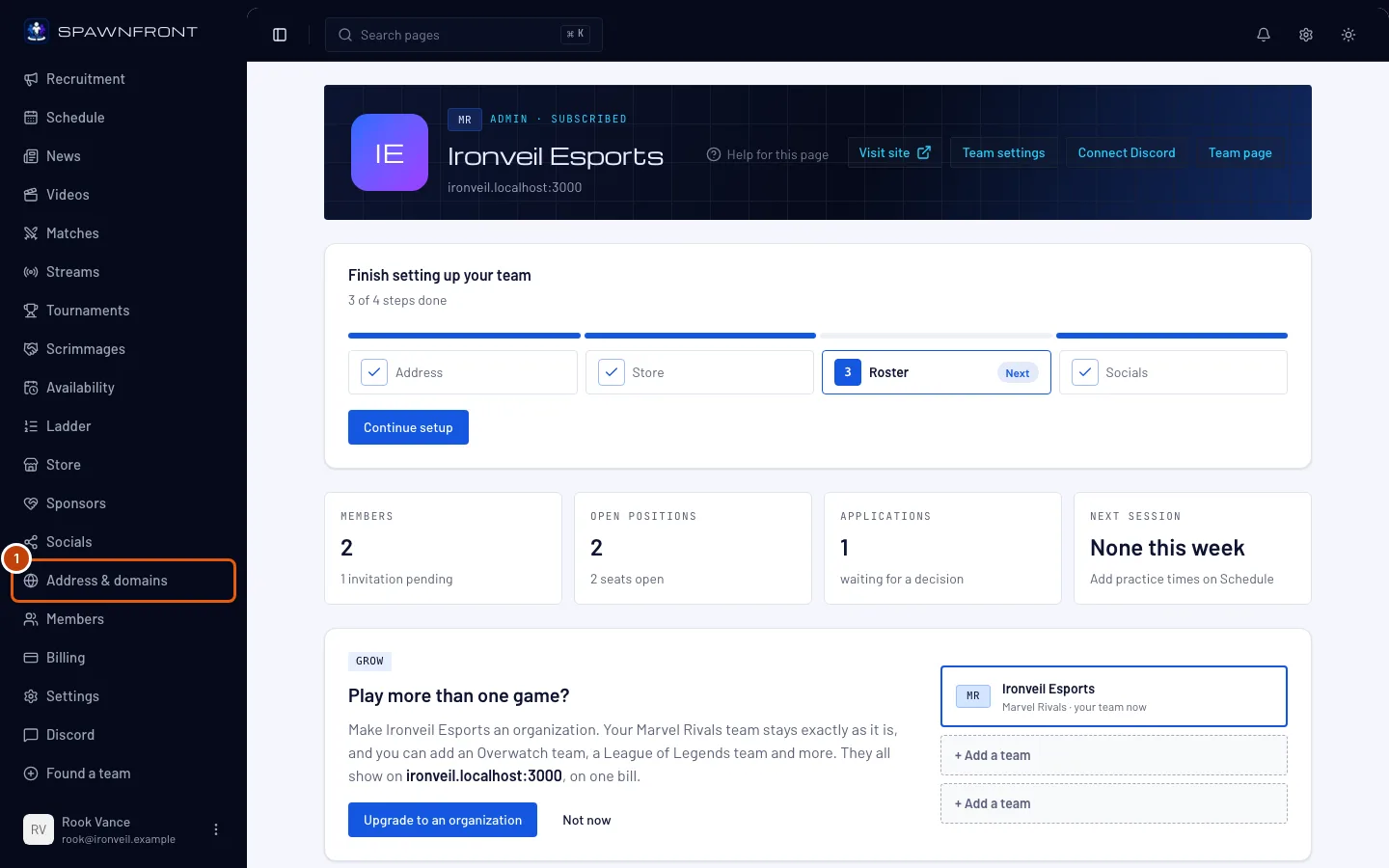
Step 1: Open Address & domains
In the menu on the left, under Admin, press Address & domains.
You should see: your site's address at the top, and a Custom domain card below it.
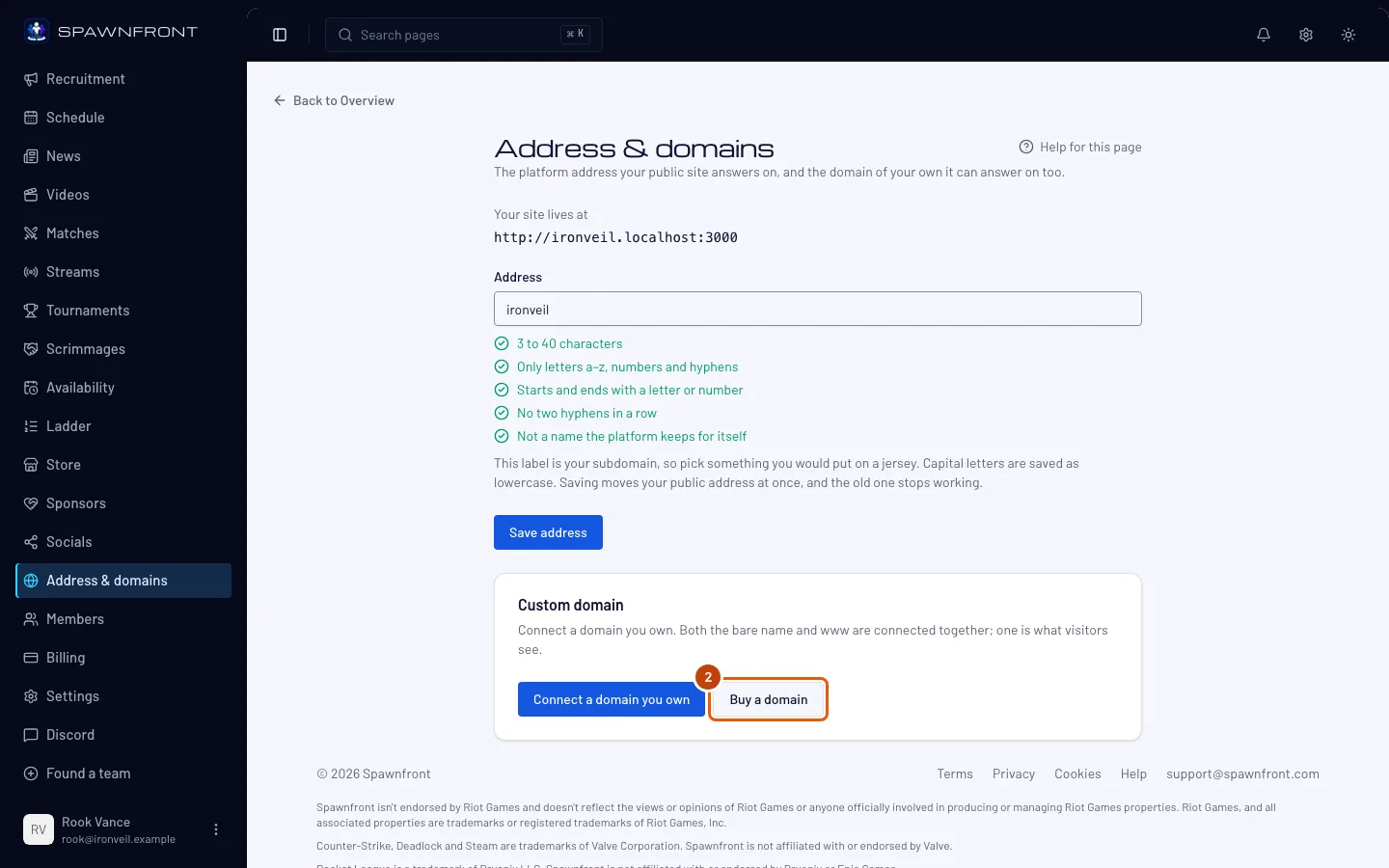
Step 2: Press Buy a domain
In the Custom domain card, press Buy a domain.
You should see: a Find a domain field.
Step 3: Search for a name
In Find a domain, type the name you want —
yourteam, or a full name likeyourteam.gg— and press Search.You should see: the full name you typed (if you typed one) first, then your name with
.gg,.team,.proand.com, each marked Available, Taken or Could not check, and a yearly price beside each available one.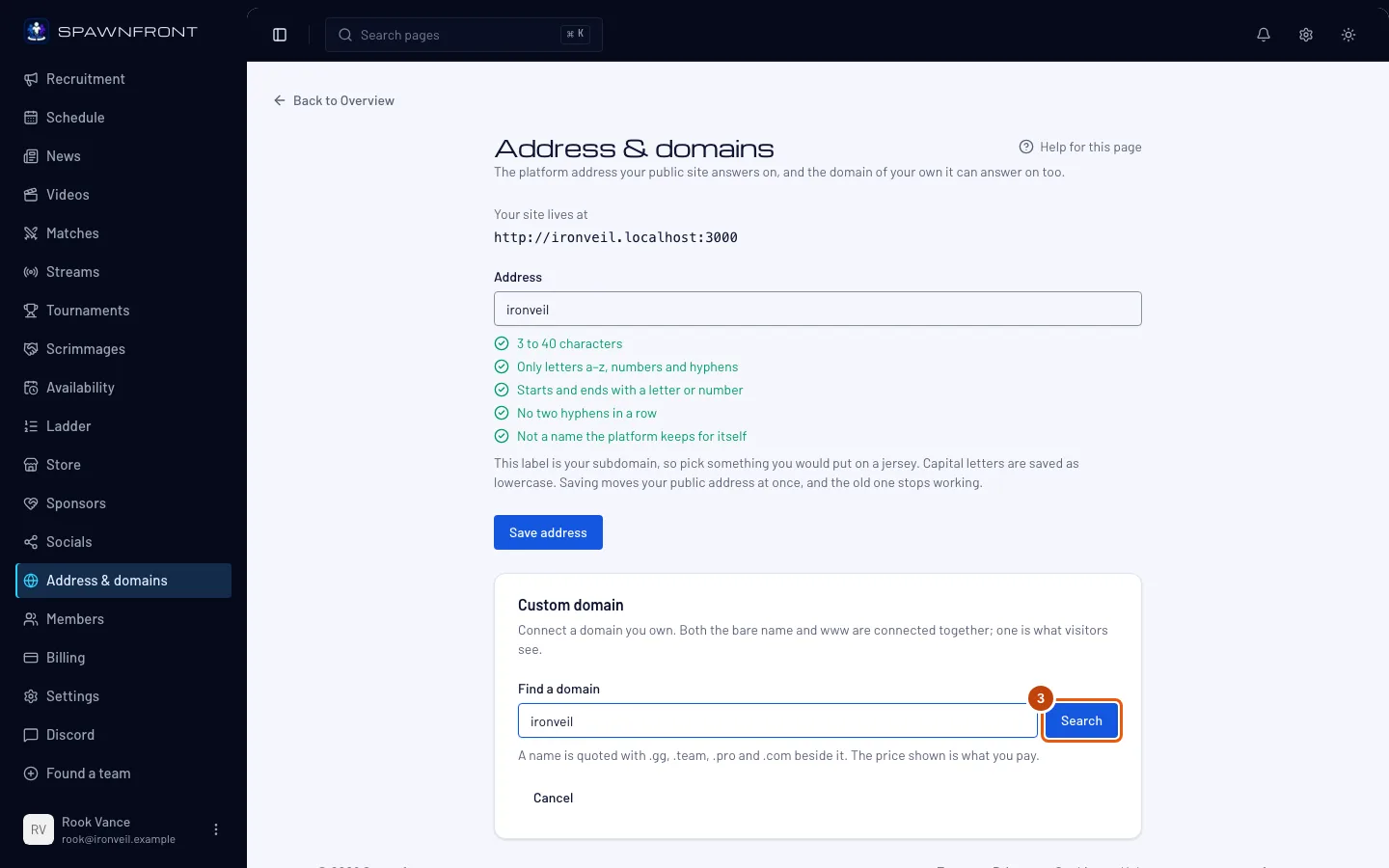
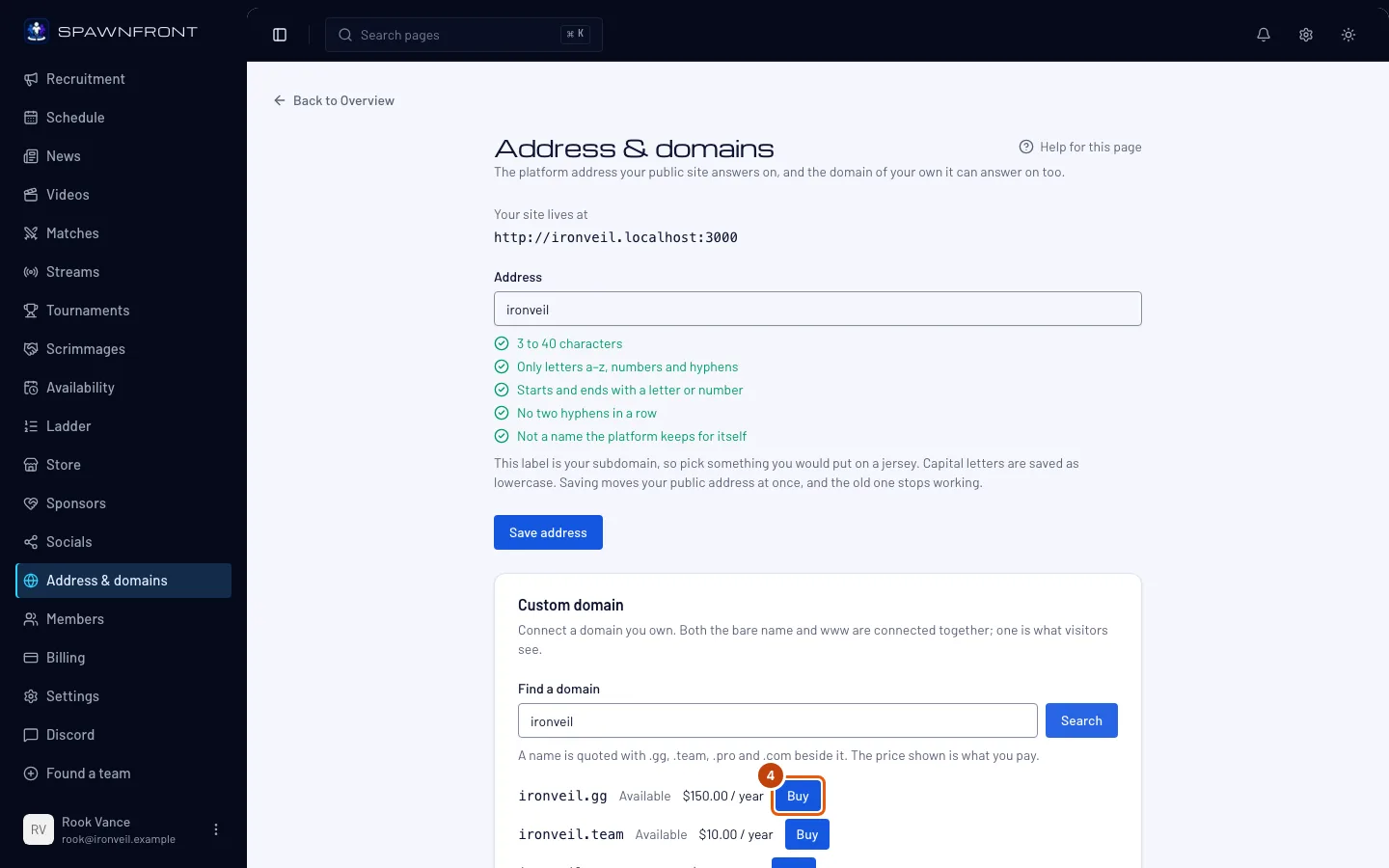
Step 4: Choose a name
Press Buy beside the name you want. Only an available name has the button.
Nothing is bought yet — this opens the form for who the name is registered to.
You should see: Who is registering yourteam.gg?, naming the domain you chose.
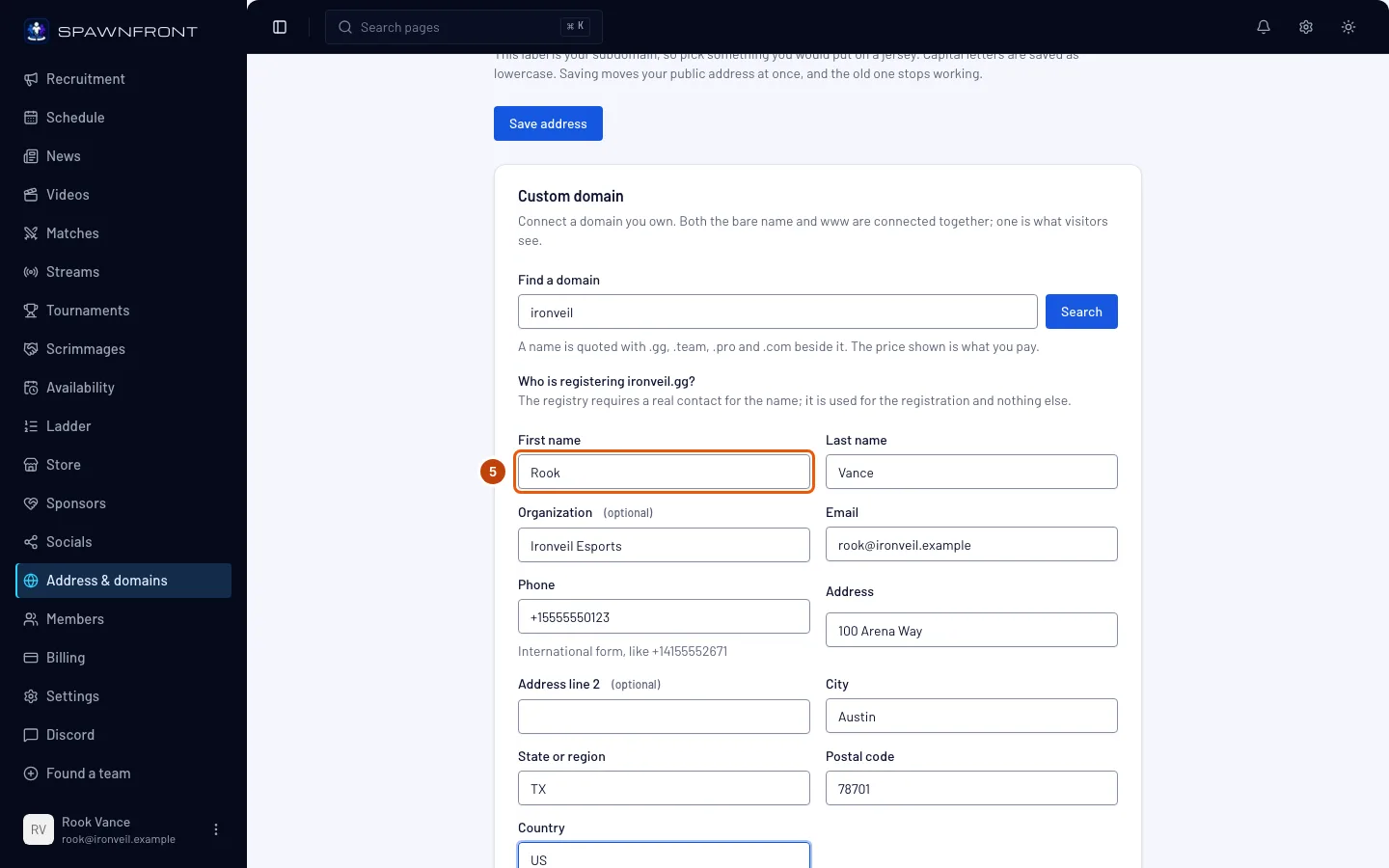
Step 5: Fill in who is registering it
Fill in every field. Organization and Address line 2 are optional. Phone goes in international form, like
+14155552671; Country is a two-letter code, likeUS.Use a real contact — the registry requires one for the name. It's used for the registration and nothing else.
You should see: no red messages under the fields.
Step 6: Go to checkout
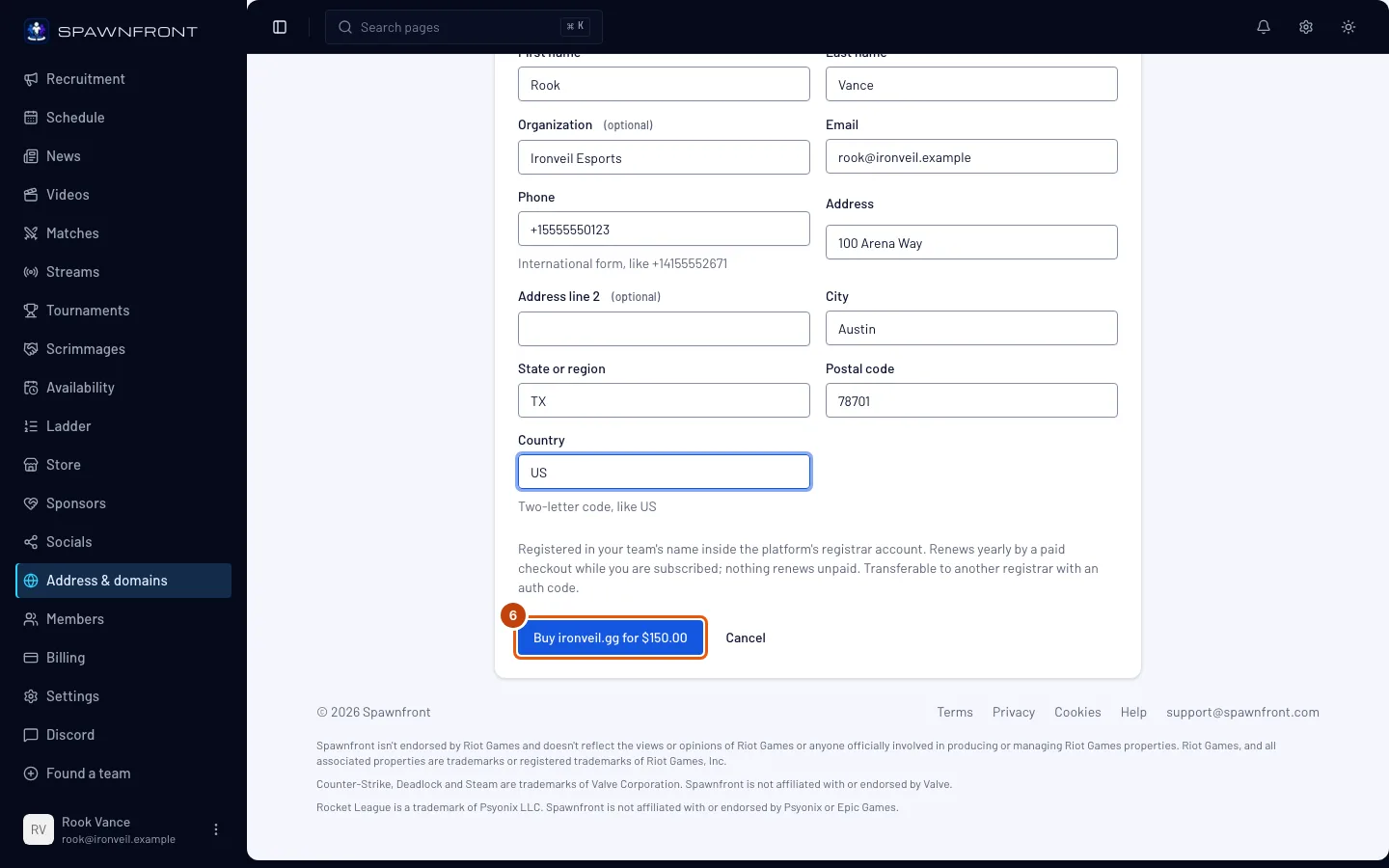
Press the button that reads Buy yourteam.gg for $… — it names your domain and its price.
You should see: Polar's checkout page, with that price.
Step 7: Pay on Polar
Pay on Polar's page. This happens on Polar's own site, not in Spawnfront.
Paying is what buys the name — leaving the checkout before paying buys nothing.
You should see: back on Address & domains, "Waiting for payment confirmation…", then "Payment confirmed. Registering your domain — its card shows when it is ready." and Registering your domain… on a card with your domain's name. Once the registration is done, the card says Renews on with a date, and your domain appears in the list below it, connected to your site for you.
How to know it worked
- The card with your domain says Renews on and a date.
- Your domain's row in the list shows Active. Press Make primary on it to make it your site's main address — see Connect a domain you own, step 9.
Something doesn't look right?
Is our first domain free?
On a yearly Team Pro plan that has made its first payment, your team's first .com up to $20 a year at the registry is free for its first year: the search shows Free the first year, then $… / year beside it, and the button reads Get yourteam.com free for a year. There is no checkout. The next year renews by the normal paid checkout. Each team gets one free domain; a monthly plan, a free trial, a gift or a code doesn't include one.
How is the price worked out?
The price is the registry's price plus 15% or $5, whichever is more, rounded up to a whole dollar. A $14 name costs $19 a year; a $130 name costs $150. The renewal is worked out the same way from the registry's renewal price.
It says "Purchase failed — your refund is on its way."
The registry refused the name after you paid. A refund is on its way, and whoever paid gets an email about it. Search again for a different name.
It says "You can buy a domain once your first payment has gone through."
Your plan is on its 14-day free trial. Buying a domain waits for your first payment, because the domain is paid for at once. During the trial you can connect a domain you already own — see Connect a domain you own.
How does my domain renew?
It never renews on its own. About 30 days before the Renews on date, whoever paid gets an email with a checkout for the next year — the renewal price can differ from the first year's. Unpaid, a last email follows 7 days before: the name will lapse, and the team's owner can take its auth code to move it elsewhere. Renewals only happen while your team is on Team Pro with an active subscription; otherwise the card says Renewal paused.
How do I move my domain to another registrar?
As the team's owner, press Get auth code on your domain's card. The box shows the code once — copy it and give it to your new registrar. A newly bought name is locked against moving for a while; if it still is, the box says "The domain can be transferred out after" and the date.
It says "Searching again so soon — try in a few seconds"
Searches are limited to one every few seconds. Wait a moment, then press Search again.
Related articles
Still stuck? Contact support or email support@spawnfront.com — tell us the page you're on and the step number.