
Check in for a tournament
Before a hosted tournament starts, confirm your team is there and name who's playing — any member can do it.
For team members · 5 steps
What you need first
- Your team is entered in a tournament another team hosts on Spawnfront, or waitlisted for it. To enter one, see Enter a hosted tournament.
- The host turned check-in on. Not every tournament has it; one without it has no check-in card.
- You are a member of the team — any member, not only an owner or admin. On match day the player at the keyboard checks the team in.
- Every player you name has an identity in the tournament's game on their profile. See Add your game identity.
Steps
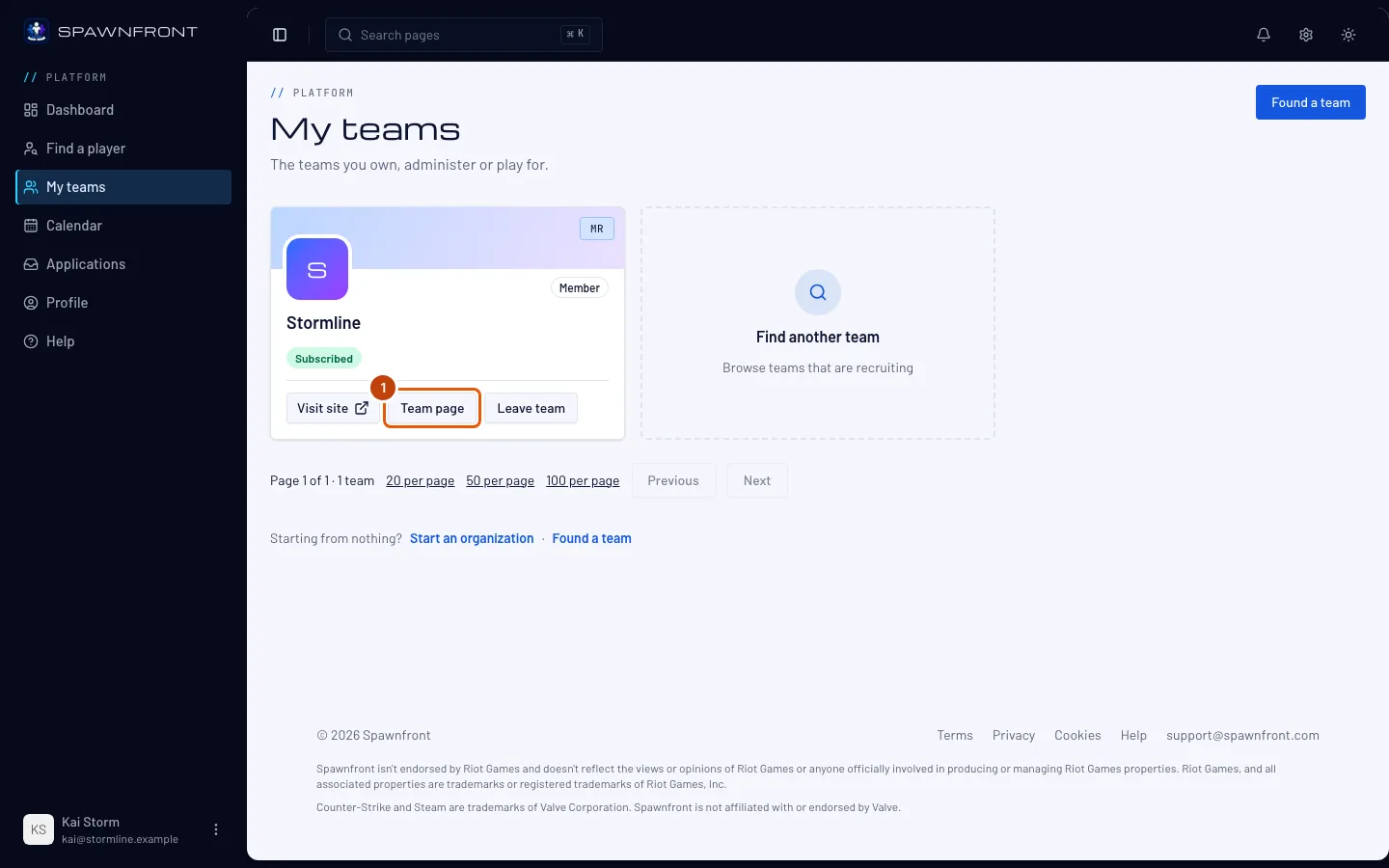
Step 1: Open your team's page
In the sidebar, press My teams, then Team page on your team's card. The notice Check-in is open for … — check your team in by … under the bell opens the same page.
You should see: your team's page, with a check-in card near the top.
Step 2: Find the check-in card
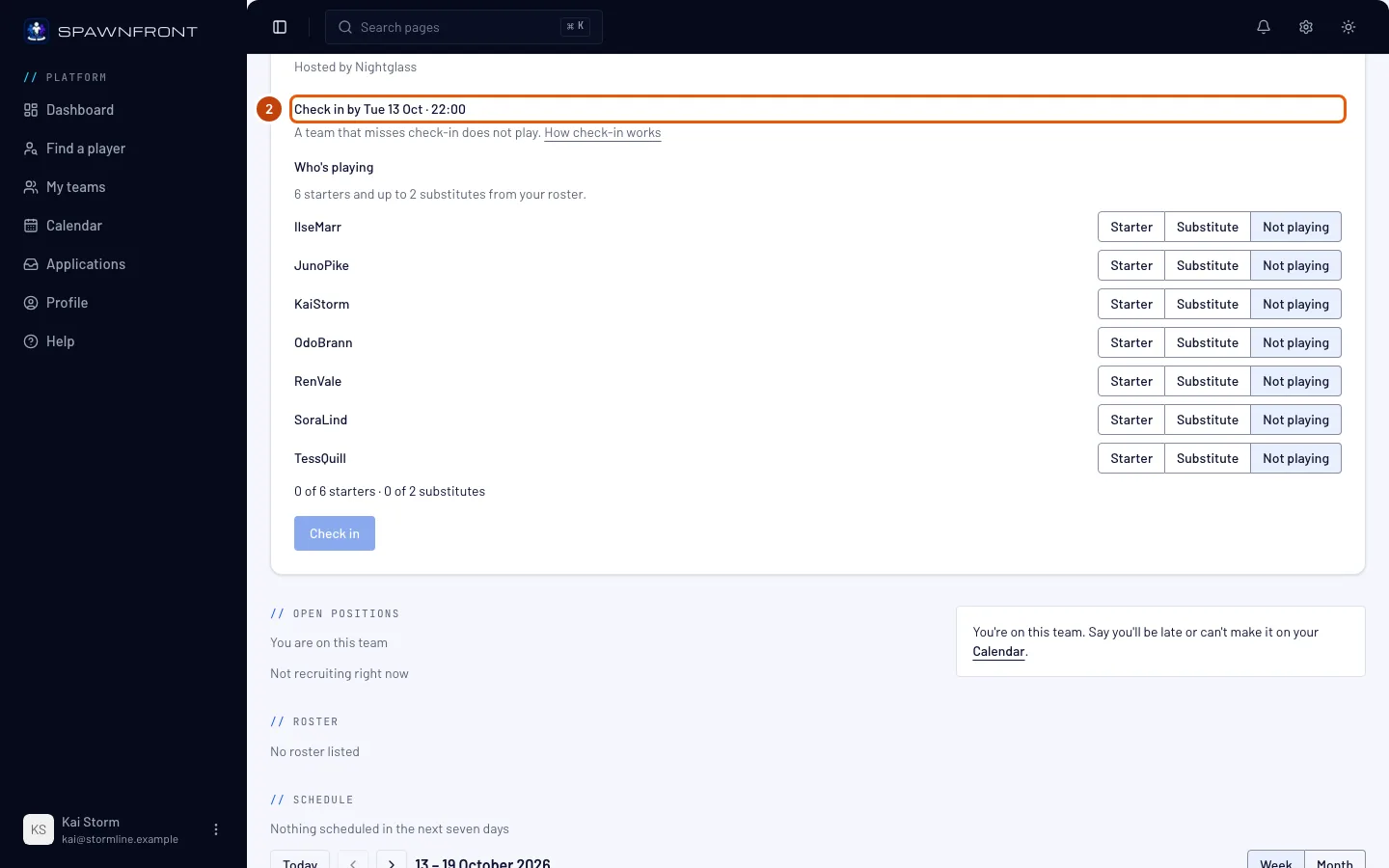
Read the card with the tournament's name. It shows Check-in open and the time to check in by, in your own time zone.
Check-in closes fifteen minutes before the first round starts, and the host can close it earlier. Before the window opens the card reads Check-in opens … and its button stays gray. Owners and admins see the same card on the tournament's page under Entered in Tournaments.
You should see: Check in by …, then A team that misses check-in does not play.
Step 3: Choose who's playing
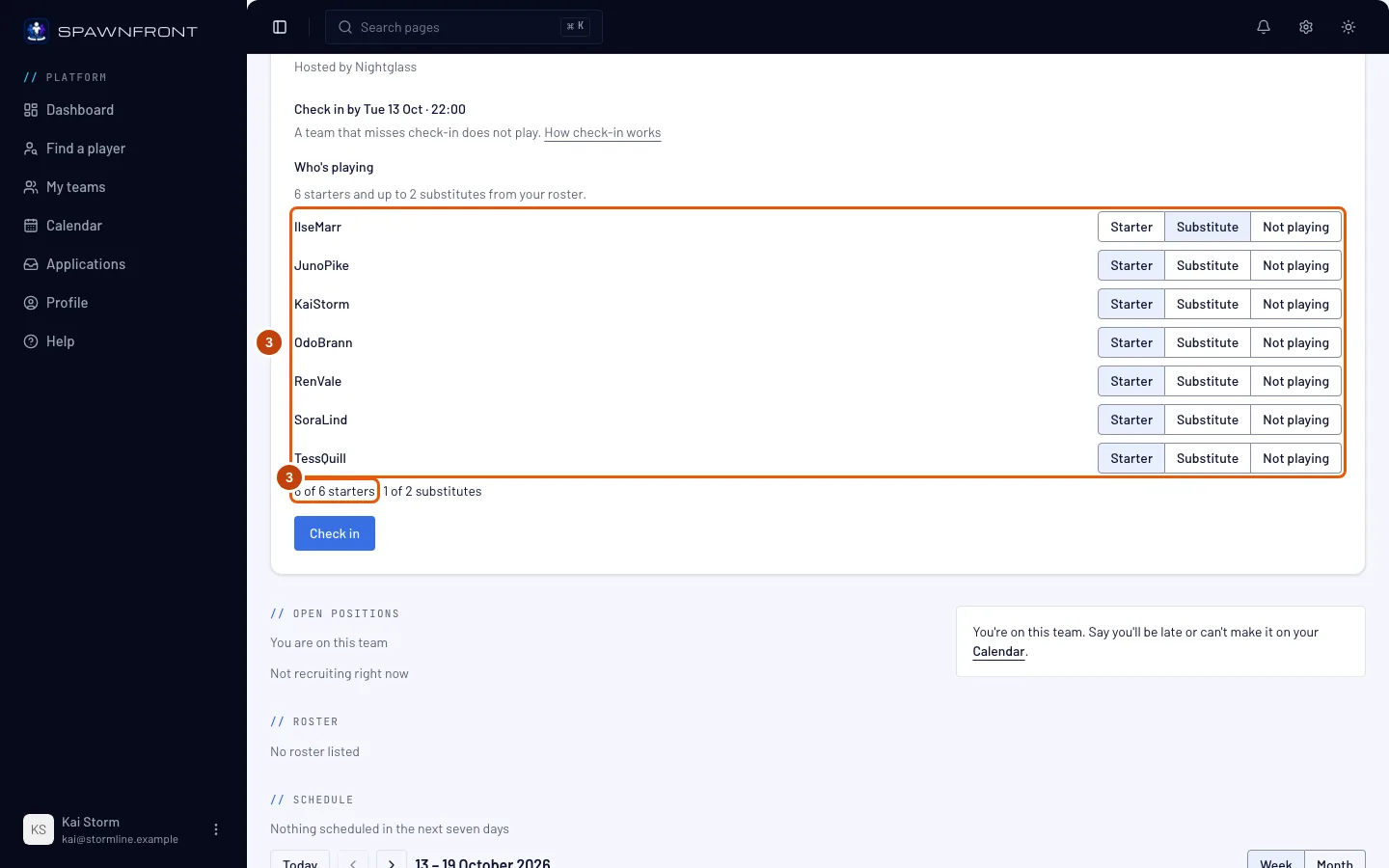
Under Who's playing, press Starter beside each player who starts, and Substitute beside each substitute. Leave everyone else on Not playing.
Name exactly the number of starters the line asks for — six in Marvel Rivals, five in the other games — and at most two substitutes.
You should see: the count under the list, for example 6 of 6 starters · 1 of 2 substitutes.
Step 4: Press Check in
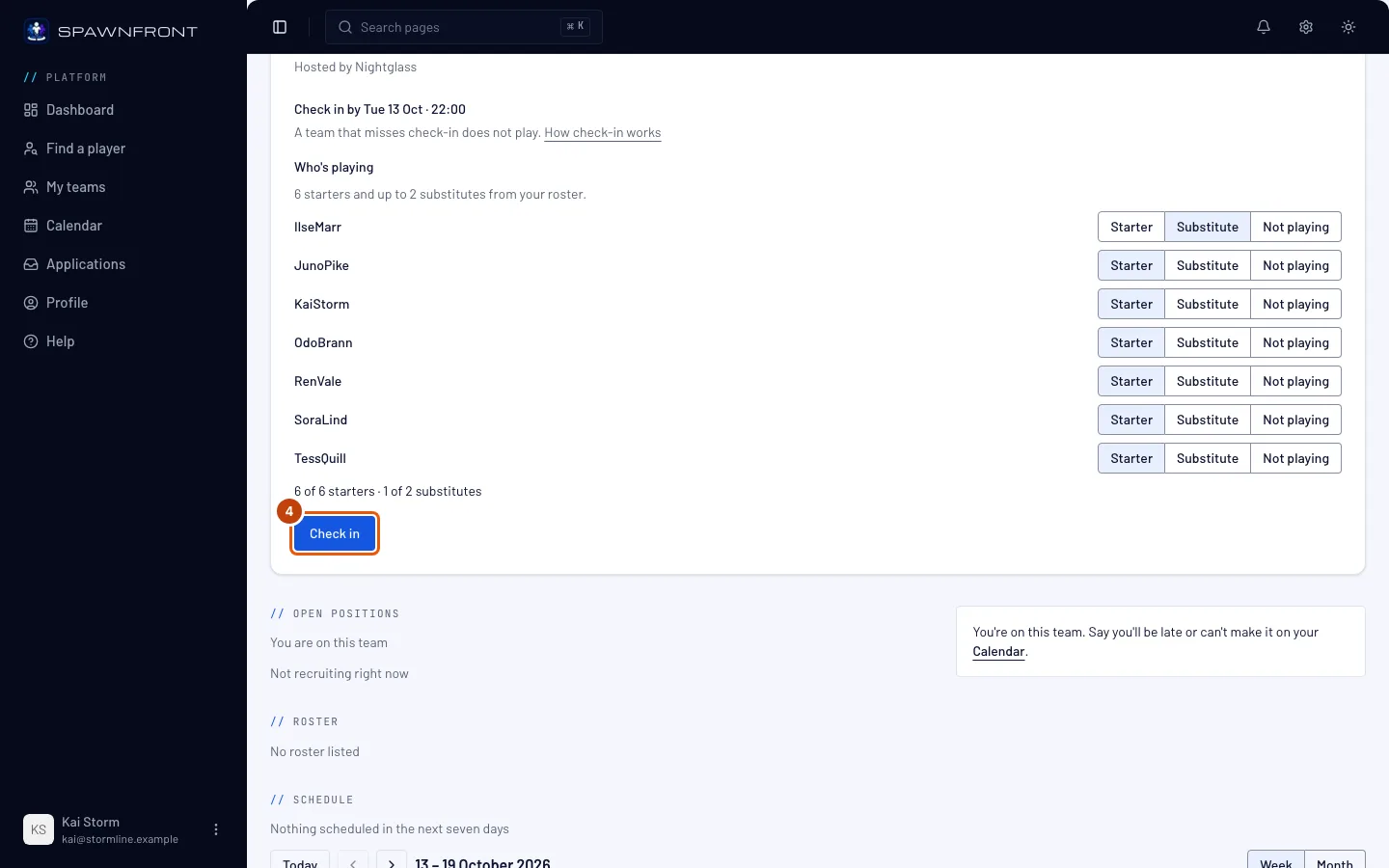
Press Check in. It stays gray until the starter count is full and the window is open.
You should see: the message Your team is checked in, and Checked in at … on the card.
Step 5: Change your lineup if you need to
Until check-in closes, change any player's place and press Update lineup.
You should see: the message Lineup updated. Once check-in closes, the lineup stays as it was last saved.
How to know it worked
- The card shows Checked in at … and its button reads Update lineup.
- The host sees your team under Checked in, with its lineup.
If your team misses check-in. A team that is entered but hasn't checked in when check-in closes is out: its entry reads Missed check-in and it doesn't play. What happens to its spot is the host's choice, shown in the tournament's settings:
- Take the next team from the waitlist: the spot goes to the first team on the waitlist that checked in.
- Leave the spot empty (a bye): nobody takes it, and that team's first opponent goes through.
A waitlisted team checks in too. Its card says Your team is on the waitlist. A waitlisted team checks in too, so it is ready if a spot opens. A waitlisted team that hasn't checked in can't take a freed spot.
Something doesn't look right?
I don't see a check-in card
The card shows only while check-in is open, or within a day of opening, for a tournament your team is entered or waitlisted in. The host may not have turned check-in on, or may not have set the first round's start yet. After check-in closes the card goes away.
The Check in button stays gray
Count the starters under the list: the button turns on only at the full number — six of six in Marvel Rivals — with no more than two substitutes. If the card reads Check-in opens …, the window hasn't opened yet. If it reads Only … of your members can be named, too few of your members have an identity in the game for a full lineup — each player adds one on their profile.
A player is missing from the list
The list shows only members of your team with an identity in the tournament's game. The player adds one on their profile under Games, then you reload the page. A player who isn't a member of the team yet must join it first.
It says a player is already in another team's lineup
A player in this lineup is already in another team's lineup for this tournament means another team entered in the same tournament named that player. A player plays for one team per tournament: choose someone else, or ask the other team to take them out of its lineup.
It says "Check-in is not open for this tournament"
Check-in closed while the page was open, the host closed it, or the tournament has started. Reload the page to see where your team stands.
Related articles
Still stuck? Contact support or email support@spawnfront.com — tell us the page you're on and the step number.