
Buy a gift
Buy months of Team or Team Pro as codes for someone else — pay on Polar, get the codes, find them later in My gifts.
For team owners and admins · 6 steps
You can buy months of Spawnfront Team or Team Pro as codes and give them to someone — a friend's team, your own team's players, anyone. Each code gives one team its site plan for the months you chose. You don't need an account to buy one.
What you need first
- A card or another way to pay on Polar, the shop that takes payments for Spawnfront. Polar adds the tax for where you live.
- If it's for someone else: their email address. You choose the day we send it.
Steps
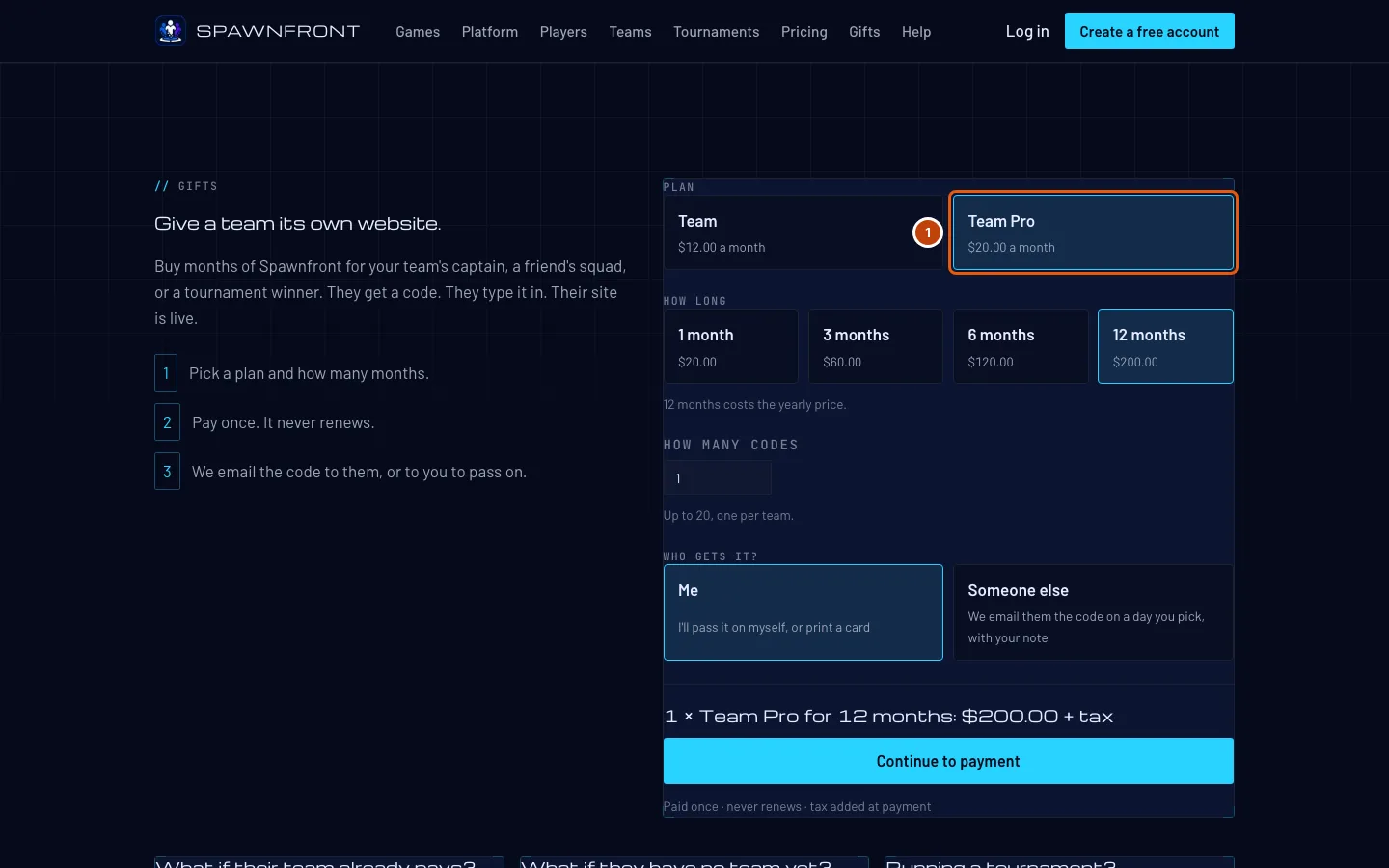
Step 1: Open Gifts and choose the plan
Press Gifts at the top of the Spawnfront home page, or go to spawnfront.com/gifts. Choose Team or Team Pro.
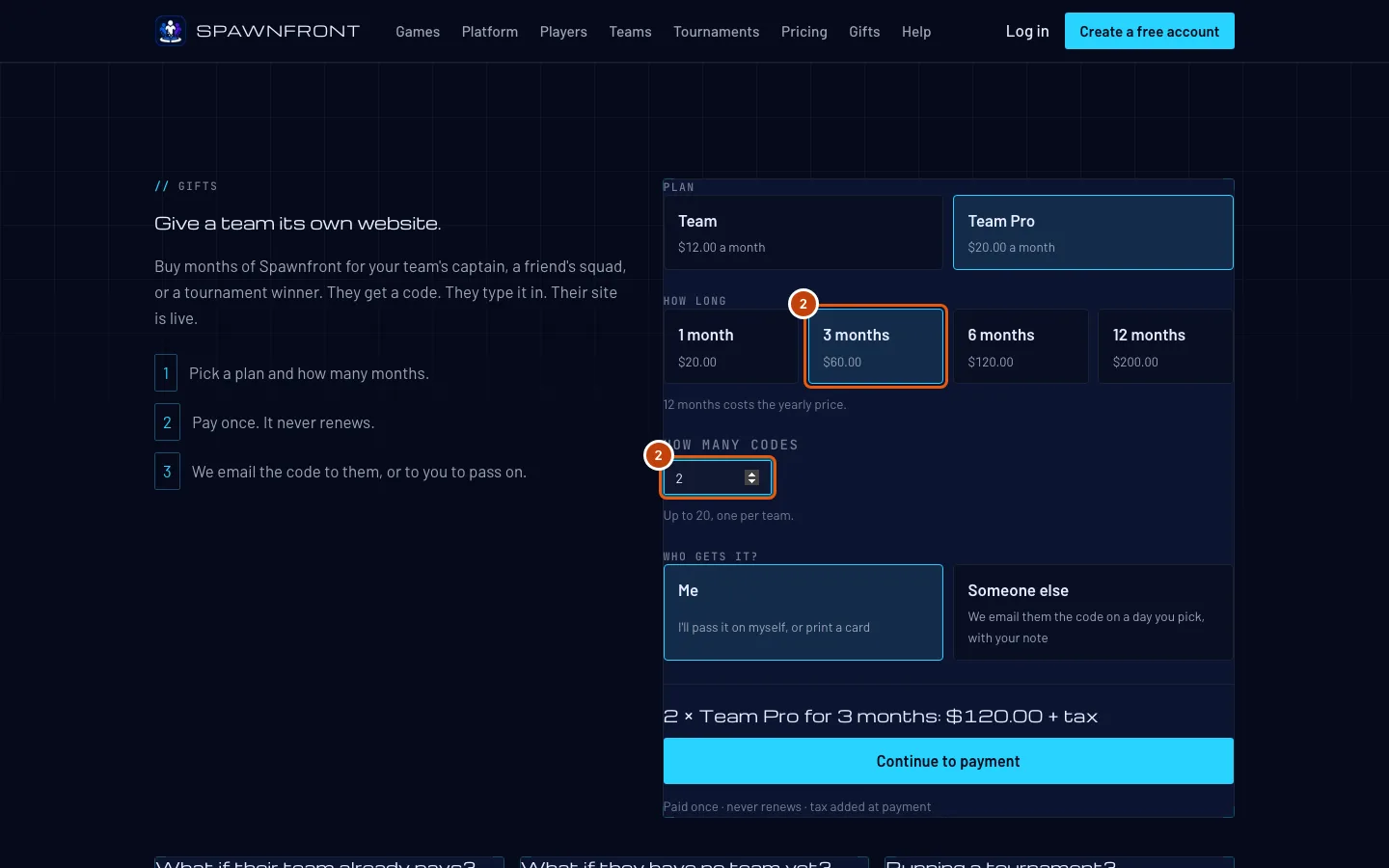
Step 2: Choose how long, and how many codes
Choose 1, 3, 6 or 12 months — each shows its price. Then type how many codes you want, up to 20. Each code is for one team.
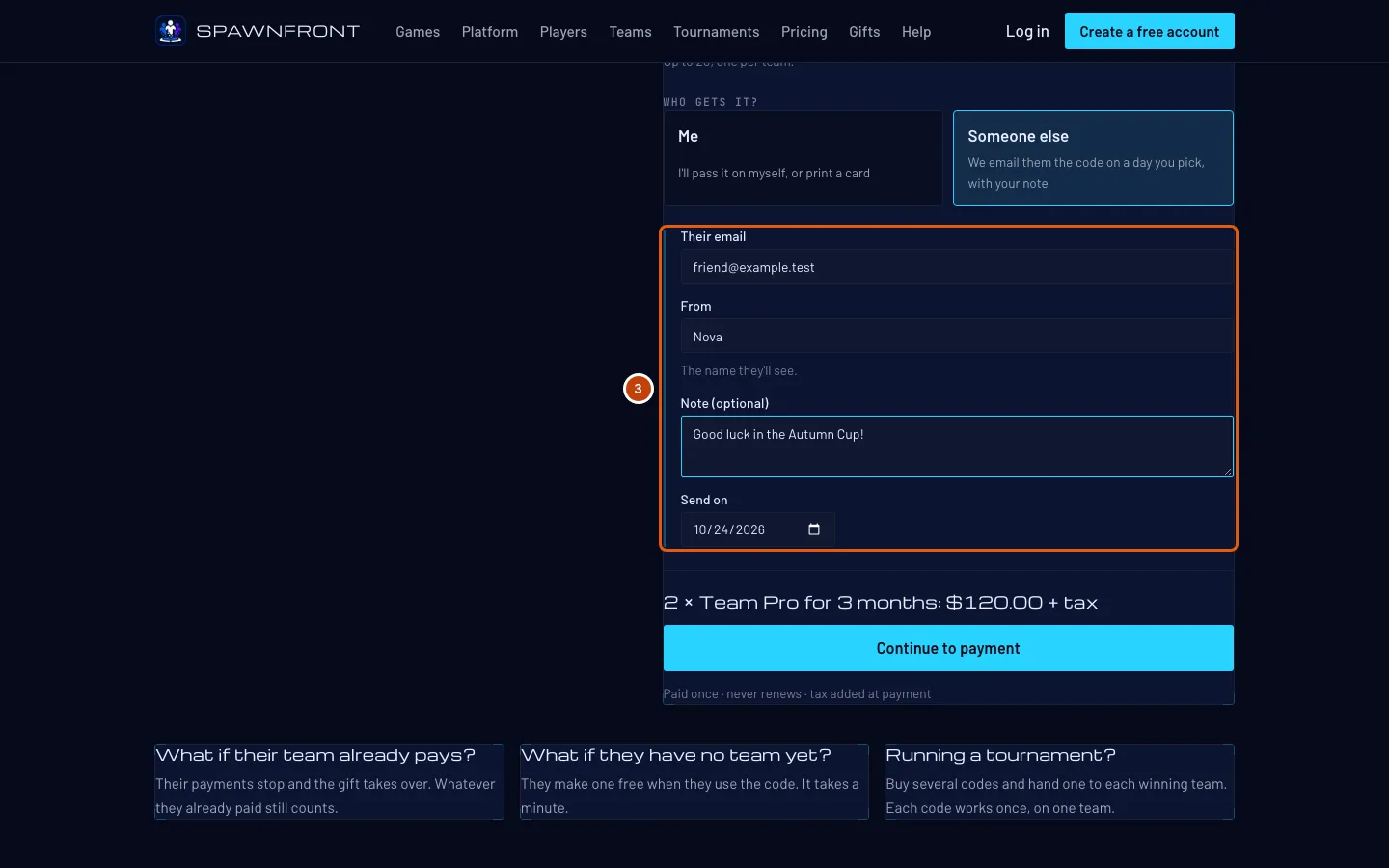
Step 3: Choose who gets it
Press Me to get the codes yourself. Press Someone else to have us email them: type their email, who it's from, a short note if you like, and the day to send it — today or any day in the next year.
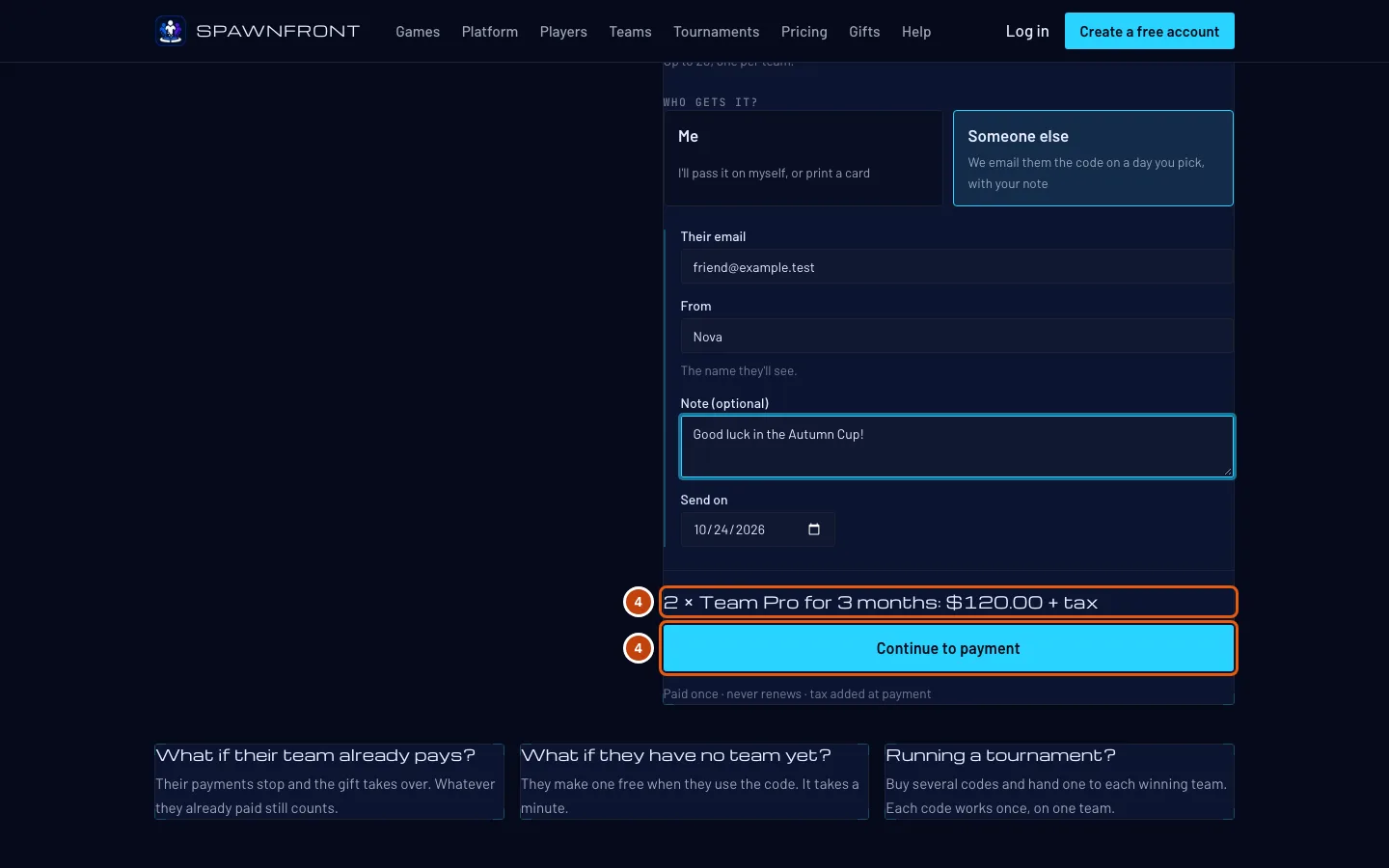
Step 4: Pay on Polar
Check the total, then press Continue to payment. Polar's page opens; pay there.
You should see: Polar's checkout, with the tax added for where you live.
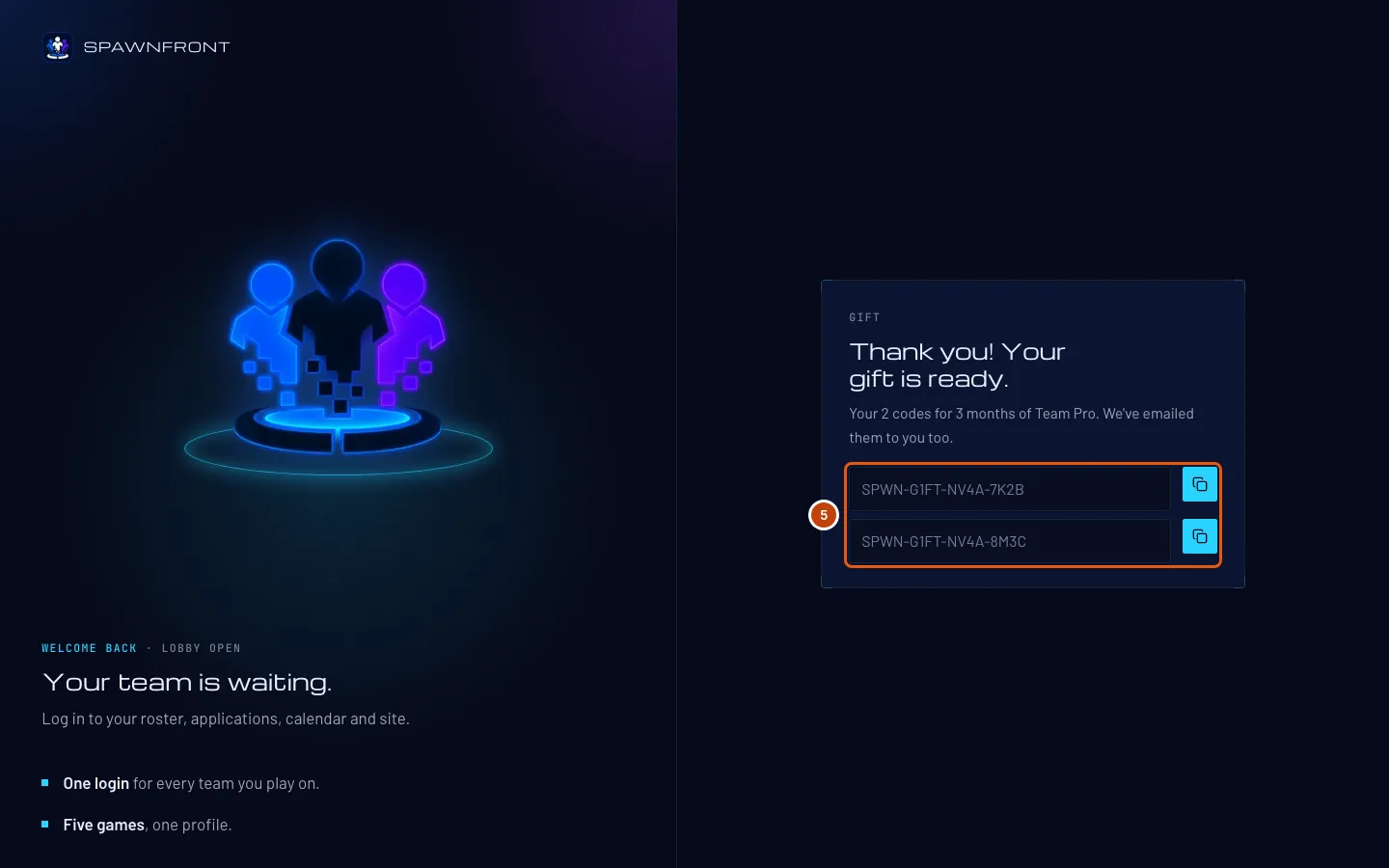
Step 5: Get your codes
After you pay, you come back to Spawnfront and see your codes. We also email them to you. If you chose Someone else, we email them on the day you picked.
Keep the codes somewhere safe: anyone with a code can use it.
Step 6: Find your gifts later
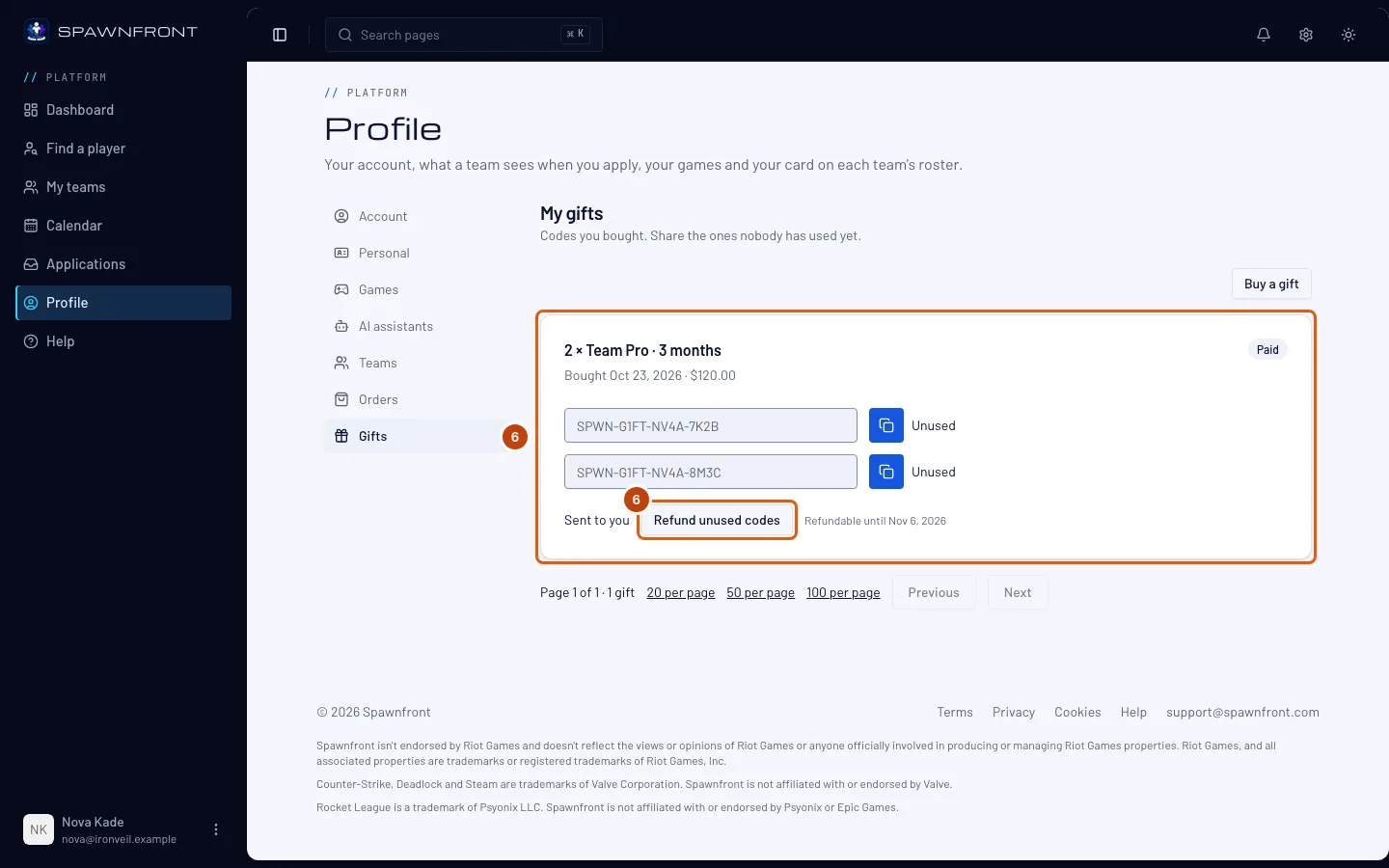
Log in with the email you paid with, open your Profile and press Gifts. Each gift lists its codes and whether a team has used each one. Before an email to someone else is sent, you can press Edit email to change the address.
Changed your mind? Within 14 days of paying, press Refund unused codes. The unused codes stop working at once, and Polar returns their share of what you paid.
How to know it worked
- You have the codes on the thank-you page and in your email.
- My gifts lists the gift, and its codes show Unused until a team uses them.
Something doesn't look right?
It says "Gifts aren't available right now"
Gifts can't be bought at the moment. Try again later.
I closed the thank-you page before I saved the codes
Check your email — we send the codes to the address you paid with. Or log in with that email and open Profile, then Gifts.
My friend didn't get the email
Check the day you chose to send it, and ask them to look in spam. Before it's sent, you can fix the address with Edit email in My gifts. You can also send them a code yourself — each one is also a link they can open.
There is no Refund button
Refunds are open for 14 days after you pay, for codes no team has used yet. After that, or when every code is used, there is nothing to refund. Contact support if something went wrong.
How does my friend use the code?
They open the link in the email (or type the code), create a free account or log in, and use it on their team. See Use a gift someone sent you.
Related articles
Still stuck? Contact support or email support@spawnfront.com — tell us the page you're on and the step number.