
Sponsor a team's site
Buy a team 1, 3, 6 or 12 months of its website from its Sponsors page — paid once, no account needed.
For everyone · 4 steps
What you need first
- You don't need an account. Nothing asks you to log in.
- The team's site shows Become a sponsor on its Sponsors page. A site without it isn't taking sponsors right now.
- You pay once, by card, on a secure payment page. Nothing renews.
Steps
Step 1: Open Become a sponsor
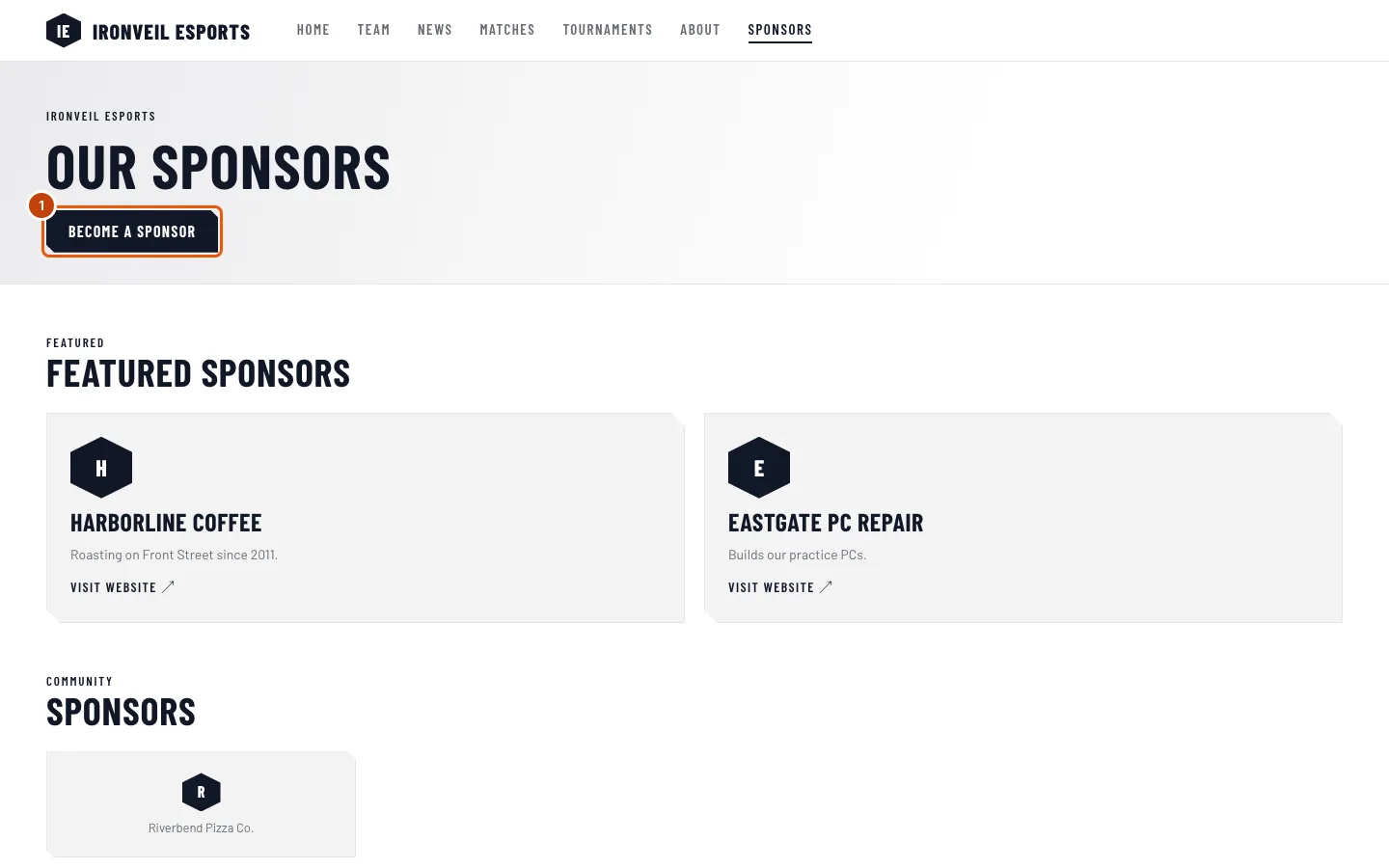
On the team's site, open the Sponsors page and press Become a sponsor.
You should see: Buy and the team's name, months of their website, with How many months? below.
Step 2: Choose the months
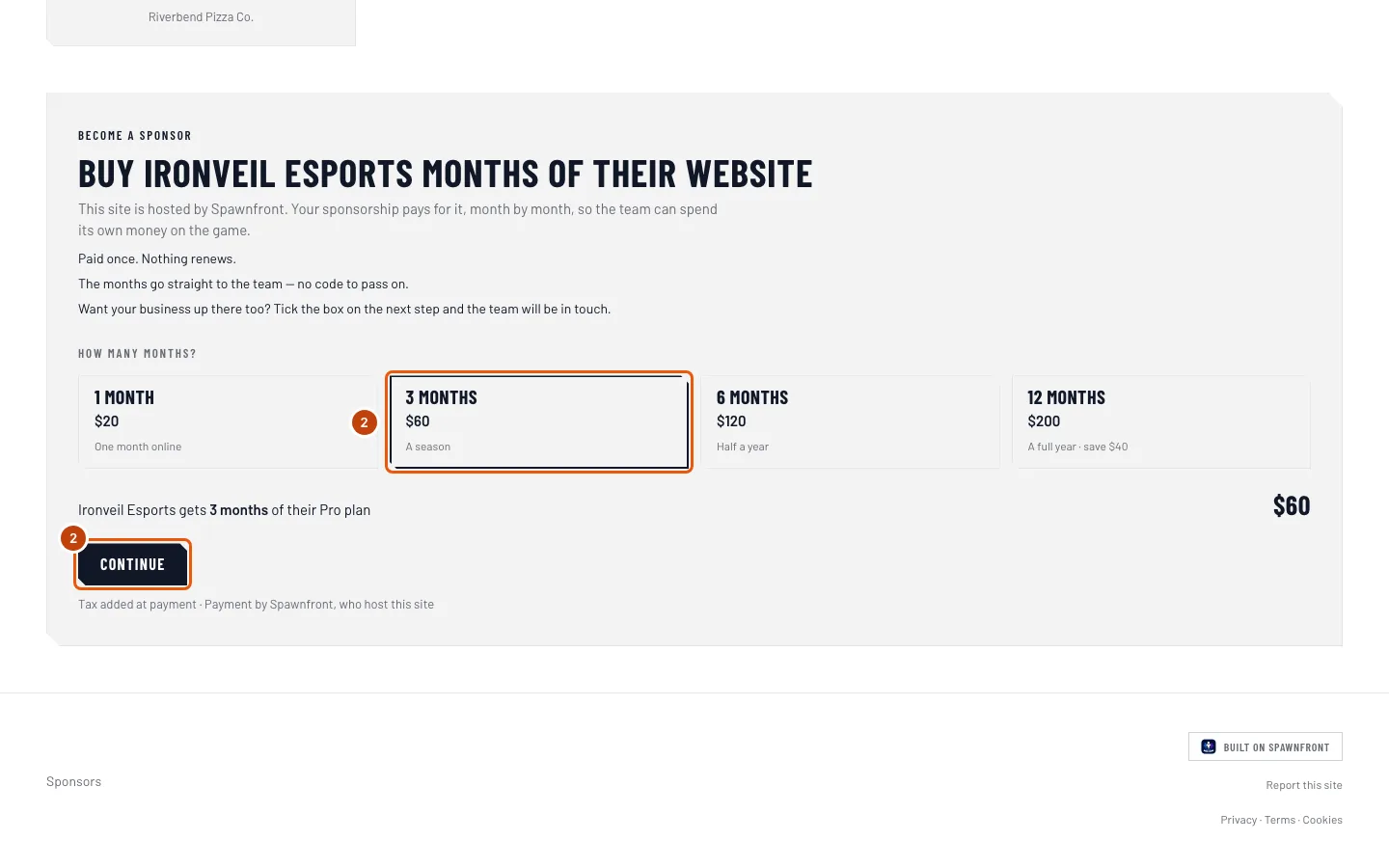
Press 1 month, 3 months, 6 months or 12 months, then press Continue.
You should see: A few details, with your sponsorship and its total beside it. Any sales tax is added at payment, on the next page.
Step 3: Type your details
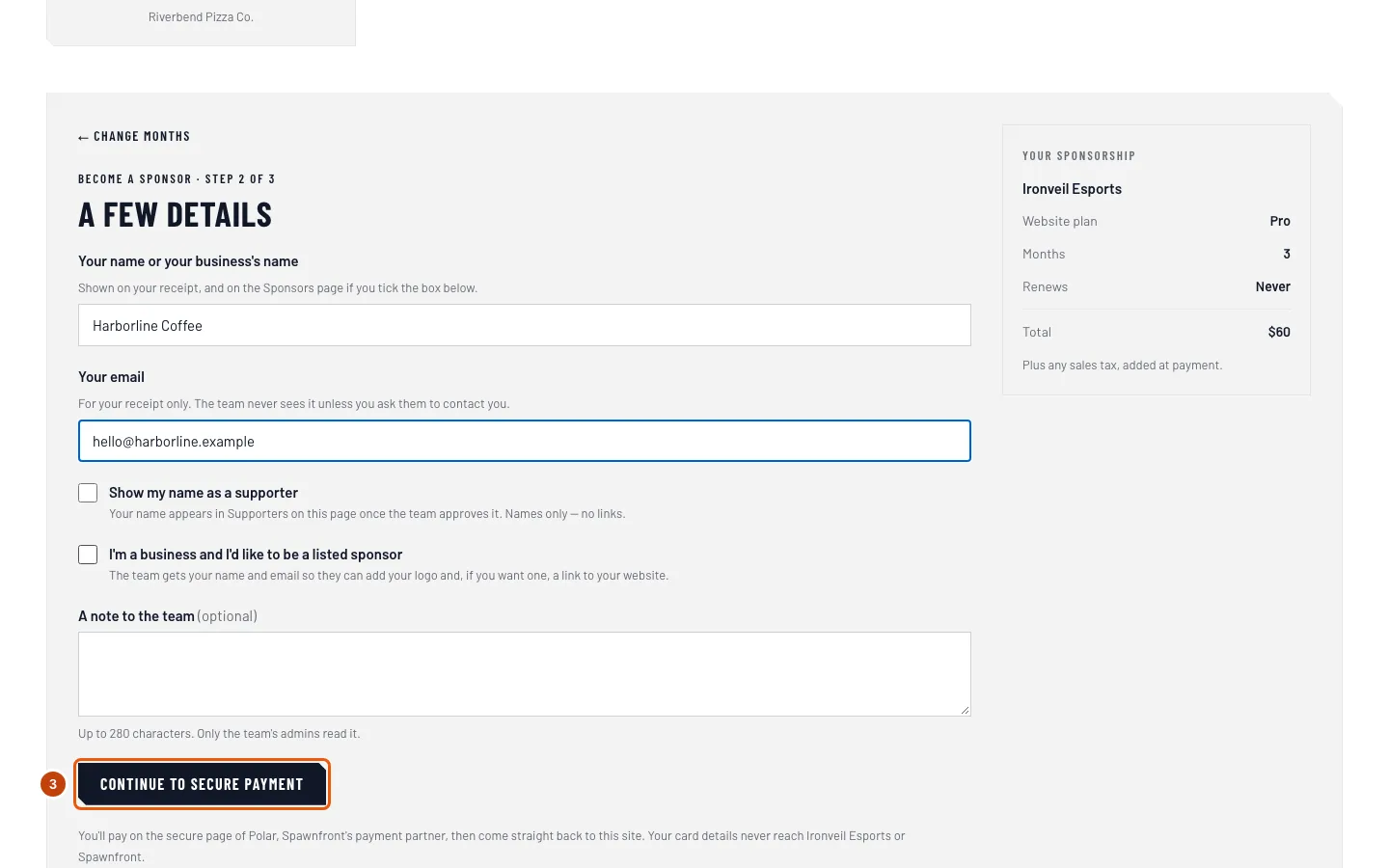
Type Your name or your business's name and Your email. Tick Show my name as a supporter if you'd like your name on the page, or I'm a business and I'd like to be a listed sponsor if you'd like the team to add your logo. Then press Continue to secure payment.
You should see: the secure payment page of Polar, Spawnfront's payment partner. Your email goes on your receipt only — the team sees it only if you ticked the business box.
Step 4: Pay
Type your card details and pay on the payment page.
You should see: the team's Sponsors page again, saying We're confirming your payment, then Thank you with your name.
How to know it worked
- The team's Sponsors page says Thank you and how many months you gave.
- A receipt arrives at your email.
Something doesn't look right?
It says "Payment not finished"
You left the payment page before paying, so nothing was charged. Press Try payment again to start again.
It says "We couldn’t add your months"
Your payment went through, but the months couldn't be added to the team — for example, the team's site was taken offline while you paid. Spawnfront refunds it; you don't need to pay again. Questions go to support@spawnfront.com.
Sponsoring isn't available for a moment
The prices couldn't be read just then. Nothing was charged — try again later.
My name isn't under Supporters
The team approves each name first, usually within a few days. Names show only if you ticked Show my name as a supporter.
Related articles
Still stuck? Contact support or email support@spawnfront.com — tell us the page you're on and the step number.