
See and disconnect your AI assistants
See which AI apps can use your account and everything they changed, show your team when a change came from one, or disconnect an app.
For players · 4 steps
What you need first
- You connected an AI assistant — Claude, ChatGPT or another app — to your Spawnfront account. See Connect an AI assistant.
- Everything on this page is yours alone: your team sees none of it.
Steps
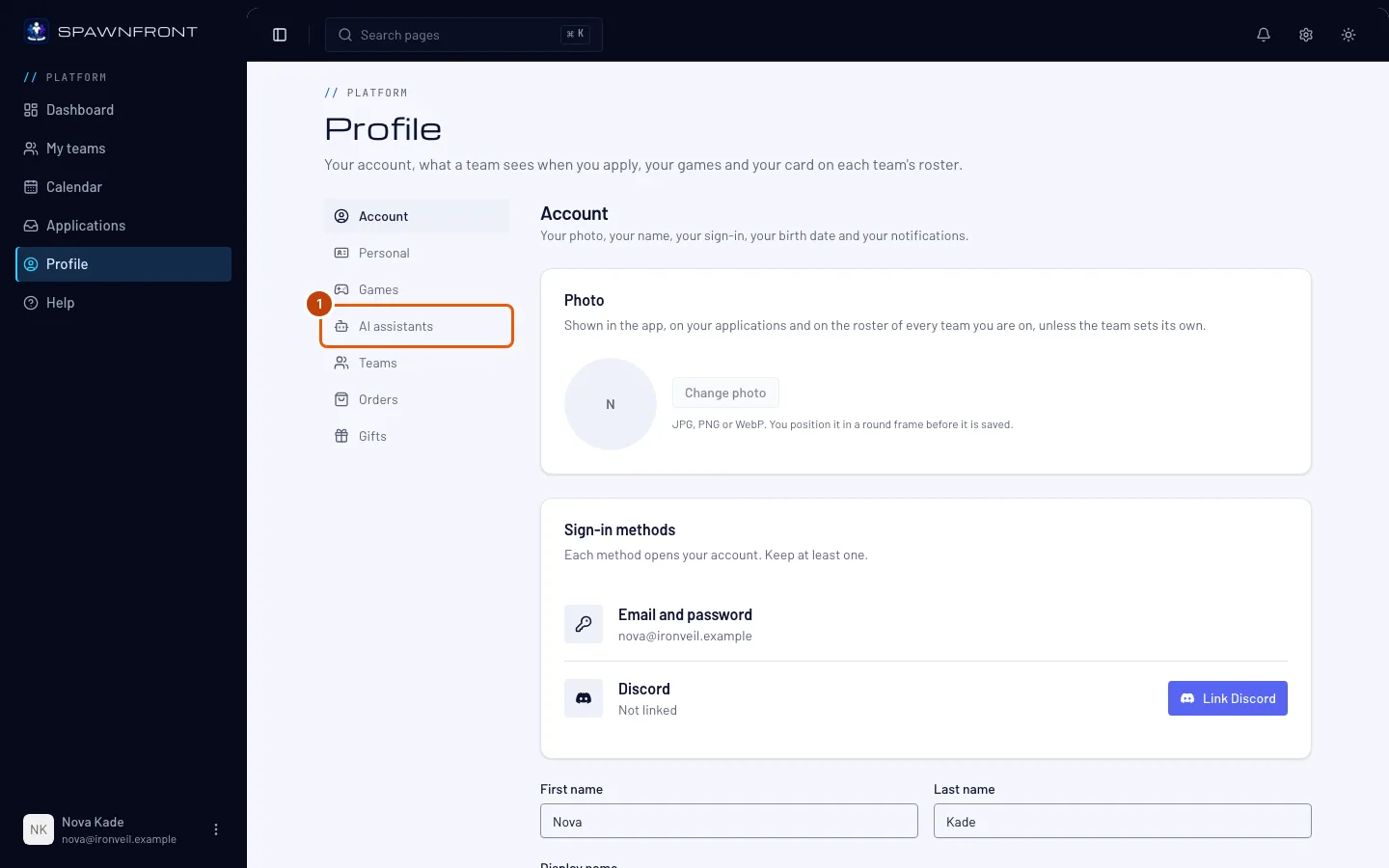
Step 1: Open AI assistants
Open your profile, then press AI assistants in its menu.
You should see: Connected AI assistants, with each app's name and where it comes from — like from claude.ai, or (name not verified) for an app that doesn't publish its identity — what it can reach, and when it was connected and last used.
Step 2: See what it changed
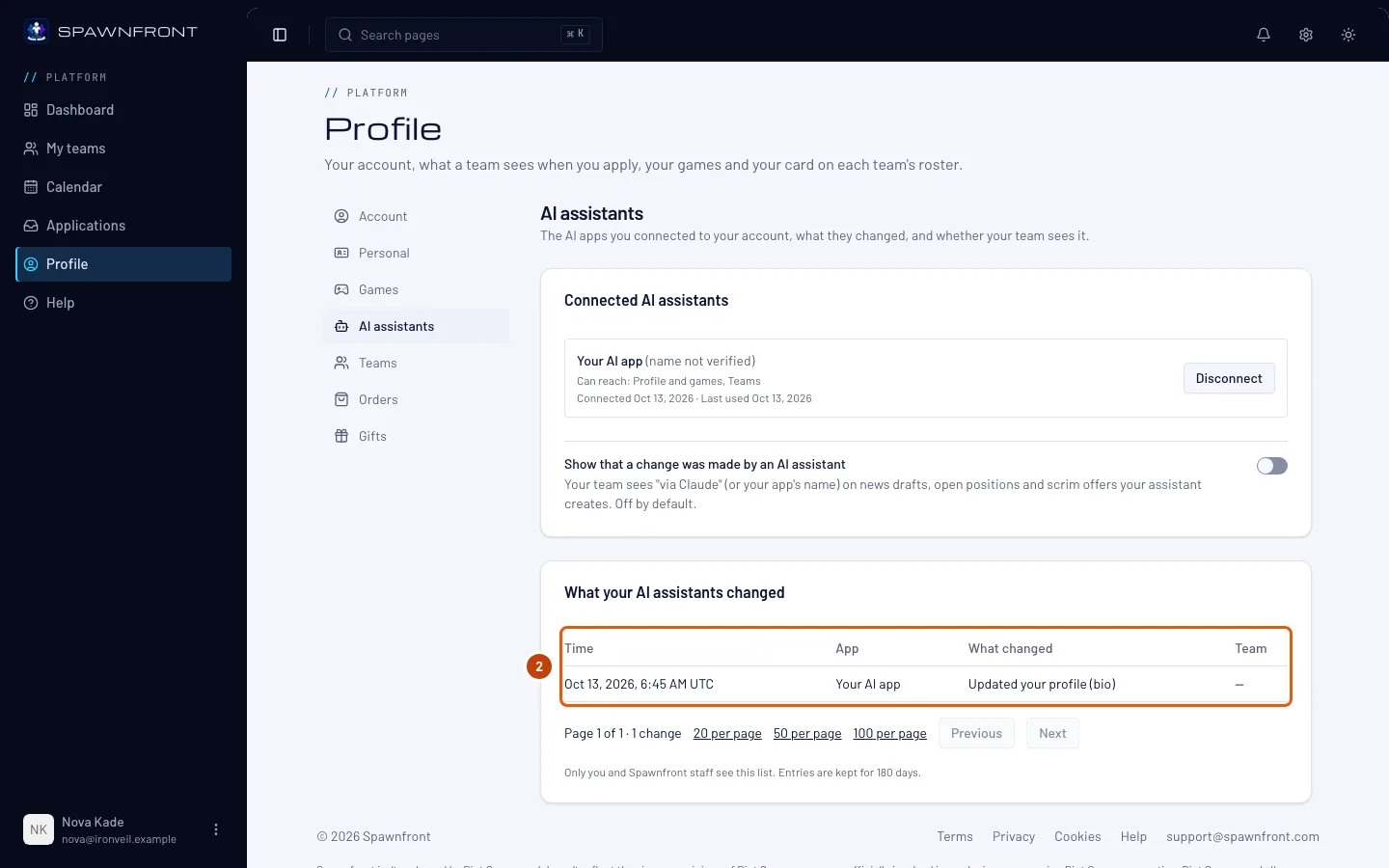
Scroll to What your AI assistants changed.
You should see: one line for every change an assistant made for you — when, which app, what it changed and on which team — newest first. Reading never adds a line. Lines are kept for 180 days.
Step 3: Show your team it was an AI assistant
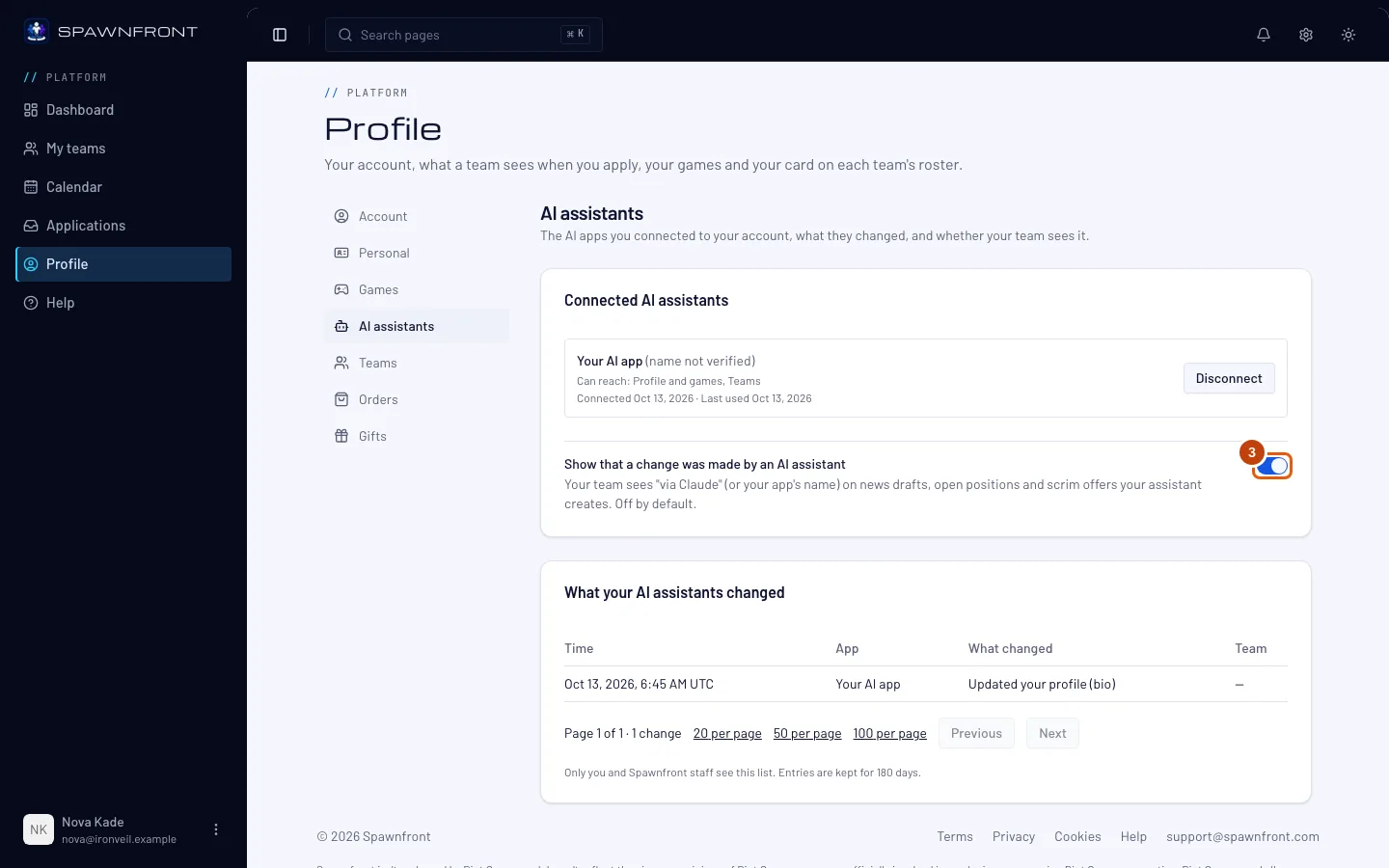
Back up in Connected AI assistants, under your apps, turn on Show that a change was made by an AI assistant if you want your team to know.
It is off until you turn it on. While it is on, your team sees "via Claude" — or your app's name — next to the news drafts, open positions and scrim offers your assistant creates.
You should see: the switch turned on.
Step 4: Disconnect an app
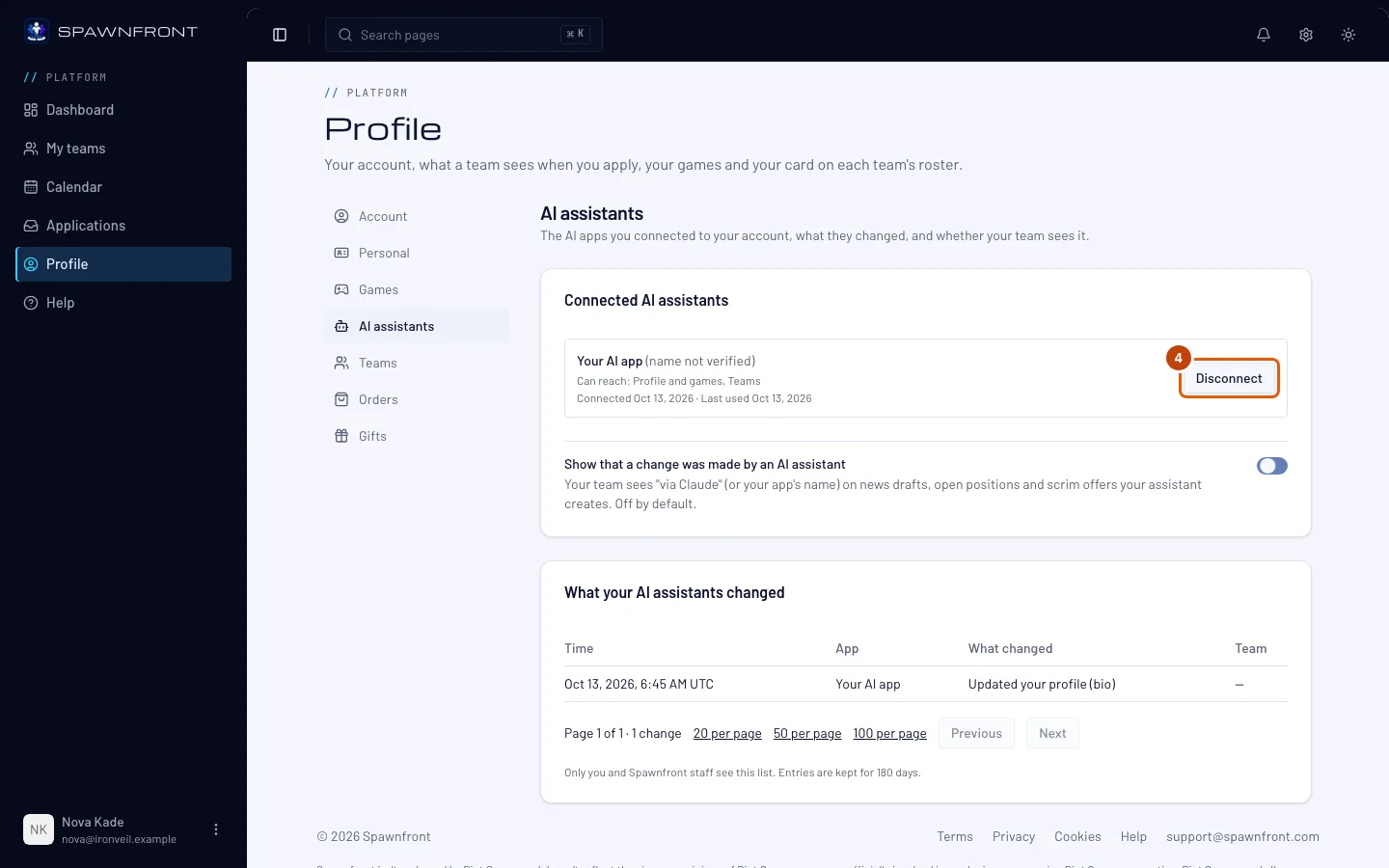
Press Disconnect on the app's row, then Disconnect again to confirm.
You should see: the app is gone from the list. It stops working at once — its next request is refused, and it asks you to connect it again.
How to know it worked
- Ask the app you disconnected something about your teams. It says it needs to connect to Spawnfront again instead of answering.
Something doesn't look right?
I don't see an app I connected
The list shows an app once it finished connecting. If you closed the approval page before pressing Allow, or the app's sign-in failed, connect it again from your AI app. An app unused for 90 days, or connected before you reset your password, is disconnected and not listed.
Does disconnecting delete what the assistant changed?
No. Drafts, roster entries and the rest stay as they are, like changes you made yourself. The list of what it changed stays for 180 days too.
Does my team see this list?
No. Only you see it, and Spawnfront staff when they help you. Your team sees "via" your app's name only if you turn on Show that a change was made by an AI assistant.
Related articles
Still stuck? Contact support or email support@spawnfront.com — tell us the page you're on and the step number.