
Found a team
Start a free team from My teams: name it, choose the game, region and platform.
For team owners and admins · 5 steps
What you need first
- Your country, the languages you speak and your native language on your profile. Without them the page asks for them first — see the troubleshooting below.
- No other free team. An account can own one free team at a time.
Steps
Step 1: Open My teams
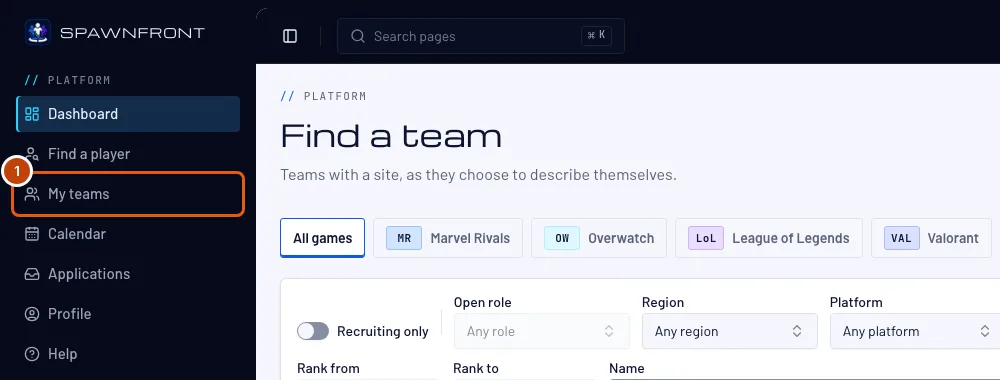
In the menu on the left, press My teams.
You should see: My teams, with a Found a team button.
Step 2: Press Found a team
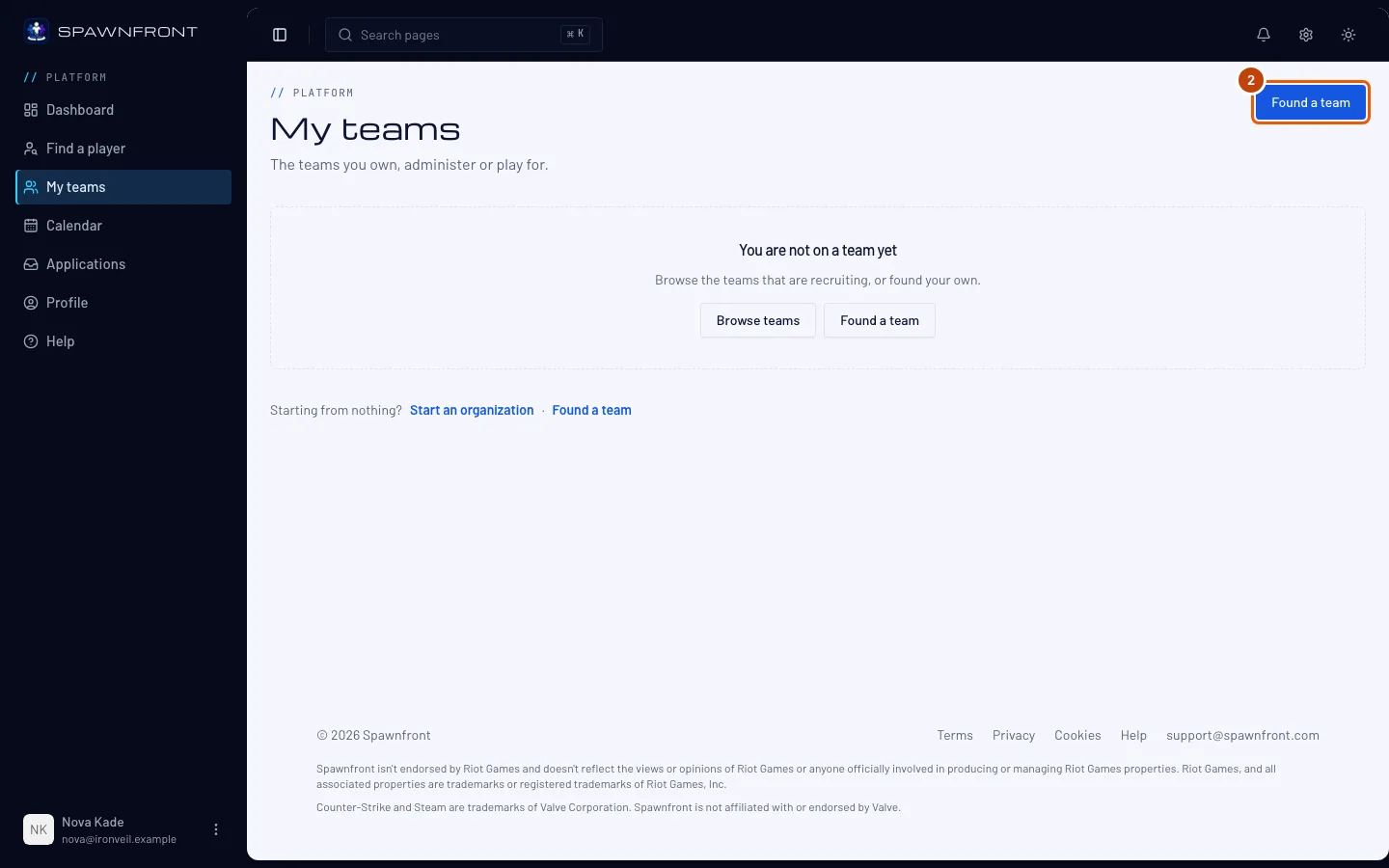
Press Found a team.
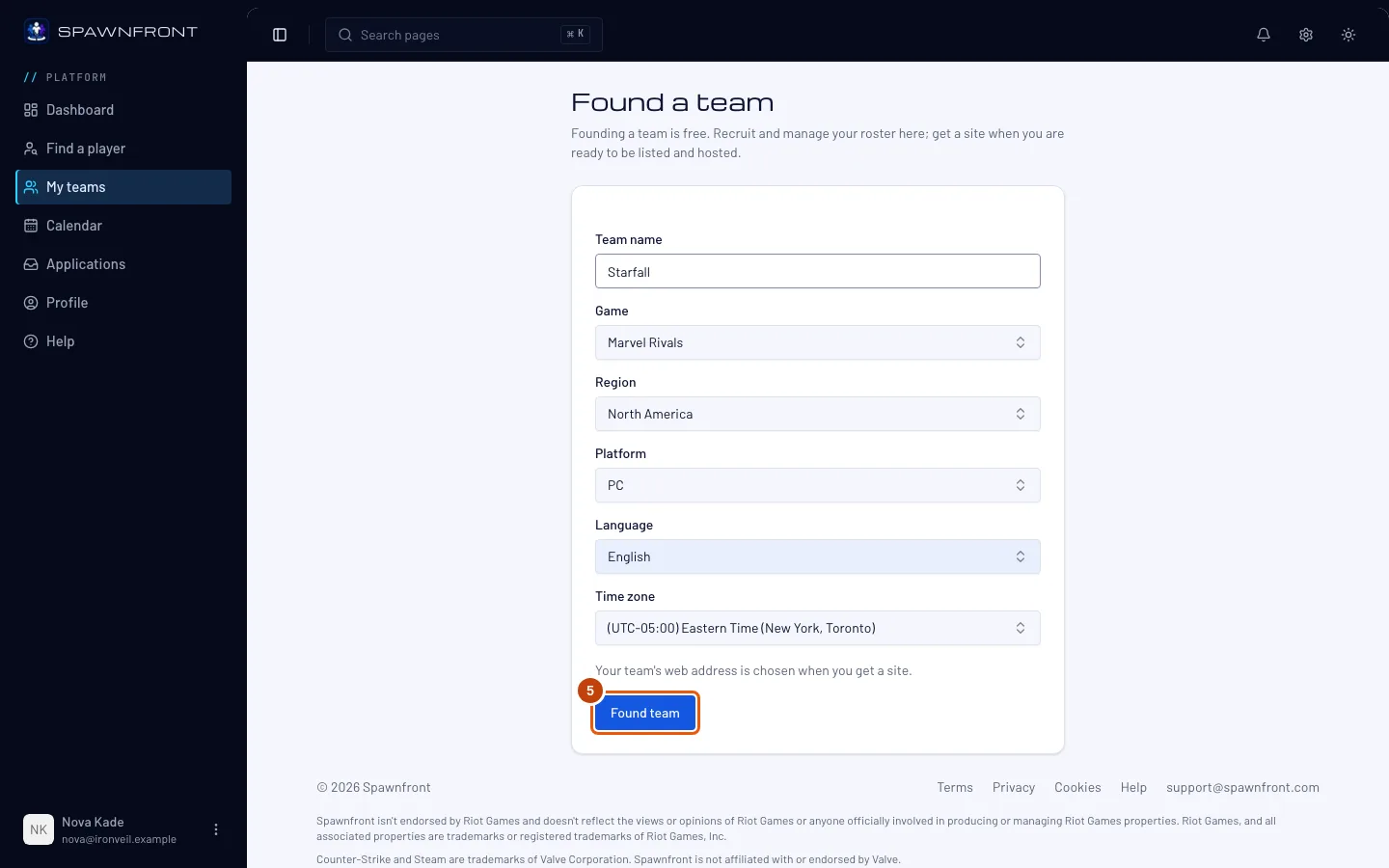
You should see: Found a team — "Founding a team is free."
Step 3: Name your team
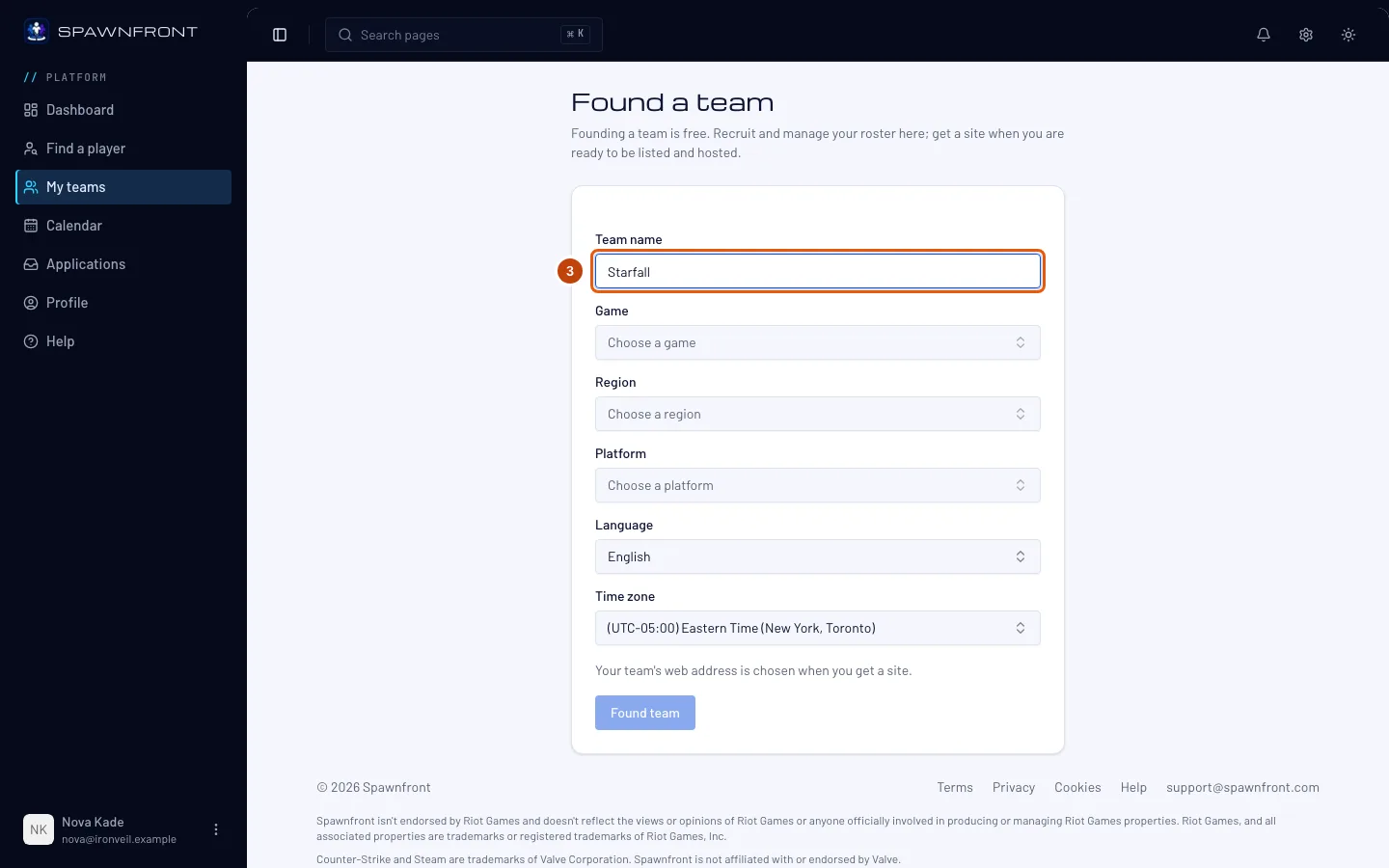
Type your team's name in Team name.
Step 4: Choose the game, region and platform
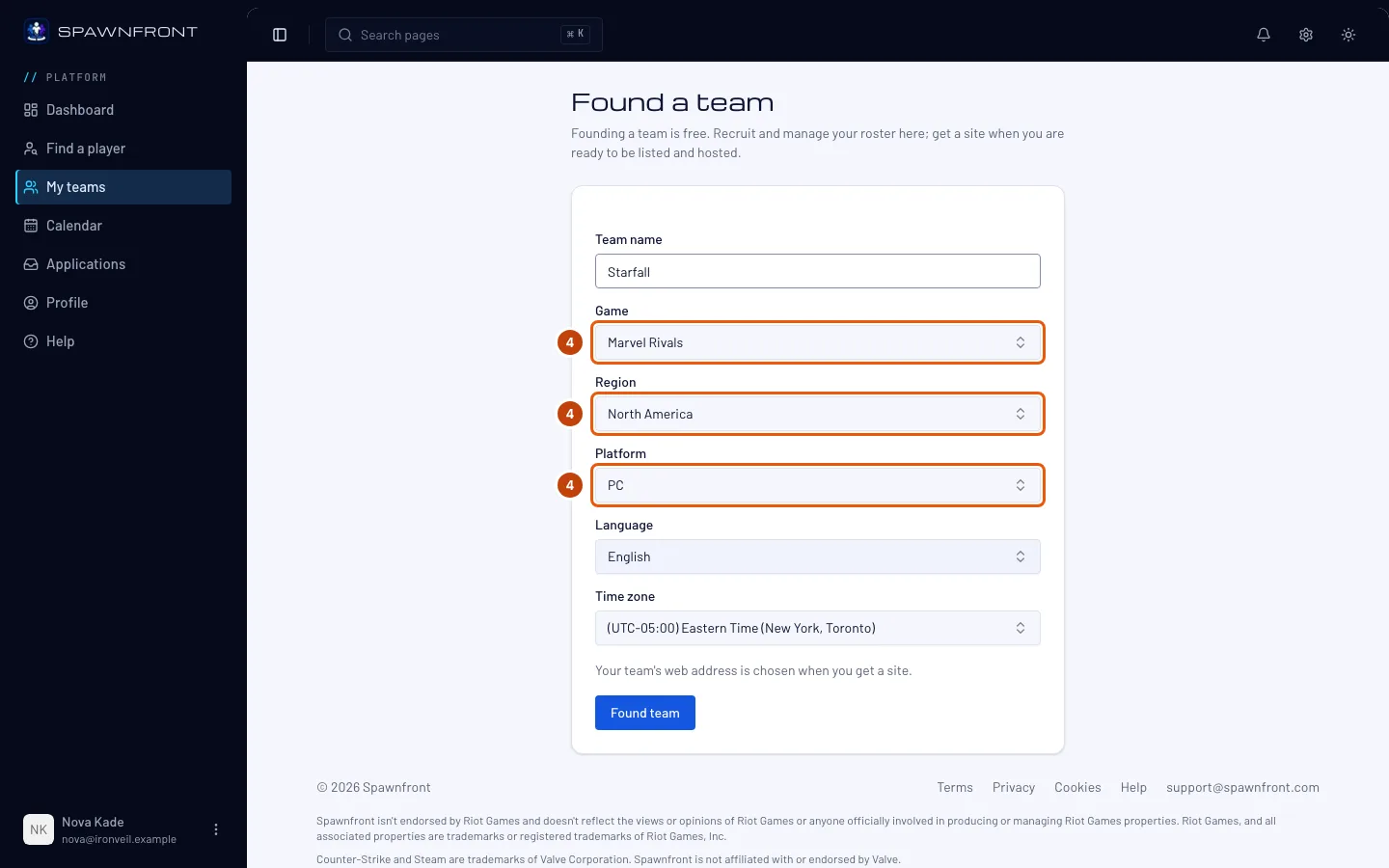
Choose your Game — Marvel Rivals, Overwatch, League of Legends, Valorant, Counter-Strike 2, Deadlock or Rocket League — then your Region and Platform. The platform list shows only the platforms your game is played on.
For League of Legends, choose your Server instead of a region — EUW, NA, KR and so on. Your team meets only teams on the same server in the scrimmage finder, on the ladder and in tournaments, because players on different servers can't share a lobby. You can change the server later in Settings if your team transfers.
For Valorant, choose your Valorant region — North America, Latin America, Brazil, Europe, Asia Pacific or Korea — and your Platform: PC, PlayStation or Xbox. Your team meets only teams in the same region and on the same kind of machine — PC, or console, where PlayStation and Xbox play together. Region starts at your Valorant region's main area; change it if your team is, say, in Oceania in Asia Pacific.
For Counter-Strike 2, choose your Region — the area your team plays from — and PC is set for you, the only platform the game is played on. Your team can meet any Counter-Strike 2 team: the game has no fixed regions, so the region helps other teams find you rather than limiting who you play.
For Deadlock, choose your Region the same way — PC is set for you, the only platform the game is played on.
For Rocket League, choose your Region — the area your team plays from — and your Platform: PC, PlayStation, Xbox or Nintendo Switch. Your team can meet any Rocket League team: players on every platform play together, so the region and platform help other teams find you rather than limiting who you play. A Rocket League team fields three players.
Language and Time zone start filled in — change them if they aren't right.
The game can't be changed later. Everything else can, in your team's Settings.
Step 5: Found the team
Press Found team.
You should see: your team's admin, with Members, Roster, Recruitment, Schedule and Settings in the menu. Your team's web address is chosen later, when you get a site.
How to know it worked
- My teams lists your team, marked as its owner.
Something doesn't look right?
It says "You already have a free team"
An account can own one free team. Get that team a site, or delete it, to found another.
The page says to complete my profile first
Choose your country, the languages you speak and your native language on that page and press Save and continue — the founding form appears.
It says "You have founded enough teams today"
An account can found three teams a day, and deleting a team counts too. Try again tomorrow.
Related articles
Still stuck? Contact support or email support@spawnfront.com — tell us the page you're on and the step number.