
Follow or withdraw an application
See where each application stands on your Applications page, and take one back while it is pending.
For players · 4 steps
What you need first
- You have sent an application — see Apply to a team.
Steps
Step 1: Open Applications
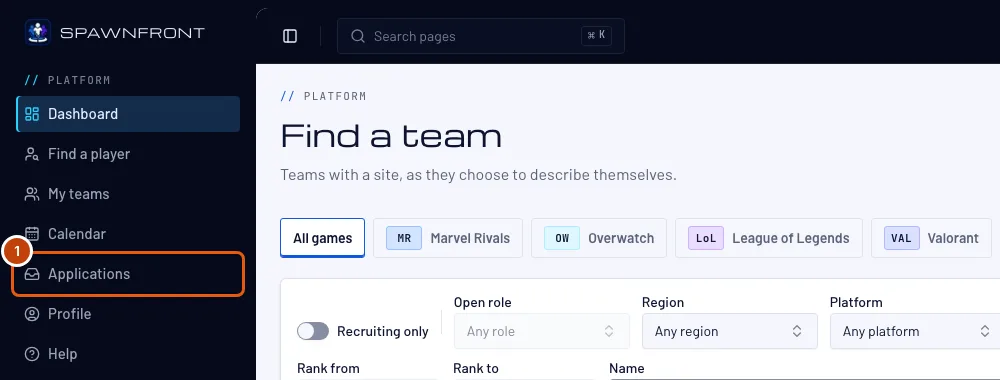
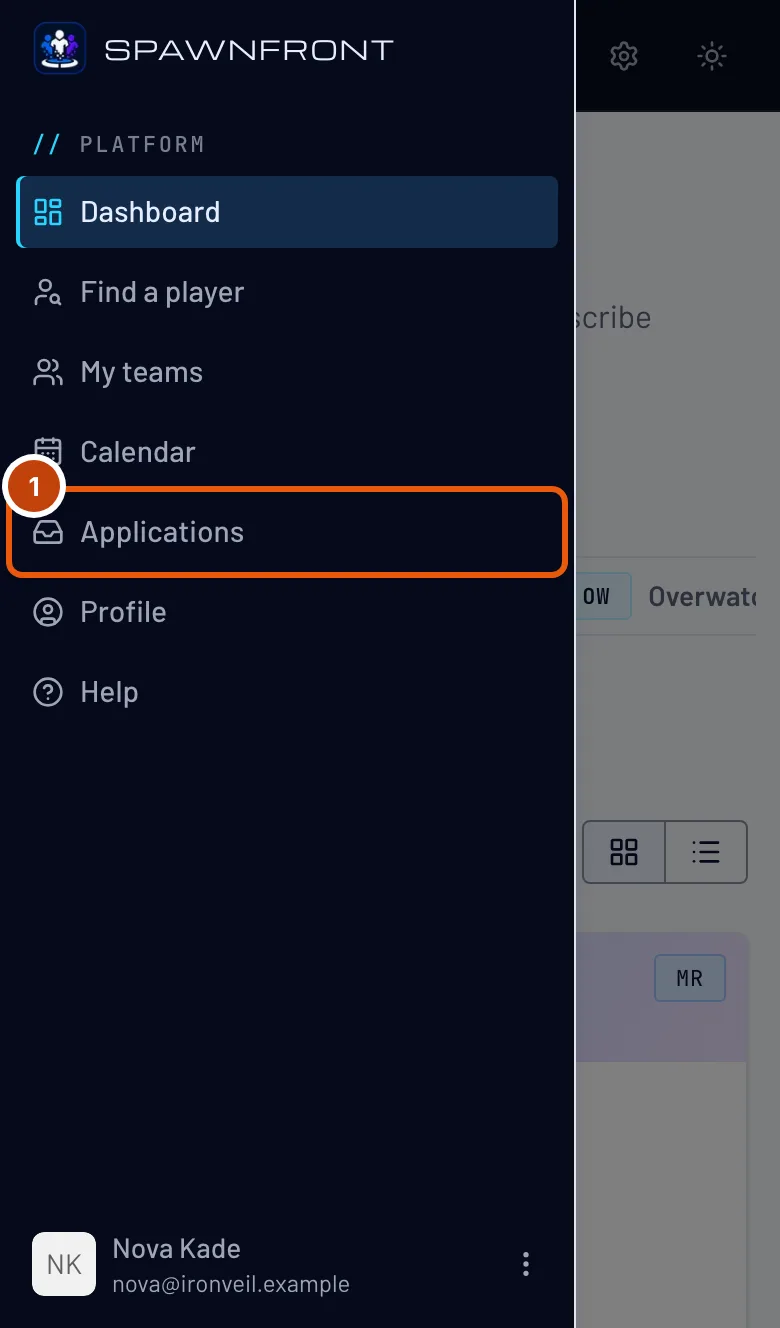
In the menu, press Applications. On a phone, open the menu with the button at the top left first.
You should see: Applications, one card per application, newest first.
Step 2: Read where it stands
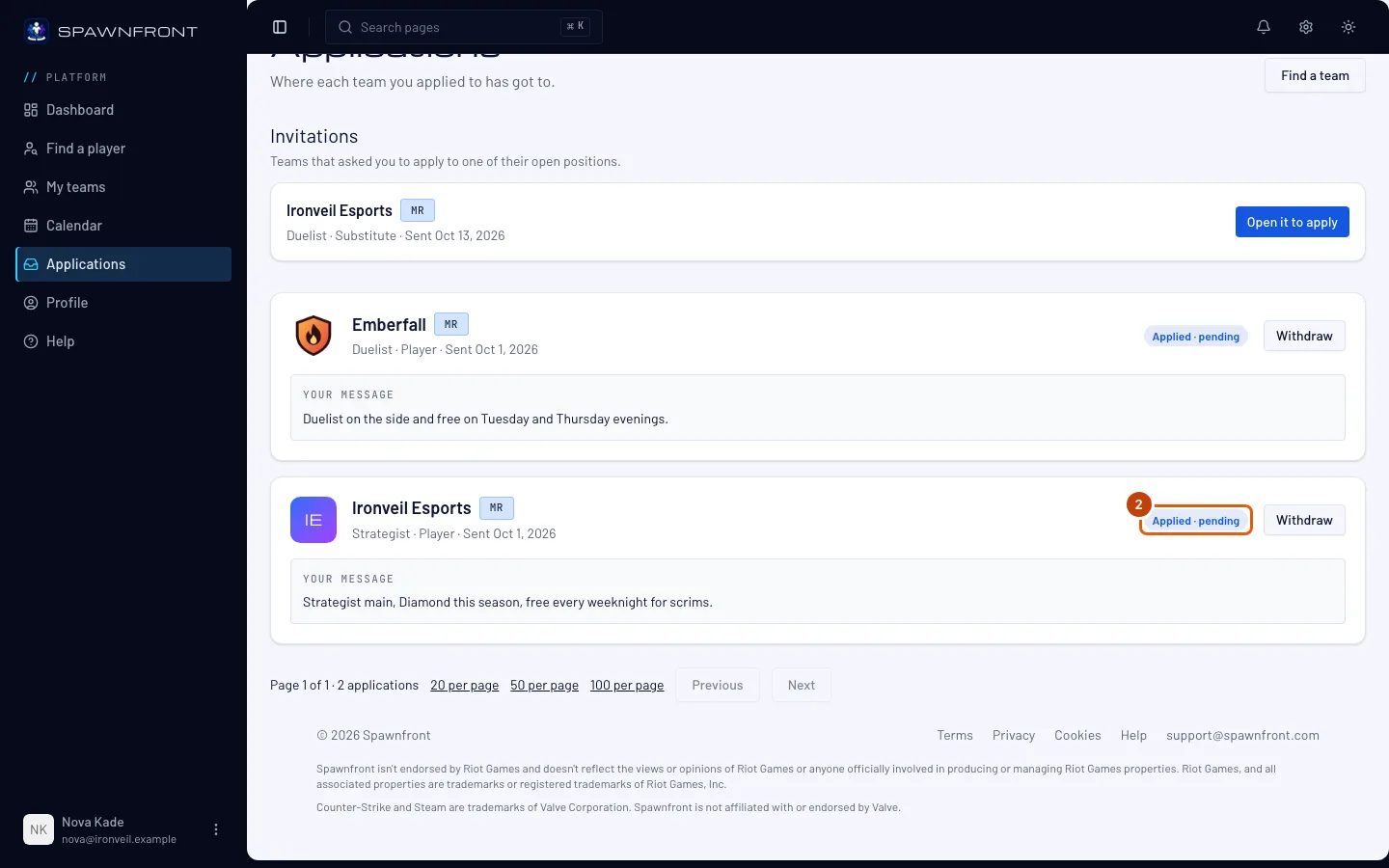
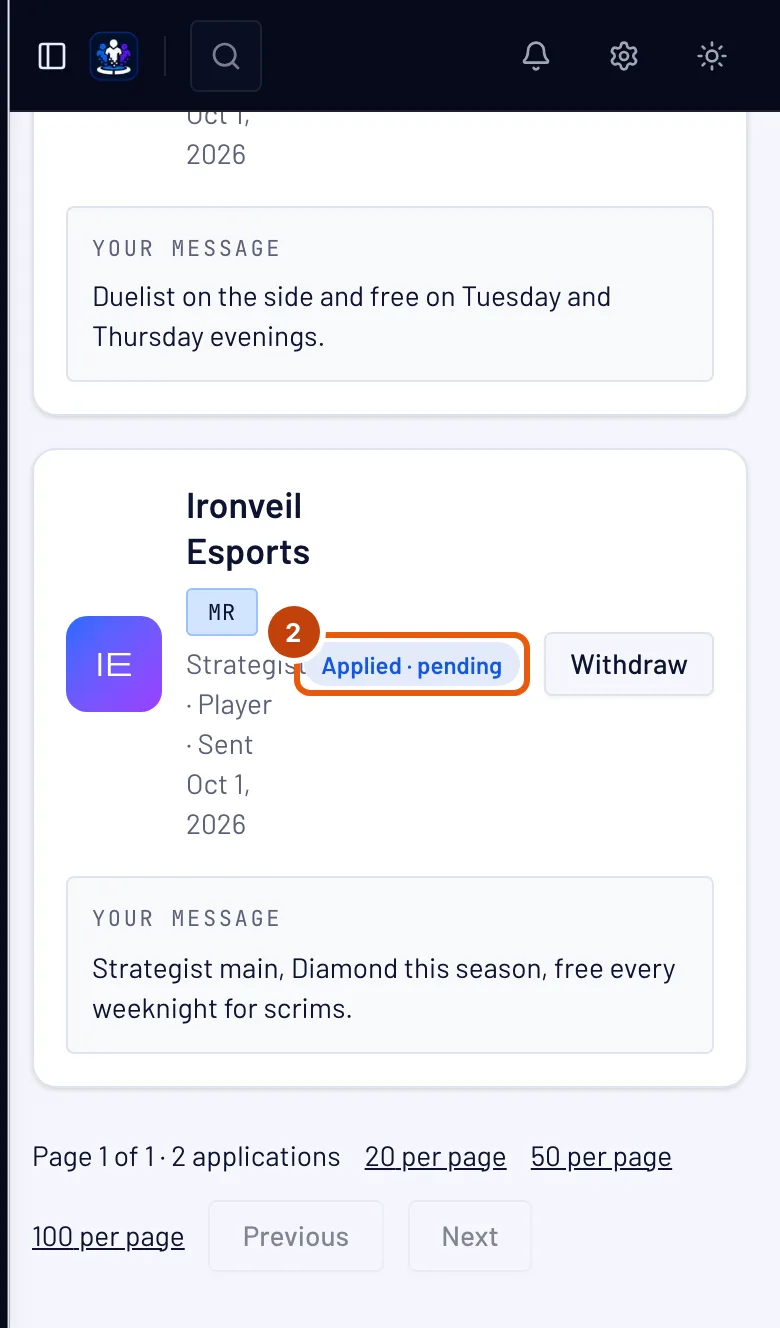
Under each team's name is where your application stands:
- Applied · pending — the team hasn't decided yet.
- Accepted — You are on the roster — you are on the team.
- Declined — the team said no, sometimes with a note for you.
- Withdrawn — you took it back.
- Closed — with the reason: the position was filled or closed, you joined another team for this game, or the team did not answer.
A team has 30 days to answer. After that the application closes as "The team did not answer".
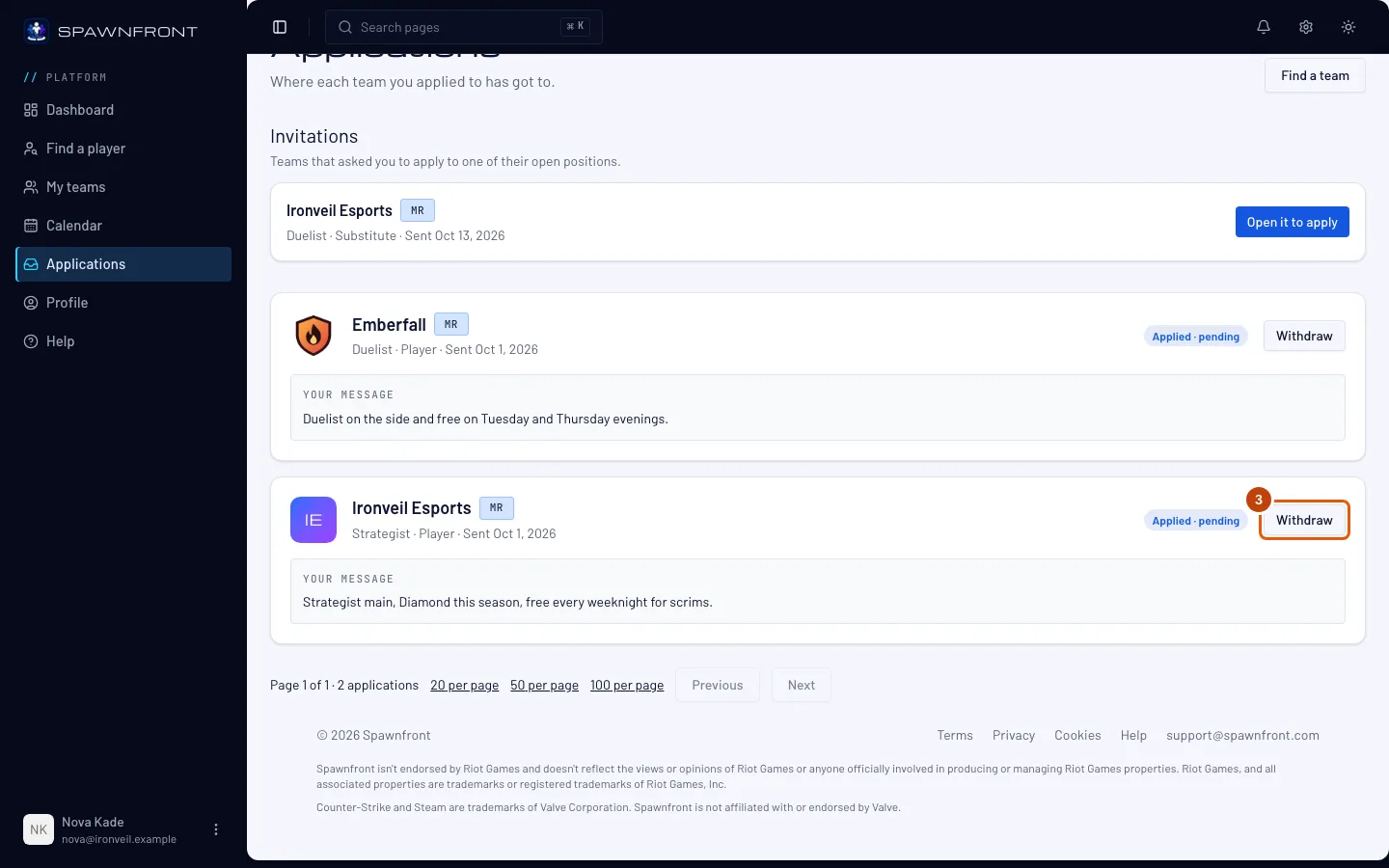
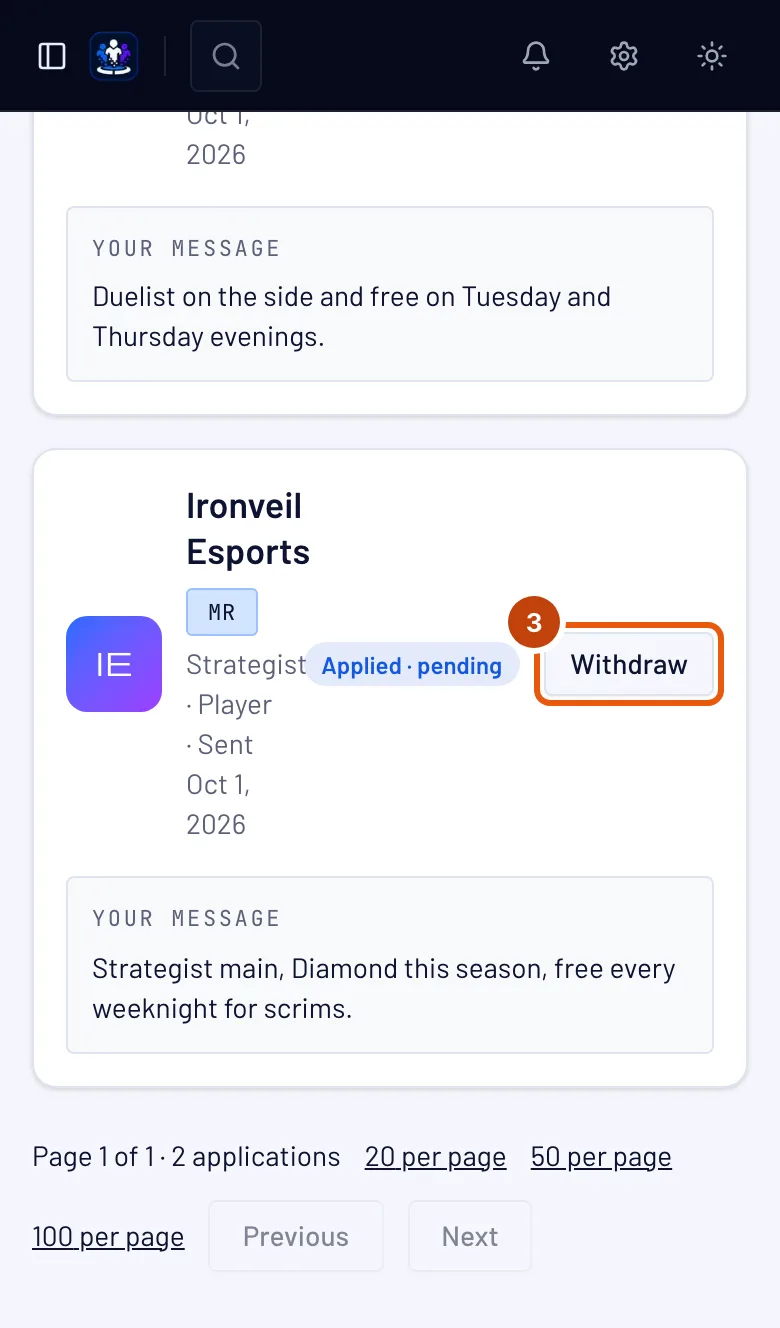
Step 3: Press Withdraw
If you change your mind, press Withdraw on a pending application.
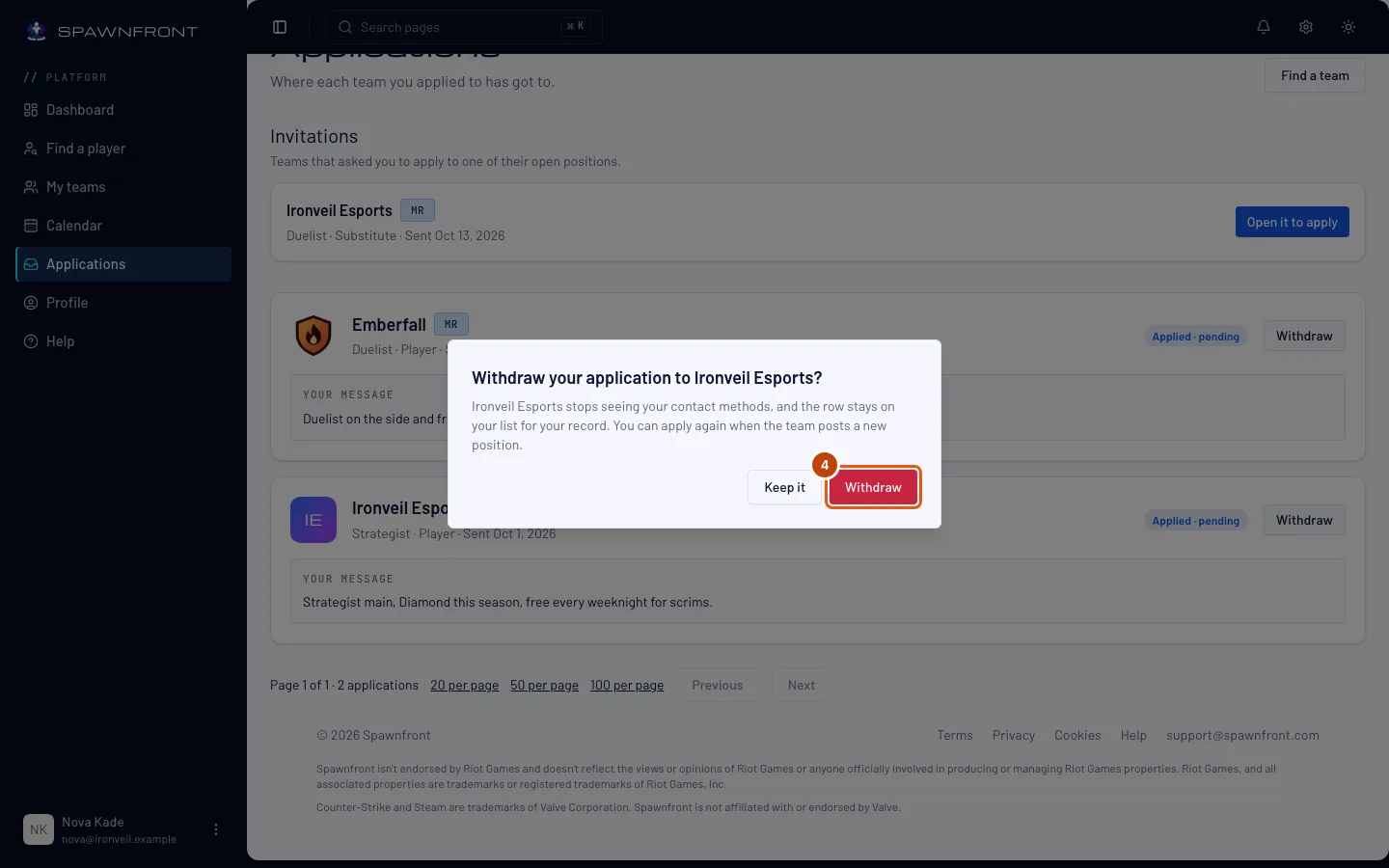
You should see: a box asking Withdraw your application to the team.
Step 4: Confirm
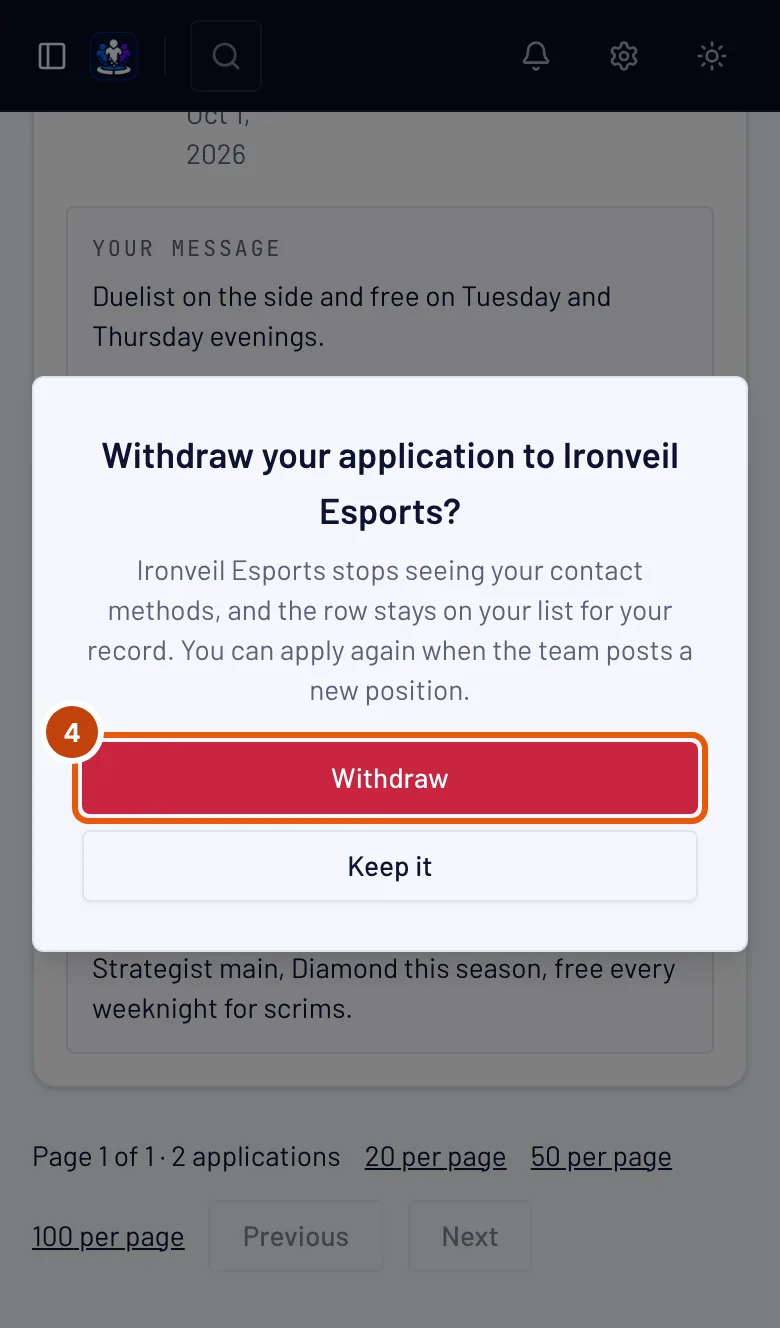
Press Withdraw in the box, or Keep it to change nothing.
You can't apply to the same position again. You can apply when the team posts a new position. The team stops seeing your contact methods.
You should see: the card reads Withdrawn.
How to know it worked
- The card reads Withdrawn, and the team page shows the position without an Apply button for you.
Invitations from teams. A team that found you in Find a player can invite you to apply to one of its open positions. Its row shows under Invitations, above your applications, with the position and the day it was sent. Press Open it to apply to open the position's Apply box; once the team closes the position the row reads This position is closed. See List yourself in Find a player.
Something doesn't look right?
There is no Withdraw button
Only a pending application can be withdrawn. An accepted, declined or closed one stays on your list for your record.
It says "Closed — You joined another team for this game"
When you join a team, your other pending applications for that game close. A player is on one team per game.
Related articles
Still stuck? Contact support or email support@spawnfront.com — tell us the page you're on and the step number.