
Delete a free team
Remove a free team you own, with its members, roster, positions and applications.
For team owners and admins · 3 steps
What you need first
- You are the team's owner, and the team is free — a team that has had a site has no Delete team.
- Deleting can't be undone. The team, its members, roster, positions and applications are removed at once.
Steps
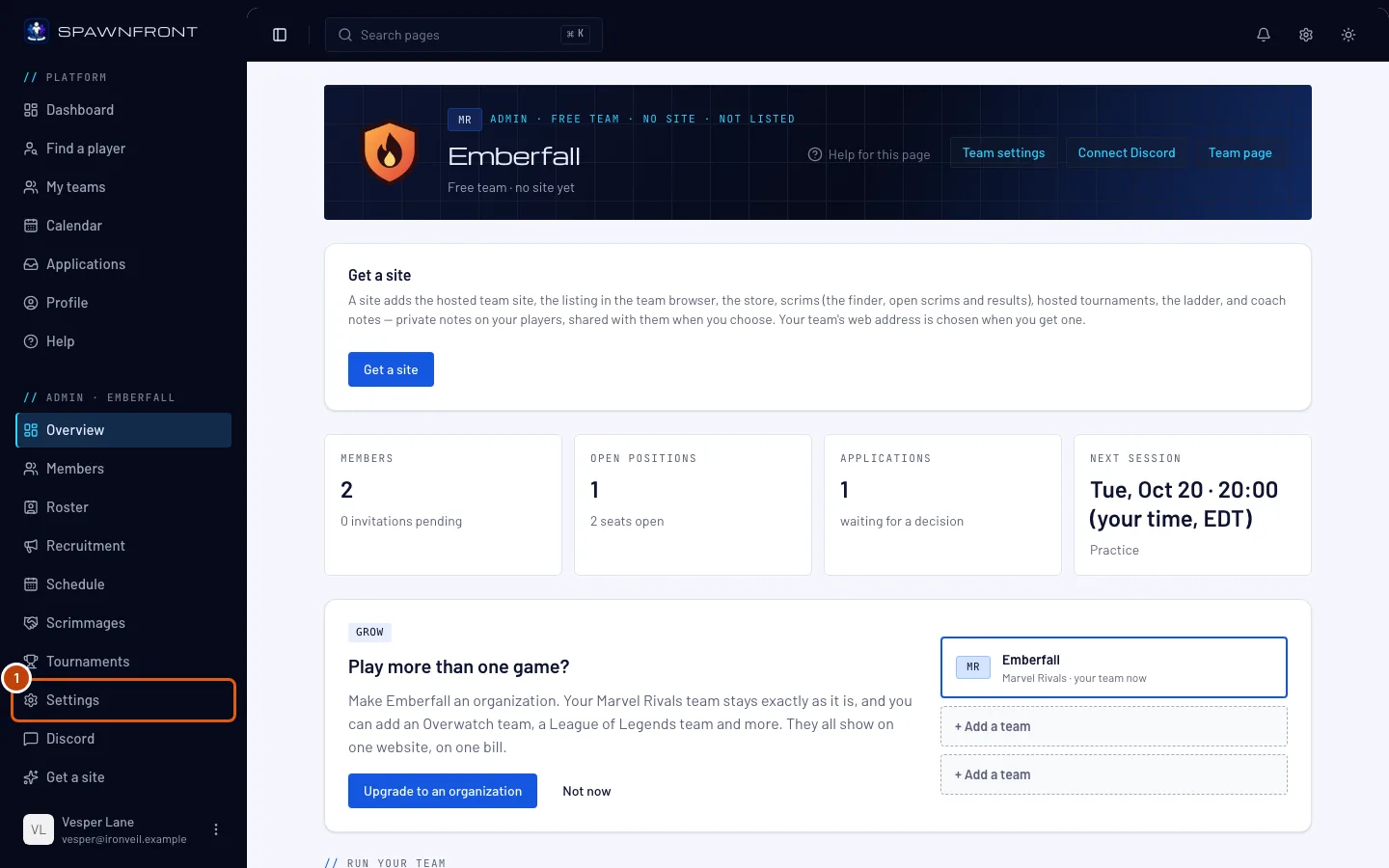
Step 1: Open Settings
In the menu on the left, under Admin, press Settings, and scroll to the Delete team card at the bottom.
Step 2: Type the team's name
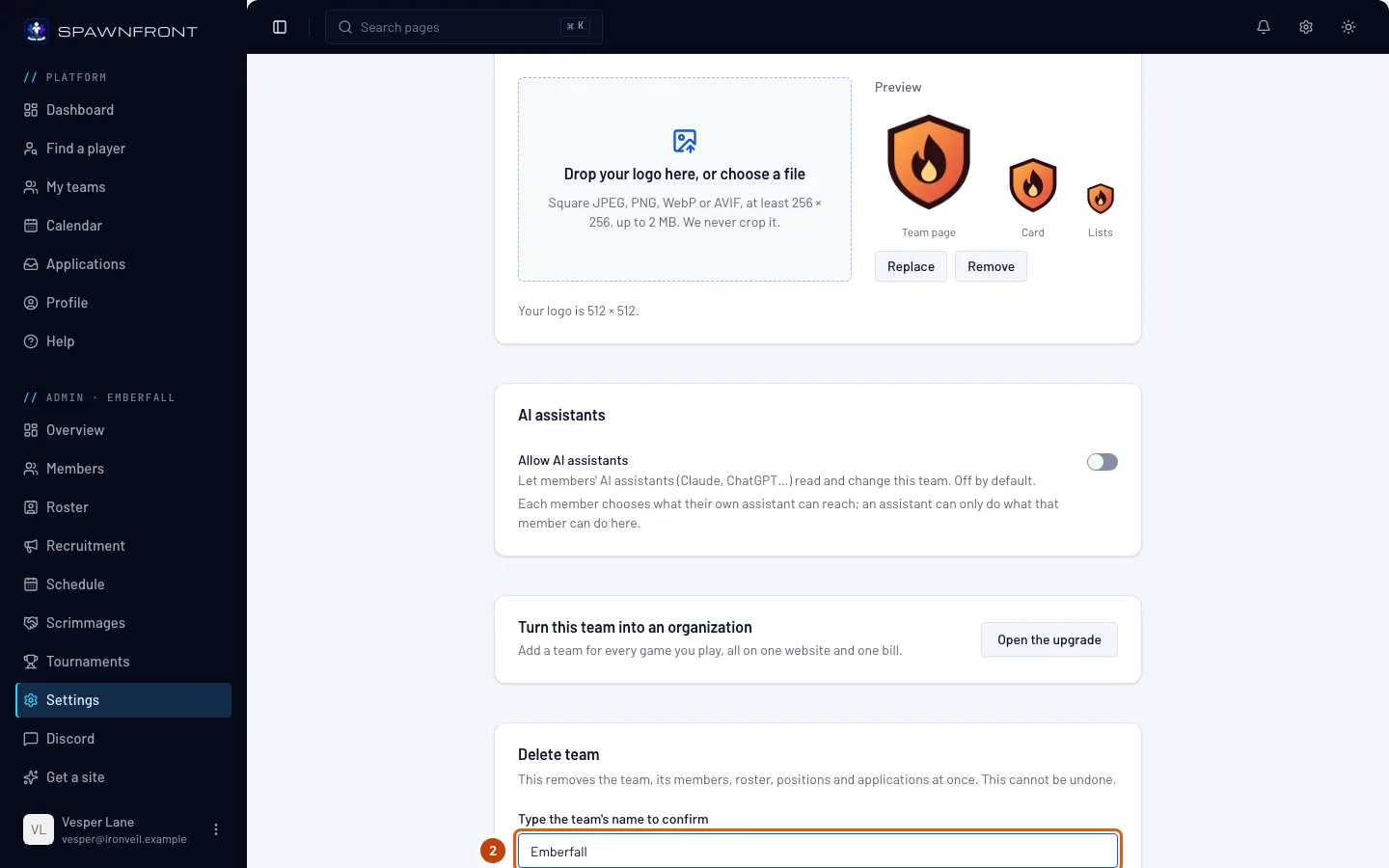
In Type the team's name to confirm, type your team's name exactly.
You should see: the Delete team button stop being grayed out.
Step 3: Delete the team
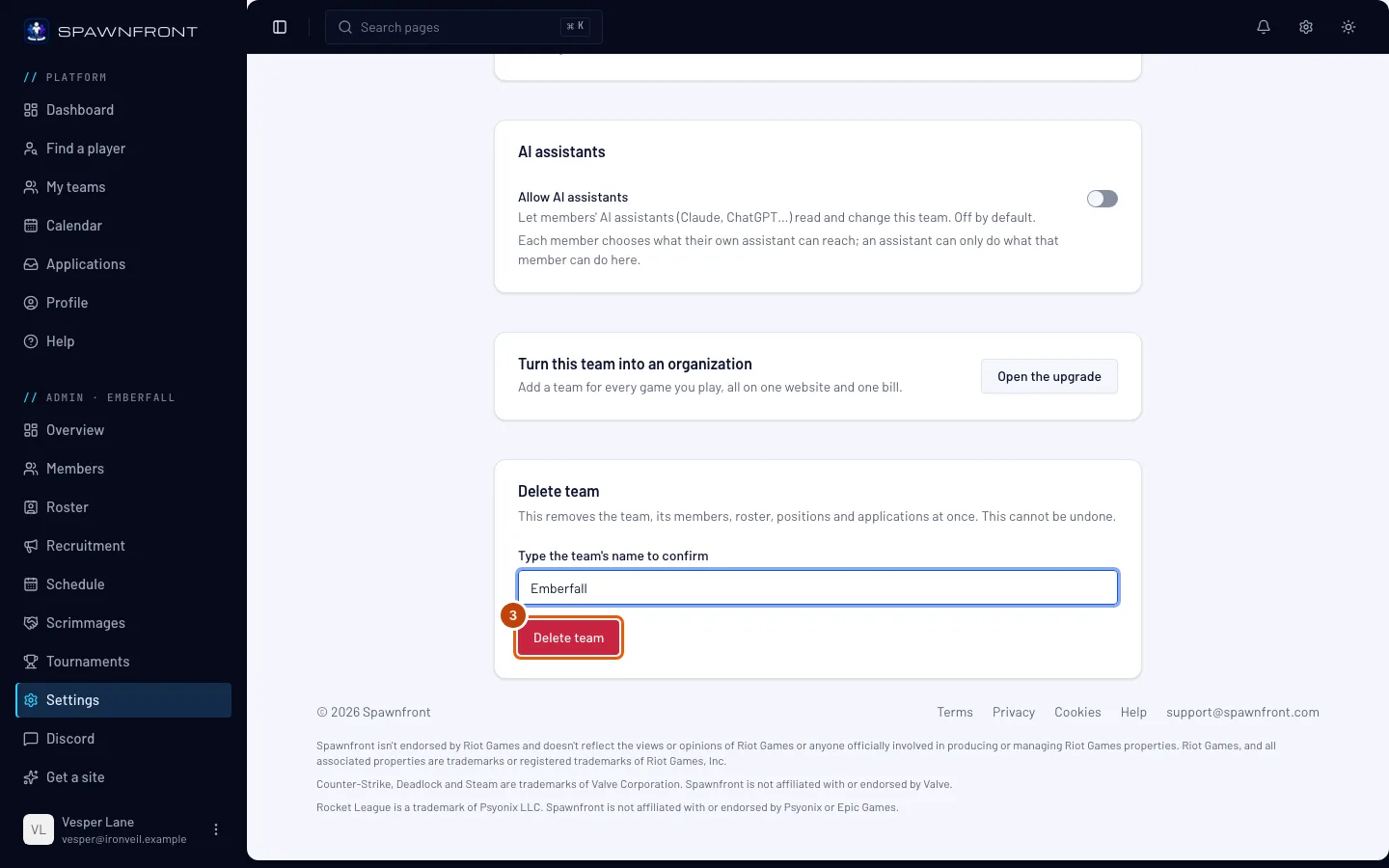
Press Delete team.
This is the step that deletes the team, at once.
You should see: My teams, without the team.
How to know it worked
- My teams no longer lists the team, and you can found another.
Something doesn't look right?
There is no Delete team card
Only the owner of a free team sees it. A team that has had a site can't be deleted from here — contact support.
Delete team stays grayed out
The name must match exactly, including capital letters.
Related articles
Still stuck? Contact support or email support@spawnfront.com — tell us the page you're on and the step number.